Configure compiler settings
You can configure how you want a compiler to process the code you work on. For example, you can increase the speed of the compilation process, configure the automatic build, process annotations during the compilation time, and so on. IntelliJ IDEA offers you extensive compilation options to tune the compilation process in general and configure settings for specific compilers.
Access compilation settings
Press Ctrl+Alt+S to open settings and then select .
On the Compiler page, configure settings that are related to any compilation and build process. For example, you can set the automatic compilation for your project.
You can exclude certain paths from compilation or re-include some files or classes that were excluded by you earlier. By excluding certain files or folders you can speed up the compilation process.
Exclude files or folders from compilation
In the Settings dialog (Ctrl+Alt+S) , go to .
On the Excludes page, specify the files and folders that shouldn't be included in compilation. Use
 to add items to the list.
 For example, you can exclude a file that contains errors and fails to compile, but is not important for the project compilation. You can also skip files that you don't want to include in the output directory.
However, if an excluded path is a dependency of the source code being compiled, this path will be included in compilation and processed by the compiler as required.
You can configure custom annotation processors and enable them during the compilation time.
You can configure what plugin extensions to call during the compilation process to validate your code.
Configure compilation validators
In the Settings dialog (Ctrl+Alt+S) , go to .
On the Validation page, select the Validate on build option.
The available Validators are extension points that plugins can register and run as inspections during compilation. The available validators are based on the enabled plugins, so if a validator is missing, check if the appropriate plugin is enabled.
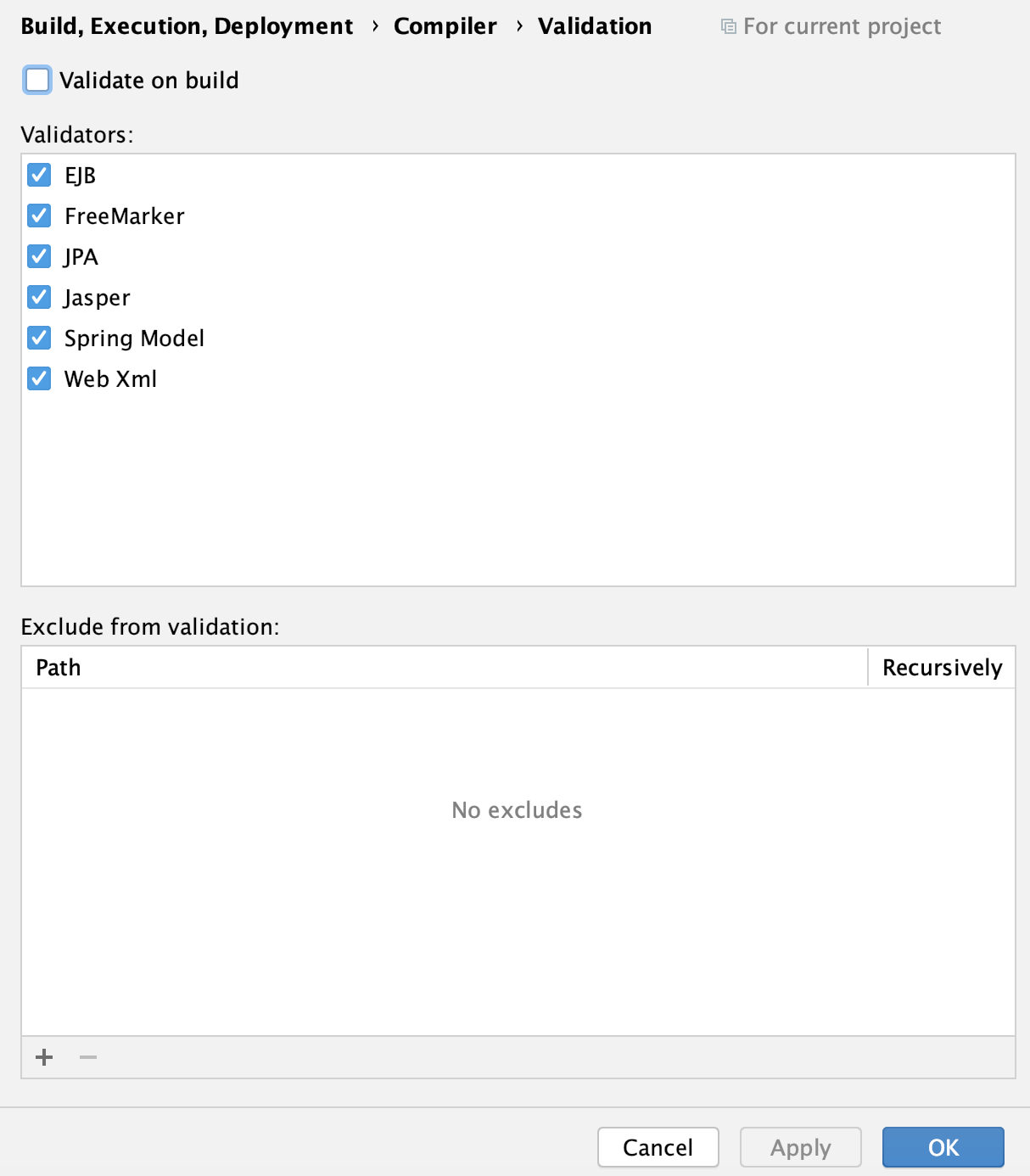
You can also exclude some files from validation by adding their paths to the Exclude from validation section.
Add Javac options
In the Settings dialog (Ctrl+Alt+S) , go to .
On the Java Compiler page, under the Javac Options, in the Additional command line parameters field, add the required
Javacoptions.Check the following example that would enable additional lint warnings:
-Xlint:unchecked -gFor more information on
javacoptions, refer to Java documentation.Click OK to save the changes.
Supported compilers
Depending on the language you use in your project, you can configure settings for the following compilers:
- javac
The Java compiler is taken from the Java SDK currently assigned to the project.
- Eclipse
IntelliJ IDEA comes bundled with the Eclipse compiler.
- Groovy and Groovy-Eclipse
IntelliJ IDEA supports the groovyc for compiling the Groovy part of code in a project. However, you can use the Groovy-Eclipse compiler if you want to use one process for compiling mixed-language projects.
- Kotlin
Kotlin includes compilers for the supported targets: JVM, JavaScript, and native binaries for supported platforms.
- Scala
The Scala compiler is available if the Scala plugin is installed and enabled. You can configure the Scala compiler settings for pure Scala projects as well as for mixed (Scala-Java) projects. You can also configure options for the Scala compiler server.
- RMI Compiler
The Java RMI compiler generates stub and skeleton class files (JRMP protocol) and stub and tie class files (IIOP protocol) for your remote objects.
- Gradle-Android Compiler
The Gradle-Android compiler lets you compile Gradle-based Android projects.