Maven goals
The list of all goals available in your project is located in the Maven tool window inside the Lifecycle node. By default, the node displays the list of basic goals that you can run, debug, and manage.
To see the extended list of goals, click  and remove the check mark against the Show Basic Phases Only. For more information about Maven Lifecycle, see Maven Lifecycle Reference.
Run Maven goals
You can use several ways to run Maven goals, such as using the Run Anything window, using the context menu in the Maven tool window, or creating a run configuration for one or several Maven goals.
Run a Maven goal from the Run Anything window
In the Maven tool window, on the toolbar, click the
 button. Alternatively, press Ctrl twice to open the Run Anything window.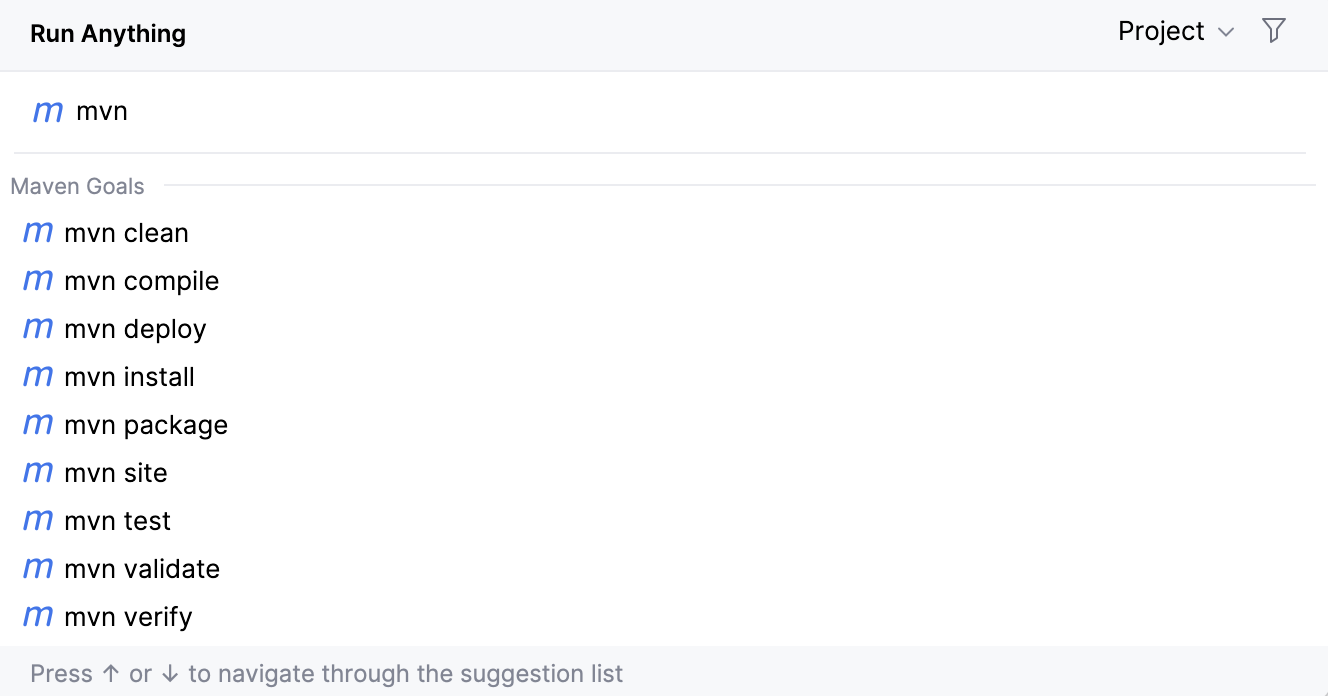
In the Run Anything window, start typing a name of the goal you want to execute. The window also displays a list of recent Maven goal entries.
If you have a multi-module project and need to execute a goal from the specific module then in the Run Anything window, in the top-right corner, from the Project list, select a module or a directory you need and in the search field enter the goal's name.
IntelliJ IDEA runs the selected goal and displays the result in the Run tool window.
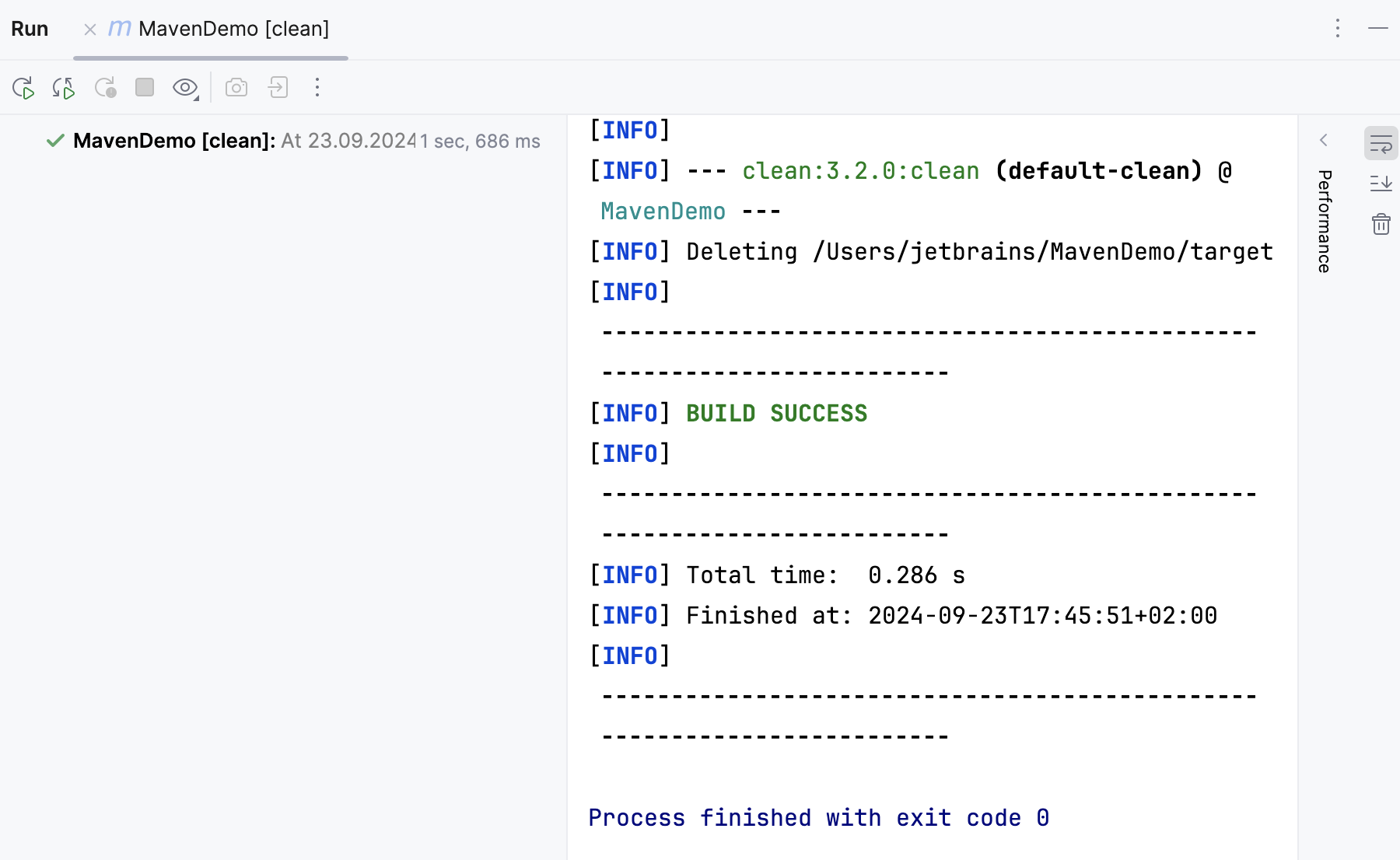
Run a Maven goal from the context menu
In the Maven tool window, click Lifecycle to open a list of Maven goals.
Right-click the desired goal and from the context menu select Run 'name of the goal'. IntelliJ IDEA runs the specified goal and adds it to the Run Configurations node.
Run a Maven goal or a set of goals via Run configuration
IntelliJ IDEA lets you create a run configuration for one specific goal or a set of several goals.
In the Maven tool window, click Lifecycle to open a list of Maven goals.
Right-click a goal for which you want to create a Run configuration. (To select several Maven goals, press Ctrl and highlight the desired goals.)
From the list, select Modify Run Configuration.
In the Create Run/Debug Configuration: 'goal name' dialog, specify the goal settings (you can specify any Maven commands and arguments) and click OK.
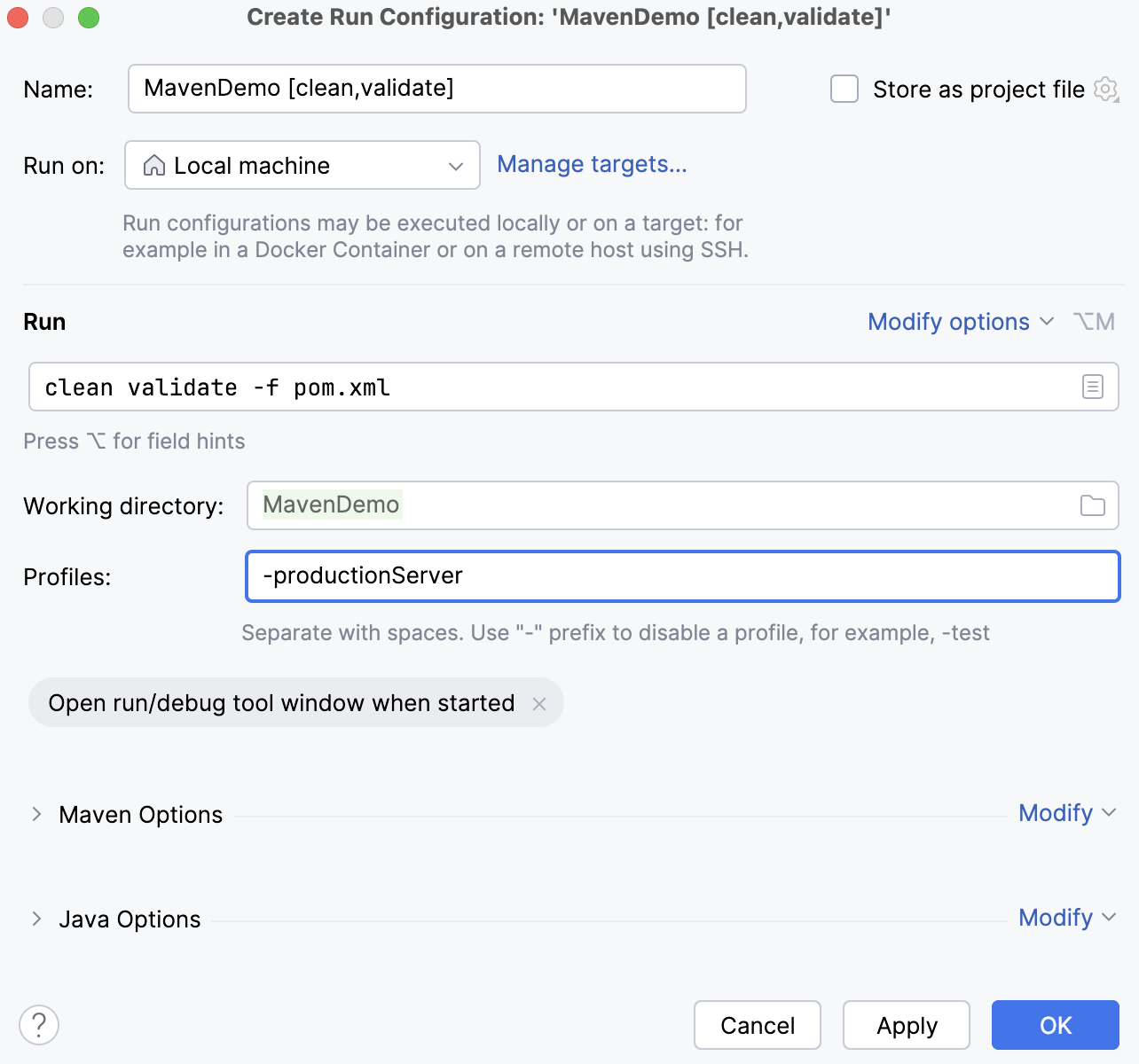
IntelliJ IDEA displays the goal under the Run Configurations node.
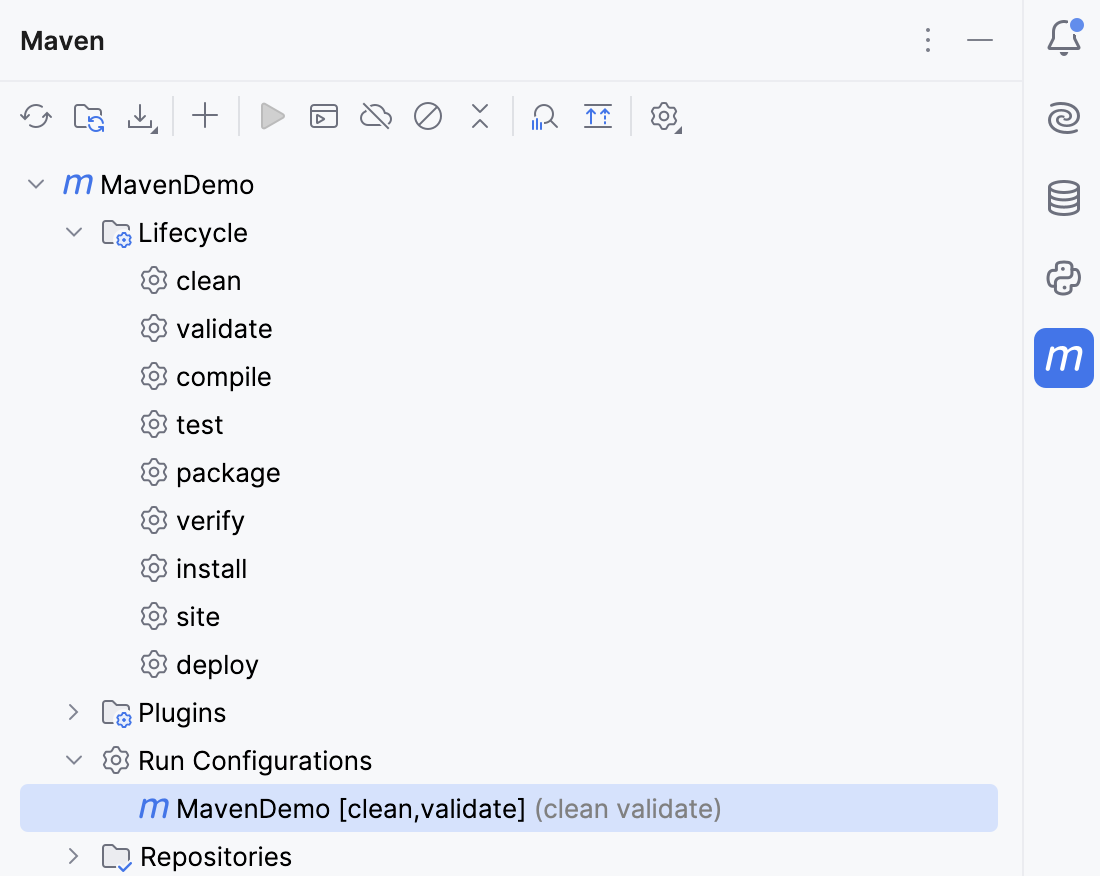
Double-click the goal to run it or right-click the goal and from the context menu select Run.
Configure triggers for Maven goals
IntelliJ IDEA lets you run Maven goals before your project's execution or set other conditions using the goal activation configuration.
In the Maven tool window, click Lifecycle to open a list of goals.
In the list that opens, right-click the goal for which you want to set a trigger.
From the context menu, select an activation phase.
For example, when you use the Execute Before Build action as a trigger, the goal with such trigger is executed before you run the project's build action (). If the build action is delegated to Maven, then the Maven
installcommand is executed.When you use Execute Before Rebuild, the goal with such a trigger is executed before you run the project's rebuild action (). If the rebuild action is delegated to Maven, then the Maven
clean,installcommands are executed.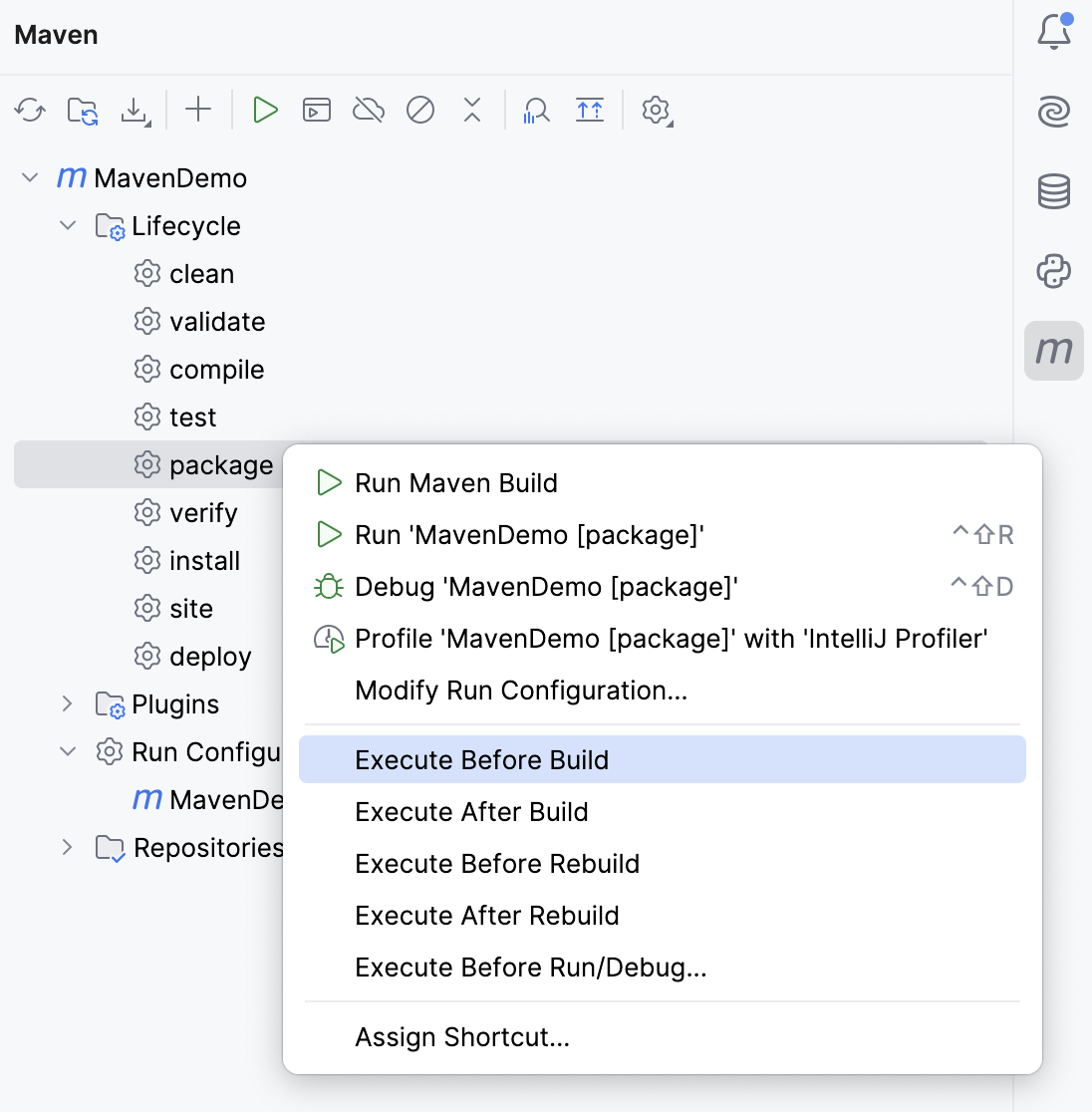
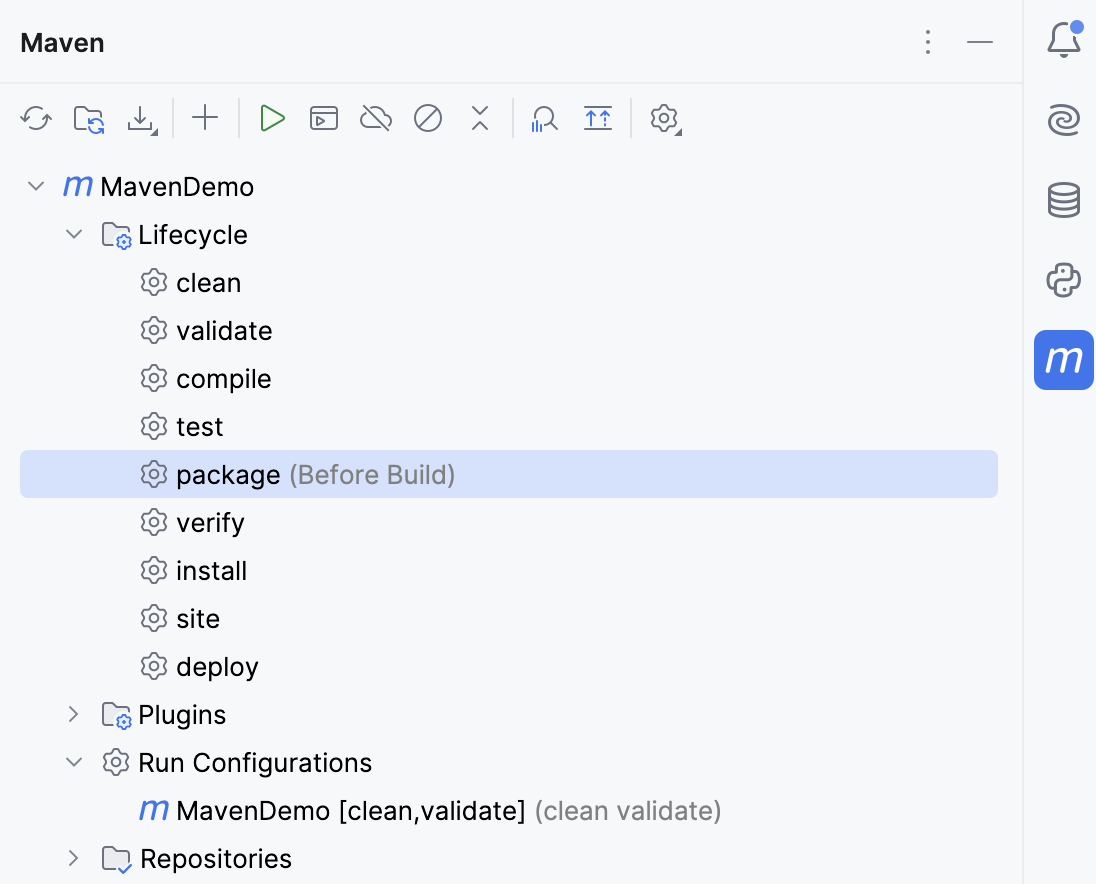
The name of the activation is added to the selected goal in the Maven tool window.
You can also create a run/debug configuration that would depend on a Maven goal.
In the main menu, go to to open the run/debug configuration for your project.
In the Run/Debug Configurations dialog, click Modify options.
In the Before Launch section, select Add before launch task.
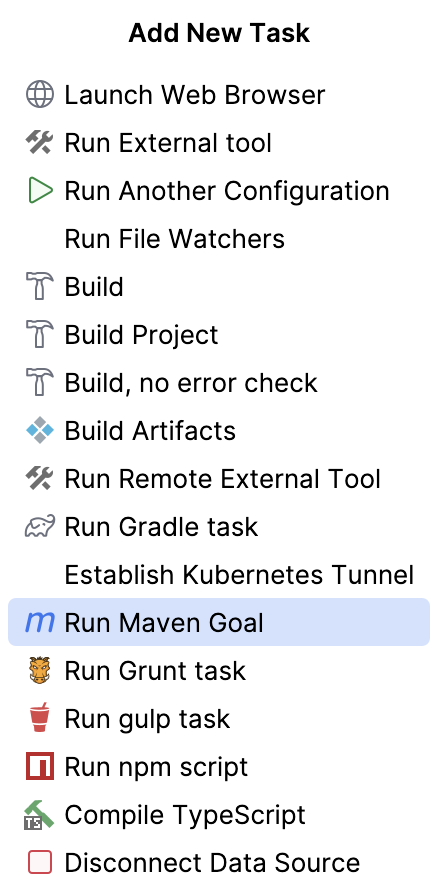
In the list of tasks, select Run Maven Goal.
In the Select Maven Goal dialog, specify a project and a goal that you want to execute before launching the project.
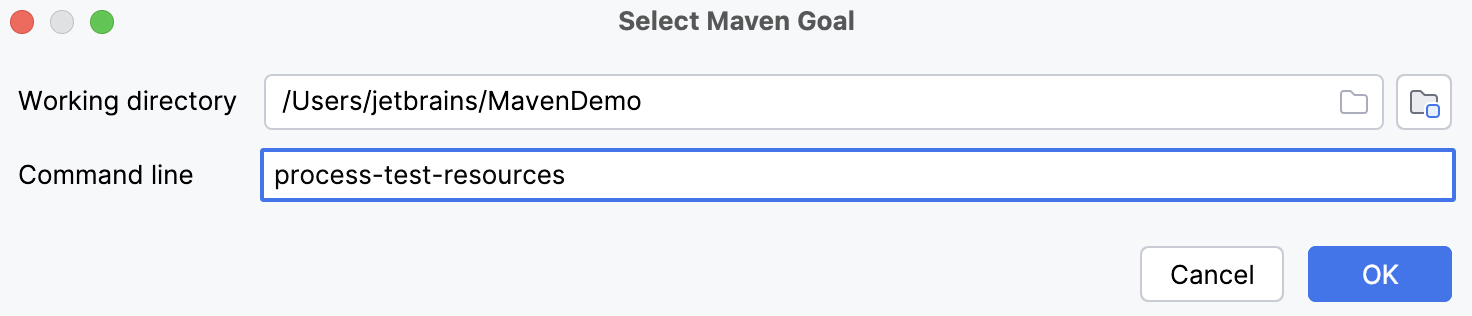
Click OK.
Associate Maven goals with keyboard shortcuts
You can associate a Maven goal with a keyboard shortcut and execute goals with a single key.
In the Maven tool window, right-click the desired goal.
From the context menu, select . The Keymap dialog opens.
In the Keymap dialog, under the Maven node navigate to your goal.
Right-click the goal and from the list that opens, select a type of the shortcut you want to assign.
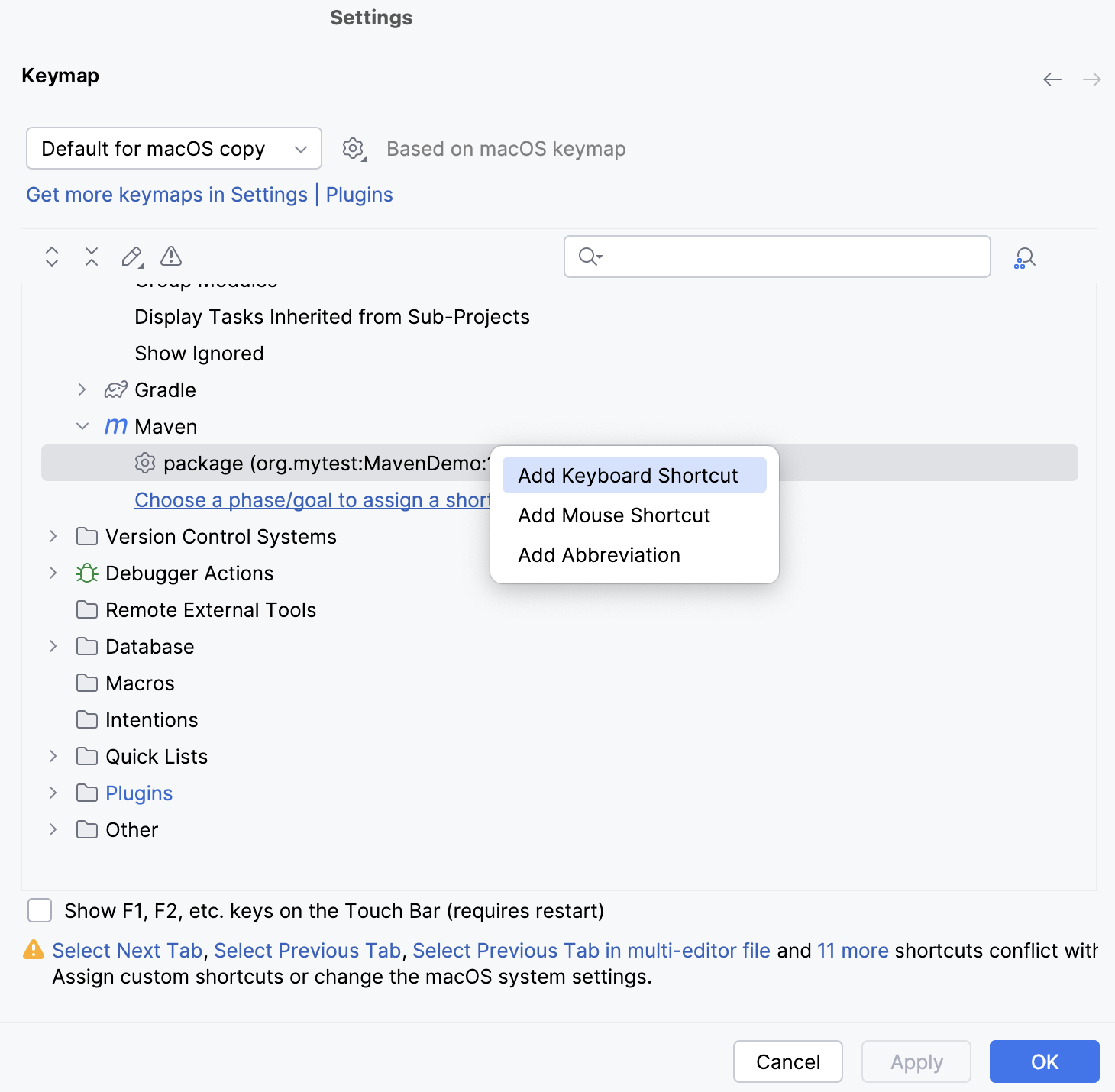
In the dialog that opens, depending on the shortcut's type, configure your shortcut and click OK.
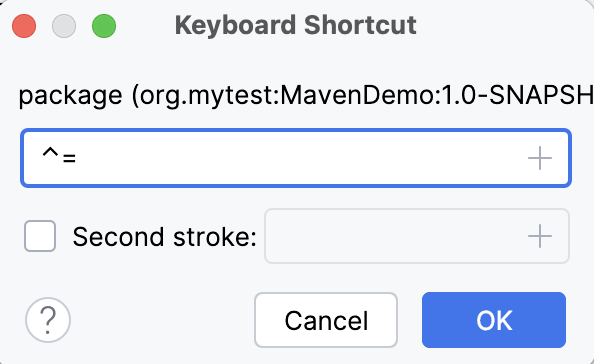
The shortcut is displayed against your goal in the Maven tool window.
While in the Keymap dialog, you can add a new goal to which you want to assign a shortcut.
In the Keymap dialog, under the Maven node, click Choose a phase/goal to assign a shortcut.
In the dialog that opens, select a goal you need and click OK.
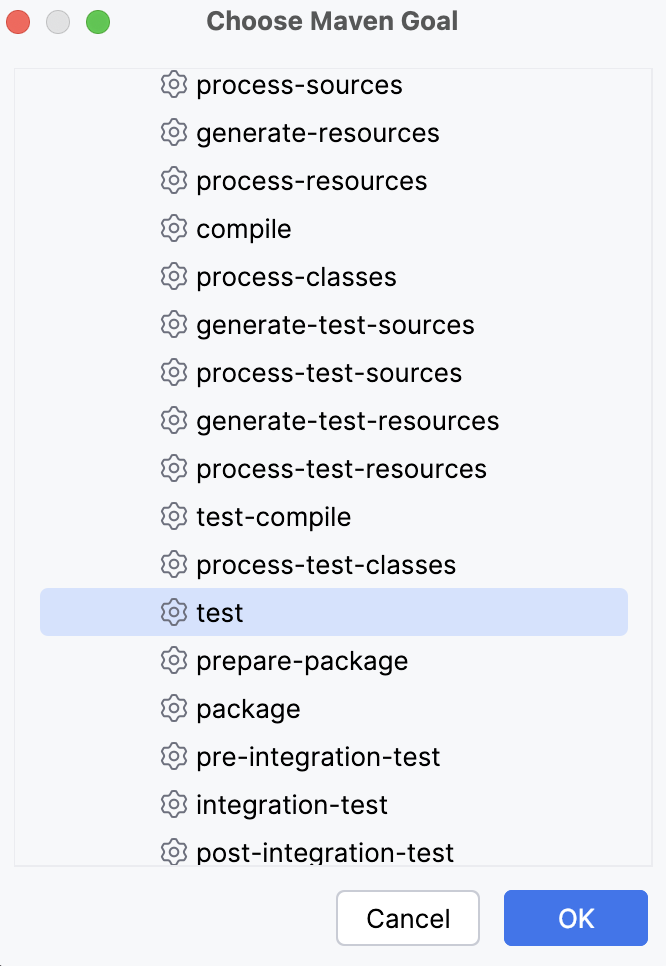
The goal is added to the list under the Maven node. Now you can configure the shortcut.
Debug Maven goals
You can create a regular debug configuration for one or several Maven goals. You can also select a goal in the Maven tool window and start a debugging session.
Debug a Maven goal
You can start a debugging session for a single Maven goal or a Maven run configuration that may contain more than one Maven goal.
Open the Maven tool window.
Under the Lifecycle node, select a goal for which you want to start a debugging session. (Look for existing Maven run configurations under the Run Configurations node to start a debugging session for the created configuration.)
Right-click the goal and from the context menu select Debug [name of the goal]. IntelliJ IDEA starts a debugging session.