Export files to HTML
You can export entire files or selected code fragments to HTML. The IDE will generate a file that visually represents the contents of your source file. The output preserves syntax highlighting, indentation, and structure. The HTML file that you get is static.
You can use this option to share code samples on a blog or website while preserving their original formatting, or to include code snippets in documentation or reports. HTML files are also useful whenever you need to display clean, color-coded code in a browser.
In the main menu, go to .
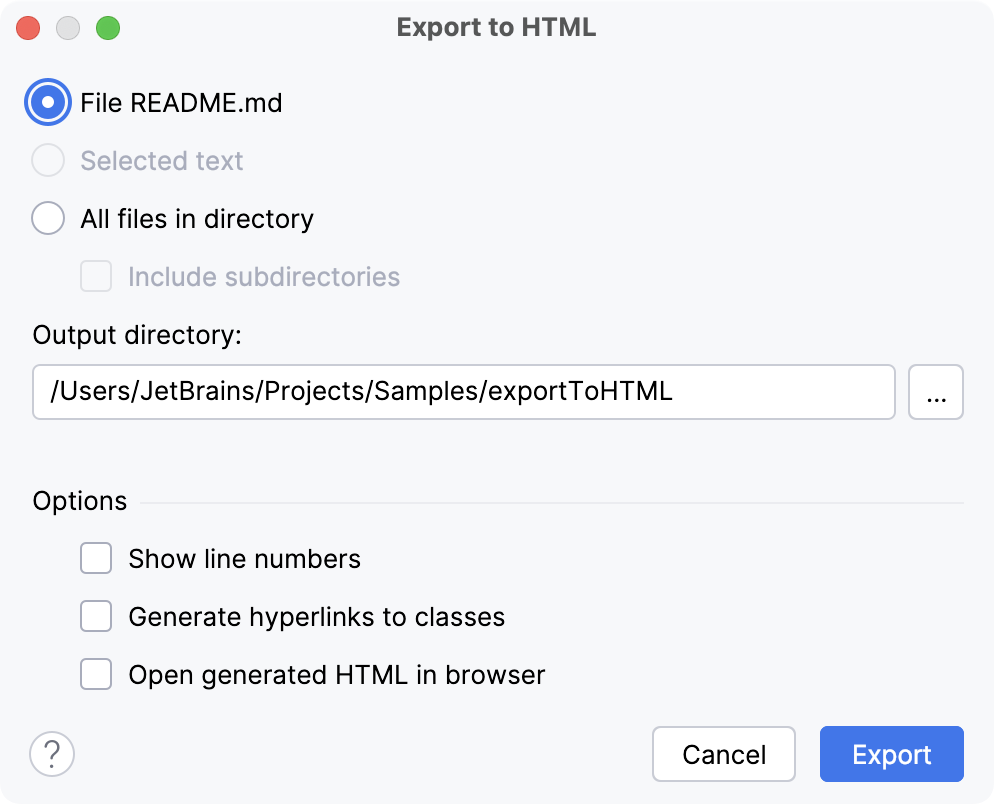
In the dialog that opens, select what you want to export: the current file, the selected piece of code, or all files in the directory that is currently selected in the Project tool window (Alt+1) .
Specify the directory to which you want to save the file.
Configure additional options if necessary:
Show line numbers: adds line numbers in the HTML file.
Generate hyperlinks to classes: formats class names as hyperlinks to the respective classes.
Open generated HTML in browser: opens the generated HTML file in the default web browser.
Click Export.