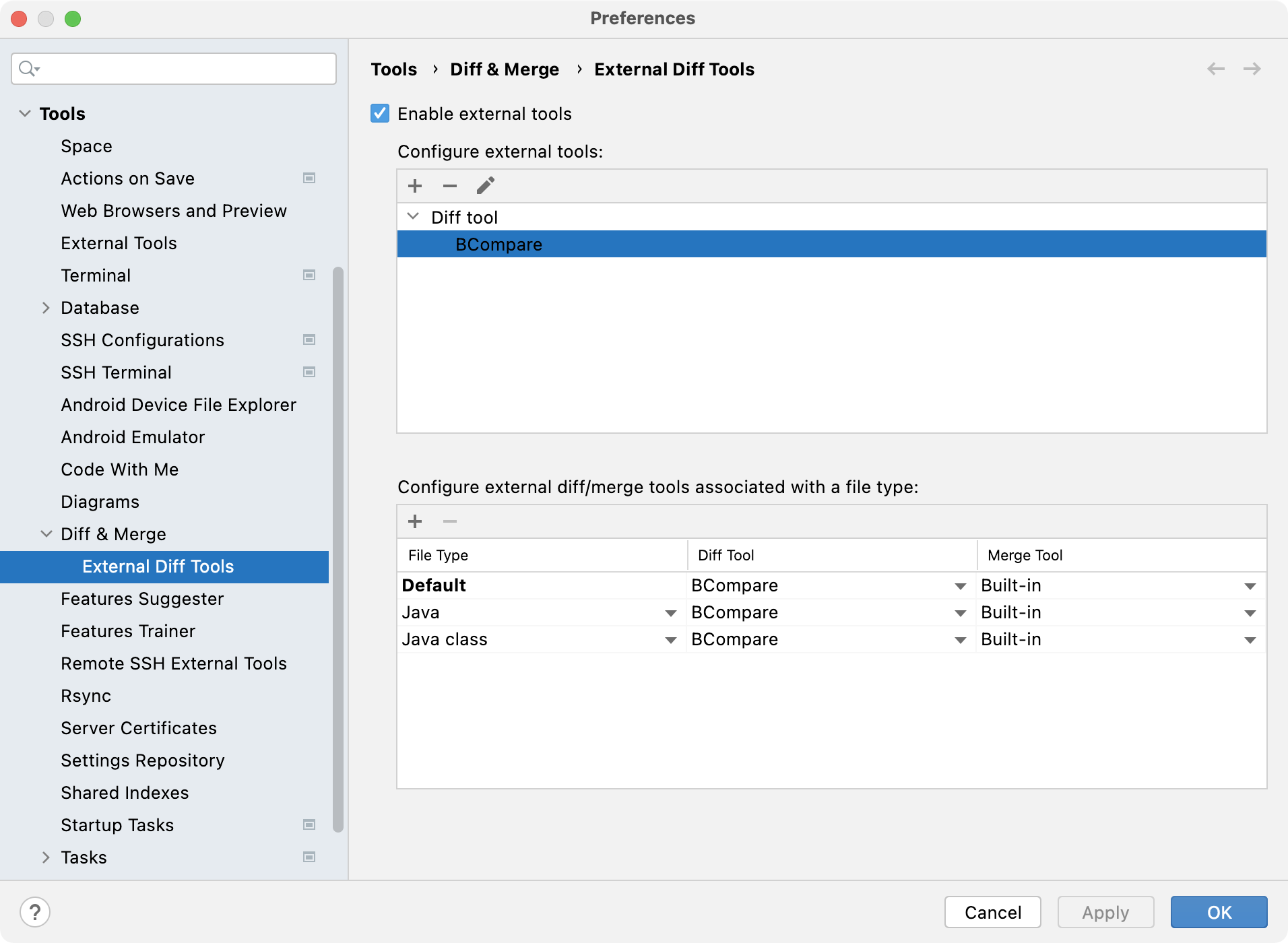
Specify external tools for comparing or merging files and folders, and associated settings.
Item
Description
Enable external tools
Select to use an external tool to compare or merge files or folders.
Configure external tools
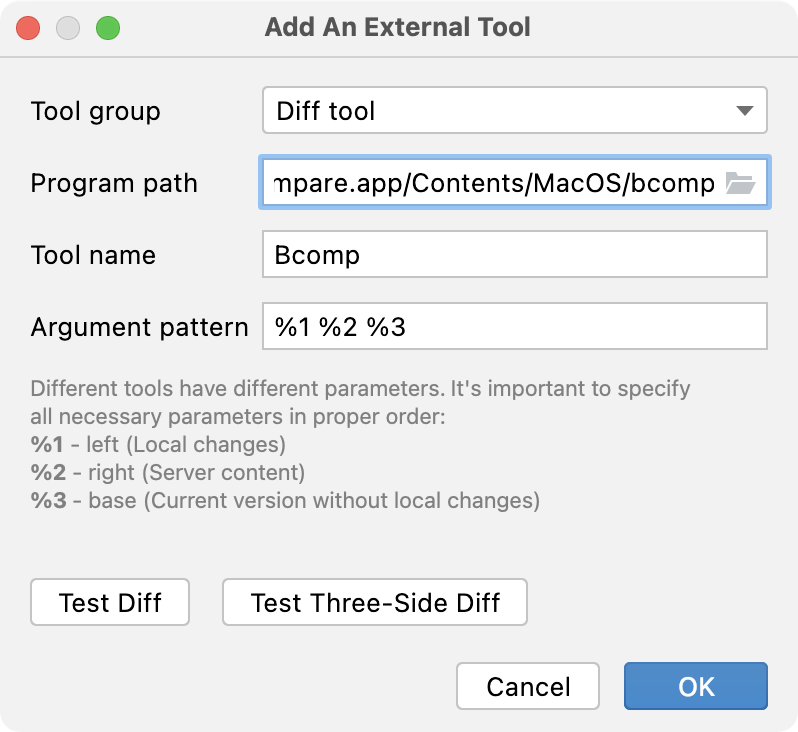
Add a new external tool. In the dialog the opens, configure the following options:
Tool group: select whether you want to use a diff or merge tool.
Program path: specify the path to the executable file of the tool you want to use.
For example: C:\Program Files\Beyond Compare 4\BCompare.exe on Windows or /Applications/Beyond Compare.app/Contents/MacOS/bcomp on macOS.
Tool name: enter the name of the external tool that you're configuring.
Argument pattern: set the diff tool parameters.
Specify the necessary parameters in the proper order:
%1: left (local changes)
%2: right (server changes)
%3: base (the current version without the local changes)
(merge tool only) %4: output (merge result)
(merge tool only) Trust process exit code: select to silently finish the merge if the exitCode of the external merge tool is set to 0 (successful). Otherwise, you will be prompted to indicate the success of the resolution after the tool has exited.
Remove the selected external tool.
Edit the settings of the selected external tool.
Configure external diff/merge tools associated with a file type
Add a file type and configure the diff and external tool that will be used to process files of this type.
Remove the selected association between a file type and an external diff or merge tool.