Hard-coded string literals
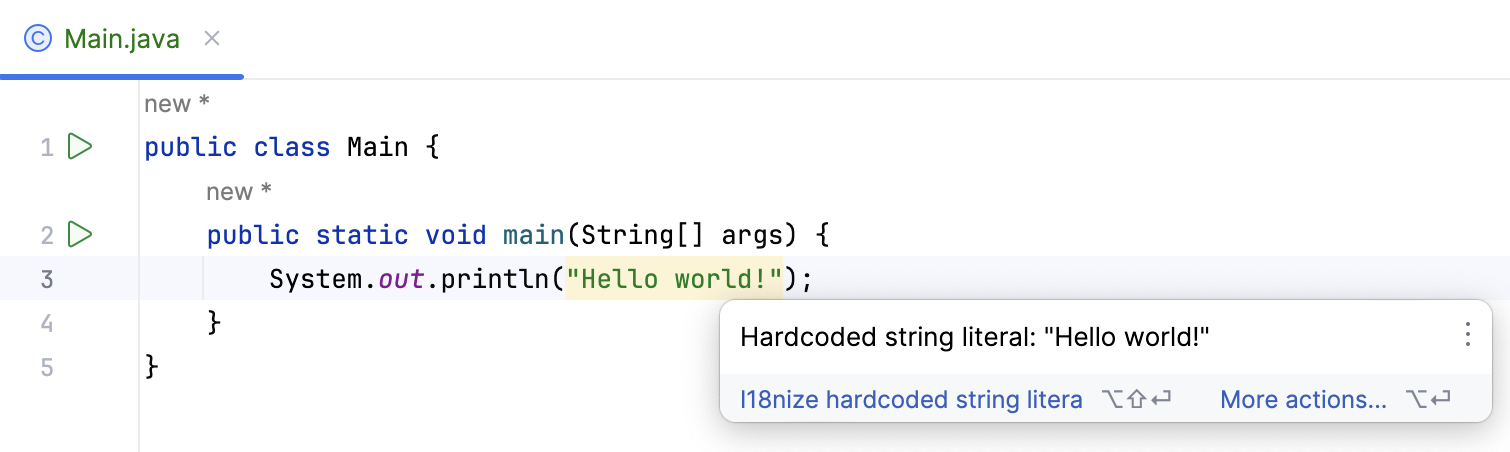
If your source code contains hard-coded string literals, you can enable the Internationalization code inspections to highlight them. You can then extract those strings into properties files for localization or ignore them if they are not meant to be localized.
Enable highlighting of hard-coded string literals
Open the Settings dialog Ctrl+Alt+S, expand Editor and click Inspections.
Select the desired profile, and under Java, locate the node Internationalization.
Enable the Hardcoded strings inspection to highlight hard-coded string literals in the editor.
Apply the changes and close the dialog.
Now the editor will highlight hard-coded string literals, as shown in the screenshot below:
Internationalize Hardcoded String dialog
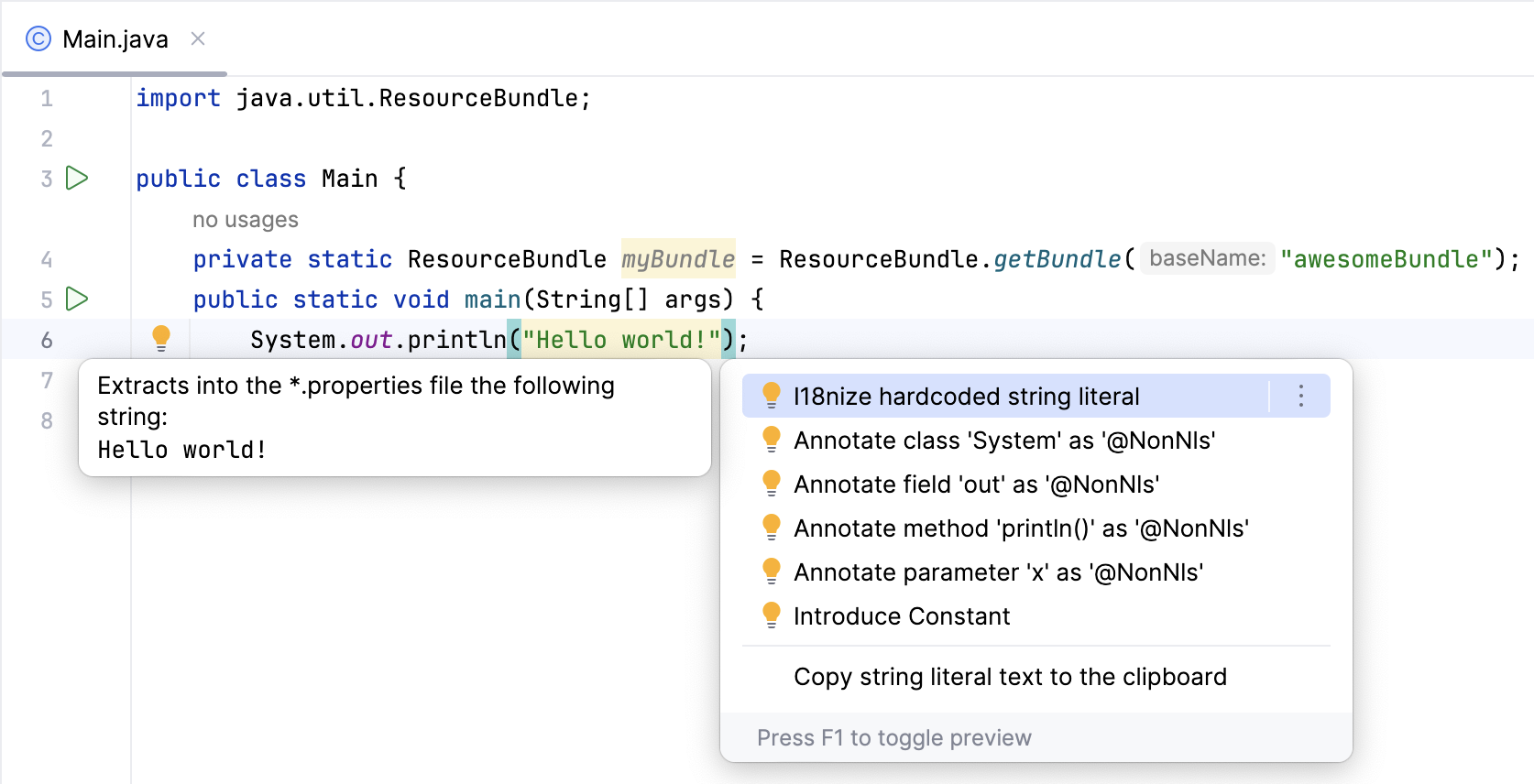
IntelliJ IDEA provides a special intention action i18nize hard coded string literal to extract string literals into your properties files. You can access the resource bundle using either the java.util.ResourceBundle class or a custom utility class.
Item | Description |
|---|---|
Properties file | In this field, specify an existing .properties file to store the extracted string literal. Type the path to the file manually or click Browse |
Update all properties files in resource bundle | Select this checkbox to have all properties files in the target bundle updated. |
Property key | By default, this field displays the suggested key name, based on the value of the string to be extracted. Keep the default name or type the desired one. |
Property value | By default, this field displays the value of the string to be extracted. Keep the default value or type the desired one. |
Resource bundle expression | By default, this field displays a resource bundle expression from the resource bundle declaration in the source code. If the resource bundle is not declared in the source code, the field does not appear. To define the desired expression, do one of the following:
|
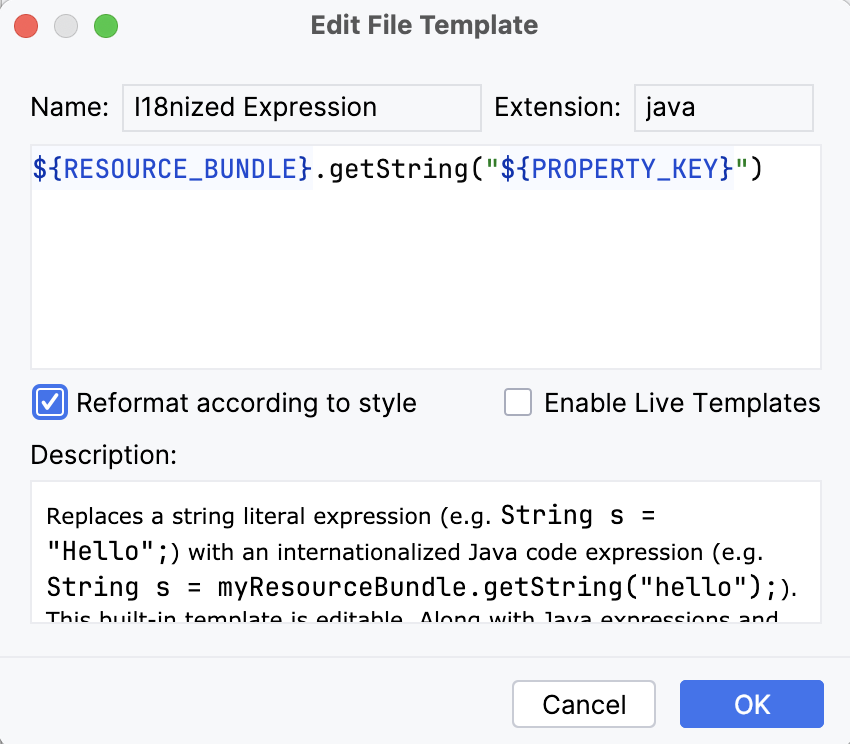
Edit i18n template | Click this link to open the Edit File Template dialog, where you can change the I18nized Expression template to point to the method of a custom utility class that will be used to access a resource bundle. For more information, refer to Edit the internationalized expression template. A changed file template is a global setting that affects all projects. If you want to restore defaults, open the File and Code Templates dialog, find the I18nized Expression template in the Code tab, and click the Reset button |
Preview | This read-only field displays the results of applying the intention action. |
 to open the
  .
.Extracting hard-coded string literals
Extract a string literal using java.util.ResourceBundle
First, you must have at least one properties file in your project, for example, my .properties.
In your source code, specify the resource bundle that will be used to store the extracted literals in the following form:
private static ResourceBundle <field name> = ResourceBundle.getBundle("<bundle name>");For example:
private static ResourceBundle myBundle = ResourceBundle.getBundle("awesomeBundle");Click the highlighted string, press Alt+Enter and select . In this example, we are using the optional sample code included when you create a new Java project using IntelliJ IDEA.
In the Internationalize Harcoded String dialog, specify an existing target properties file, the key and value of the property, and the resource bundle expression.
If the
ResourceBundlefield has been declared in the source code, IntelliJ IDEA suggests its name by default. If you haven't declared this field in the source code, this field won't appear. You must include an expression of the ResourceBundle type in your source code.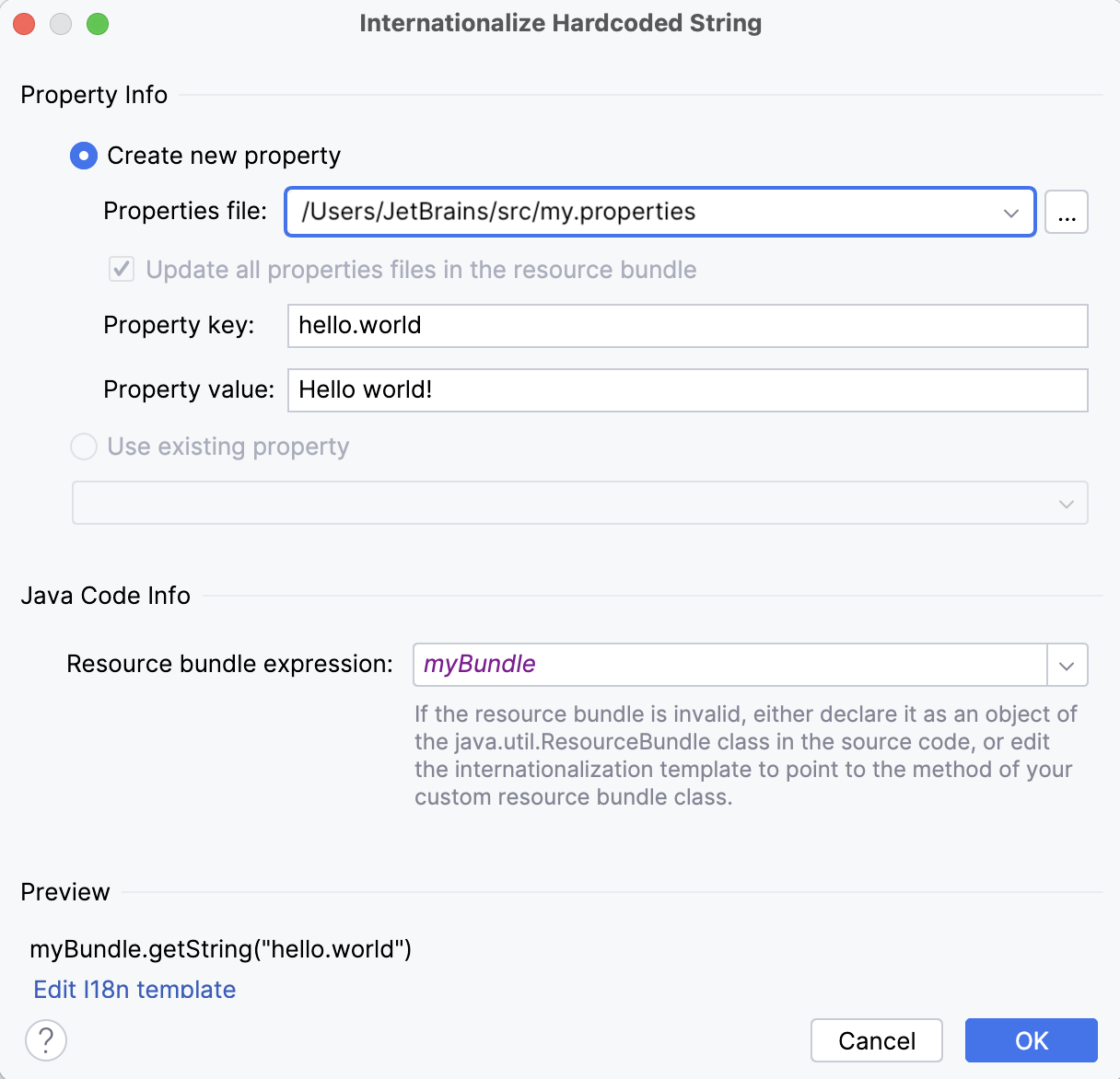
Click OK. The line with the hard-coded string literal is replaced.
If the resource bundle has been declared in the source code:
System.out.println(myBundle.getString("hello.world"));If the resource bundle has been defined in the dialog:
System.out.println(ResourceBundle.getBundle("awesomeBundle").getString("hello.world"));
Edit the internationalized expression template
If you want to access a resource bundle using a custom utility class, you may define the I18nized Expression template either via your settings or the Internationalize Harcoded String dialog to point to the method of your custom utility class.
Open the Settings dialog Ctrl+Alt+S, then go to . Here you can edit the template.
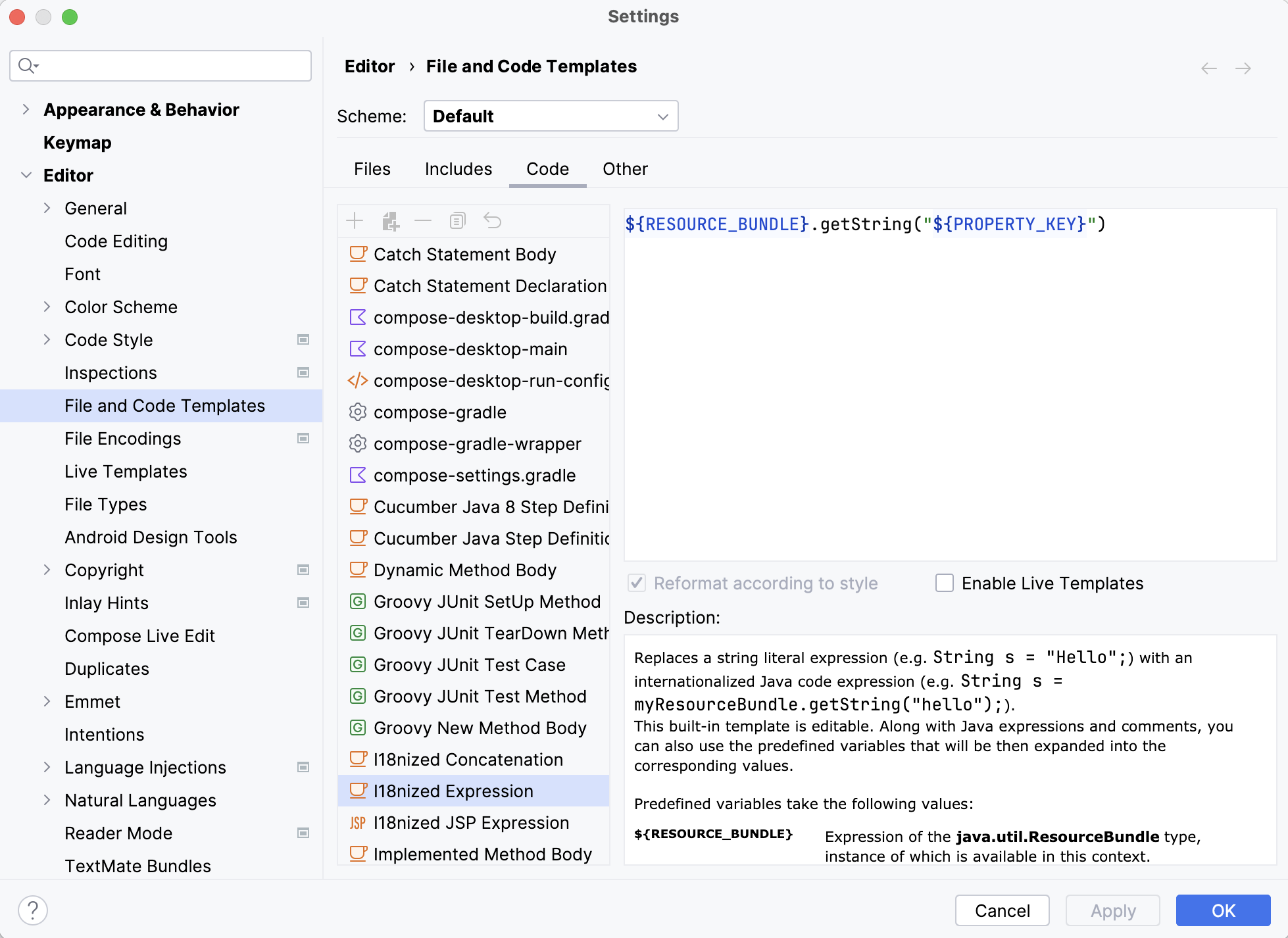
In the Internationalize Harcoded String dialog, select Edit i18n template. In the File Templates dialog, change the I18nized Expression to point to the method of your custom utility class.
Ignoring hard-coded string literals
If you want to ignore a hard-coded string literal, use the Not requiring internationalization annotation.
Press Alt+Enter to show the intention actions for the string literal.
Select Annotate field 'out' as '@NonNls' from the list of actions.
Specify the location where you would like to store the annotations.xml file.