Get results and fix problems
If an inspection has detected a problem in your code, you can quickly apply a fix in the editor. Place the caret at the highlighted piece of code and press Alt+Enter.
IntelliJ IDEA shows an interactive preview next to the quick-fix for some inspections. You can hide and show this preview by pressing Ctrl+Q.
Apply fixes in the Problems tool window
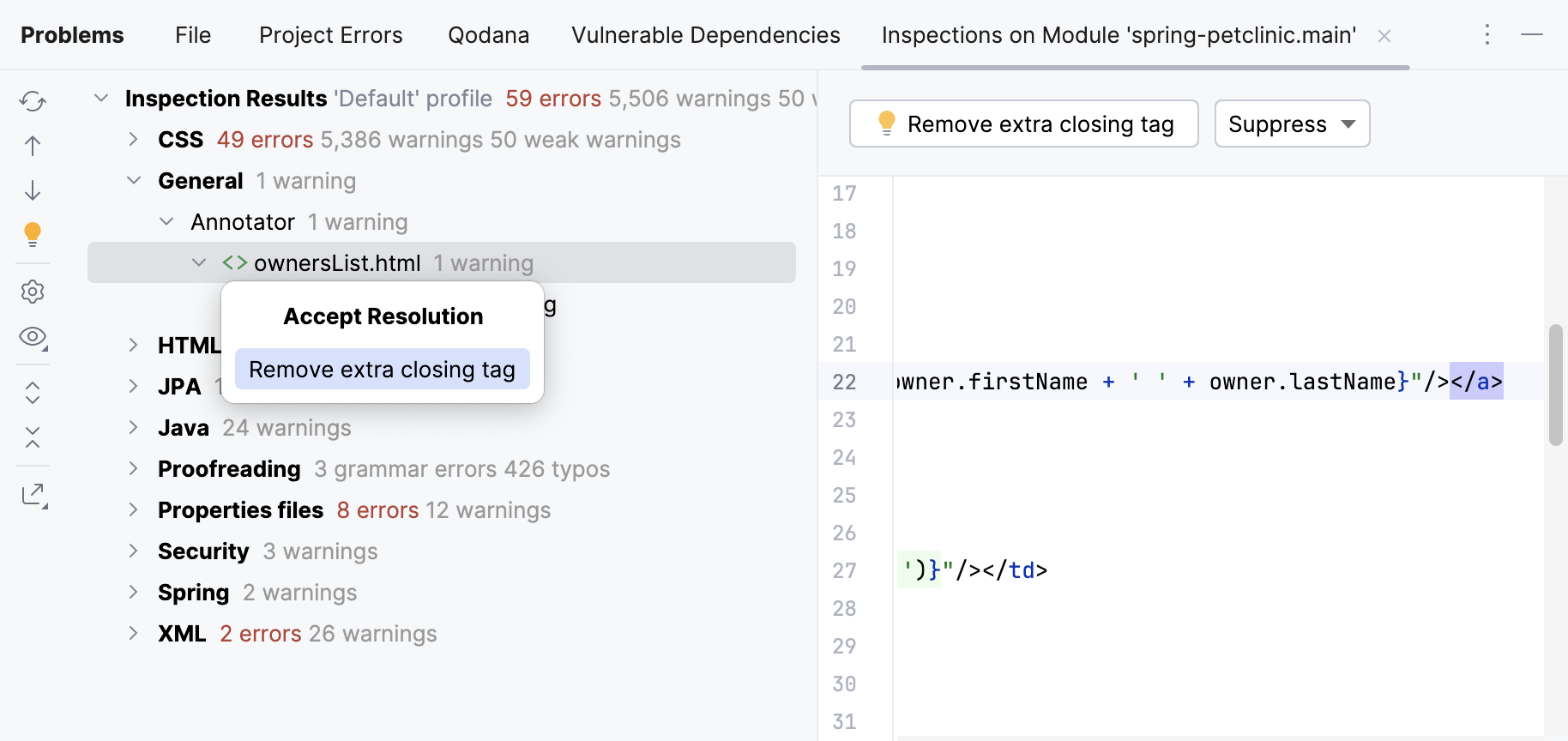
If you have invoked inspections manually, you can examine the results in the Problems tool window that opens automatically after the analysis is finished. All detected problems are listed in the left part of the tool window. Click a problem to display inspection details on the right.
To fix a problem, click the
 icon on the toolbar or in the context menu. You can also press Alt+Enter and select a suitable fix from the popup menu.
If a problem occurs several times in a file, you can fix all the occurrences at once. Select the problem description, click
icon on the toolbar, select the relevant fix, and then select Fix all "<problem description>" in file from the list.
Clean up your code
You can streamline the process of fixing problems in your code by running Code Cleanup. This allows you to batch-apply quick-fixes to the selected scope without examining each problem individually.
During the cleanup, the IDE applies fixes from the code cleanup inspections in the selected inspection profile. To view the list of these inspections, open the Settings dialog by pressing Ctrl+Alt+S and go to , click  , and enable the Show only cleanup inspections option.
Batch-apply quick-fixes (Code Cleanup)
In the main menu, go to .
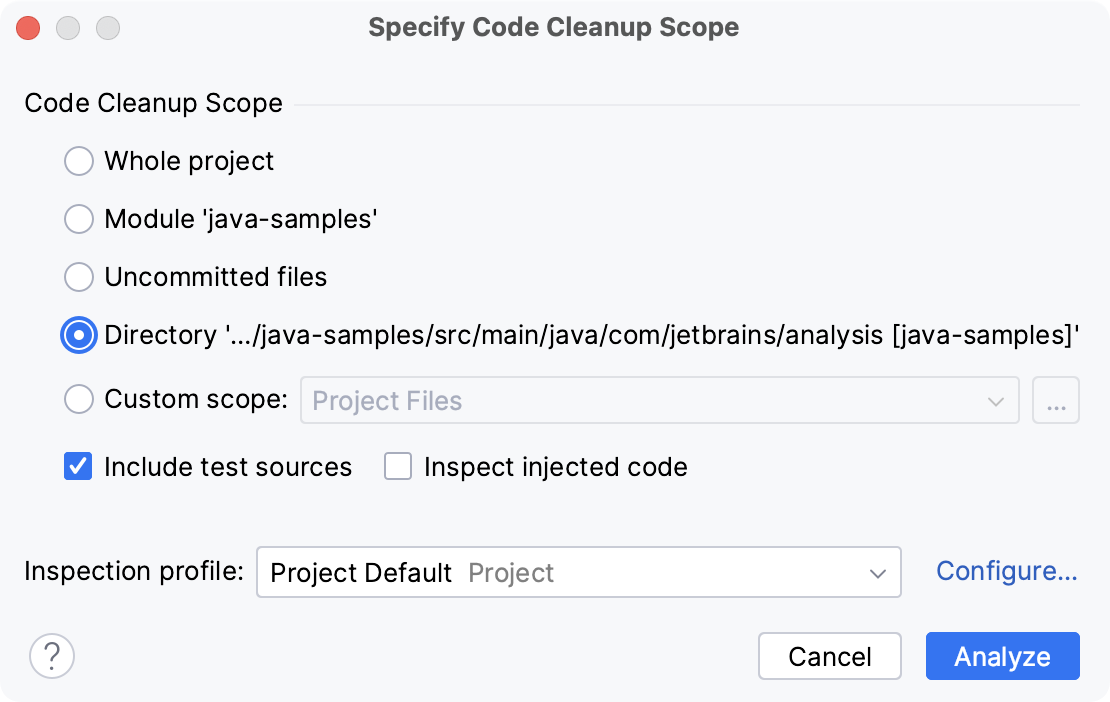
In the Specify Code Cleanup Scope dialog, select the scope to which you want to apply a profile.
Select the inspection profile from the Inspection profile list, or click Configure… to create a new profile.
You can also click Configure… to view all code cleanup inspections and their settings.
Click Analyze to launch the cleanup.
IntelliJ IDEA performs code analysis and applies quick-fixes from the selected inspection profile to the detected issues.
Alternatively, you can place the caret at an error in the source code that corresponds to a quick-fix, click the red bulb  (suggested quick-fix) that appears on the left, and select Code Cleanup from the menu.
The Specify Code Cleanup Scope dialog
Item | Description |
|---|---|
Whole project | Inspect the whole project. |
Module <name> | Inspect the module that is currently selected in the Project tool window (Alt+1) . |
File <name> | Inspect the file that is currently selected in the Project tool window or opened in the editor. |
Selected files | Inspect the files that are currently selected in the Project tool window. |
Uncommitted files | This scope is only available for the projects under version control. Inspect only the files that have not been committed to the version control system. |
Directory | Inspect the directory that is currently selected in the Project tool window. |
Custom scope | Inspect a custom scope of files. Select a pre-defined scope from the list, or click |
Include test sources | Inspect the test sources included in the analysis scope. |
Inspect injected code | Inspect pieces of code in other languages embedded in your code. |
Inspection profile | Select a profile that you want to use to inspect your code. If the required profile is not in the list, click Configure and create a new profile. |
 and define the scope in the
 Run Silent Cleanup
You can also run the code cleanup in the silent mode without displaying the Specify Code Cleanup Scope dialog. In this case, the IDE runs the cleanup inspections from the profile that is currently configured in the settings.
Select the node in which you want to clean up your code in the Project tool window (Alt+1) .
Otherwise, the cleanup will run in the file that is currently opened in the editor.
In the main menu, go to .
Clean up your code on commit
You can clean up your code when you commit your changes to the repository if your project is under version control.
Press Alt+0 to open the Commit tool window and click Show Commit Options
 .
.In the Commit Checks area, select the Cleanup checkbox.
Click Configure and select the required inspection profile from which the IDE will run inspections.
Click Commit.
Automatically clean up your code on save
You can configure the IDE to clean up your code in modified files automatically when your changes are saved.
Press Ctrl+Alt+S to open settings and then select .
Enable the Run code cleanup option.
Additionally, you can click Configure inspections… to specify the inspection profile from which the IDE will run code cleanup inspections.
Export results
After you run inspections, results are displayed on a dedicated tab of the Problems tool window. You can export them to one of the available formats.
In the Problems tool window ( or Alt+6), switch to the tab that contains the inspection results that you want to export and click
 .
. 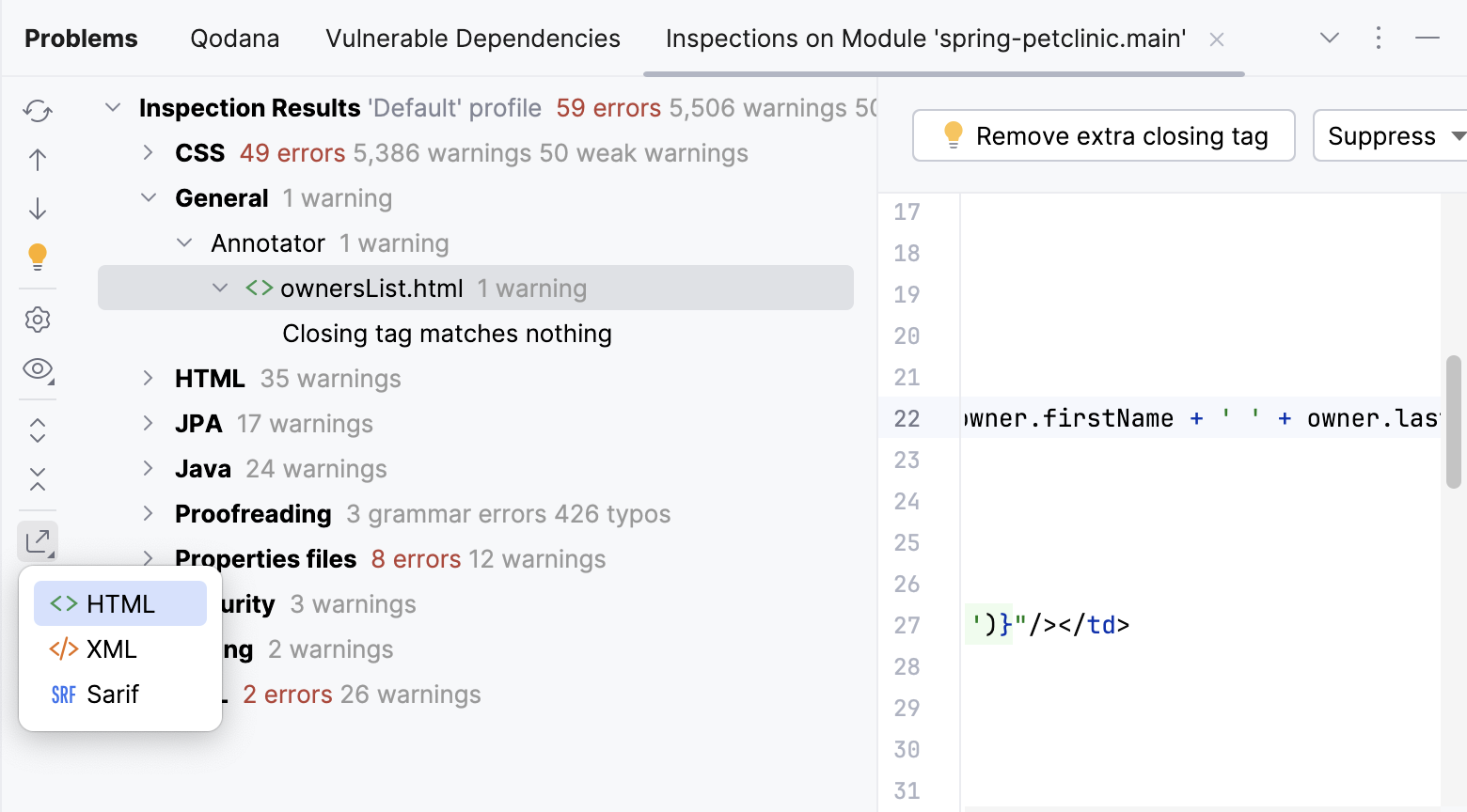
Select the format in which you want to save the report: HTML, Sarif (JSON file formatted according to the SARIF specification), or XML.
The Sarif format is available if the Qodana plugin is enabled.
Specify the target directory and click Save.