IntelliJ IDEA 11.1 Web Help

10.0+

Run | Edit Configurations

Alt+Shift+F10Alt Shift F10

Alt+Shift+F9Alt Shift F9

Run | Edit Configurations

Alt+Shift+F10Alt Shift F10

Alt+Shift+F9Alt Shift F9

runConfigMenu


Use this dialog box to create, edit, or remove run/debug configurations, and configure the default settings that will apply to all newly created run/debug configurations.
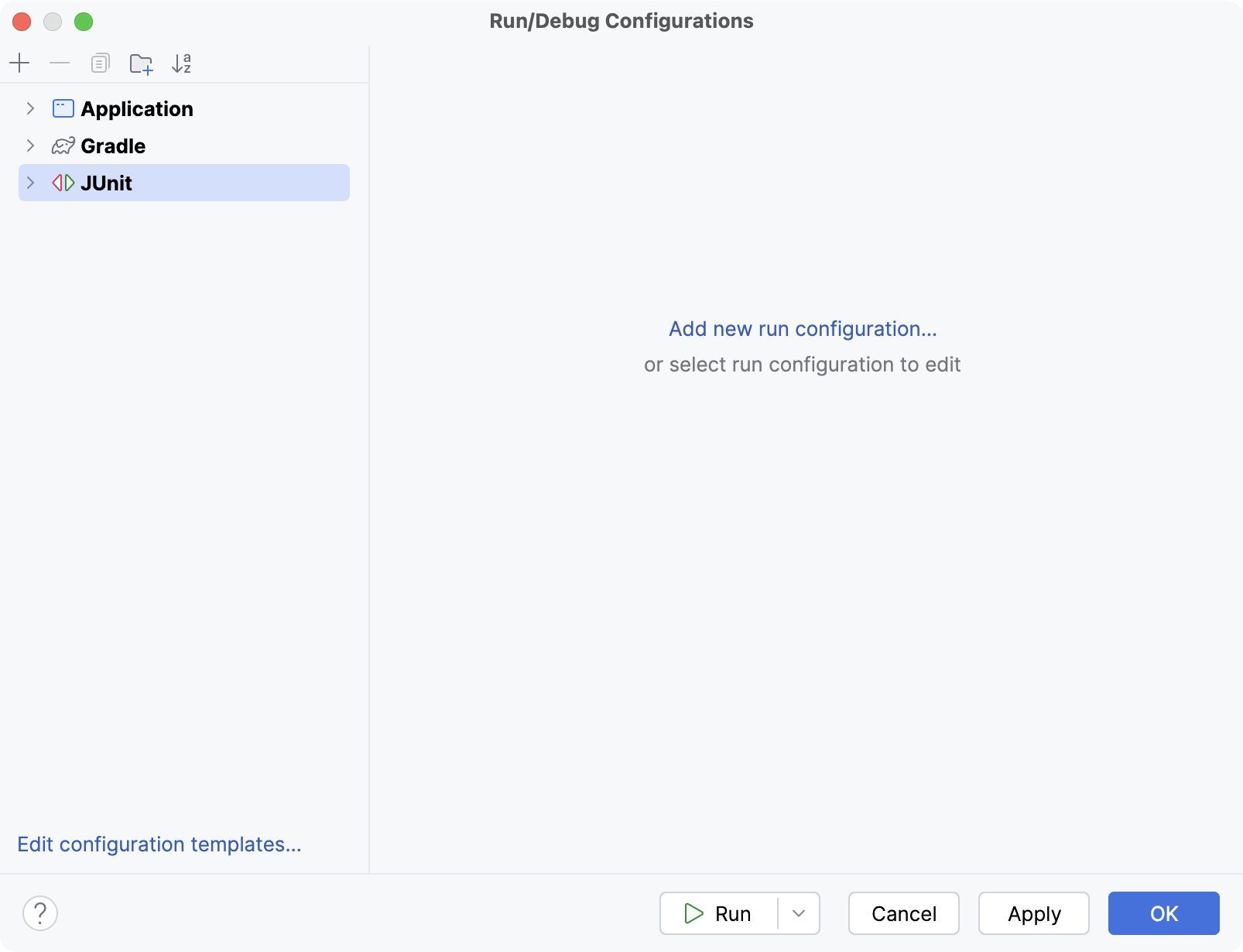
The default settings are grouped under the Defaults node in the left-hand part of the dialog box.

Click here for the description of the options that are common for all run/debug configurations. Find the descriptions of specific run/debug configurations in the following pages:

Toolbar

Item Keyboard shortcut Description
add InsertInsert Click this button to add new configuration to the list.
delete DeleteDelete Click this button to remove the selected configuration from the list.
copy Ctrl+DCommand D Click this button to create a copy of the selected configuration.
settings Edit Defaults Click this button to edit the default configuration templates. The defaults are used for the newly created configurations.
arrowUp arrowDown UpUp
DownDown
Use these buttons to move the selected configuration up and down in the list. The order of configurations in the list defines the order, in which configurations appear in the Run/Debug drop-down list on the main toolbar.

Common options

Item Description
Name In this text box, specify the name of the current run/debug configuration.
Defaults This node in the left-hand pane of the dialog box contains the default run/debug configuration settings. Select the desired configuration to change its default settings in the right-hand pane. The defaults are applied to all newly created run/debug configurations.
Temporary configurations limit Specify here the maximum number of temporary configurations to be stored and shown in the Select Run/Debug Configuration drop-down list.
Before Launch In this area, specify the activities to be performed before starting the current configuration. The available options are:
  • Make - if this check box is selected, the project is compiled automatically, prior to running or debugging. This option helps you ensure that all changes are included and compiled. If there are no changes, the program will just run.
  • Build Artifacts - if this check box is selected, the specified artifacts will be built prior to running or debugging. To define the artifacts to be built, click the Browse button browseButton and select the desired artifact from the list of artifacts configured for the current module. To learn more about configuring artifacts, refer to Artifacts section.
  • Run Ant target - if this check box is selected, the specified Ant target will be built prior to running or debugging. To define an Ant target, click Browse button browseButton and select the desired target from the list of existing targets. To learn more about Ant support, refer to Ant Support section.
  • Run Maven goal - if this check box is selected, the specified Maven goal will be executed prior to running or debugging. To define a Maven goal to be executed, click Browse button browseButton and select the desired goal from the list. To learn more about Maven support, refer to Maven Support section.
  • Run Phing target - if this check box is selected, the specified Phing target will be executed prior to running or debugging. To appoint a Phing target, click the Browse button browseButton and select the desired target in the Choose Phing Target to Execute dialog box, that opens.
  • Show Settings - select this check box to have the Run/Debug Configurations dialog box shown every time you launch this run/debug configuration. If this check box is cleared, the run/debug configuration starts silently.
Share configuration If this check box is selected, the run/debug configurations become available to the other team members.

In case of the standard project format, the run/debug configurations will be stored in the .ipr file, which is usually shared through the version control, rather than .iws.

In case of the directory-based project format, the shared run/debug configurations are kept in separate xml files under .idea\runConfigurations folder, while the local run/debug configurations are kept in the .idea\workspace.xml.

See Also

Concepts:

Procedures:

Reference:

Web Resources: