Save projects as templates
If you have a project that you want to reproduce when creating new projects, you can save it as a custom project template. The IDE recreates the project tree with files and folders, build configurations, libraries, SDKs, and language level settings.
IntelliJ IDEA saves all project settings from the .idea folder to the template. So if you want your new projects to have some predefined run/debug configurations, select the Store as project file checkbox in these configurations before you save the template.
Save a project as a template
In the main menu, go to .
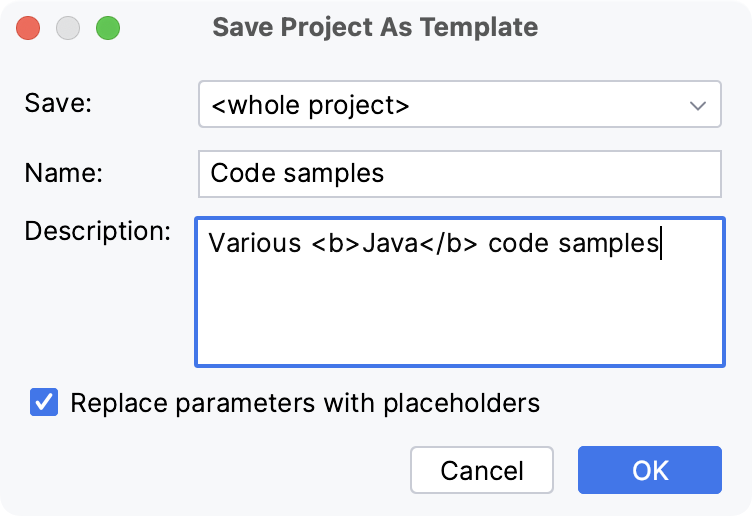
In the dialog that opens, name the template and configure the options:
Save: if the project contains more than one module, select whether you want to create a template from the whole project or from one of the modules. Otherwise, this option is not available.
Description: you can use the
<b>and</b>, and<i>and</i>tags for formatting.Replace parameters with placeholders (recommended): select another base Java package and another application server when creating a new template-based project or module.
This option doesn't allow you to add your custom parameters to a project.
Templates are saved to the projectTemplates folder in the IDE configuration directory.
Create a project from a template
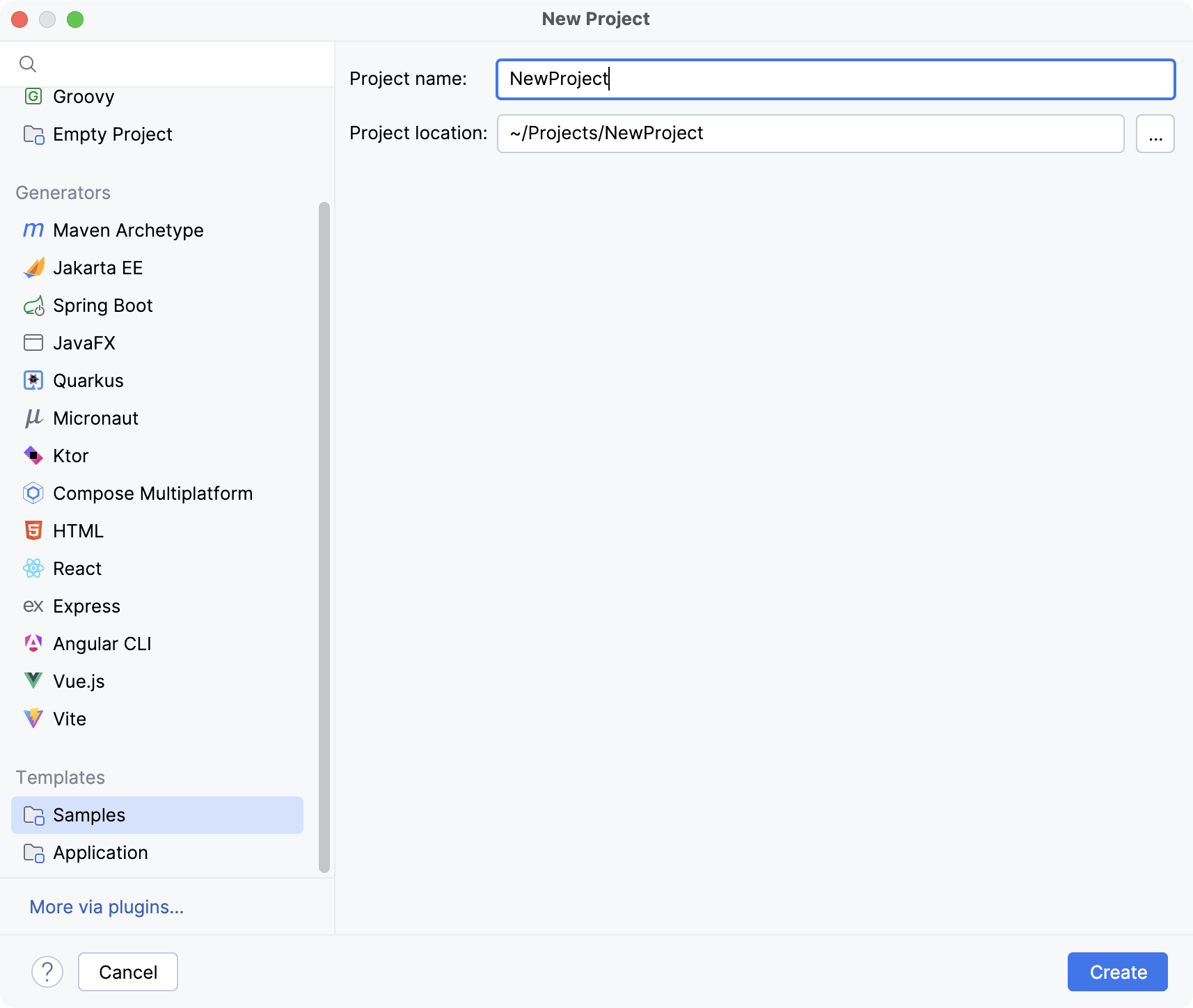
Click New Project on the Welcome screen or select from the main menu.
In the dialog that opens, click the required template in the Templates section on the left.
Delete project templates
In the main menu, go to .
Select the template that you want to remove and click
 Remove.