Servers
On this page, configure HTTP access for debugging engines to interact with PHP interpreters on local and remote Web servers and set correspondence between files on the server and their local copies in the PhpStorm project.
The settings from debug server configurations are used when debugging with run/debug configurations of the type PHP Web Page or PHP Remote Debug and during Zero-Configuration Debugging sessions.
Toolbar and common options
Use the toolbar buttons to manage the list of configurations.
Item | Tooltip and shortcut | Description |
|---|---|---|
| Add Insert | Click this button to define a new configuration. |
| Delete Delete | Click this button to remove the selected configuration from the list. |
| Import | Click this button to open the Import from Deployment Configuration Dialog dialog. In this dialog, choose a configuration to access the application on the server and use the host and port settings from it. The dialog also shows the path mappings retrieved from the deployment configuration. You need to transform relative paths on the server into absolute paths:
For more information, refer to Connect to a web server. |


Configuration Details
In this area, specify the connection parameters and mappings to be used during debugging sessions.
Item | Description |
|---|---|
Name | In this field, type the name of the server as configured in the |
Host | In this field, type the name of the host where the target application is deployed. |
Port | In this field, type the port to connect to the specified host through. If you are using localhost on your machine, this setting should correspond with the port specified in the configuration file of the local Web server where the application will be executed or debugged. |
Debugger | From this list, select the debugging engine to use. The available options are:
|
Use path mappings | Select this checkbox, if you are working on a remote Web server, that is, when the Web server is on a physically remote host, or the Web server is installed on your machine but your project is outside the Web server document root. If you are using symlinks, select this checkbox as well. Map the absolute paths to the files and folders on the server with absolute paths to your project files in the local file system using the Absolute path on the server and File/Directory fields respectively.
Clear this checkbox if you are working right on your Web server so your project root is under the server document root. In this case the absolute paths to the files on the Web server and the absolute paths to the corresponding files in your project are the same. If you do not specify any path mappings and start debugging an application that is not under the server document root, PhpStorm displays an error message: 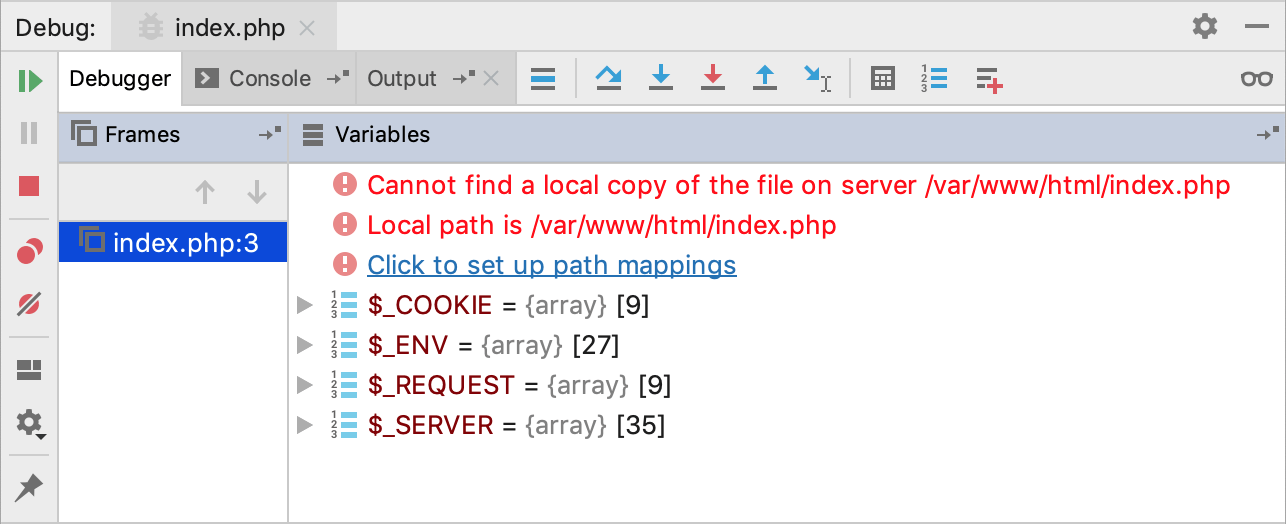 The Click to set up path mappings link brings up the Resolve Path Mappings Problem dialog, where you can define the path mappings: 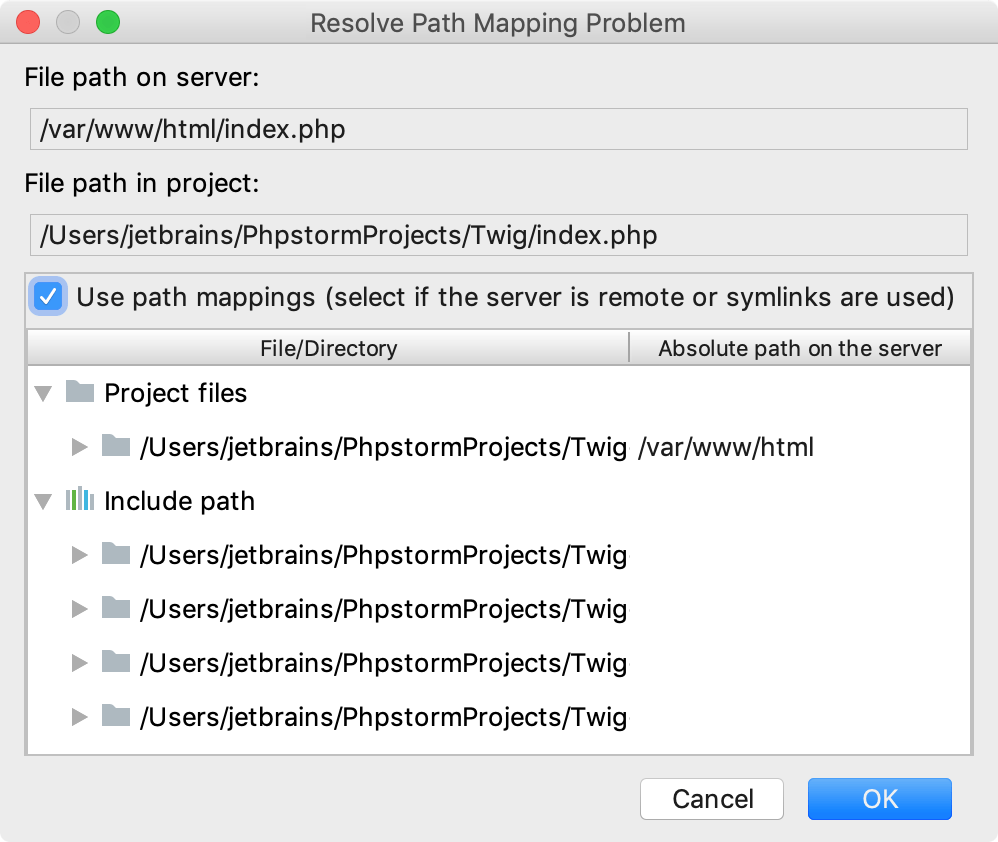 When you click OK and leave the dialog, the Use path mappings checkbox on the Servers page gets selected automatically. |
Shared | Select this checkbox to share the debug server configuration across a team. The host/port settings and the path mappings are stored in the .idea/php.xml file is available to all team members through a version control system. Note that mappings are shared only for directories inside the project. |