Live templates
Use live templates to insert common constructs into your code, such as loops, conditions, declarations, or print statements.
To expand a code snippet, type the corresponding template abbreviation and press Tab. . Keep pressing Tab to jump from one variable in the template to the next one. Press Shift+Tab to move to the previous variable.
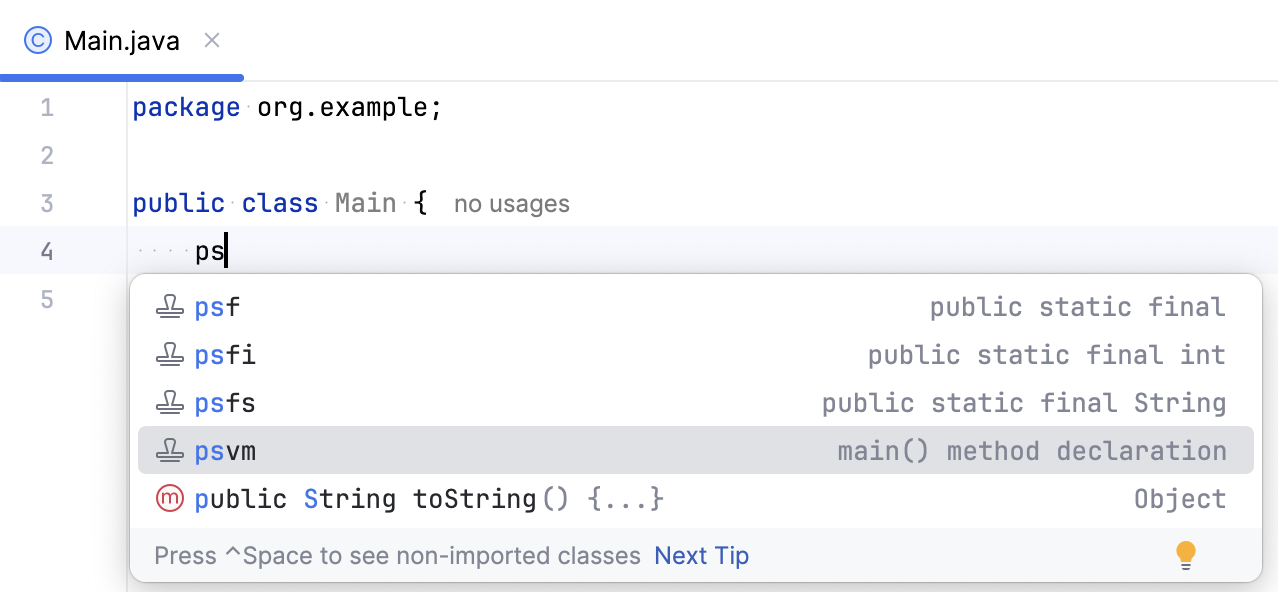
Types of live templates
The following types of live templates are distinguished:
Simple templates contain only fixed plain text. When you expand a simple template, the text is automatically inserted into your source code, replacing the abbreviation.
Abbreviation
Expands to
psfspublic static final Stringmainorpsvmpublic static void main(String[] args){ }soutSystem.out.println();Parameterized templates contain variables that enable user input. When you expand a parameterized template, variables are either replaced by input fields for the user to specify manually, or calculated by IntelliJ IDEA automatically.
Abbreviation
Expands to
forfor (int i = 0; i < ; i++) { }ifnif (var == null) { }Surround templates wrap a block of the selected code with the text specified by the user. For example,
Texpands into a pair of tags, for which you can specify a name. You can also select a block of code, then press Ctrl+Alt+J to open the Select Template popup and select theTtemplate to wrap the selection with a pair of tags.
Postfix code completion is similar to live templates. It transforms the current expression without selecting it. For example, you can type .if after an expression to invoke the corresponding postfix completion and wrap the expression with an if statement.
Configure live templates
To configure live templates, open the Editor | Live Templates settings page Ctrl+Alt+S. On the Live Templates page, you can see all the available live templates, enable and disable them using checkboxes, edit existing templates, and create new ones.
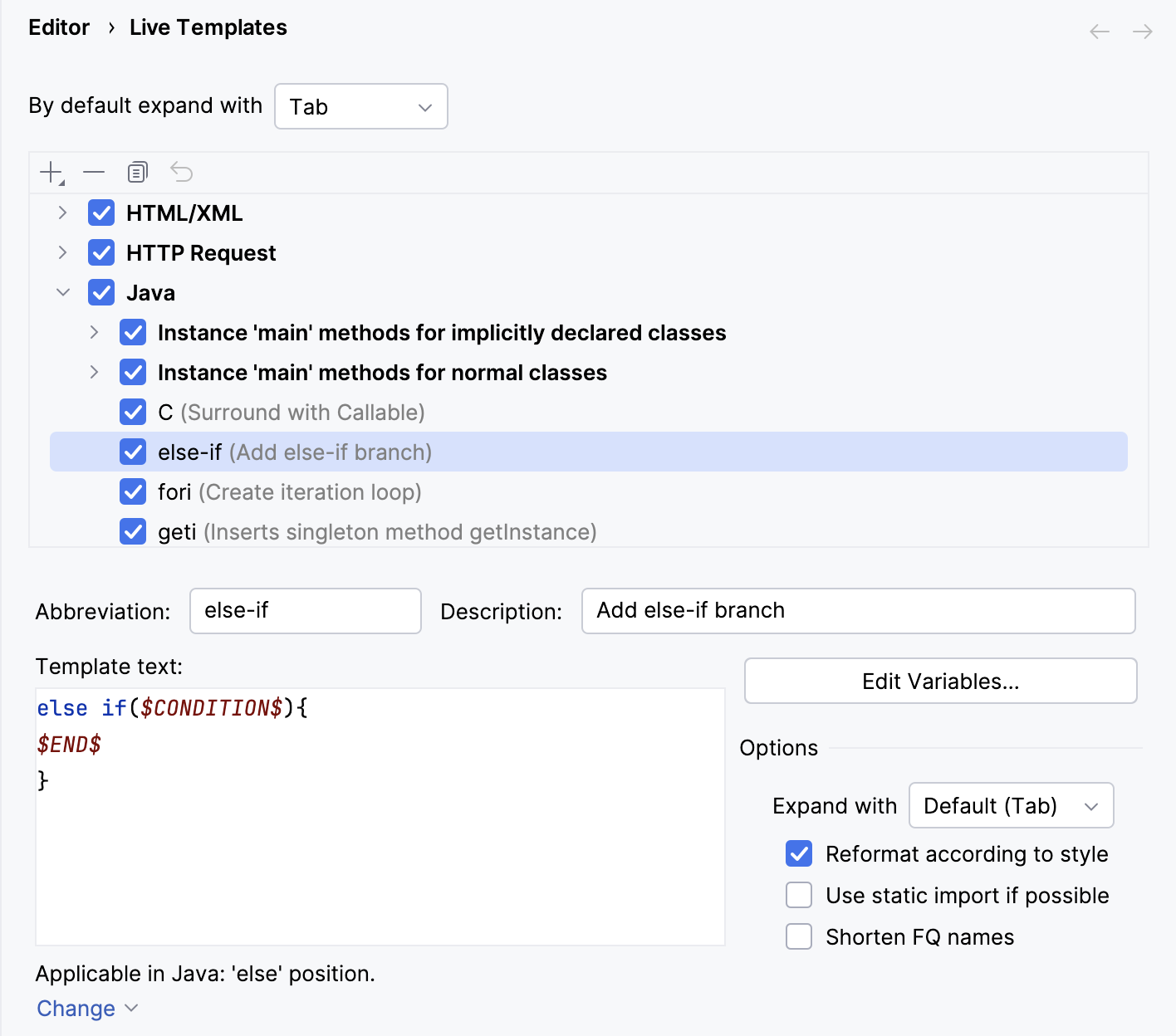
Templates are grouped according to the context where they can be used (usually, by the corresponding language). To move a template to another group, right-click the template, select Move, and then select the necessary group name.
Each live template is defined by an abbreviation containing alphanumeric characters, dots, and hyphens. The abbreviation must be unique within a group, but the same abbreviation may be used in different groups and expand to different constructs according to the context of the corresponding group . Abbreviations of modified default templates are shown in the list with blue font.
Restore a modified template to the default settings
On the Live Templates page of the Settings dialog, right-click the template which you want to restore and click Restore defaults.