Surround code fragments
IntelliJ IDEA provides standard templates for surrounding code fragments with various constructs based on the language of the source code. This includes if...else conditional statements, do...while and for loops, combinations of try...catch...finally, XML tags, folding regions, and other constructs.
Surround a code block with language constructs
Select a code fragment.
Press Ctrl+Alt+T or go to in the main menu.
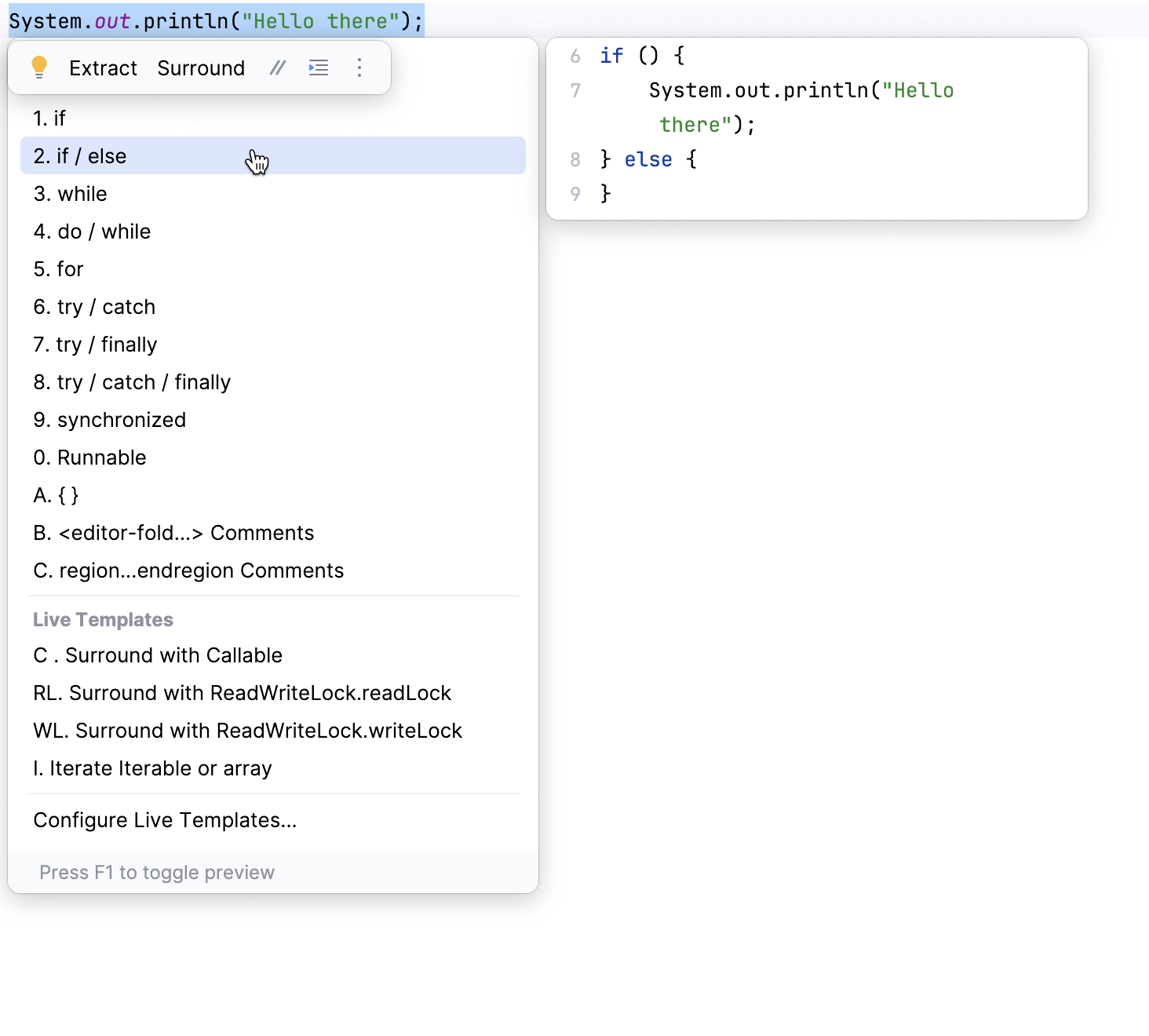
Alternatively, on the toolbar that appears, click Surround.
Select the necessary surround statement from the list. When you hover over an option, you will see a preview of the change that will be applied if you select that statement.
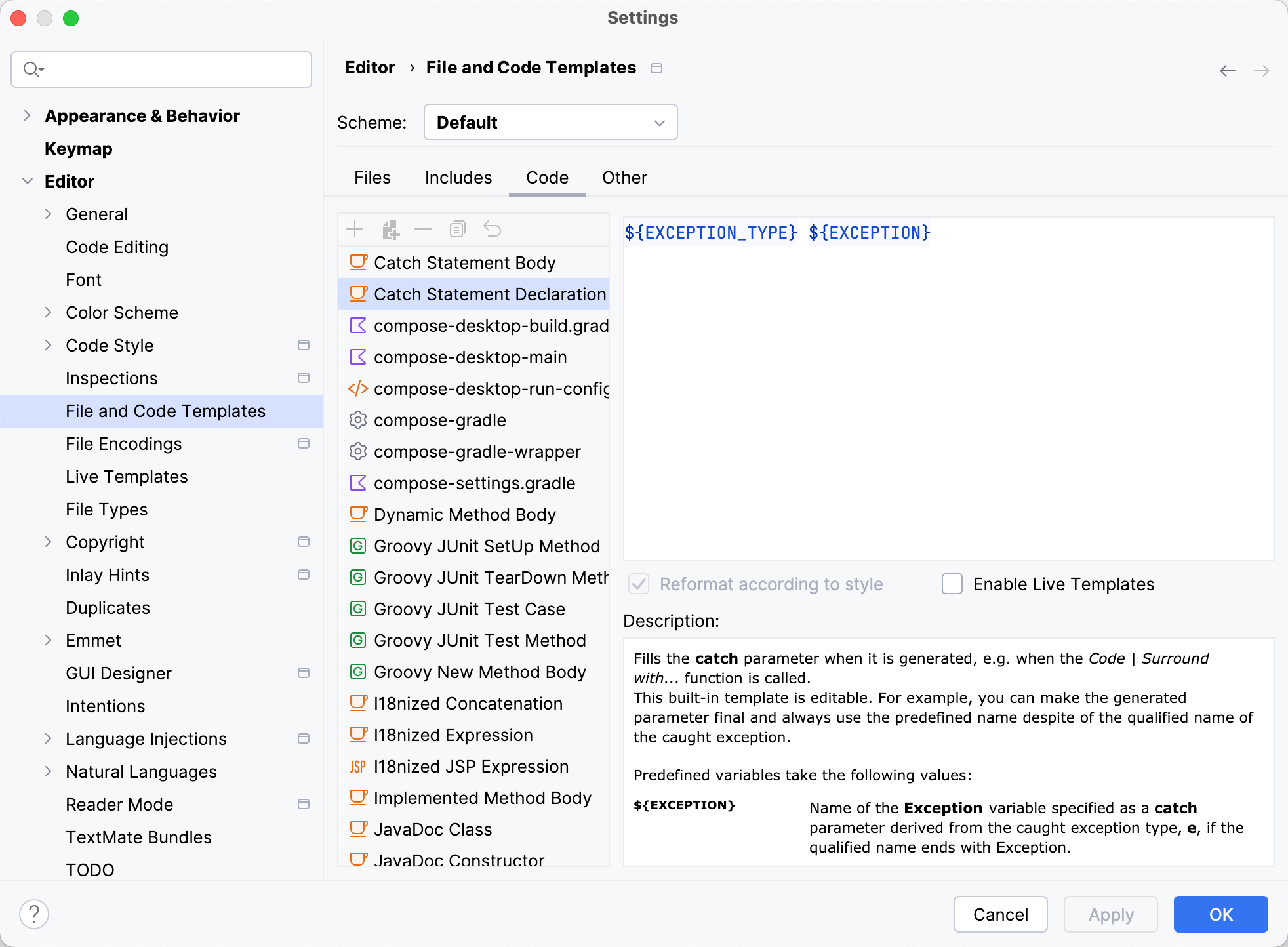
You can edit code templates that are used in the surround statements. In the Settings dialog (Ctrl+Alt+S) , go to .
For example, you can configure final modifier, name or even a type of the exception for the try...catch conditional statement.
Example
In the following example, we select the int number = scanner.nextInt(); Java statement and apply the try / catch surround statement to it.
This feature applies to the following languages (contexts):
Context | Surround with |
|---|---|
Java statements |
|
Java expressions |
|
XML/HTML /JSP/JSPX tags |
|
JavaScript statements |
|
PHP statements |
|
Custom folding region comments | Any fragment of code, where Surround With is applicable. |