PHPDoc comments
For documentation comments, PhpStorm provides completion that is enabled by default. PhpStorm creates stubs of PHPDoc blocks when you type the /** opening tag and press Enter, or press Alt+Insert and appoint the code construct (a class, a method, a function, and so on) to document. Depending on your choice, PhpStorm will create the required tags or add an empty documentation stub.
If you need additional PHP-specific tags, PhpStorm provides code completion that suggests the tag names that are relevant in the current context. If a certain tag has multiple values, code completion provides a list of available values.
In PHPDoc comments, PhpStorm supports formatting options in compliance with the ZEND, PEAR, and other coding standards.
PHPDoc comments in your source code are available for Quick Documentation Lookup, which helps you get quick information for any documented symbol. You can open them for review in the Documentation tool window by pressing Ctrl+Q.
Enable documentation comments
Press Ctrl+Alt+S to open settings and then select .
In the Enter section, select or clear Insert documentation comment stub checkbox.
Generate a PHPDoc block for a code construct
To invoke generation of a PHPDoc block, do one of the following:
Place the caret before the required code construct (class, method, function, and so on), type the opening block comment
/**, and press Enter.In the editor context menu, select and choose the code construct to generate PHPDoc comments for.
Press Alt+Insert, then select Generate PHPDoc blocks, and choose the code construct to generate PHPDoc comments for.
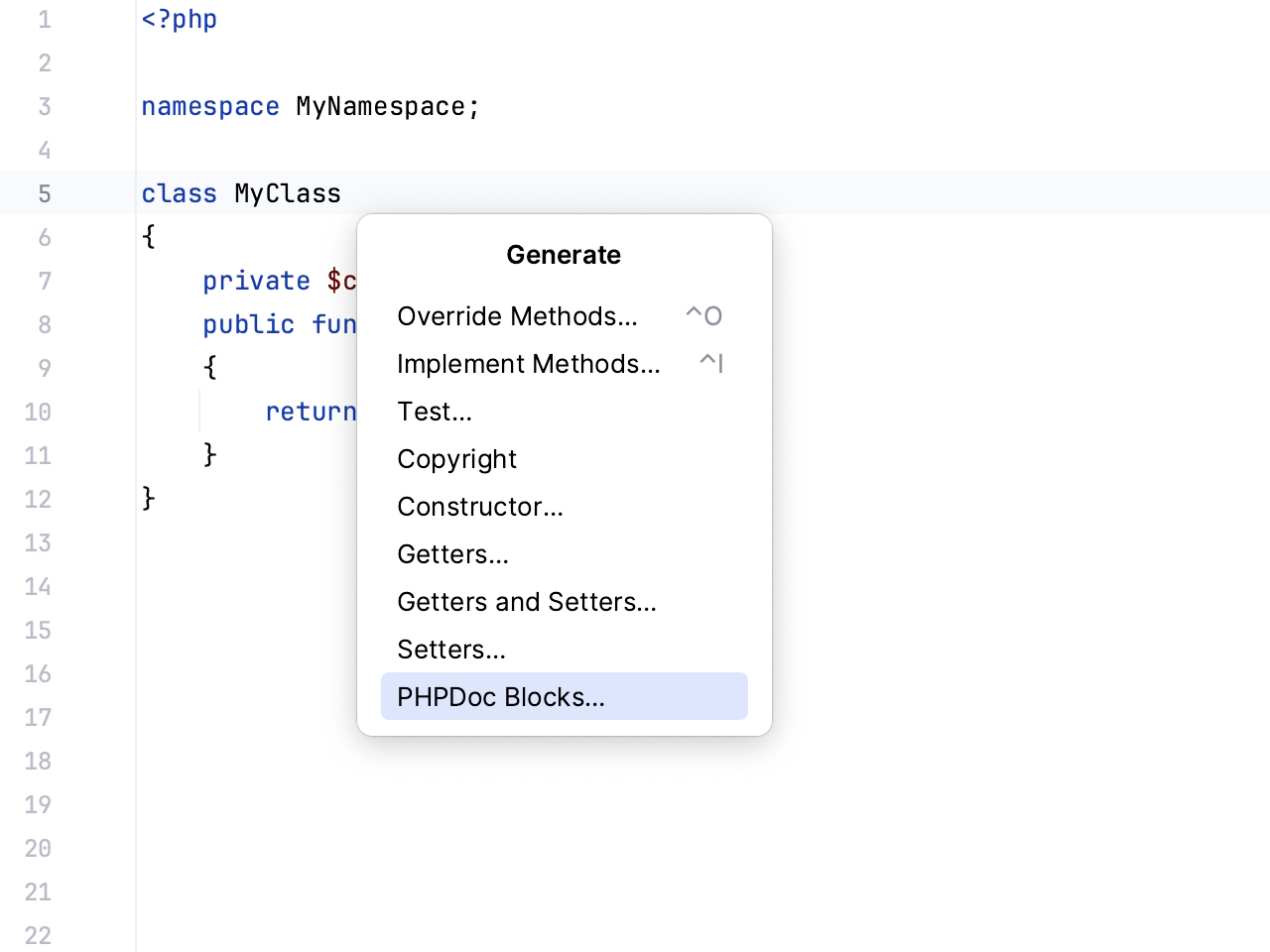
PhpStorm analyzes the appointed code construct, extracts the data for parameters, return values, variables, or fields where possible, and on this basis generates a stub of a documentation block.
Describe the listed parameters and return values where necessary. PhpStorm checks and treats syntax in comments according to the code inspection settings.
Create tags in a PHPDoc comment block
PhpStorm analyzes the appointed code construct, extracts the data for parameters, return values, variables, or fields where possible, and on this basis generates a stub of a documentation block. If necessary, you can fill in the missing information.
In a PHPDoc block, select the desired empty line and press Ctrl+Space.
Select the relevant tag from the suggestion list.
If the entered tag has several values, press Ctrl+Space and select the desired value from the suggestion list.
Configure formatting inside PHPDoc comments
You can configure the appearance of PHPDoc comments, the presentation of class names, and the default tags sorting order. Note that the tag for properties is no longer configurable, the default @var tag is inserted automatically. For more information, refer to https://github.com/phpDocumentor/fig-standards/pull/55.
In the Settings dialog (Ctrl+Alt+S) , go to .
Switch to the PHPDoc tab an configure the desired appearance options by selecting or clearing the checkboxes.
Specify how you want PhpStorm to present class names for properties, function parameters, return and throws values, and so on, by selecting or clearing the Use fully-qualified class names checkbox.
If necessary, define how the generated PHPDoc tags should be sorted by selecting the Sort PHPDoc tags checkbox.
Use
 and
and  to add or remove the PHPDoc tag entries from the list.
Use
 and
and  to arrange the PHPDoc tag entries order.
Rendering PHPDoc comments
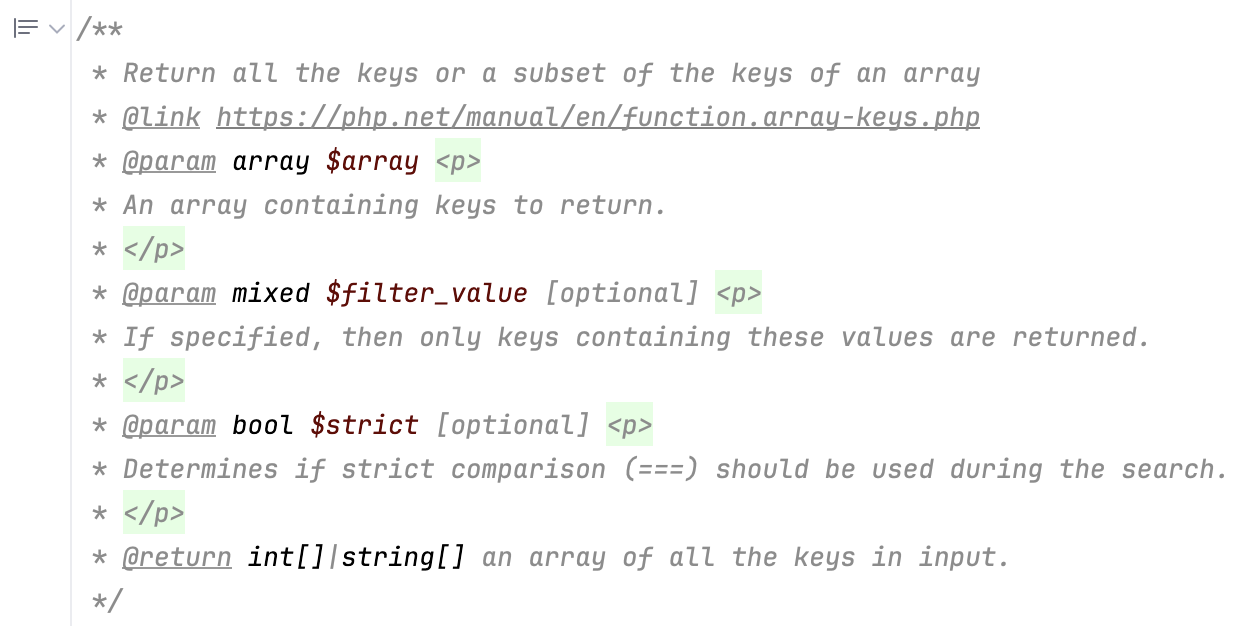
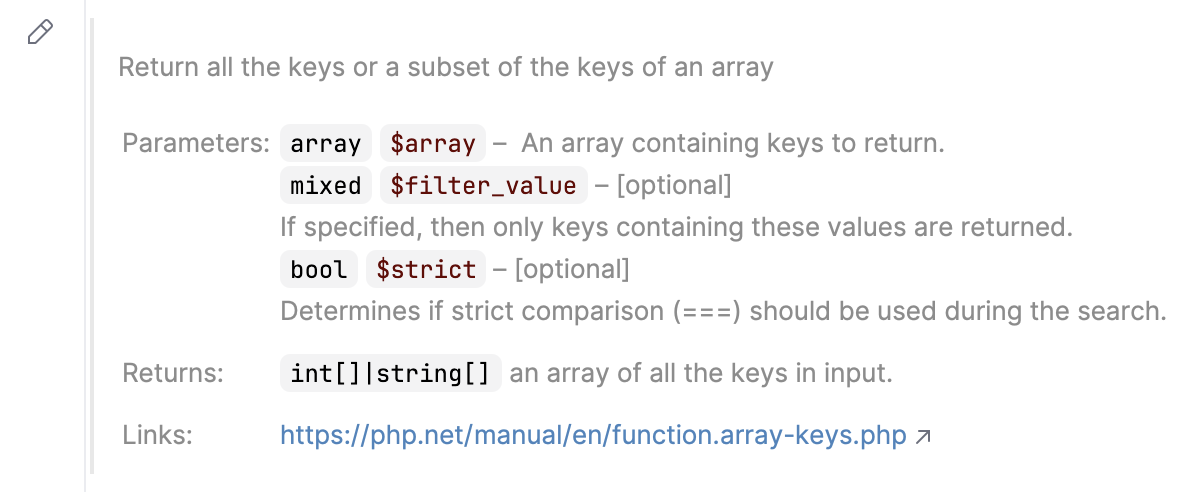
PhpStorm allows you to render PHPDoc comments in the editor. Rendered comments are easier to read, they let you click links to go to referenced web pages, and they do not overload your code with extra tags.
To render a PHPDoc comment, click  Toggle Rendered View in the gutter (or press Ctrl+Alt+Q). To edit the comment, click
  Toggle Rendered View.
Render PHPDoc comments by default
You can configure the IDE to always render PHPDoc comments in the editor.
In the gutter, right-click
Toggle Rendered View (or Toggle Rendered View) and select Render All Doc Comments.Alternatively, open Settings (Ctrl+Alt+S), go to , and select Render documentation comments.
To edit a rendered PHPDoc comment, click Toggle Rendered View in the gutter.
Using PHPDoc code inspections
PhpStorm provides a set of predefined code inspections targeted at PHPDoc blocks. These inspections check whether classes, methods, functions, variables, and constants are supplied with a PHPDoc comment and whether the tags in the comment match the documented item.
Enable or disable a PHPDoc inspection
In the Settings dialog (Ctrl+Alt+S) , select .
On the Inspections page that opens, expand the PHPDoc node under PHP.
In the list of predefined inspections that opens, enable or disable an inspection by selecting or clearing the checkbox next to it.
Check that PHPDoc comments are provided for code constructs of a certain type
Enable the Missing PHPDoc Comment inspection.
In the Options area, select the checkboxes next to the required element type: class, method, function, variable, or constant.
To suppress reporting a Missing PHPDoc Comment error if a method or function does not contain any parameters or return values, select the Ignore PHPDoc without @param/@return checkbox.