Diagrams
In the Diagrams menu, you can configure the default visibility settings and layout for diagrams.
Content pane
Select the checkboxes next to the elements to be shown on diagrams.
Item | Description |
|---|---|
Show Difference | |
Details | If this checkbox is selected, all the specified details of the elements will be shown in the UML class diagram for a revision. If this checkbox is not selected, only node elements will be included in the diagram. |
DB Diagrams | |
Key columns | For the primary key columns to be shown when a diagram opens, select this checkbox. When viewing a diagram in the editor, use |
Columns | For the columns other than the primary key columns to be shown when a diagram opens, select this checkbox. When viewing a diagram in the editor, use |
Graphical Explain Plan | |
Attributes | Toggles the display of query attributes on a query map. These attributes can be a number of rows, index names, or any other additional information about the query. For more information about building a query map, refer to Visualize a query plan. 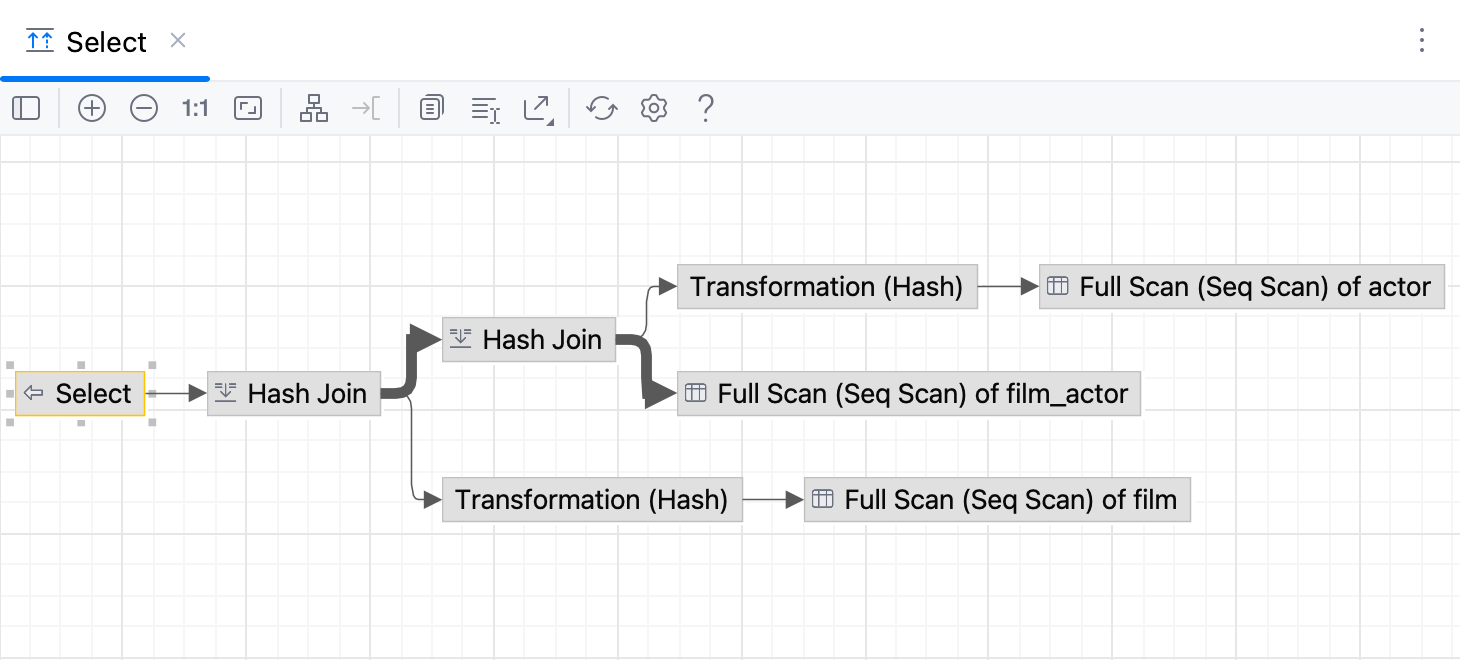 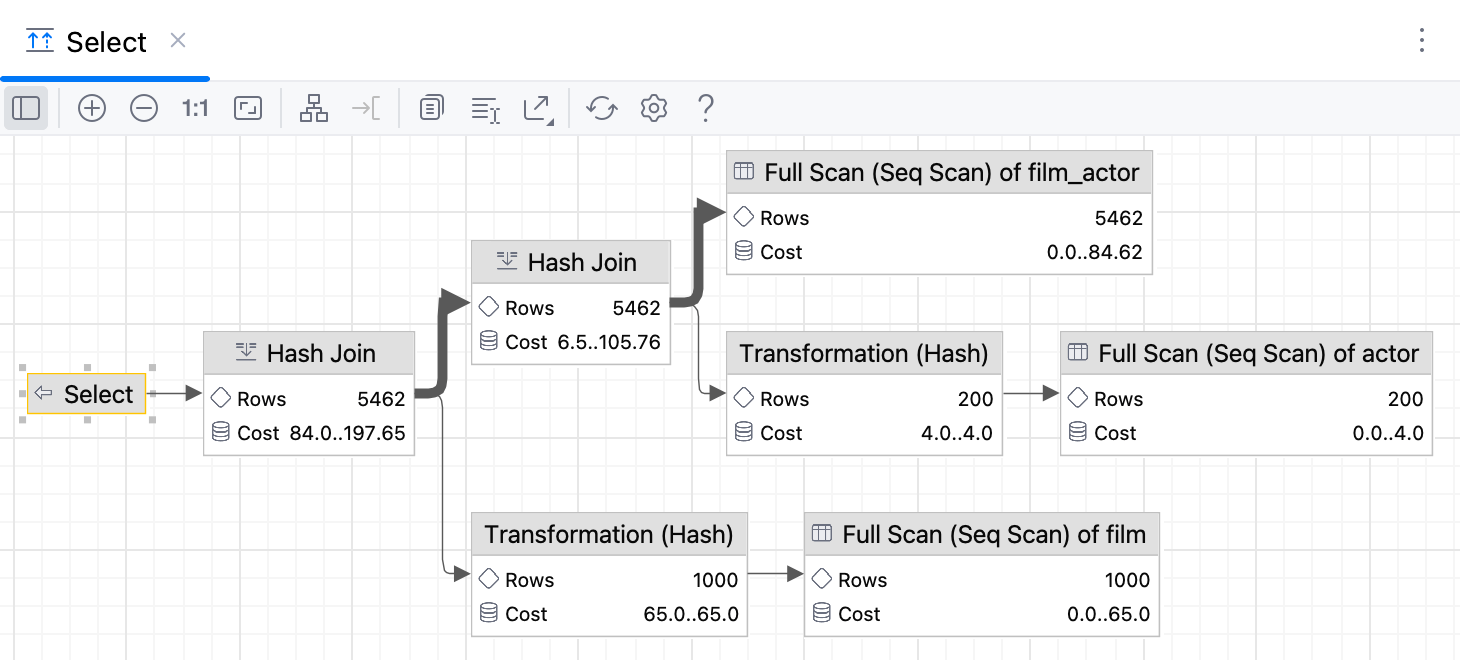 |
 on the toolbar to show or hide the corresponding columns.
 on the toolbar to show or hide the corresponding columns.
Controls
Item | Description |
|---|---|
Default layout | Select the desired layout from the Default layout list. Node elements in newly created diagrams will be arranged according to the selected layout. |
Default scope | Select scope from the Default scope list. Specifying a scope helps you avoid showing in diagram the unnecessary hierarchies. You can define scopes for your project in the Scopes page of the Settings (Ctrl+Alt+S) dialog. |
Fit content after layout | If this checkbox is selected, then after applying a layout selected on the diagram context menu, all diagram elements will be resized to fit into the current diagram area. In diagram, use the |
Do relayout when new elements were added | If this checkbox is selected, diagram layout will be performed automatically after adding new elements. |
 toolbar button.