Generate PHP tests
The quick way to create a new test class in PhpStorm is by using a dedicated intention action that you can invoke from your source code. In this case, the IDE creates a new test class file and generates test stubs for the selected PHP class.
This action is available for PHPUnit, Pest, Codeception, and PHPSpec testing frameworks.
Add a new test
In the editor, place the caret at the PHP class or within the method declaration for which you want to create a test, press Alt+Enter, and select Create New PHP Test.
The Create New PHP Test dialog opens:
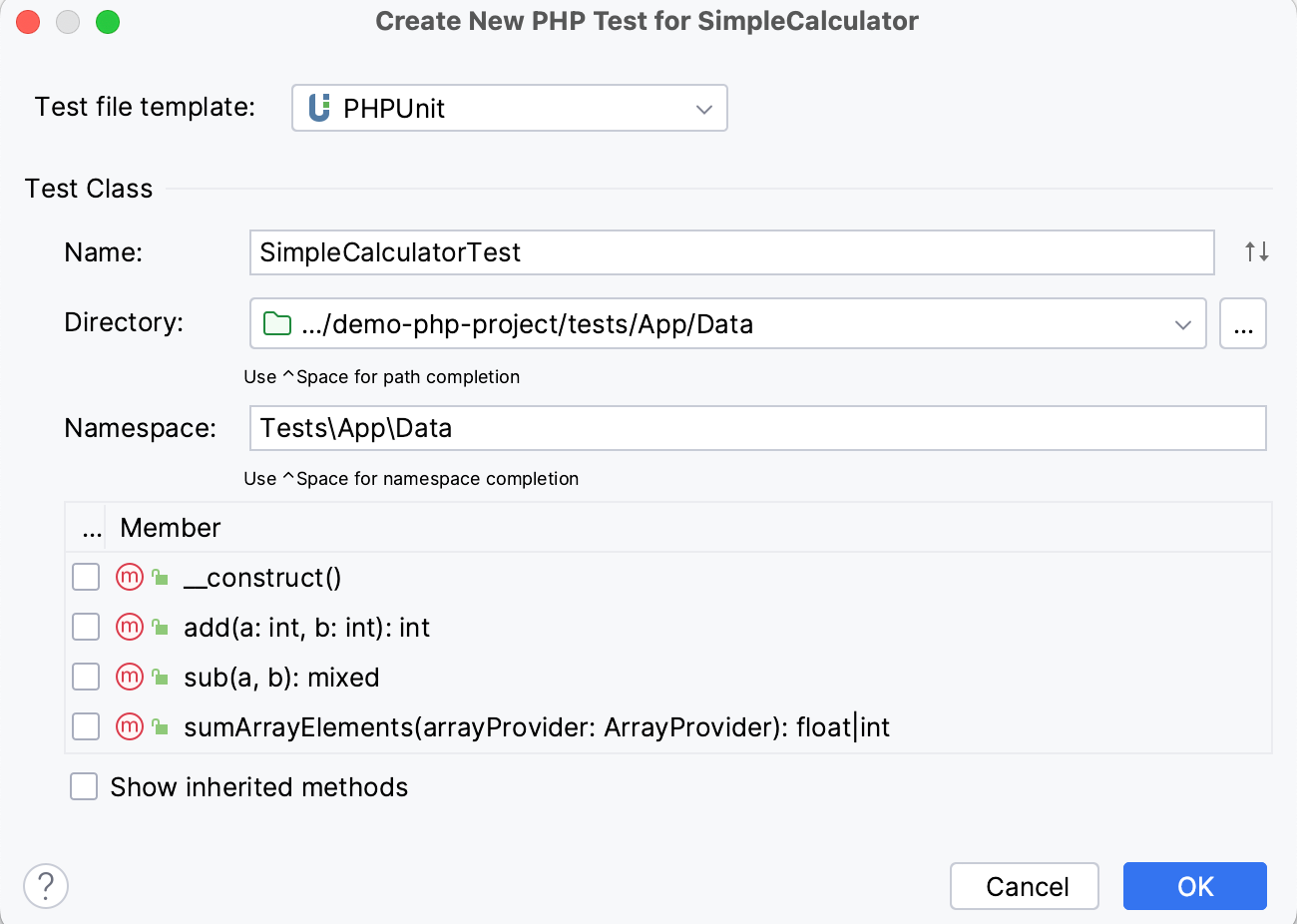
In the Create New PHP Test dialog, specify the following:
Test file template: the framework template based on which the test class will be generated. PhpStorm provides the built-in file templates for generating test classes with the following supported test frameworks: PHPUnit, Pest, Codeception, and PHPSpec.
Name: PhpStorm automatically creates the name from the production class name according to the naming conventions of the chosen test framework. For example, for a PHPUnit test file, it's <MyClass>Test.php.
Directory: the folder for the test class, which is automatically suggested based on the containing directory and namespace of the production class, the configured test sources root and its PSR-4 package prefix, or the value provided in the configuration file of the corresponding test framework. To use path completion, press Ctrl+Space and choose the path from the list.
Namespace: PhpStorm can complete the namespace automatically based on the configured PSR package prefixes and the values specified in the framework-specific configuration file. To invoke namespace completion, press Ctrl+Space.
Select the checkboxes next to the production class methods you want to generate test method stubs for. To include inherited methods from parent classes, select the Show inherited methods checkbox.
PhpStorm will automatically compose the test methods' names as
test<production method>. You can customize the code templates used for generating test method stubs on the Code tab of the File and Code Templates settings page.
Navigate between a test and its test subject
Open a test class or test subject class in the editor.
From the editor context menu, choose or press Ctrl+Shift+T.
If there's only one test for this class, the IDE will navigate you to it right away. Otherwise, you will be prompted to select the necessary test from a popup or create a new test.
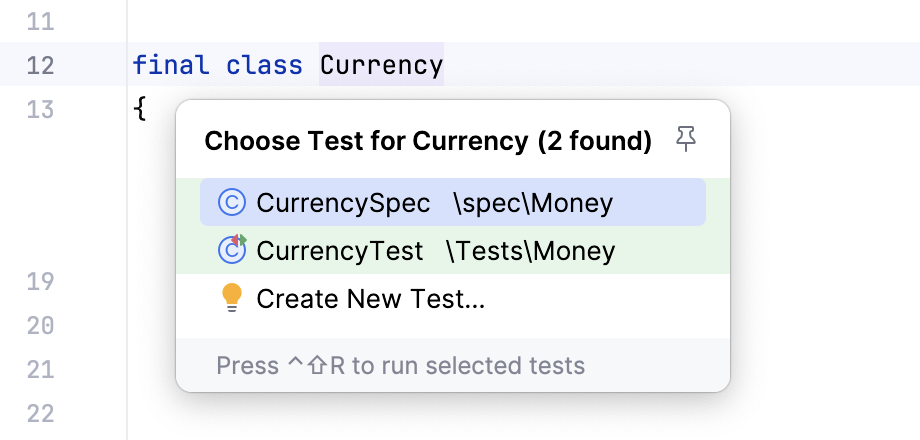
In the PHP context, when working with PHPUnit and Codeception tests, you can use the @covers annotation to maintain the link between the test class or method and their test subjects.
This way, it will be possible to navigate between the test and test subject even if their names do not follow the PHPUnit naming convention: