Auto import
When you reference a PHP class that is defined outside the current file, PhpStorm locates the class definition and lets you do one of the following:
Automatically complete the fully qualified class name, including the namespace the class is defined in.
Automatically complete the short class name and import the namespace the class is defined in.
Import the namespace manually using a quick-fix.
The use statement is added to the imports section, but the caret does not move from the current position, and your current editing session does not suspend. This feature is known as the Import Assistant.
In JavaScript and TypeScript files, PhpStorm automatically adds import statements for modules, classes, components, and any other symbols that can be exported, as well as for XML namespaces. Learn more from Auto import in JavaScript, Auto import in TypeScript and Importing an XML namespace.
Automatically add import statements
You can configure the IDE to automatically add import statements if there are no options to choose from.
Press Ctrl+Alt+S to open settings and then select .
In the PHP section, configure automatic namespace import.
To have PhpStorm automatically add
usestatements for classes and methods in pasted blocks of code, choose the desired behavior from the Insert imports on paste list:All: import statements will be added automatically for all missing classes and methods found in pasted blocks of code.
Ask: PhpStorm will prompt you to select which classes and methods you want to import.
If the pasted class is already referenced in the target code via an alias, PhpStorm will prompt you to reuse this alias instead of creating a new import statement.
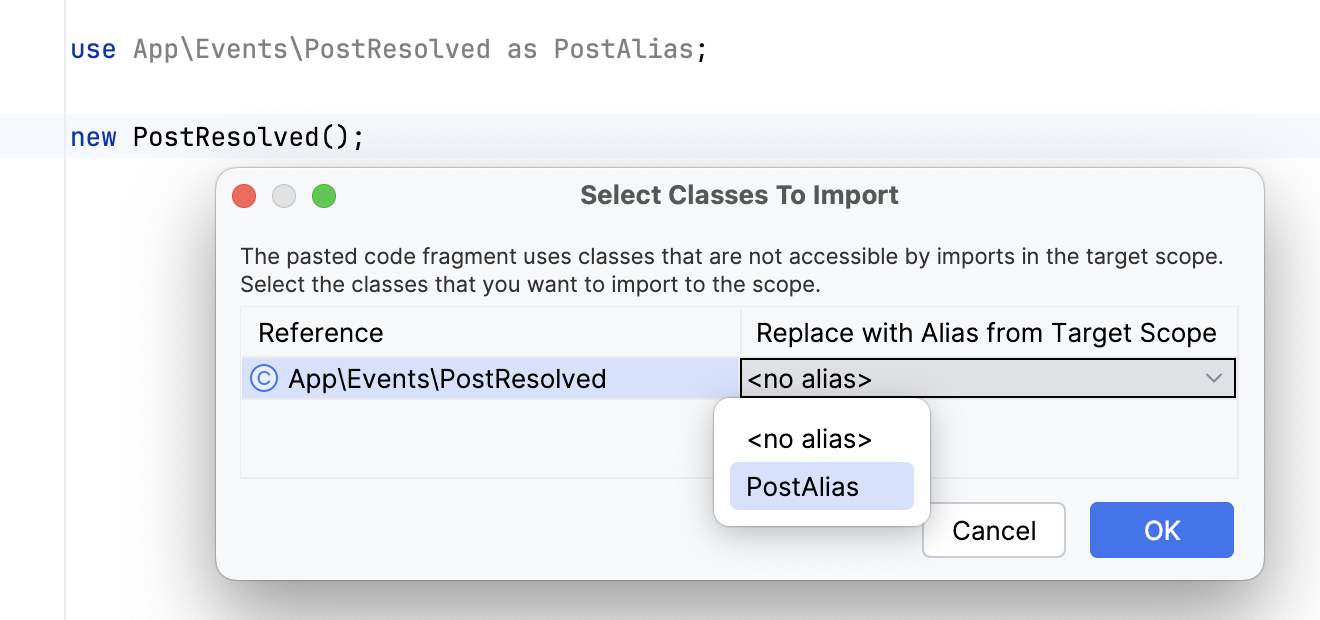
None: no import statements will be added, you won't be asked about unresolved references.
Note that adding imports on paste is only possible if the copied element is properly resolved in code (that is, not highlighted by the Undefined class or Undefined method inspections), and project analysis is finished.
To have automatic namespace import applied when you are typing in a file that does not belong to any specific namespace, select the Enable auto-import in file scope checkbox.
To have PhpStorm automatically import PHP namespaces, add use statements, and complete short class names on the fly when you are typing in a class or file that belongs to a certain namespace, select the Enable auto-import in namespace scope checkbox. This checkbox is selected by default.
If necessary, configure auto-import from the global namespace separately for classes, functions, and constants.
Prefer FQN: If selected, PhpStorm automatically inserts the fully-qualified name of a symbol from the global namespace, prepended with a backslash, for example:
namespace A; $myException = new \Exception(); $a = \strlen("Test"); echo \PHP_EOL;Prefer Import: If selected, PhpStorm automatically adds
usestatements for symbols from the global namespace if this doesn’t result in a conflict, for example:namespace A; use Exception; use const PHP_EOL; use function strlen; $myException = new Exception(); $a = strlen("Test"); echo PHP_EOL;Prefer Fallback: If selected, PhpStorm neither inserts a fully-qualified name of a function or a constant, nor imports them by means of the
usestatement. The fallback global functions or constants are preferred in this case, for example:namespace A; use Exception; $myException = new Exception(); $a = strlen("Test"); echo PHP_EOL;
Disable auto import
If you want to completely disable auto-import, make sure that:
All import tooltips are disabled.
The automatic insertion of import statements is disabled.
Import a PHP namespace on-the-fly
Open the desired file for editing and start typing the short name of a class.
From the code completion suggestion list, select the desired class name. PhpStorm will complete the short class name and insert the
usestatement with the namespace where the selected class is defined.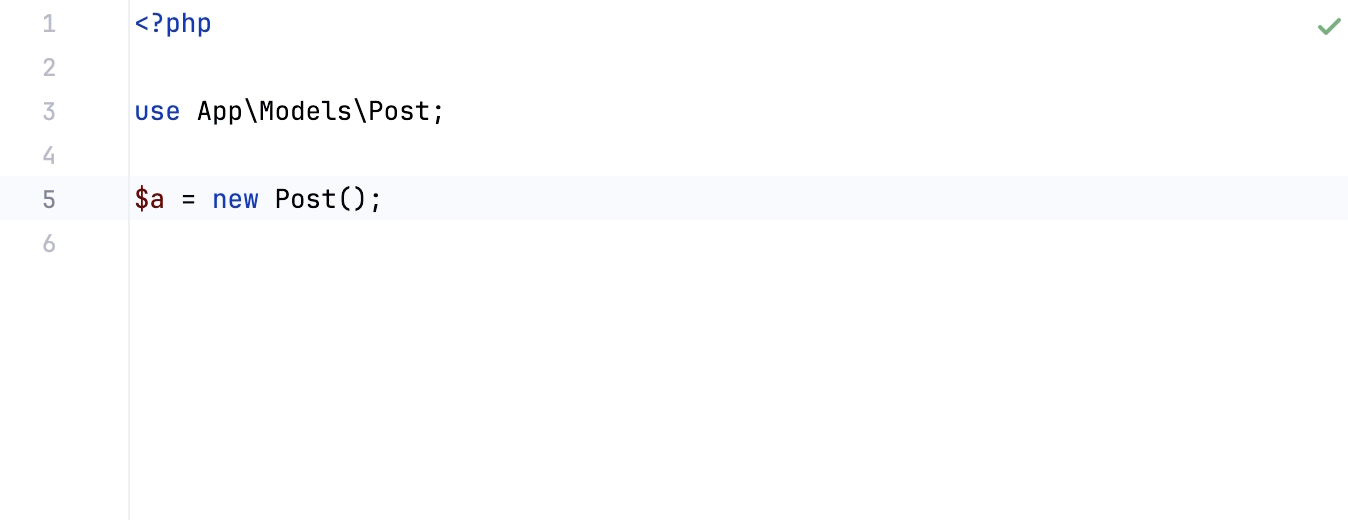
Import a class by using a quick fix
Open a file for editing and reference a PHP class. If the referenced class is not found, PhpStorm will highlight it:
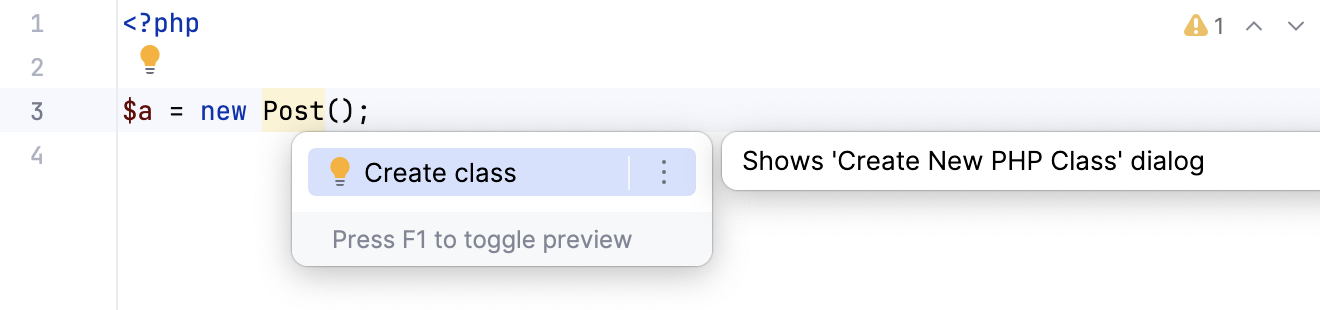
Press Alt+Enter and accept the suggestion to import the namespace where the declaration of the class is detected.
PhpStorm inserts a namespace declaration statement (
usestatement).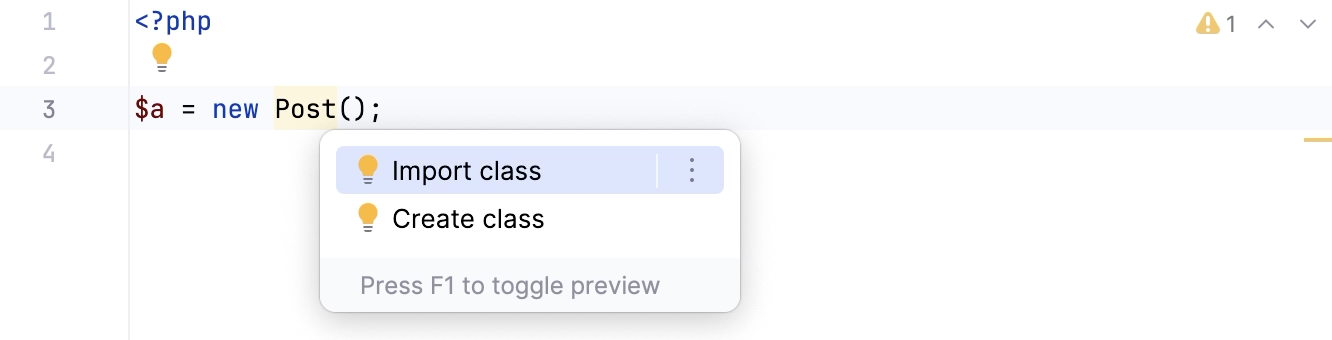
Shorten fully qualified class names with Code Cleanup
PhpStorm provides the following inspections and quick-fixes for shortening fully qualified class names:
Fully qualified name usage inspection highlights the fully qualified class names that can be removed by adding a
usestatement.Unnecessary fully qualified name inspection highlights the fully qualified class names that can be removed without adding a
usestatement.
You can apply the corresponding quick-fixes to a given scope automatically by using Code Cleanup.
Clean up code on a given scope
In the main menu, go to .
In the Specify Code Cleanup Scope dialog that opens, select the scope to which you want the inspection profile to be applied.
Select the inspection profile from the list, or click Configure to configure a new profile in the Code Cleanup Inspections dialog that opens. You can also click Configure to check which fixes will be applied and make sure that the Unnecessary fully qualified name and Fully qualified name usage inspections are enabled.
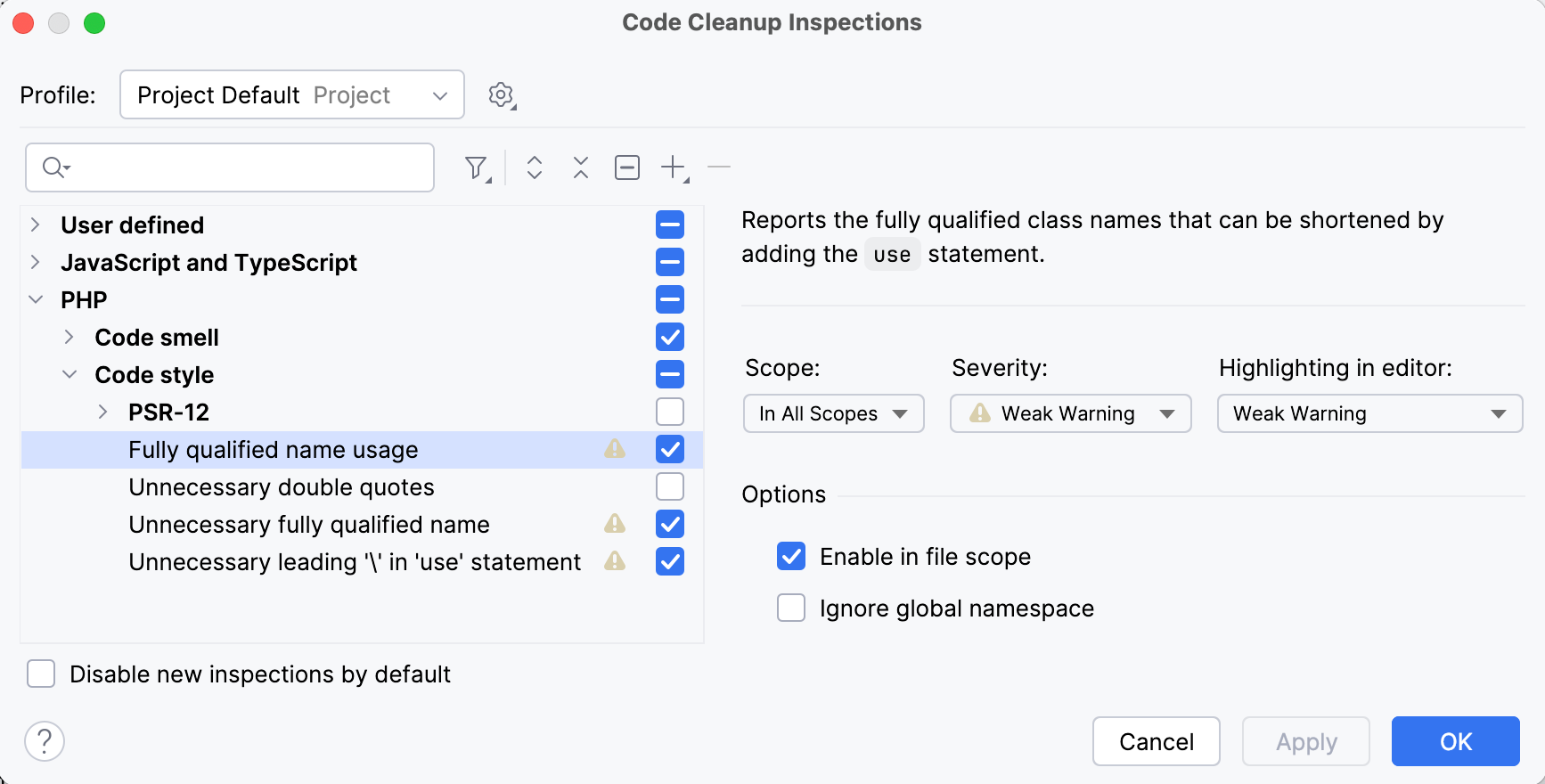
Click OK to launch code cleanup.
Clean up code in the current file
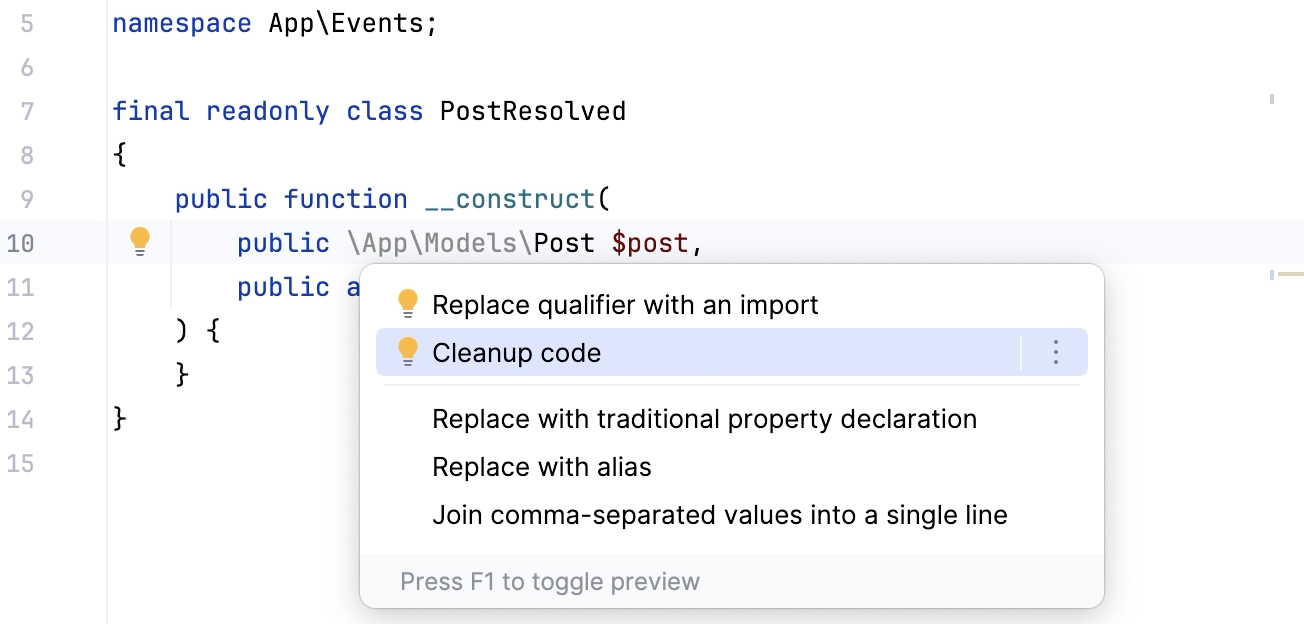
In the editor, place the caret at a fully qualified class name highlighted by the Unnecessary fully qualified name or Fully qualified name usage inspection.
Click
 or press Alt+Enter, and select Cleanup code from the popup menu.
Optimize imports
The Optimize Imports feature helps you remove unused imports and organize import statements in the current file or in all files in a directory at once.
To customize the import optimization rules for PHP, go to and .
Optimize all imports
Select a file or a directory in the Project tool window ().
Do any of the following:
In the main menu, go to (or press Ctrl+Alt+O).
From the context menu, select Optimize Imports.
(If you've selected a directory) Choose whether you want to optimize imports in all files in the directory, or only in locally modified files (if your project is under version control), and click Run.
When optimizing imports, PhpStorm can automatically sort the use statements either alphabetically or by their length. To choose the preferred option, in the Settings dialog (Ctrl+Alt+S) , go to and switch to the Code Conversion tab. Then select the Sort 'use' statements checkbox and choose how the use statements should be sorted.
Optimize imports in a single file
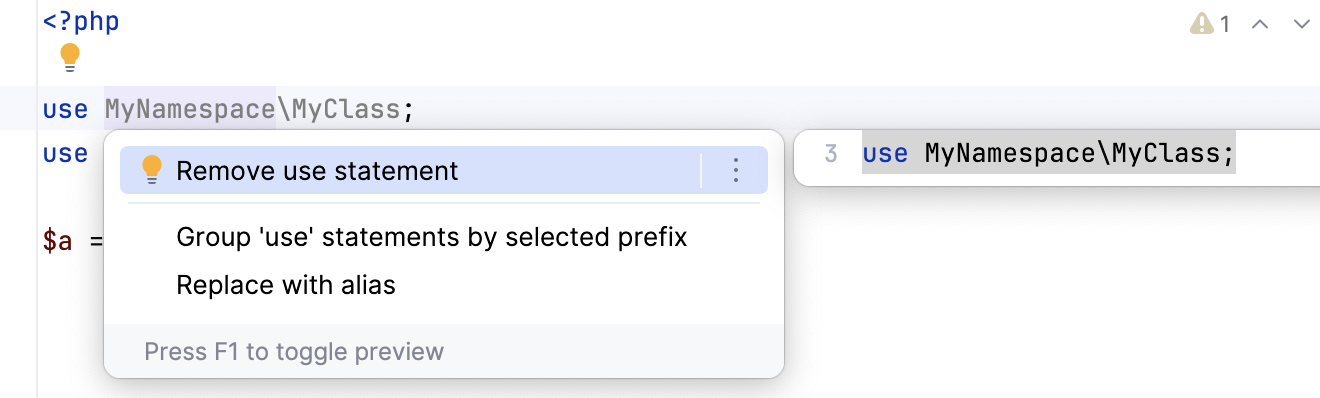
Place the caret at the import statement and press Alt+Enter or use the
icon.Select Remove use statement.
Optimize imports on commit
If your project is under version control, you can configure PhpStorm to optimize imports in modified files before committing them to VCS.
Press Alt+0 to open the Commit tool window and click Show Commit Options
 .
.Click
and in the commit message area, select the Optimize imports checkbox.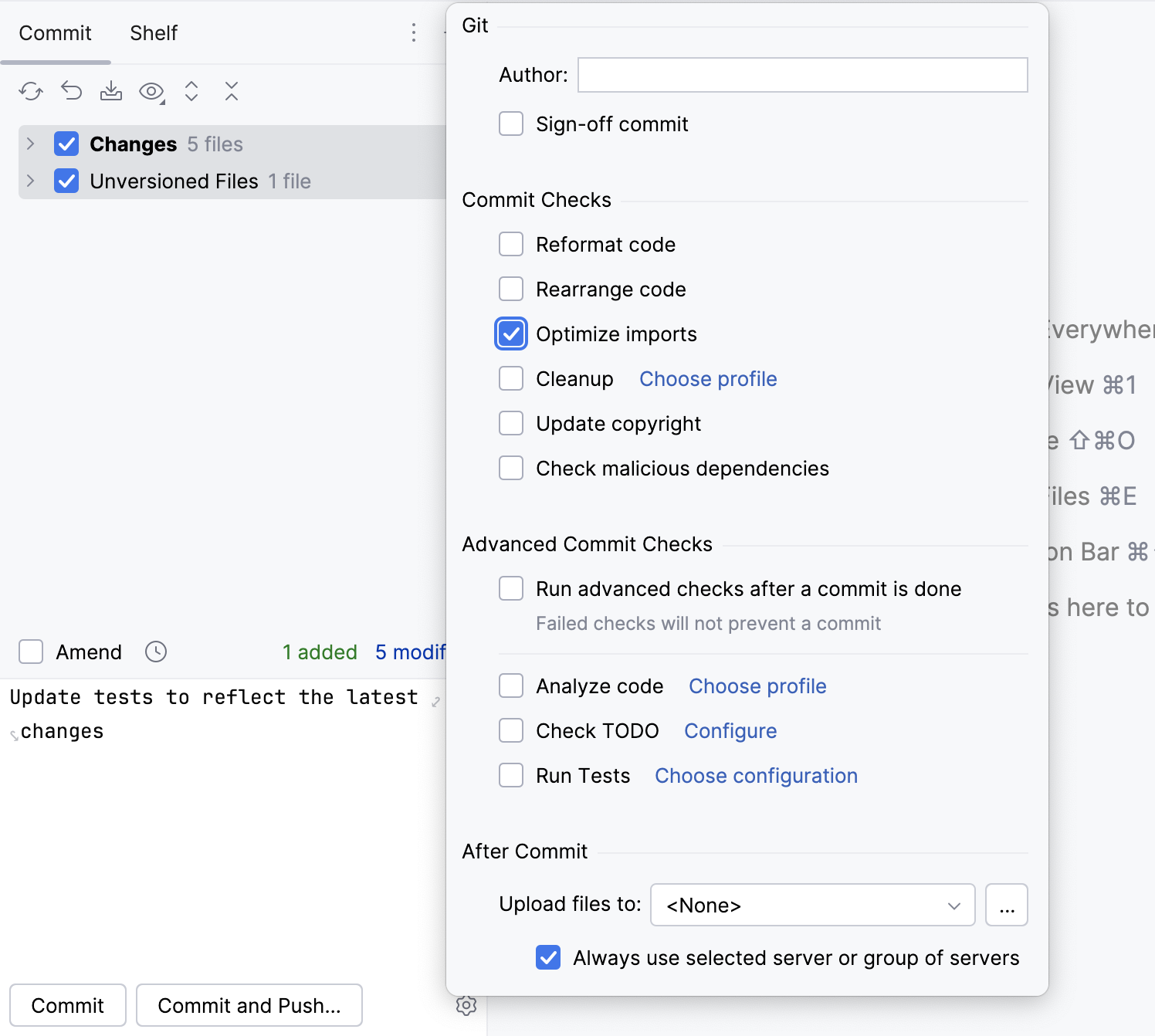
Automatically optimize imports on save
You can configure the IDE to optimize imports in modified files automatically when your changes are saved.
Press Ctrl+Alt+S to open settings and then select .
Enable the Optimize imports option.
Additionally, from the All file types list, select the types of files in which you want to optimize imports.
Apply the changes and close the dialog.
Optimize imports when reformatting a file
You can tell PhpStorm to optimize imports in a file every time it is reformatted.
Open the file in the editor, press Ctrl+Alt+Shift+L, and make sure the Optimize imports checkbox is selected in the Reformat File dialog that opens.
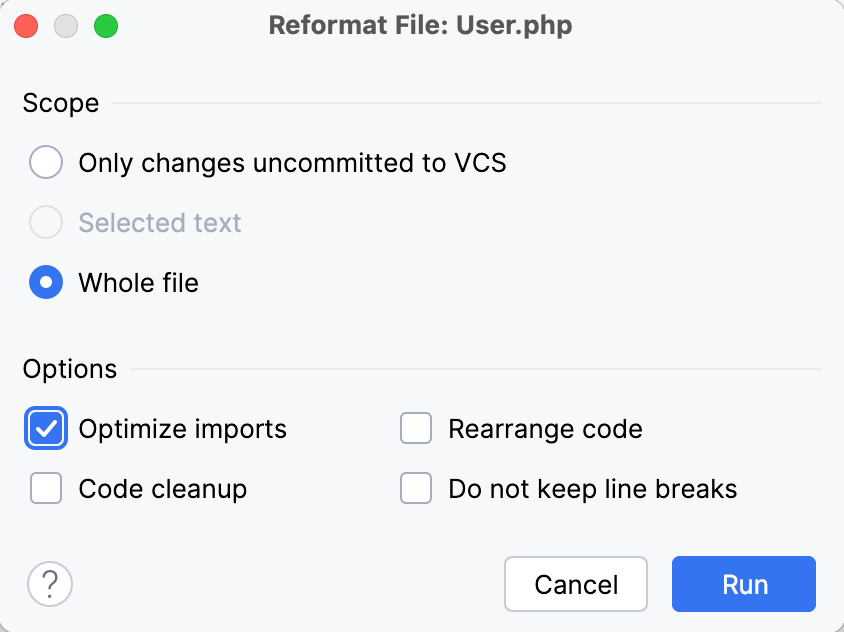
After that every time you press Ctrl+Alt+L in this project, PhpStorm will optimize its imports automatically.
Optimize imports for all files in the folder
Right-click a folder in the Project tool window and select Optimize Imports.
In the Optimize Imports dialog, click Run.