CoffeeScript
With PhpStorm, you can use CoffeeScript that compiles into JavaScript. PhpStorm recognizes *.coffee files and marks them with  . You can set breakpoints directly in your CoffeeScript code, and PhpStorm recognizes them using source maps generated during compilation.
PhpStorm helps you write CoffeeScript code by suggesting completion for keywords, labels, variables, parameters and functions. You can jump from a symbol to its declaration Ctrl+B or implementation Ctrl+Alt+B as well as find any symbol by its name Ctrl+Alt+Shift+N.
PhpStorm integrates with the coffeescript compiler that translates CoffeeScript code into JavaScript. The tool also creates source maps that set correspondence between lines in your CoffeeScript code and in the generated JavaScript code so that PhpStorm debugger recognizes breakpoints in your CoffeeScript code and processes them correctly.
Before you start
Download and install Node.js.
Install and enable the CoffeeScript plugin on the Settings | Plugins page, tab Marketplace, as described in Installing plugins from JetBrains Marketplace.
Make sure the File Watchers plugin is enabled in the settings. Press Ctrl+Alt+S to open settings and then select . Click the Installed tab. In the search field, type File Watchers. For more information about plugins, refer to Managing plugins.
Compiling CoffeeScript into JavaScript
To compile your code automatically, you need to configure a CoffeeScript File Watcher which will track changes to your files and run the compiler.
When you open a file, PhpStorm checks whether an applicable File Watcher is available in the current project. If such File Watcher is configured but disabled, PhpStorm displays a popup that informs you about the configured File Watcher and suggests to enable it.
If an applicable File Watcher is configured and enabled in the current project, PhpStorm starts the compiler automatically upon the event specified in the New Watcher dialog.
If the Auto-save edited files to trigger the watcher checkbox is selected, the File Watcher is invoked as soon as any changes are made to the source code.
If the Auto-save edited files to trigger the watcher checkbox is cleared, the File Watcher is started upon save (, Ctrl+S) or when you move focus from PhpStorm (upon frame deactivation).
Learn more from File Watchers.
The compiler stores the generated output in a separate file. The file has the name of the source CoffeeScript file and the extension .js or .js.map depending on the compiler type. The location of the generated files is defined in the Output paths to refresh field of the New Watcher dialog. Based on this setting, PhpStorm detects the compiler output. However, in the Project tool window (Alt+1) , they are shown under the source coffee file which is now displayed as a node.
Install the CoffeeScript compiler
In the embedded Terminal (Alt+F12) , type one of the following commands:
npm install --global coffeescriptfor global installation.npm install --save-dev coffeescriptto install CoffeeScript as a development dependency.Learn more from the CoffeeScript official website.
Create a CoffeeScript File Watcher
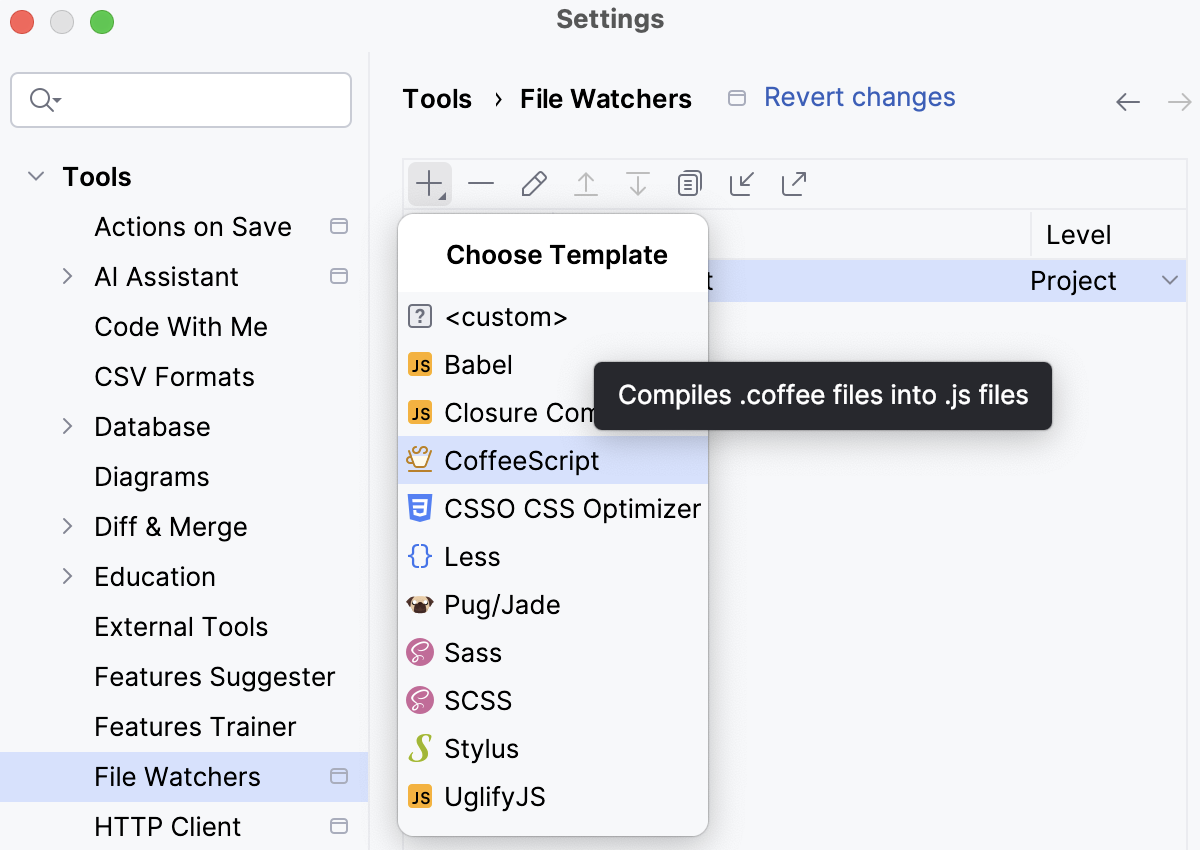
Press Ctrl+Alt+S to open settings and then select .
Click
 or press Alt+Insert and choose the CoffeeScript predefined template from the list. Your code will be translated to JavaScript and supplied with generated source maps.
Proceed as described in File Watchers.
Customize the behaviour of the compiler
With PhpStorm, you can adjust the compiler by passing arguments to it just as if you were working in the command-line mode. Below is an example of customizing the default output location for the CoffeeScript compiler.
Suppose, you have a project with the following folder structure:
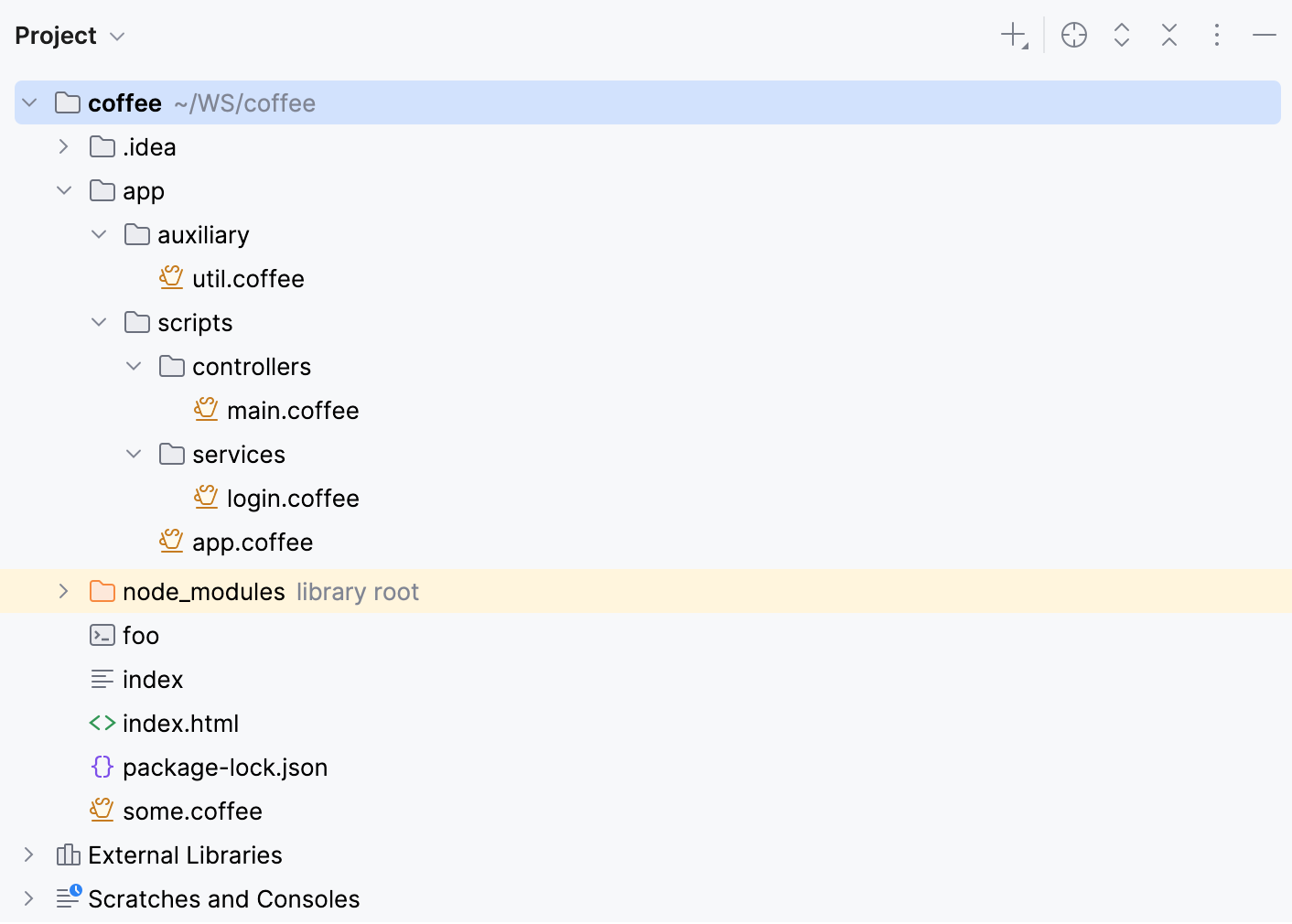
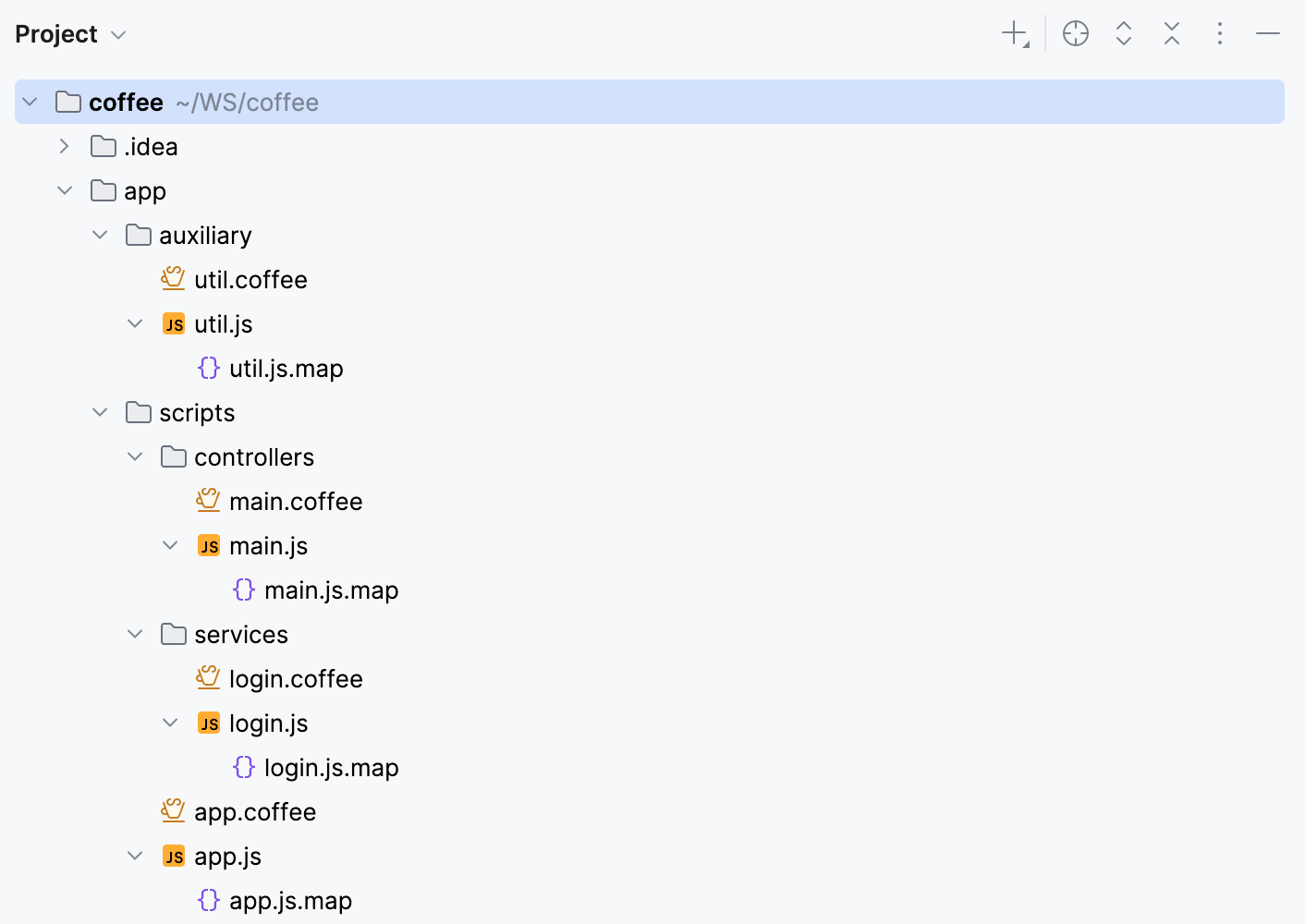
With the default File Watcher, the generated files will be shown as children of their original files.
You can change this default location and have the generated files stored in a separate JavaScript folder.
Store all the generated files in the output JavaScript folder
Create a CoffeeScript File Watcher.
In the Arguments field, type:
--map --compile -o $ProjectFileDir$/JavaScript $FileName$In the Output paths to refresh field, type:
$ProjectFileDir$/JavaScript/$FileNameWithoutExtension$.js:$ProjectFileDir$/JavaScript/$FileNameWithoutExtension$.map:$FileNameWithoutExtension$.js.map
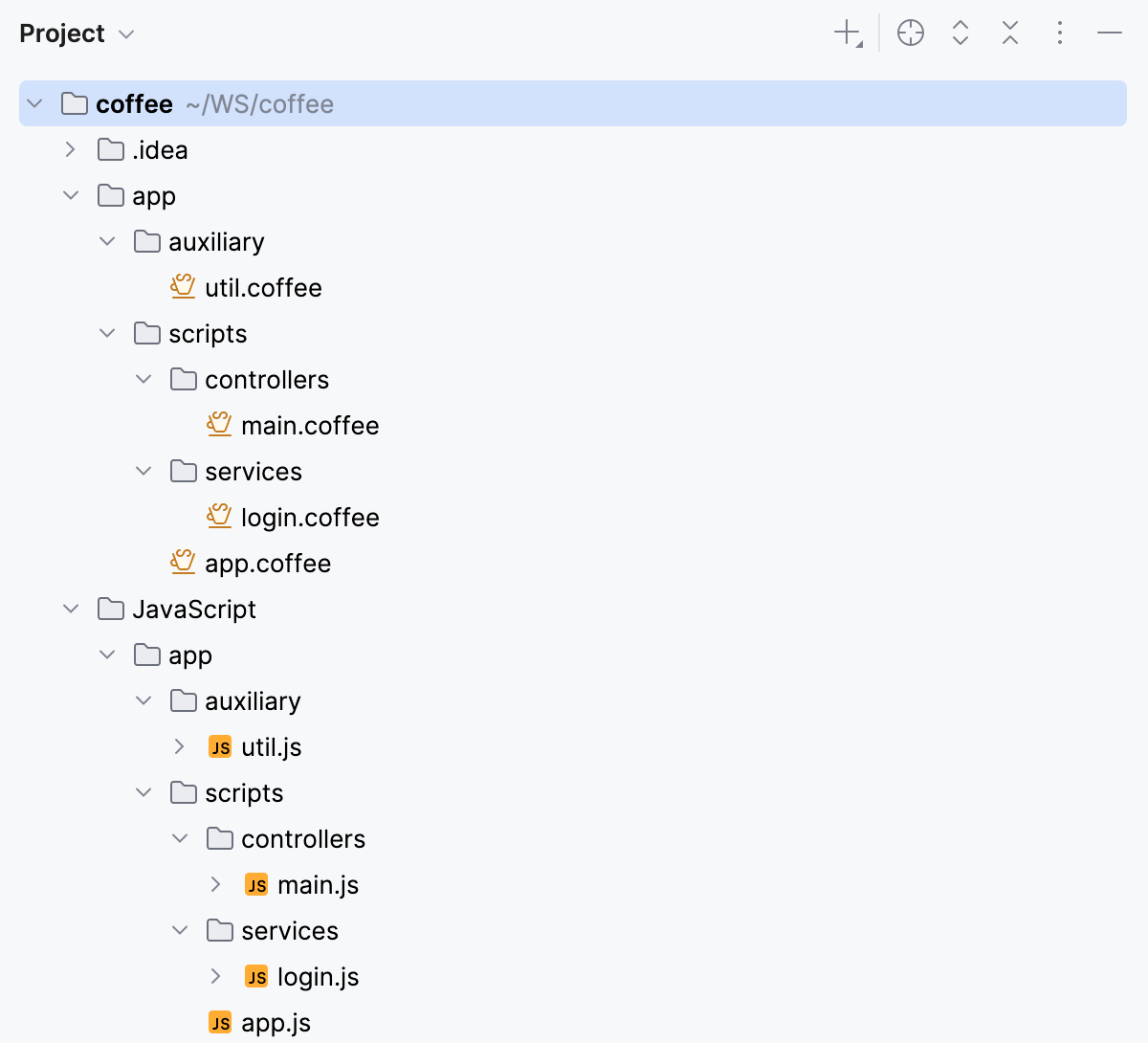
As a result, the project tree looks as follows:
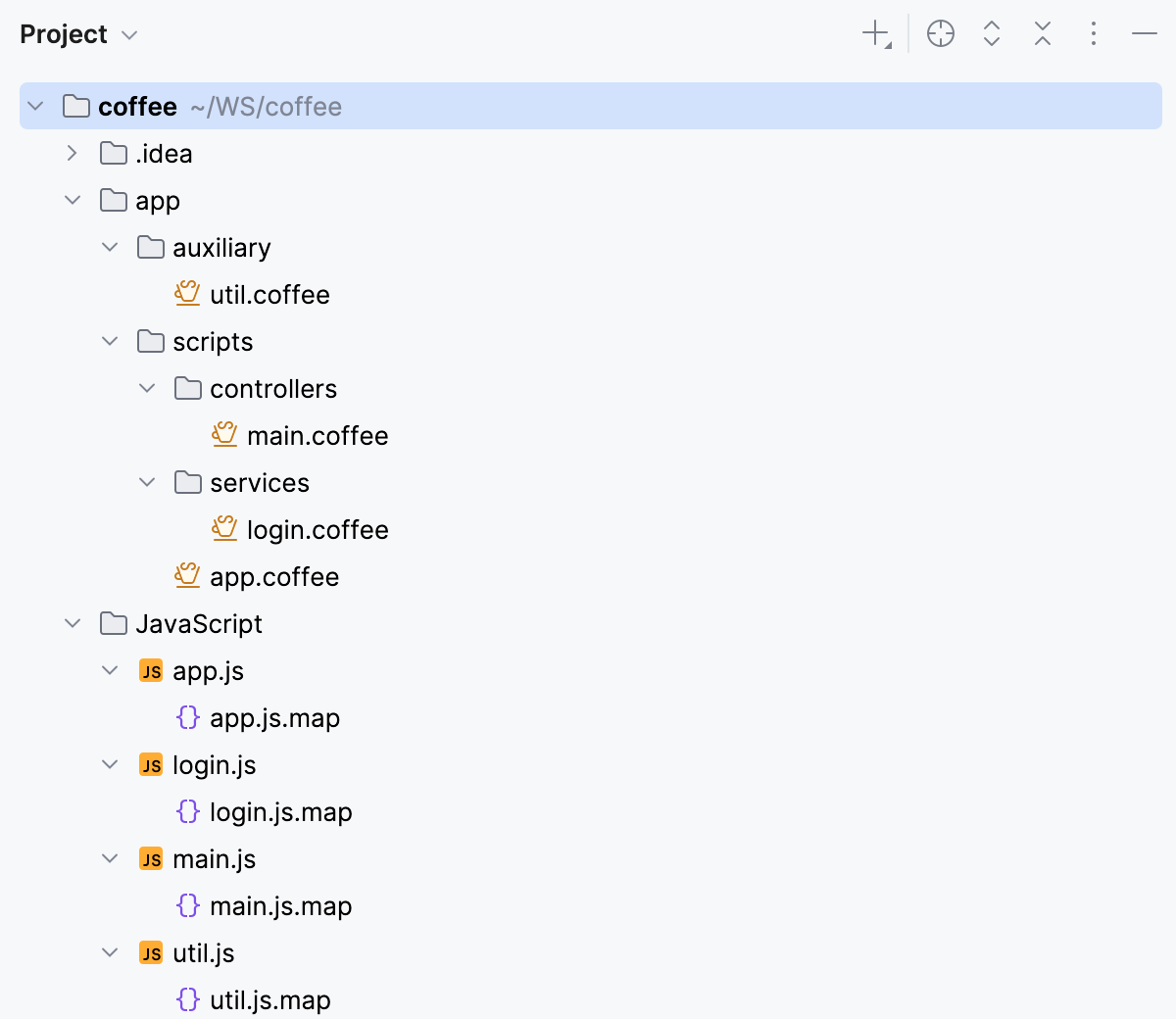
You can also have the generated files stored in the folder structure that repeats the original structure under the app node.
Preserve the original folder structure in the output folder
Create a CoffeeScript File Watcher.
In the Arguments field, type:
--map --compile -o $ProjectFileDir$/JavaScript/$FileDirRelativeToProjectRoot$ $FileName$In the Output paths to refresh field, type:
$ProjectFileDir$/JavaScript/$FileDirRelativeToProjectRoot$/$FileNameWithoutExtension$.js:$ProjectFileDir$/JavaScript/$FileDirRelativeToProjectRoot$/$FileNameWithoutExtension$.map:$FileNameWithoutExtension$.js.map
As a result, the project tree looks as follows:
Preview compilation results without running the compiler
PhpStorm can perform static analyses of your CoffeeScript code without actually running a compiler and display the predicted compilation output in the dedicated read-only viewer.
Open the desired CoffeeScript file in the editor, and right-click the editor background.
From the context menu, choose . The preview is opened in the dedicated read-only viewer: the left pane shows the original CoffeeScript source code, and the right pane shows the JavaScript code that will be generated by the compiler when it runs.
Running CoffeeScript
There are two ways to run CoffeeScript in PhpStorm:
Compile the CoffeeScript code manually and then run the output JavaScript code as if it were a Node.js application.
Run the original CoffeeScript code through the Node.js run configuration and have PhpStorm compile it on the fly.
Compile CoffeeScript manually and run the generated JavaScript code
Start creating a Node.js run configuration with the following mandatory settings:
The Node.js engine to use. By default, the field shows the path to the runtime specified on the JavaScript Runtime page during Node.js configuration.
In the Working directory field, specify the location of the files referenced from the starting CoffeeScript file to run, for example, includes. If this file does not reference any other files, just leave the field empty.
In the Path to Node App JS File field, specify the full path to the JavaScript file that was generated from the original CoffeeScript file during the compilation.
Save the configuration and click Run in the dialog.
Alternatively, select the newly created run configuration from the list on the main toolbar and click
 .
. Proceed as while running a Node.js application.
Compile CoffeeScript on the fly during run
This mode requires that the register.js file, which is a part of the
coffeescriptpackage, is located inside your project. Therefore, make sure you have thecoffeescriptpackage installed locally as described in Install the CoffeeScript compiler.Open the starting CoffeeScript file in the editor or select in the Project tool window (Alt+1) and choose from the context menu. PhpStorm runs the file with the automatically generated run/debug configuration.
Alternatively, select from the context menu and check the following mandatory settings in the Run/Debug Configuration: Node.js dialog that opens:
The Node.js runtime to use. Select the relevant runtime configuration or create a new one. By default, the field shows the path to the runtime specified on the JavaScript Runtime page during Node.js configuration.
For Linux and macOS, this setting is overridden by the Node.js from the path to the CoffeeScript compiler executable file.
In the Node parameters field, type
--require coffeescript/register.In the Working directory field, specify the working directory of the application. By default, the field shows the project root folder.
In the File field, specify the full path to the CoffeeScript file to run.
Save the configuration and click
on the toolbar.Alternatively, select the newly created run configuration from the list on the main toolbar and click
. Proceed as while running a Node.js application.
Debugging CoffeeScript
To debug CoffeeScript in PhpStorm, you need source maps generated in addition to the JavaScript code. Source maps set correspondence between lines in your CoffeeScript code and in the generated JavaScript code, otherwise your breakpoints will not be recognised and processed correctly. JavaScript and source maps are generated by compiling the CoffeeScript code manually using the File Watcher of the type CoffeeScript. After that you can debug the output JavaScript code as if it were a Node.js application.
Debugging CoffeeScript is supported only in the local mode. This means that PhpStorm itself starts the Node.js engine and the target application according to a run configuration and gets full control over the session.
For more information about debugging Node.js applications, refer to Running and debugging Node.js.
Debug CoffeeScript code
Set the breakpoints in the CoffeeScript code where necessary.
Compile the CoffeeScript code into Javascript using the File Watcher of the type CoffeeScript.
Start creating a Node.js run configuration with the following mandatory settings:
The Node.js engine to use. By default, the field shows the path to the runtime specified on the JavaScript Runtime page during Node.js configuration.
In the Working directory field, specify the location of the files referenced from the starting CoffeeScript file to run, for example, includes. If this file does not reference any other files, just leave the field empty.
In the Path to Node App JS File field, specify the full path to the JavaScript file that was generated from the original CoffeeScript file during the compilation.
Save the configuration and click
 on the toolbar.
Proceed as when starting the debugger together with a Node.js application locally.
Refactoring CoffeeScript
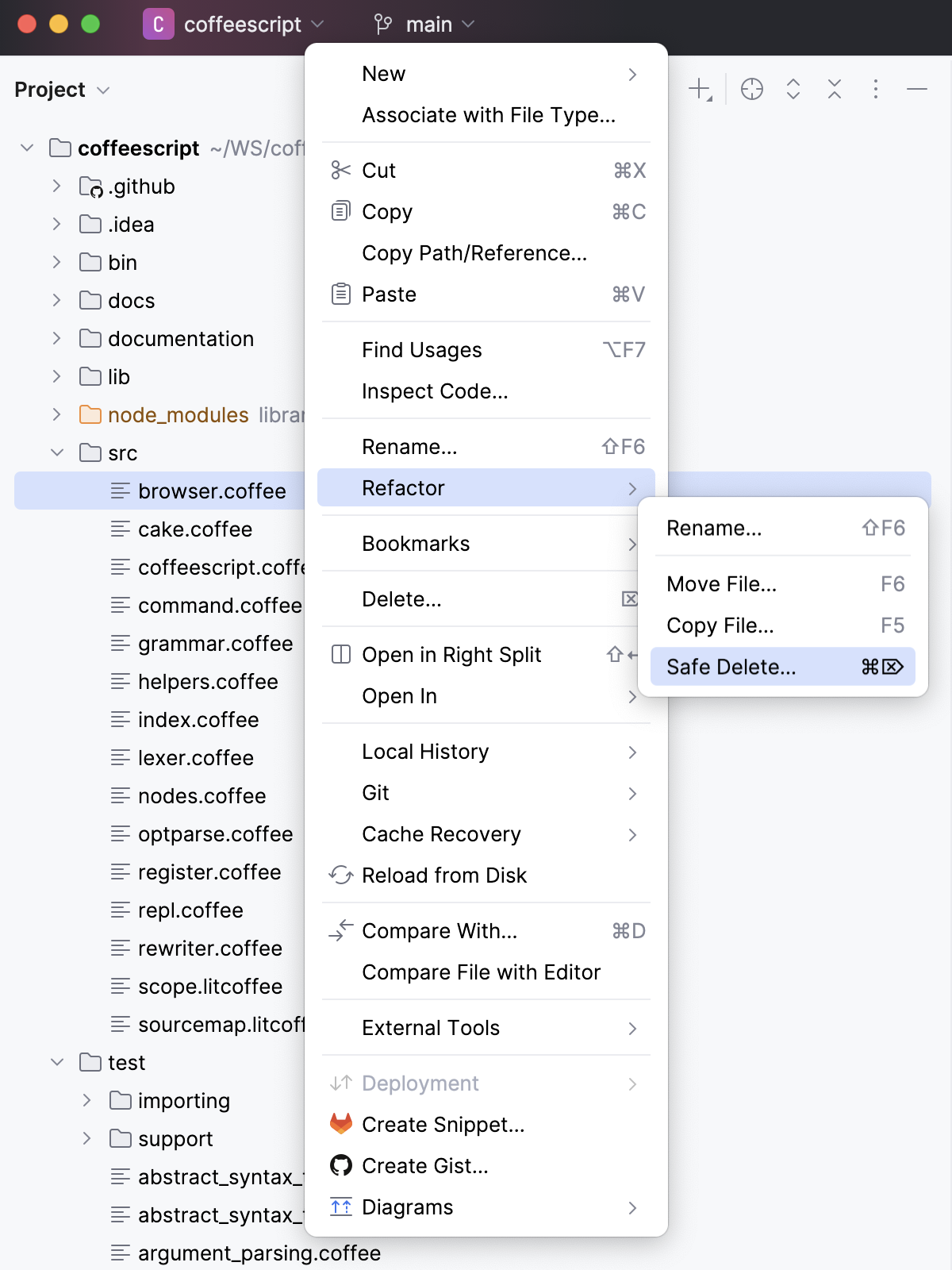
In the CoffeeScript context, PhpStorm supports copying, renaming, moving, and safe deleting of files and folders, learn more from Code refactoring.
To copy, rename, move, or delete safely a file or a folder, select it in the Project tool window and then select the relevant action from the context menu.
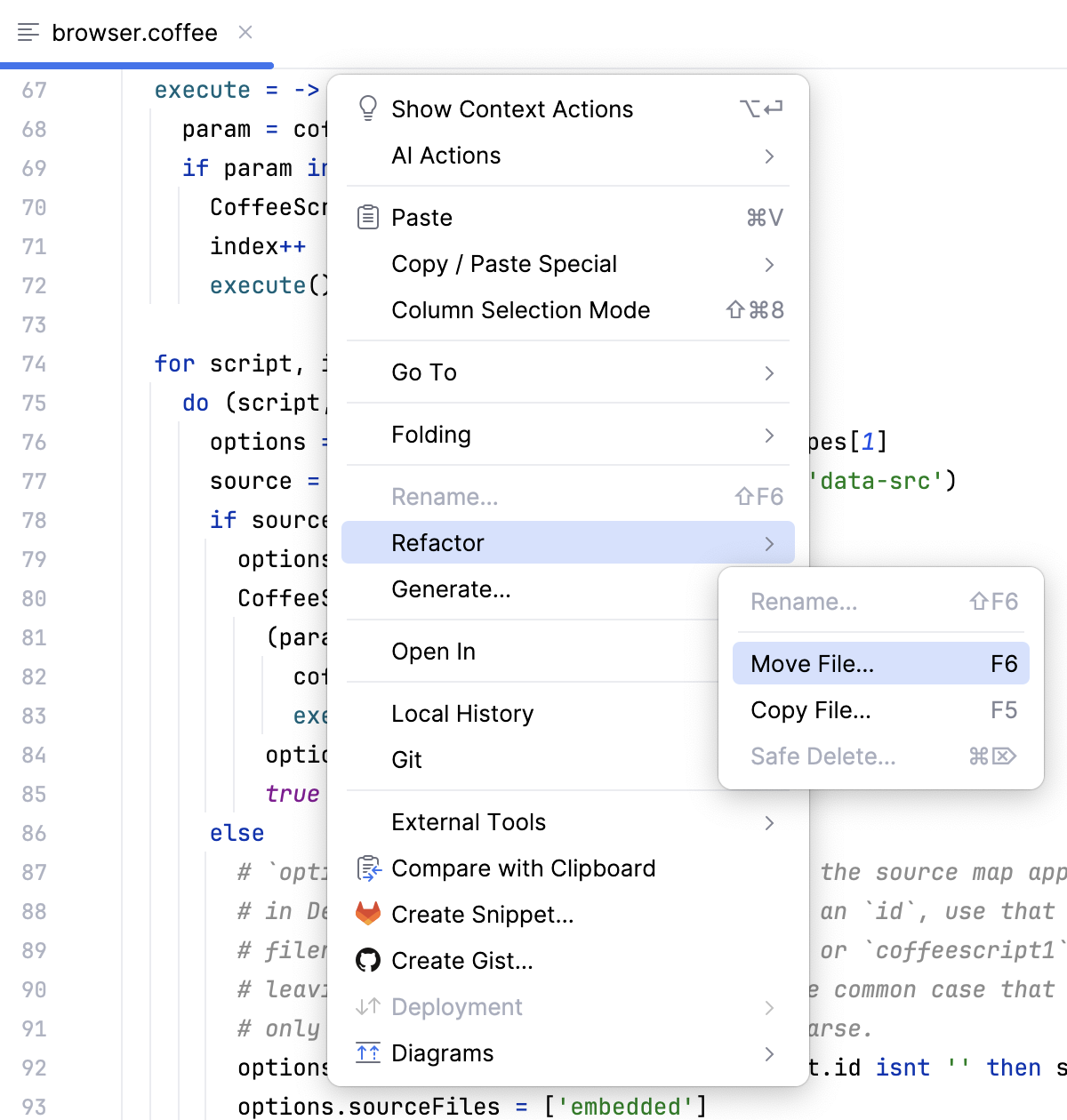
To move or copy a file, open it in the editor and then select or from the context menu.
Configuring syntax highlighting
You can configure CoffeeScript-aware syntax highlighting according to your preferences and habits.
In the Settings dialog (Ctrl+Alt+S) , go to .
Select the color scheme, accept the highlighting settings inherited from the defaults or customize them as described in Colors and fonts.