Disabling and enabling inspections
Some inspections may report problems that you currently do not want to see. In this case, you can disable or suppress them.
Disable inspections
When you disable an inspection, you turn it off. It means that the code analysis engine stops searching project files for the problem that this inspection is designed to detect. Note that when you disable an inspection, you disable it in the current inspection profile; it remains enabled in other profiles.
Most inspections in PhpStorm can be disabled. However, some inspections will keep highlighting your code regardless of the settings. For example, syntax errors are always highlighted.
Disable an inspection in settings
Press Ctrl+Alt+S to open settings and then select .
Locate the inspection you want to disable and clear the checkbox next to it.
Apply the changes and close the dialog.
You can quickly disable a triggered inspection directly in the editor using a context action.
Disable an inspection from the editor
Place the caret at the highlighted line and press Alt+Enter (or click
 ) to invoke a list of available context actions.
Click
 next to the inspection you want to disable and select Disable inspection.
Disable an inspection from the Problems tool window
In the Inspection Results tab of the Problems tool window (appears once you run code analysis), right-click the inspection you want to disable and select Disable inspection.
Click
 on the toolbar and select Filter resolved items to hide the disabled inspection alerts.
Re-enable inspections
Press Ctrl+Alt+S to open settings and then select .
You can also press Ctrl+Alt+Shift+H and select Configure Inspections.
Locate the disabled inspection in the list and select the checkbox next to it.
Modified inspections are written in blue. You can also click
 and select Show Only Modified Inspections to display only the inspections with changed settings.
Click OK to apply the changes.
Suppress inspections
When you suppress an inspection, the code analysis engine does not highlight the problem found by this inspection in a specific piece of code (class, method, property, or statement) . You can suppress an inspection in entire JavaScript and TypeScript classes and files. In HTML and Vue.js, an inspection can be also suppressed in the whole file.
Most inspections in PhpStorm can be suppressed. However, some inspections do not have this option. For example, syntax errors are always highlighted in the editor regardless of the settings. To learn whether a specific inspection can be suppressed, see Inspectopedia.
Suppress an inspection from the editor
Place the caret at the highlighted line and press Alt+Enter (or click
to use the intention action).Click the
button next to the inspection you want to suppress and select an action according to the required scope. 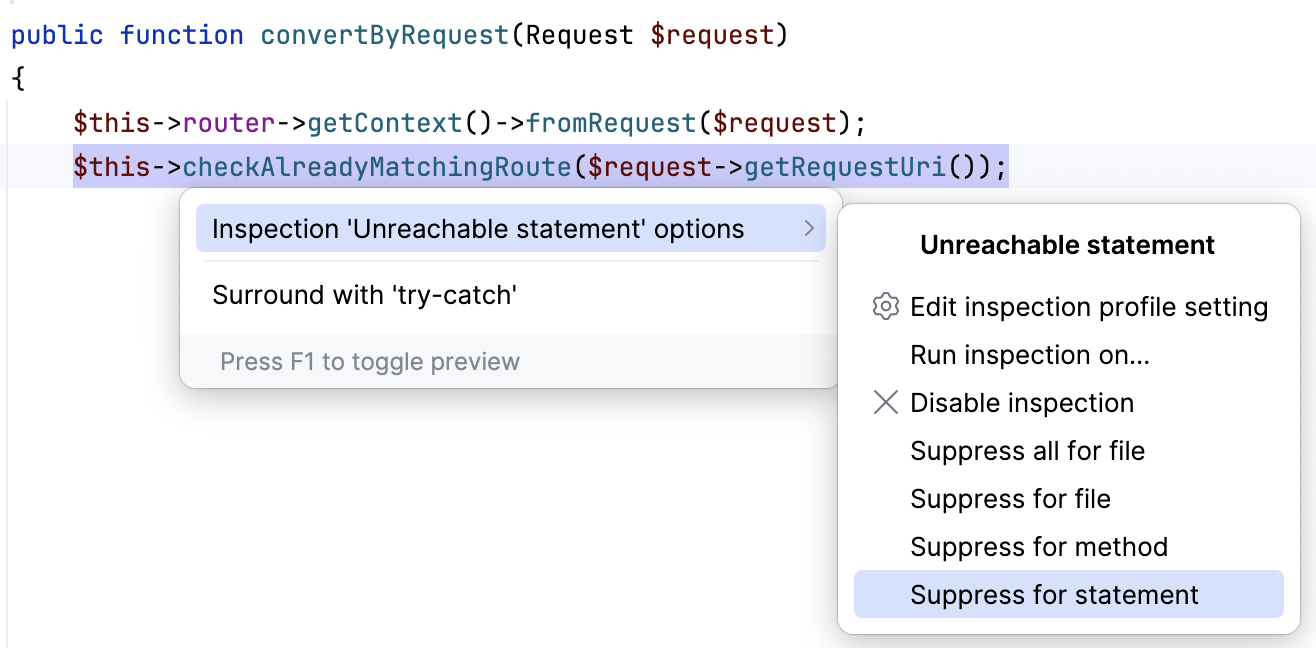
In TypeScript or JavaScript files, you can suppress an inspection in an entire TypeScript or JavaScript class or file.
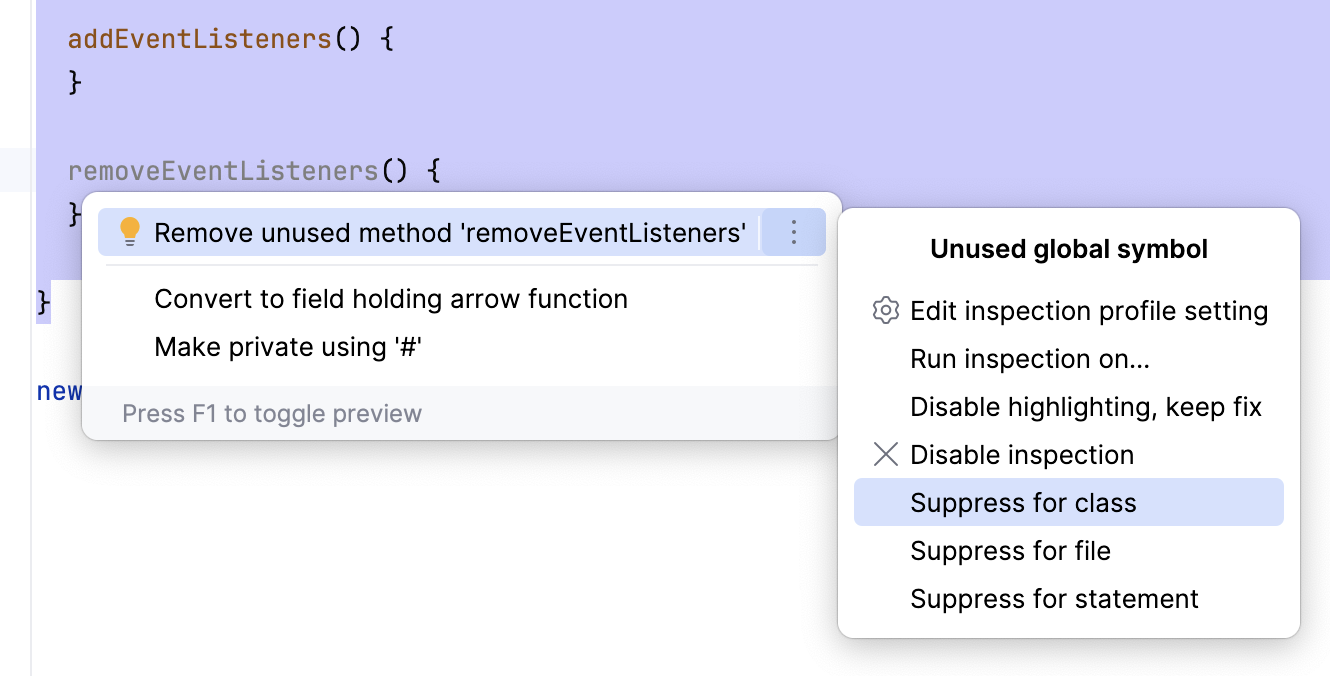
In HTML and Vue.js files, you can suppress an inspection inside the current tag, or on the whole file, or even suppress all inspections in the current file.
In Style Sheets, an inspection can be suppressed in the current statement or in the current ruleset. You can also suppress all inspections in a ruleset.
Suppress an inspection from the Problems tool window
In the Inspection Results tab of the Problems tool window (appears once you run code analysis), right-click the inspection you want to suppress and select the necessary suppress action.
Enable suppressed inspections
When you suppress an inspection, the IDE adds a /** @noinspection */ annotation before the selected symbol. For example, if you suppress an inspection for a statement, PhpStorm adds the annotation before this statement.
To re-enable a suppressed inspection, delete the
/** @noinspection */annotation.
Disable highlighting, but keep the fix
Inspections have severities according to which they highlight code problems in the editor. You can quickly disable code highlighting for an inspection without opening the settings. In this case, the inspection remains enabled and provides a fix, but the severity changes to No highlighting (fix available).
Place the caret at a code element highlighted by an inspection in the editor and press Alt+Enter.
A list with available fixes and context actions opens. Locate the inspection fix that is marked with
 .
.Click the
button next to the fix to open the inspection's options and select Disable highlighting, keep fix. 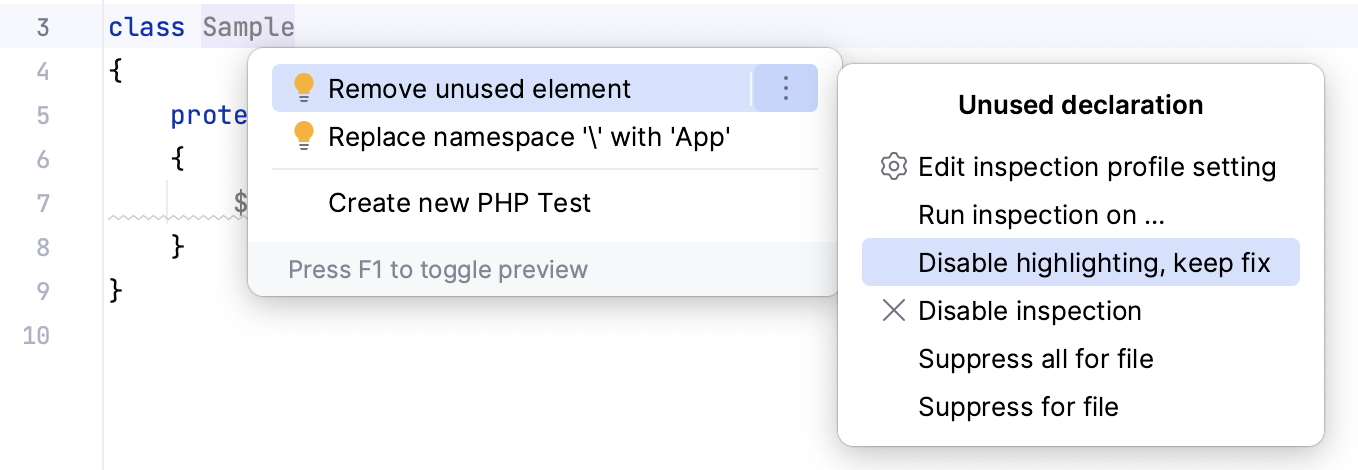
The name of the inspection for which you are changing the severity is written above the inspection's options.
If you want to restore the highlighting, press Ctrl+Alt+S to open the IDE settings and select . Find the necessary inspection in the list and change its severity as you like. For more information, refer to Change inspection severity in all scopes.
Change the highlighting level for a file
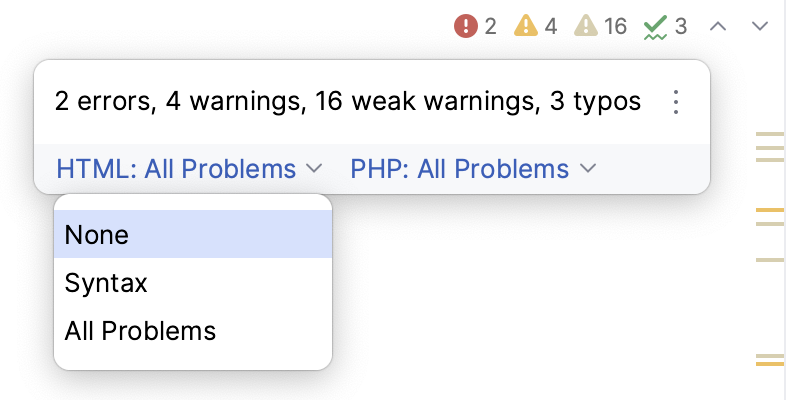
By default, PhpStorm highlights all detected code problems. Hover over the widget in the top-right corner of the editor and select another level from the Highlight list:
None: turn highlighting off.
Syntax: highlight syntax problems only.
All Problems: (default) highlight syntax problems and problems found by inspections.
You can also change the highlighting level from the main menu. Select or press Ctrl+Alt+Shift+H.