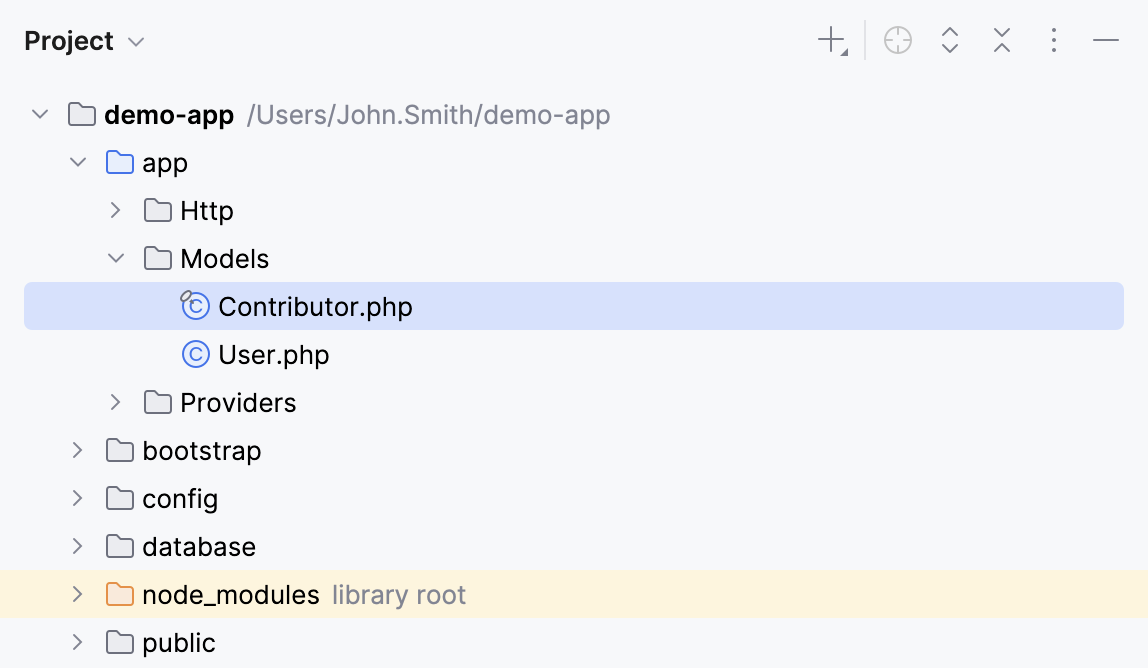
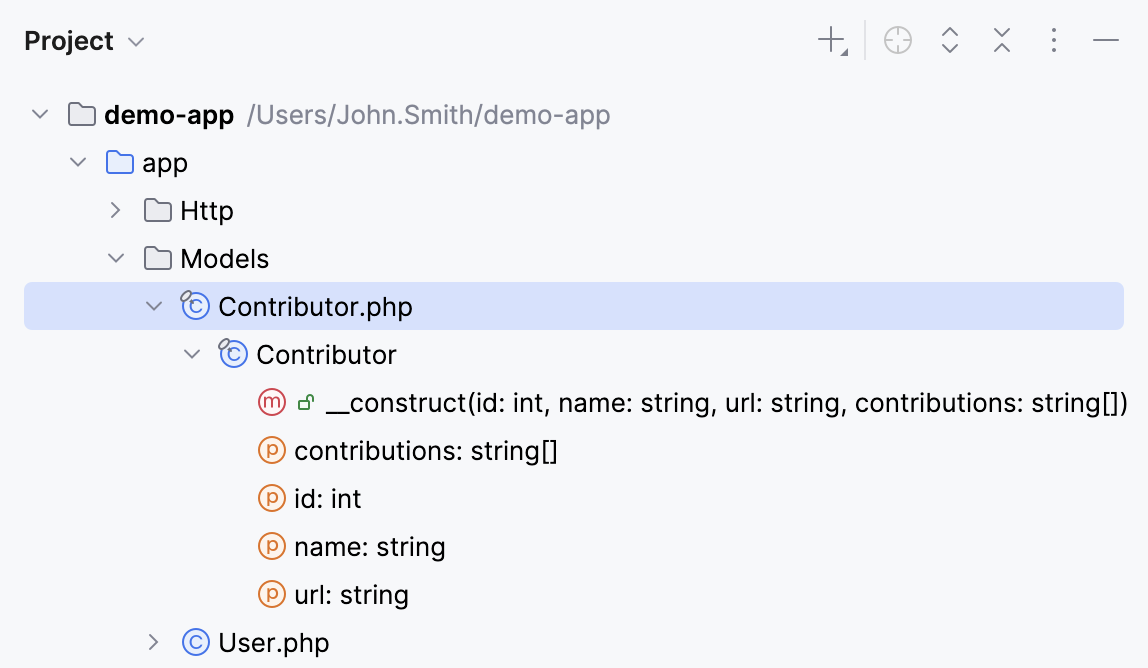
File structure
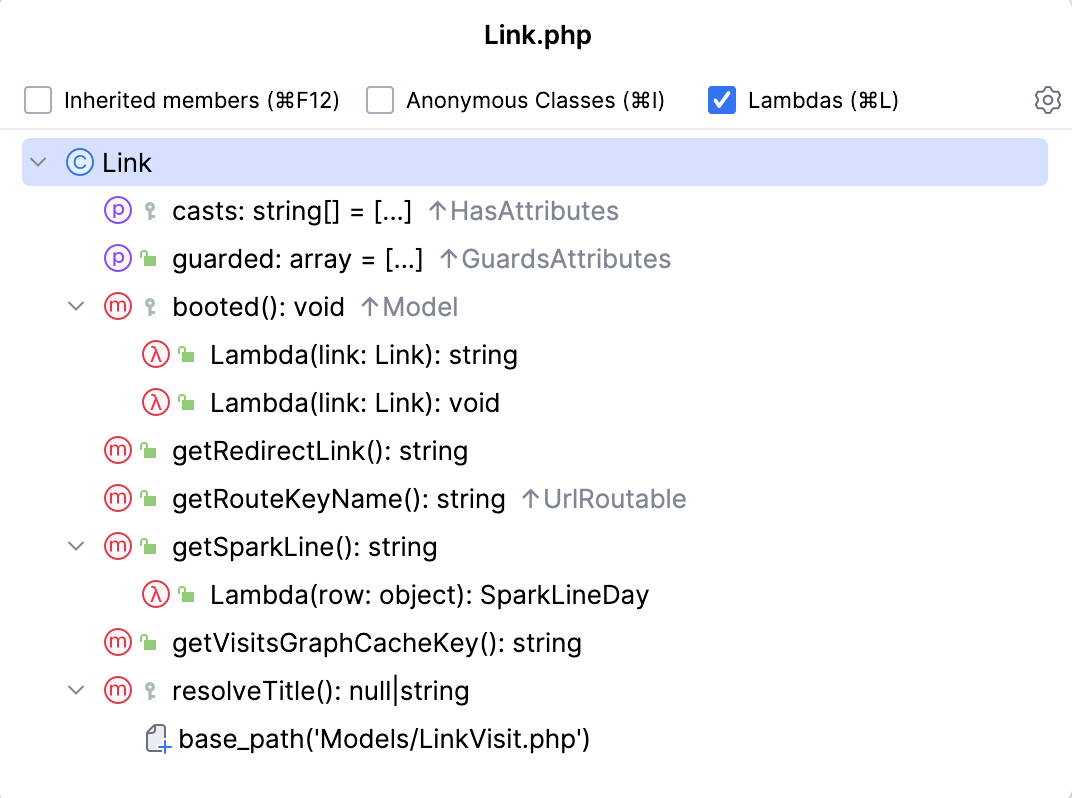
PhpStorm allows you to view and navigate the structure of a file in the Structure tool window and in the Structure popup.
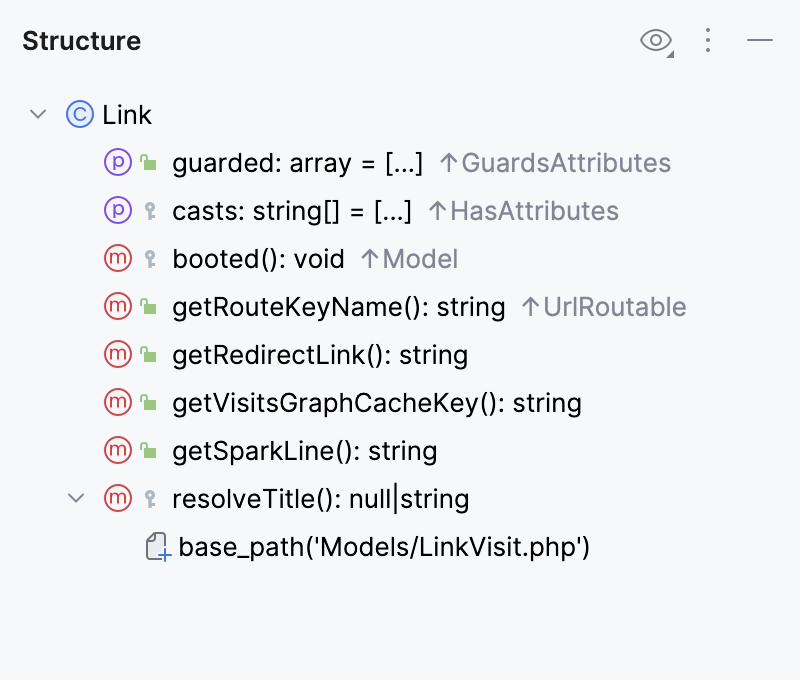
You can see the VCS status colors in the Structure tool window and the Structure popup if your project is under version control. It helps you track changes in files. The names of modified objects become blue, and the names of the newly added objects appear highlighted in green.
Hover over icons in Structure to get additional information in tooltips about the items.
Structure popup
The popup provides less information than the tool window, but it allows you to navigate the structure faster due to the Narrow down on typing option.
Open a file in the editor and press Ctrl+F12, or go to in the main menu.
In the popup, start typing the name of the element that you want to find. The IDE will narrow down the search results as you type.
You can also use CamelHumps, that is, for example, you can type
dsuto match .You can additionally narrow down your search results by using the checkboxes in the popup. To change the sorting, click
 and select the necessary option.
 Press Enter or click an item to close the popup and navigate to the selected element in the editor.
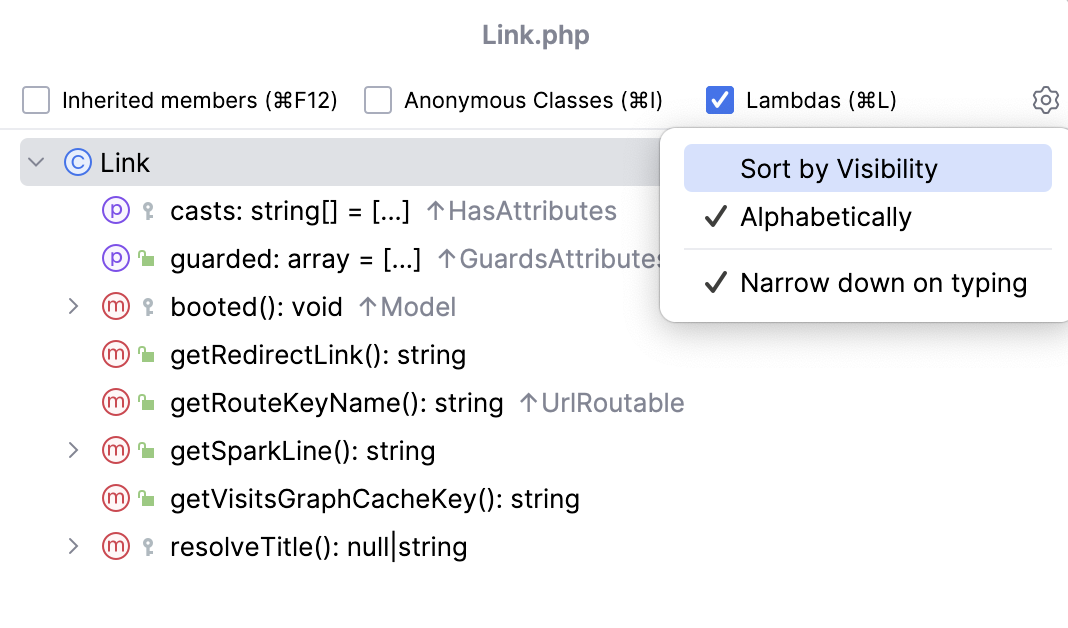
- Inherited members
Displays all methods and fields inherited by the current class and accessible from it. The inherited members are displayed gray to distinguish them from the members defined in the current class.
- Anonymous Classes
Displays inner anonymous classes in the tree view.
- Lambdas
Displays all lambdas in the tree.
- Alphabetically
Sorts elements within a class alphabetically.
- By Visibility
Sorts items by their visibility in the following order: public - protected - package local - private.
- Narrow down on typing
Hides irrelevant items as you type. When this option is disabled, the IDE highlights all items that match your search query without hiding irrelevant items.
Structure tool window
Open a file in the editor or select it in the Project tool window.
Press Alt+7 or go to in the main menu.
In the tool window, start typing the name of the element that you want to find. You can also use CamelHumps. The IDE will highlight the search results as you type.
You can additionally narrow down your search results or sort the items in the tool window by using the options located under
 .
. 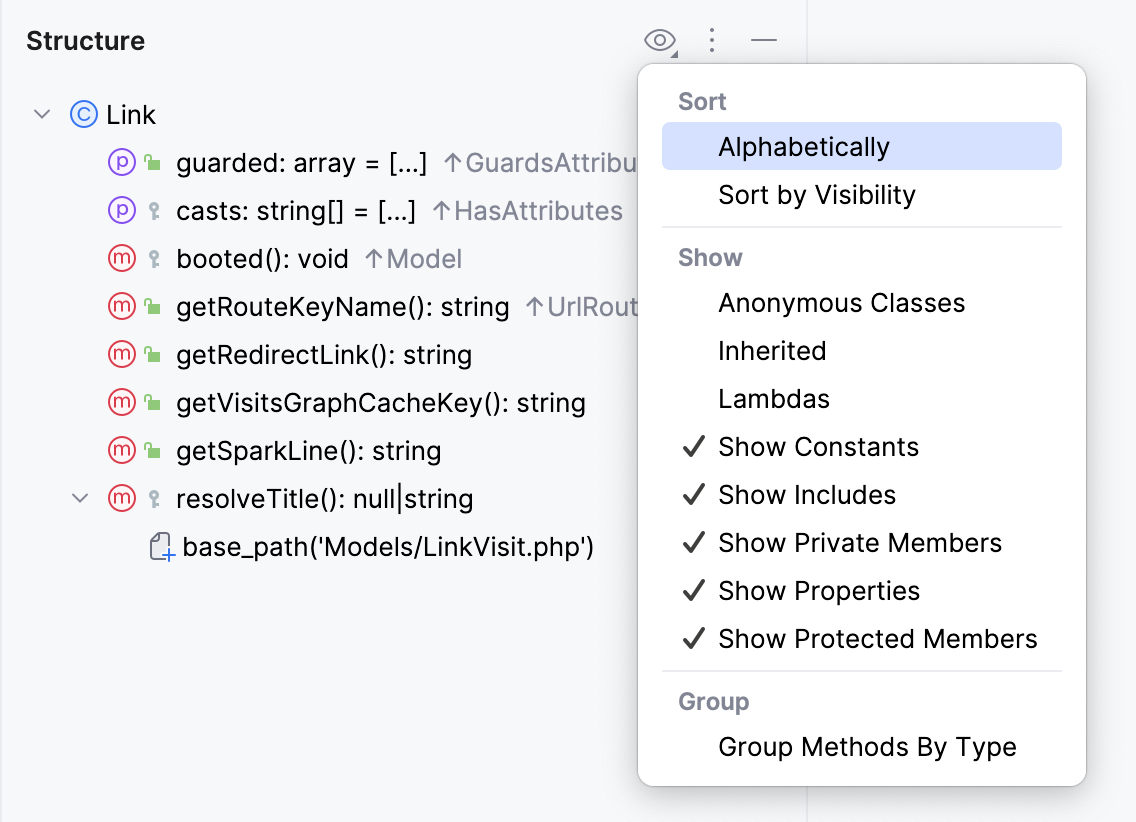
View options
Sort
- Alphabetically
Sorts elements within a class alphabetically.
- By Visibility
Sorts the items by their visibility in the following order: public - protected - package local - private.
Show
- Anonymous Classes
Displays inner anonymous classes in the tree view.
- Inherited
Displays all methods and fields inherited by the current class and accessible from it. The inherited members are displayed gray to distinguish them from the members defined in the current class.
- Lambdas
Displays all lambdas in the tree.
- Show Constants
Displays constants in the tree.
- Show Includes
Displays all files included through
includeorrequirestatements in the tree.- Show Private Members
Displays private class members in the tree.
- Show Properties
Displays all properties in the tree.
- Show Protected Members
Displays protected class members in the tree.
- HTML Outline
(Only for HTML files) Displays HTML 5 outline of an HTML file
- DDL statements
(Only for SQL files) Displays only DDL statements (for example,
CREATE,ALTER,DROP, and other statements).- DML statements
(Only for SQL files) Displays only DML statements (for example,
SELECT,INSERT,UPDATE,DELETE, and other statements).- Select statements
(Only for SQL files) Displays only
SELECTstatements.- Other
(Only for SQL files) Displays only statements that do not fall under the previous categories.
Group
- Group Methods by Type
Groups all methods that override or implement the methods of a particular class or interface under the node that corresponds to this class or interface.
- Group by type
(Only for SQL files) Group statements by their type (for example, DDL statements, DML statements,
SELECTstatements, and Other).
Run tests from the Structure tool window
To run a single test method in a test class, right-click it in the Structure tool window and select
 Run 'method name' (Ctrl+Shift+F10) in the context menu that opens.
To run a selection of tests, hold Ctrl and select the test methods, then right-click one of the methods and select
Run 'method names' (Ctrl+Shift+F10).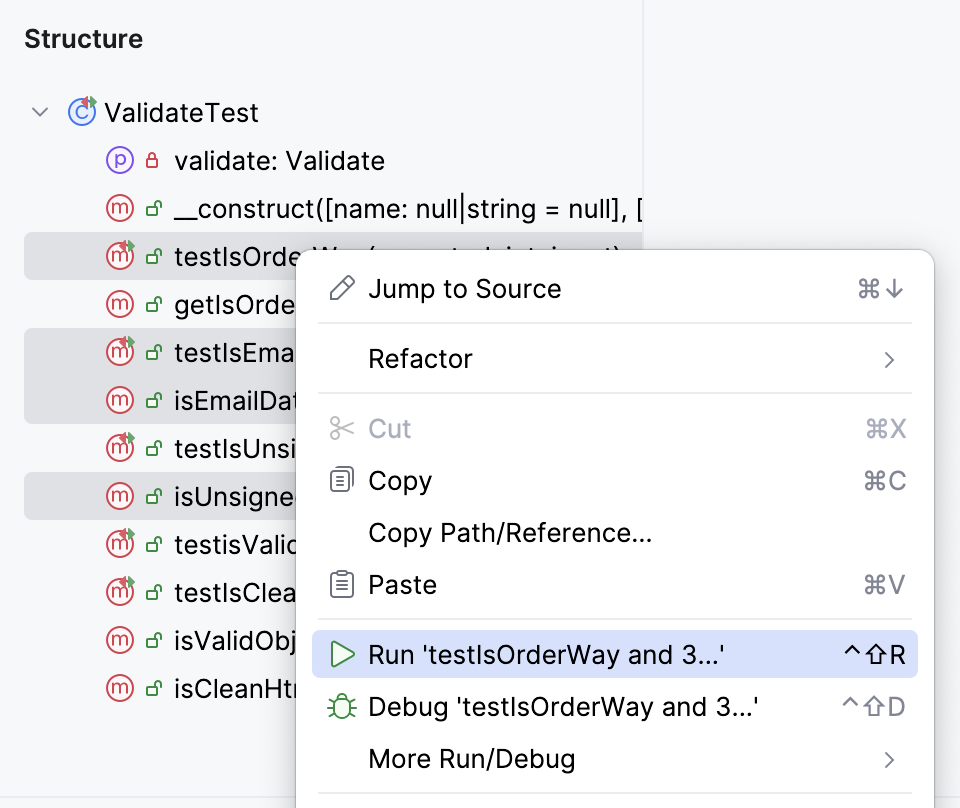
Show members in the Project tool window
In the Project tool window Alt+1, click
 in the header and select .