Format Functions
Formatting allows you to define how particular functions should be displayed in dotTrace views. You can specify font parameters, background color, and so on.
To change the display format for a function
Select a function.
From the menu, choose or right-click a function, then click Format Function in the context menu.
The Format dialog opens:
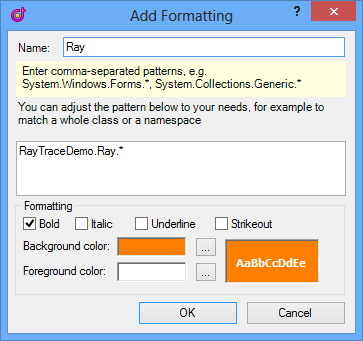
Define a new formatting rule and click OK.
As a result you can easily spot various types of functions.

You can view the list of formatting rules and manage them using the Options dialog.
To view and manage the list of formatting rules
From the menu, choose . The Options dialog opens.
Select the View node in the left tab.
Depending on your goals, do one of the following in the View tab:
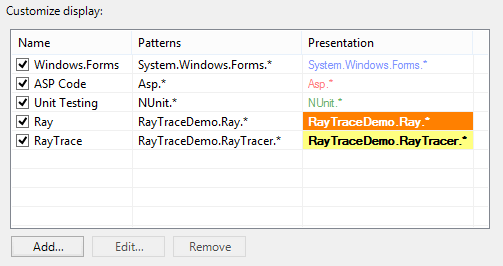
Click Add to add a new formatting rule.
Select an item and click Edit to change a formatting rule.
Select an item and click Remove to remove an item from the list.
Select or deselect an item in the list of formatting rules to apply or skip the formatting rule.
Click OK to save changes and close the Options dialog.