PyCharm 2.7.2 Web Help

2.7+

In this section:

Basics

The Change Signature refactoring combines several different modifications that can be applied to a function signature. You can use this refactoring for the following purposes:

  • To change the function name.
  • To add new parameters and remove the existing ones.
  • To assign default values to the parameters.
  • To reorder parameters.

When changing a function signature, PyCharm searches for all usages of the function and updates all the calls, implementations, and overridings of the function that can be safely modified to reflect the change.

Example

BeforeAfter
// The function paint() is declared in
// the IShape interface.


public interface IShape {
    function paint(g: Graphics): void;
}

// This function is then called within the
// paint() function of the Canvas class.


public class Canvas {
    private var shapes: Vector.<IShape>;

    public function paint(g: Graphics): void {
        for each (var shape: IShape in shapes) {
            shape.paint(g);
        }
    }
}

// Now we are going to show an example of the
// Change Signature refactoring for the function
// paint() of the IShape interface.
                    
// In this refactoring example we have changed the name of the existing parameter
// and introduced two new parameters. Note that the first of the new parameters is
// a required parameter while the second is optional because the default value
// for it is specified in the function definition.

public interface IShape {
    function paint(graphics:Graphics, wireframe:Boolean, offset:Point = null):void;
}

// When performing this refactoring, the new parameters were propagated to
// the paint() function of the Canvas class. As a result, the signature of
// Canvas.paint() has changed. Also note how IShape.paint() within
// Canvas.paint() is called now.

public class Canvas {
    private var shapes: Vector.<IShape>;

    public function paint(g:Graphics, wireframe:Boolean): void {
        for each (var shape: IShape in shapes) {
            shape.paint(g, wireframe);
        }
    }
}

// Other results for this refactoring are possible.
// For more information, see the discussion that follows.
                    
// This function will be renamed:
def fibonacci( n ):
    a, b = 0, 1
    while b < n:
    print( b )
    a, b = b, a+b

n = input("n = ")

fibonacci( n )
                        
//Function with the new name:
def fibonacci_numbers( n ):
    a, b = 0, 1
    while b < n:
    print( b )
    a, b = b, a+b

n = input("n = ")

fibonacci_numbers( n )
                        
// New parameters will be added:
def fibonacci( n ):
    a, b = 0, 1
    while b < n:
    print( b )
    a, b = b, a+b
n = input("n = ")
fibonacci( n )
                        
//Function with the new parameters.
//Do not forget to specify the default values of the parameters, which will be used in the function call.
def fibonacci( n,a,b ):
     //a, b = 0, 1 // this should be done manually! 
    while b < n:
    print( b )
    a, b = b, a+b
n = input("n = ")
fibonacci( n,0,1 )
                        

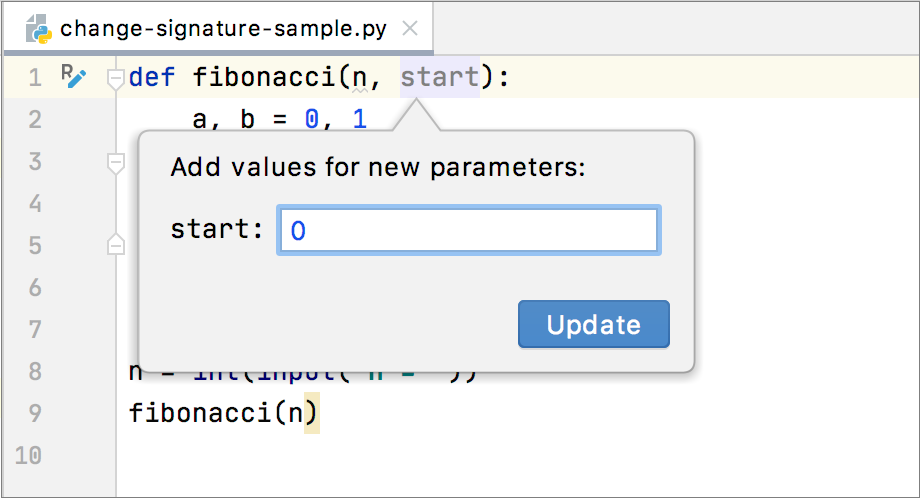
For each new parameter added to a function, you can specify its default value (or an expression) in the Default field.

You can also propagate the parameters you have introduced to the functions that call the function whose signature you are changing.

The refactoring result depends on whether you specify the default value and whether you use propagation.

Propagation. New parameters can be propagated to any function that calls the function whose signature you are changing. In such case, generally, the signatures of the calling functions change accordingly. These changes, however, also depend on the combination of the initializer and the default value set for the new parameters.

Initializer. The value specified in the Initializer field is added to the function definition as the default parameter value. This makes the corresponding parameter an optional parameter. (See the discussion of required and optional parameters in Flex/ActionScript documentation.)

If the default value for the new parameter is not specified (in the Default value field), irrespective of whether or not the propagation is used, the function calls and the signatures of the calling functions don't change.

If both, the initializer and the default value are specified, the refactoring result depends on whether or not the propagation is used:

  • If the propagation is not used, the initializer value don't affect the function calls and the signatures of the calling functions.
  • If the propagation is used, the initializer value is added to the definition of the calling function as the default value for the corresponding parameter (in the same way as in the function whose signature you are changing).

Default value. Generally, this is the value to be added to the function calls.

If the new parameter is not propagated to a calling function, the calls within such function will also use this value.

If the propagation is used, this value won't matter for the function calls within the calling functions.

More refactoring examples

To see how different refactoring settings discussed above affect the refactoring result, let us consider the following examples.

All the examples are a simplified version of the refactoringshown earlier. In all cases, a new parameter wireframe of the type Boolean is added to the function paint() defined in the IShape interface.

In different examples, different combinations of the initializer and the default value are used, and the new parameter is either propagated to Canvas.paint() (which callsIShape.paint()) or not.

InitializerDefault valuePropagation usedResult
false Yes
                            public interface
                            IShape {
                            function
                            paint(g:Graphics,
                            wireframe:Boolean):void;
                            }

                            // The function paint() in the Canvas class:

                            public function
                            paint(g:Graphics,
                            wireframe:Boolean):
                            void
                            {
                            for each
                            (
                            var
                            shape: IShape
                            in
                            shapes) {
                            shape.paint(g,wireframe);
                            }
                            }
                        
false No
                            public interface
                            IShape {
                            function
                            paint(g:Graphics,
                            wireframe:Boolean):void;
                            }

                            // The function paint() in the Canvas class:

                            public function
                            paint(g:Graphics):
                            void
                            {
                            for each
                            (
                            var
                            shape: IShape
                            in
                            shapes) {
                            shape.paint(g,false);
                            }
                            }
                        
true Yes
                            public interface
                            IShape {
                            function
                            paint(g:Graphics,
                            wireframe:Boolean = true):void;
                            }

                            // The function paint() in the Canvas class:

                            public function
                            paint(g:Graphics):
                            void
                            {
                            for each
                            (
                            var
                            shape: IShape
                            in
                            shapes) {
                            shape.paint(g);
                            }
                            }
                        
true No
                            public interface
                            IShape {
                            function
                            paint(g:Graphics,
                            wireframe:Boolean = true):void;
                            }

                            // The function paint() in the Canvas class:

                            public function
                            paint(g:Graphics):
                            void
                            {
                            for each
                            (
                            var
                            shape: IShape
                            in
                            shapes) {
                            shape.paint(g);
                            }
                            }
                        
true false Yes
                            public interface
                            IShape {
                            function paint(g:Graphics,
                            wireframe:Boolean = true):void;
                            }

                            // The function paint() in the Canvas class:

                            public function
                            paint(g:Graphics,
                            wireframe:Boolean = true):
                            void
                            {
                            for each
                            (
                            var
                            shape: IShape
                            in
                            shapes) {
                            shape.paint(g,wireframe);
                            }
                            }
                        
true false No
                            public interface
                            IShape {
                            function
                            paint(g:Graphics,
                            wireframe:Boolean = true):void;
                            }

                            // The function paint() in the Canvas class:

                            public function
                            paint(g:Graphics):
                            void
                            {
                            for each
                            (
                            var
                            shape: IShape
                            in
                            shapes) {
                            shape.paint(g,false);
                            }
                            }
                        

The following table shows 3 different ways of performing the same Change Signature refactoring.

In all the cases, the function result() is renamed to generate_result() and a new parameter input is added to this function.

The examples show how the function call, the calling function (show_result()) and other code fragments may be affected depending on the refactoring settings.

BeforeAfter
// This is the function whose signature will be changed:


function doSomething($a) {
// some code here
}

function refactor($a) {

// Here is the function call:
$this->doSomething($a);
}

// Now we'll rename the function and
// add one parameter.
                    
// The function has been renamed to doSomeRefactoring.
// The new parameter $b has been added.

function doSomeRefactoring($a,$b) {
// some code here
}

function refactor($a,$b) {

// The function call has been changed accordingly:
$this->doSomeRefactoring($a,$b);
}
                    
// This is the function whose signature will be changed:


function doSomething($a) {
// some code here
}

function refactor($a) {

// Here is the function call:
$this->doSomething($a);
}

// Now we'll rename the function and add one parameter.
//We will also specify the default value 'new_param'
//for this new parameter
                    
// The function has been renamed to doSomeRefactoring.
// The new parameter $b has been added.

function doSomeRefactoring($a,$b) {
// some code here
}

function refactor($a) {

// The function call has been changed accordingly:
$this->doSomeRefactoring($a,'new_param');
}

// When performing the refactoring, 'new_param' was specified as
// the default parameter value.
                    
// This is the function whose signature will be changed:


function doSomething($a) {
// some code here
}


function refactor($a) {

// Here is the function call:
$this->doSomething($a);
}

// Now we'll rename the function and add one parameter.
//We will also propagate this new parameter
//through the calling function refactor() to the function call.
                    
// The function has been renamed to doSomeRefactoring.
// The new parameter $b has been added.

function doSomeRefactoring($a,$b) {
// some code here
}

// Note the new function parameter:
function refactor($a,$b) {

// The function call has been changed accordingly:
$this->doSomeRefactoring($a,$b);
}
                    
To change a function signature
  1. In the editor, place the cursor within the name of the function whose signature you want to change.
  2. Do one of the following:
    • Press Ctrl+F6Ctrl+F6.
    • Choose Refactor | Change Signature on the main menu.
    • Choose Refactor | Change Signature on the context menu.
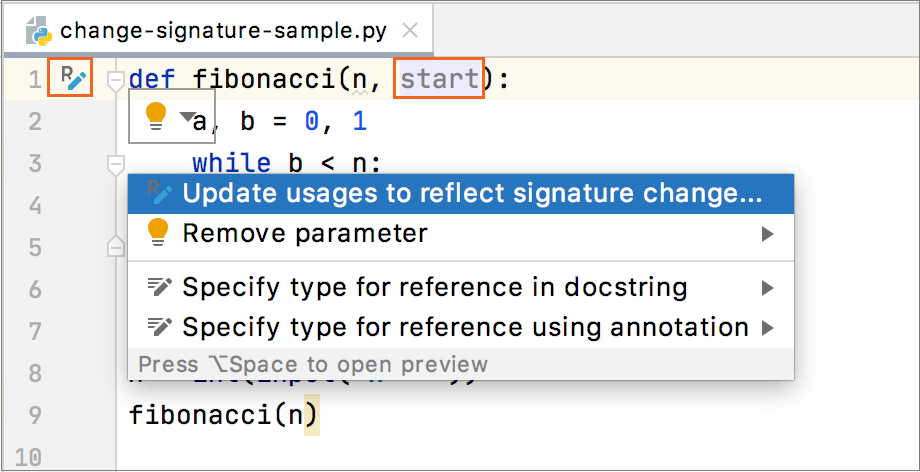
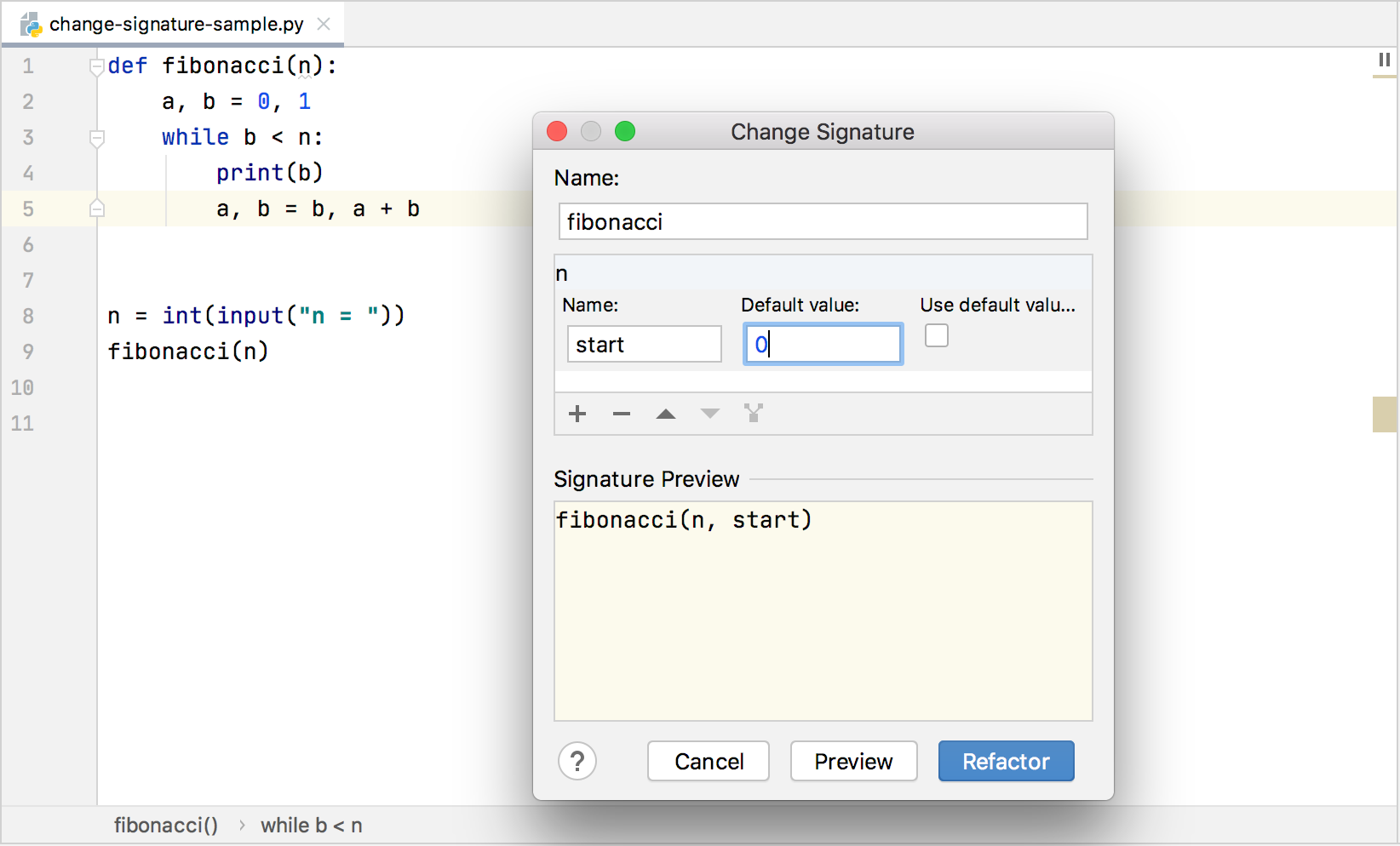
  3. In the Change Signature dialog, make the necessary changes to the function signature and specify which other, related, changes are required.

    You can:

    • Change the function name. To do that, edit the text in the Name field.
    • Manage the function parameters using the table and the buttons in the Parameters area:
      • To add a new parameter, click add and specify the properties of the new parameter in the corresponding table row.
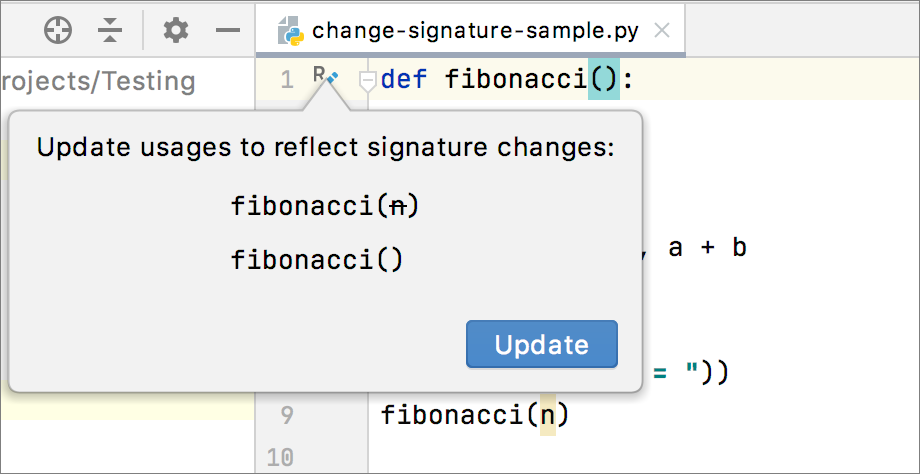
      • To remove a parameter, click any of the cells in the corresponding row and click delete.
      • To reorder the parameters, use the arrowUp and arrowDown buttons. For example, if you wanted to put a certain parameter first in the list, you would click any of the cells in the row corresponding to that parameter, and then click arrowUp the required number of times.
      • To change the name or the default value of a parameter, make the necessary updates in the table of parameters (in the fields Name and Default value respectively).
  4. To perform the refactoring right away, click Refactor.

    To see the expected changes and make the necessary adjustments prior to actually performing the refactoring, click Preview.

Note

Code completion is available in the Default value field of the table in the Parameters area.

See Also

Procedures:

Reference:

Web Resources: