Create a project from existing sources
You can set up a PyCharm project around the existing source code created in another IDE or in a dedicated editor. PyCharm analyzes the code base and adds a .idea directory with settings to it.
Creating projects from existing source code
Do one of the following:
Go to .
On the Welcome Screen, click Open.
In the dialog that opens, select the directory that contains the desired source code. Note that applications created externally are marked with the regular directory icon
 .
.Click Open (on Mac) or OK (on Windows).
If you have another project open, specify whether you want the new project to be opened in a separate window or close the current project and reuse the existing window.
PyCharm searches for a virtual environment in the source directory. If detected, PyCharm suggests using it for the project or configuring a new interpreter.
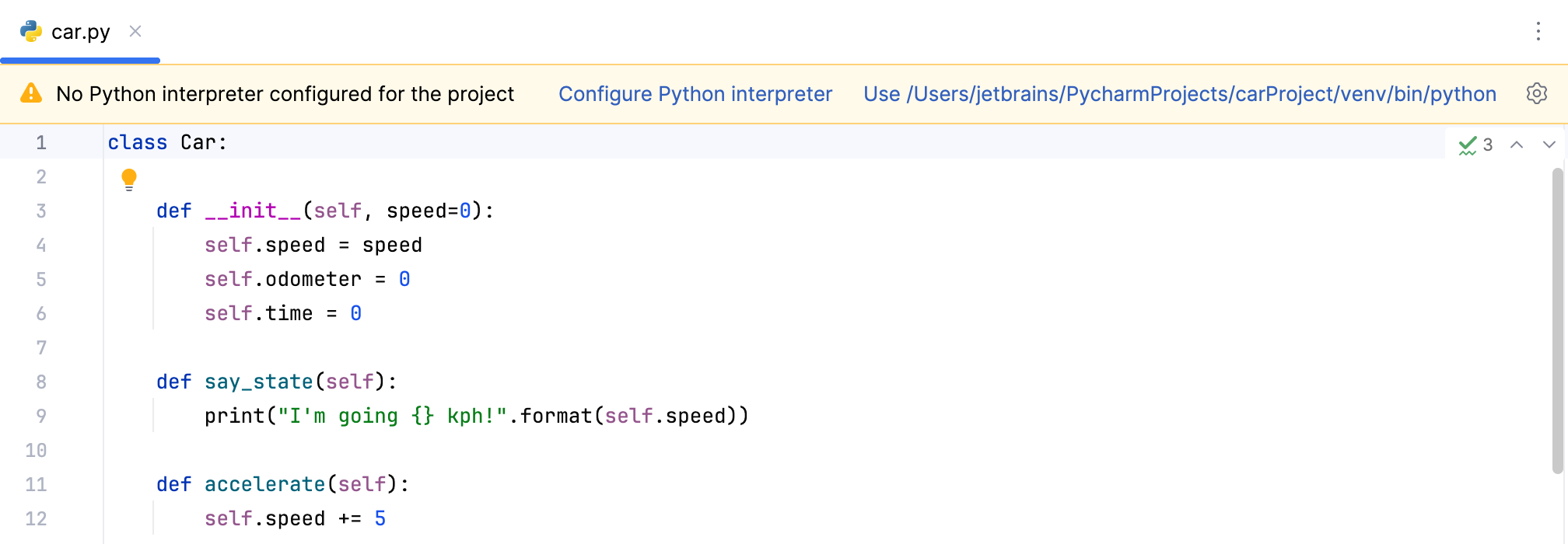
If no environment is detected, PyCharm sets up the system interpreter for the project.
You can click the Configure a Python Interpreter link and select Interpreter Settings to configure a Python interpreter and install packages, if needed.
With this done, you are all set to start working on your project in PyCharm: double-click your files in the Project tool window to edit them.
For more information about creating a project from a version control system, refer to Opening a project from Git.