Integrate SVN projects or directories
Install the Subversion plugin
This functionality relies on the Subversion plugin, which you need to install and enable.
Press Ctrl+Alt+S to open settings and then select .
Open the Marketplace tab, find the Subversion plugin, and click Install (restart the IDE if prompted).
Integrating projects or directories in Subversion means merging the differences between the two specified revisions into your working copy.
The Integrate Project command is available for both Subversion and Perforce.
Integration results are displayed in the Update Info tab of the Version Control tool window Alt+9. The context menu of a file allows you to compare versions, view file history and annotations, browse changes, etc.
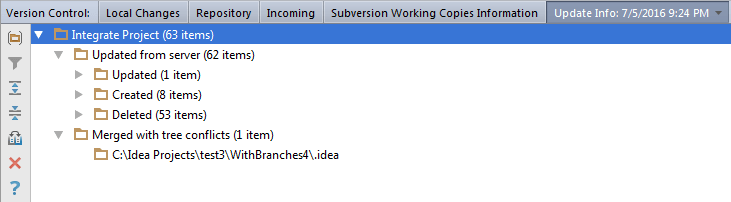
To integrate different sources into one Subversion project, do the following:
Go to VCS | Integrate Project. The Integrate Project dialog opens.
If both Subversion and Perforce are used as version control systems in your project, select the Subversion tab.
In the Source 1 and Source 2 fields, specify the sources to be merged and select the revision. If you check the Specified option, you can click Browse
 and select a revision from the Changes Browser.
If necessary, select the following merge options and click OK:
Use ancestry: if this option is selected, ancestry of files will be noticed (this corresponds to the
svn mergecommand). If unchecked, any relations between files and directories will be ignored (corresponds tosvn diff).Try merge but make no changes: select this option to preview merge results by enabling the
--dry--runoption of the SVN command. If unchecked, sources will be merged silently.Depth: use this list to specify the range of recursion into Subversion subdirectories. The available options are:
working copy: select this option to get files/directories from the repository subtrees that have not been checked out yet.
empty: select this option to involve only the current file.
files: select this option to involve files from the current folder.
immediates: select this option to involve direct children of the current file.
infinity: select this option to enable full recursion.