Navigate to implementing blocks of templates
Enable the Django plugin
This functionality relies on the Django plugin, which is bundled and enabled in PyCharm by default. If the relevant features are not available, make sure that you did not disable the plugin.
Press Ctrl+Alt+S to open settings and then select .
Open the Installed tab, find the Django plugin, and select the checkbox next to the plugin name.
Introduction
If a template extends another template, PyCharm provides the possibility to navigate from the blocks in a base template to the implementing templates by using the gutter icons  .
.
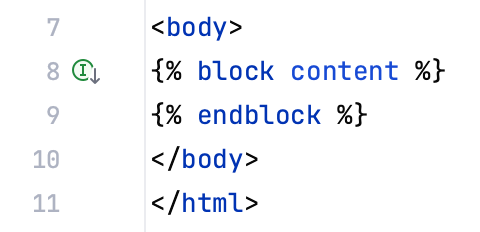
Jumping to an implementing block
To navigate from a block in an extended template to the implementing block
Open for editing the desired base template.
Select the block, and click the gutter icon
.If a single implementation block is encountered, PyCharm navigates directly to this block.
If more than one template implements same base template, choose the target from the popup menu:
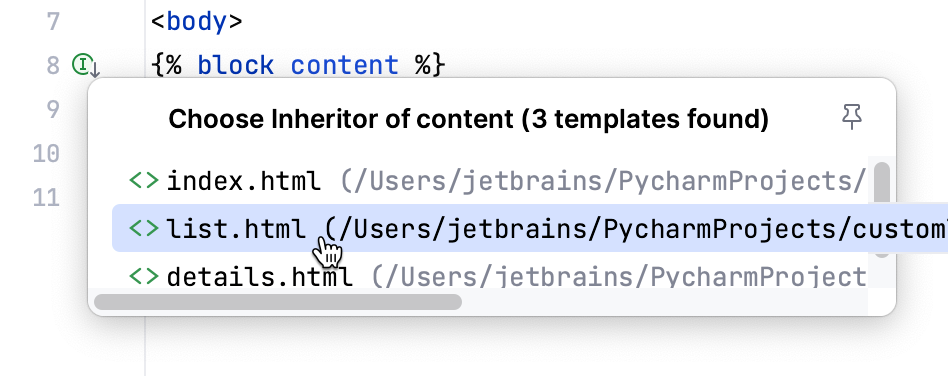
The implementing template opens in the editor, with the caret at the name of the block.