Rename refactorings
Use the Rename refactoring to change names of symbols, files, variables, functions, packages, modules and all the references to them throughout code.
Renaming local variables or functions can be done easily inline since only the limited scope is affected. Renaming classes or their methods could potentially impact a lot of files. Preview potential changes before you refactor.
Rename a code element inline
Place the caret at the element that you want to rename and press Shift+F6.
If there are occurrences of this element in comments, strings, or text files, inline icons are displayed:
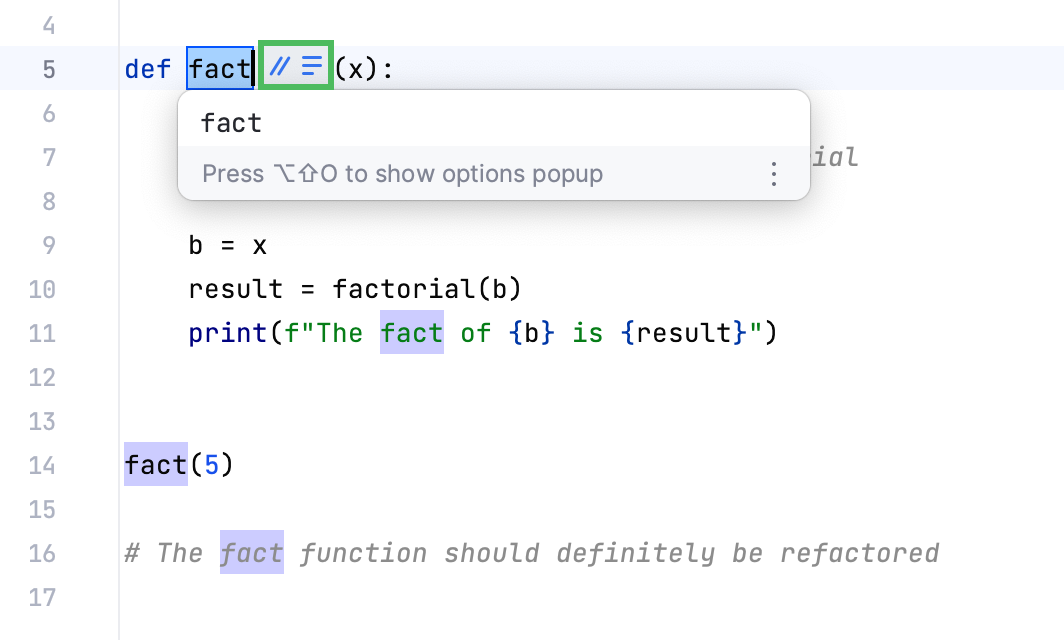
Click the icons and select the desired options:
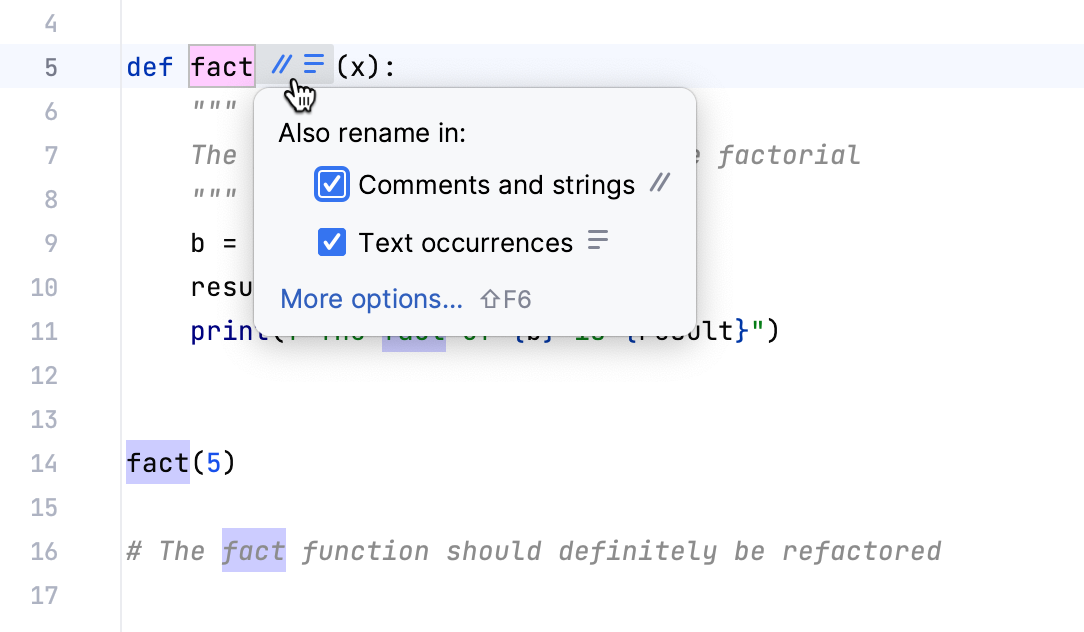
To open the Rename dialog, click More options or press Shift+F6 again.
Type the new name of the element. All occurrences will change automatically:
Press Tab or Enter to apply the refactoring. If there are changes that require your attention, PyCharm opens the Find tool window where you can check the results and confirm the refactoring by clicking Do Refactor.
Use a quick-fix or a gutter icon
In the editor start renaming a code element. PyCharm will display
 in the gutter.
Click the gutter icon or press Alt+Enter and apply a suggestion.
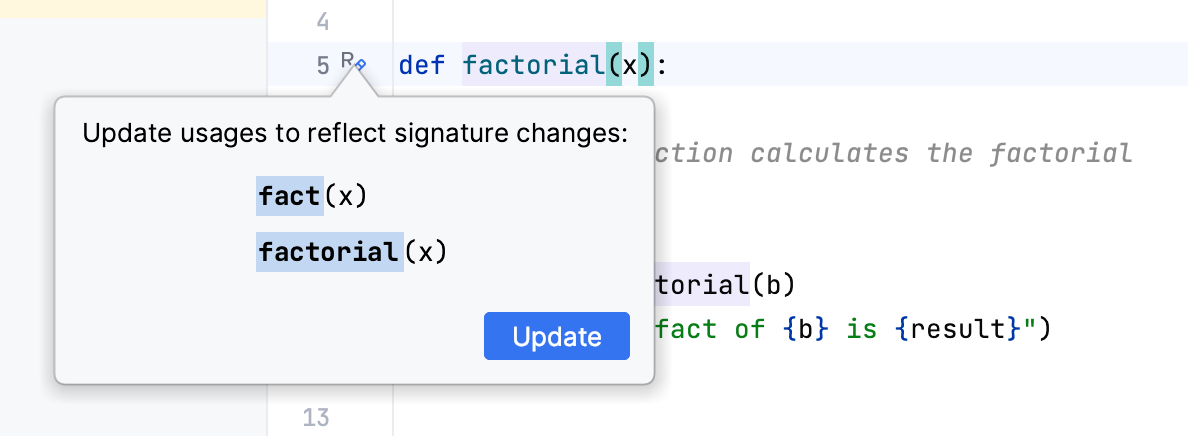
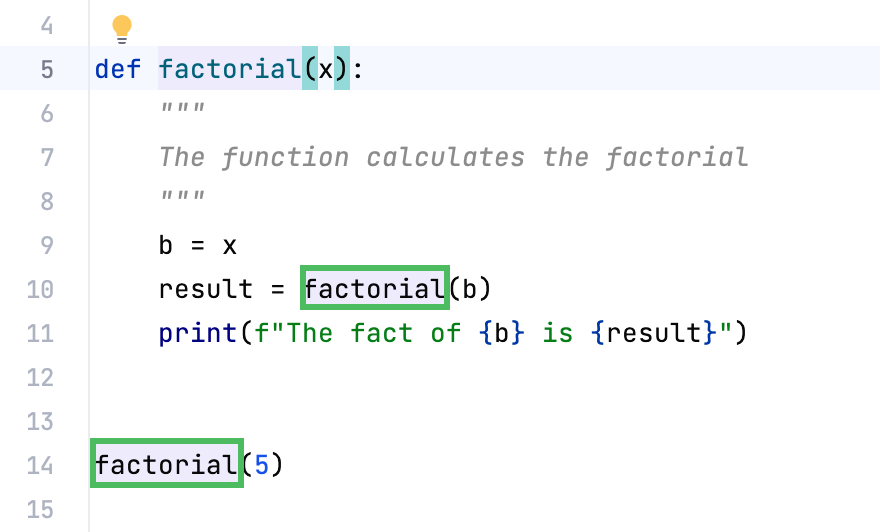
PyCharm renames the code element and updates its usages accordingly.
Rename a directory or a module
In the Project tool window right-click a directory or a module that you want to rename.
From the context menu, select (Shift+F6).
In the Rename dialog that opens, type the new name, specify additional options and the scope of the refactoring, and click Refactor.
Use the Rename dialog
In the editor, select the element you want to rename. If you need to rename a file, select one in the Project tool window.
Press Shift+F6 or right-click and select from the context menu.
You can perform the rename refactoring inline or press Shift+F6 again to open the Rename dialog. Enter a new name of the element to enable the Preview and Refactor buttons.
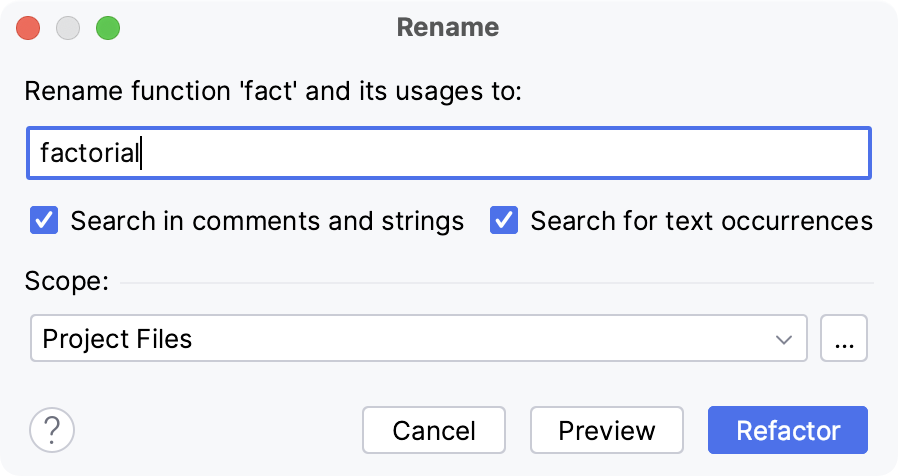
You can specify additional options. For example, specify where to search for element occurrences, or what else to rename. You can also specify a scope for the refactoring.
Click Preview to see the potential changes or click Refactor.
When you click Preview, PyCharm opens the Find tool window with the results of found usages where you can check the results and confirm the refactoring (Do Refactor).
Next time you invoke the Rename refactoring, PyCharm remembers the options you have specified inside the Rename dialog.