Navigation and Search in XAML
Most of ReSharper's navigation and search features are also supported in XAML. You can find the detailed information on these features in the corresponding topics of the Navigate and search section. In the main topic of the section, you can also find the feature matrix and check what exactly is supported in XAML.
In this topic, you can find some examples of using navigation and search features in XAML.
Navigation
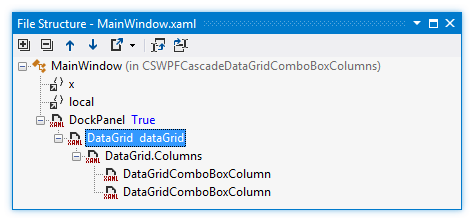
File Structure window is a convenient tool for viewing the structure of the current document. You can also navigate to individual elements by double-clicking the corresponding node in the structure window.
Various Go to... features help you navigate to different parts of your XAML file or to other files in your solution. For instance, you can navigate to a usage of the element:

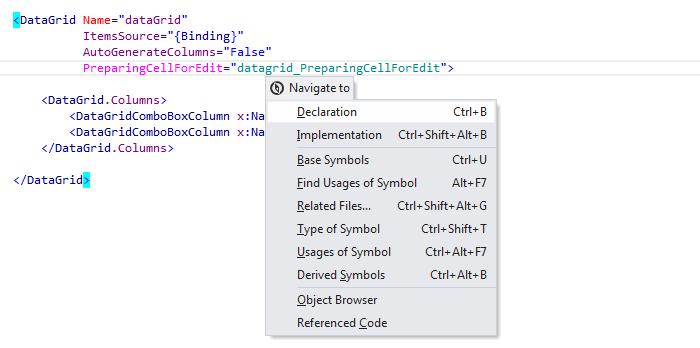
The Navigate To feature provides quick access to the list of various navigation features available in the current context. Using this feature, you can easily navigate between a XAML file and a corresponding code-behind file.
Search
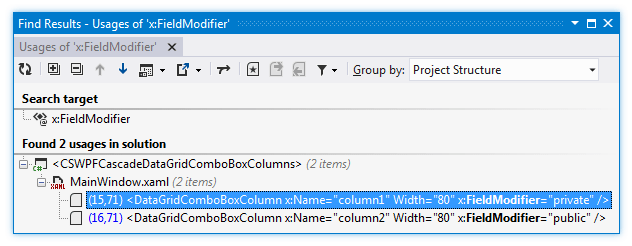
ReSharper can find usages of any entity, such as classes, properties, fields, and so on even in XAML. For instance, you can find usages of the FieldModifier attribute in order to find out which fields are declared as public or private: