Replace Constructor with Factory Method refactoring
This refactoring helps implement the factory method pattern for an existing class. If you opt to create the factory method in the same class, the refactoring makes the selected constructor private and encapsulates it into a static method that returns a new instance of the class. You can also choose to create the factory method in any other class. In this case, the constructor stays public, you can change its access modifier later, if necessary.
If there are any usages of the constructor, they are replaced with factory method calls.
In the example below, we use the refactoring to add the factory method in the same class:
Replace a constructor with a factory method
In the editor, place the caret at a constructor or choose a constructor in the File Structure window window.
Do one of the following:
Press Control+Shift+R and then choose Replace Constructor with Factory Method.
Right-click and choose Refactor | Replace Constructor with Factory Method from the context menu.
Choose from the main menu.
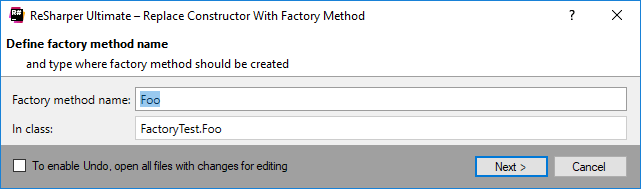
The Replace Constructor with Factory Method dialog will open.
Specify a name for the factory method or accept the suggested name.
By default, the refactoring creates factory method in the same class. If you want to create the factory method in another class, specify the fully qualified name of the class.
To apply the refactoring, click Next.
If no conflicts are found, ReSharper performs the refactoring immediately. Otherwise, it prompts you to resolve conflicts.
This feature is supported in the following languages and technologies:
|
|
|
|
|
|
|
|
|
|---|---|---|---|---|---|---|---|---|
|
| | | | | | | |


The instructions and examples given here address the use of the feature in C#. For more information about other languages, refer to corresponding topics in the Languages and frameworks section.