Refactorings for ASP.NET
In ASP.NET, ReSharper supports the Main set of refactorings, which are available for C# and VB .NET code inside ASP.NET files, as well as the localization refactorings, which are available for resource usages. This topic lists refactorings that are specific to ASP.NET.
Perform a refactoring
Place the caret at a symbol, select a code fragment that you want to refactor, or select an item in a tool window.
Do one of the following:
From the main menu, choose , and then select a desired refactoring. The list of refactorings available in this menu depends on the current context. If ReSharper cannot suggest any refactorings for the context, the entire menu is disabled.
In the editor, File Structure window, or other ReSharper window, right-click the item you want to transform, choose Refactor from the context menu, and then select the required refactoring.
From the main menu, choose , or press Control+Shift+R to display the list of applicable refactorings, then select one of them. You can also choose Refactor This in the context menu of a selection.
Use default keyboard shortcuts assigned to specific refactorings, or assign custom shortcuts to your favorite refactoring commands.
If the selected refactoring requires user input, the refactoring wizard opens. Note that the wizard's dialogs are not modal, so you can edit the code while the wizard is open.
To roll back refactoring actions, the wizard provides the option To enable Undo, open all files with changes for editing. If you select this option, ReSharper opens all modified files in new editor tabs and enables you to roll the refactoring back. In this case, you will need to save the changes yourself. If this option is not selected, ReSharper saves modified files automatically, without opening them.
If a refactoring operation would cause code conflicts (such as duplicate names, visibility conflicts, and so on), the wizard displays the list of conflicts on the last step, before you apply the refactoring. For some conflicts, the wizard can also suggest quick-fixes. For more information, refer to Resolve conflicts in refactorings.
Some refactorings are available immediately after you modify code in the editor. For more information, refer to Inplace refactorings
Extract Style
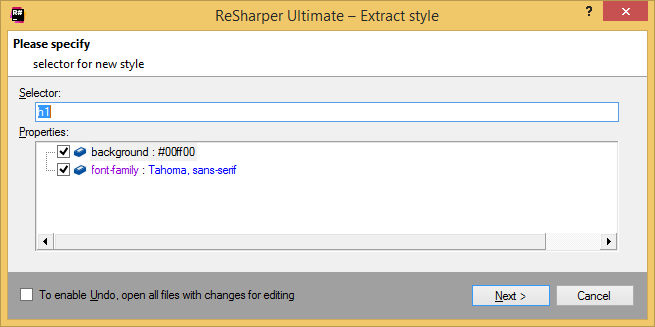
This refactoring allows extracting inline styles as well styles defined in the <style> tag and place them under the specified selectors.

In the refactoring wizard, you can change the selector if necessary and select the styles to be extracted:
Move to resource
ASP.NET enables you to create pages that can change content depending on the explicit choice of language, for example. Content and other data are stored in resource files and can be accessed easily using the appropriate resource expressions. If there are some strings, texts hidden in markup, ReSharper helps you find them and accurately transfer to the appropriate resource files without unnecessary complications.

As usual, you just press Control+Shift+R to display the list of all available refactorings and choose the desired one.
Rename
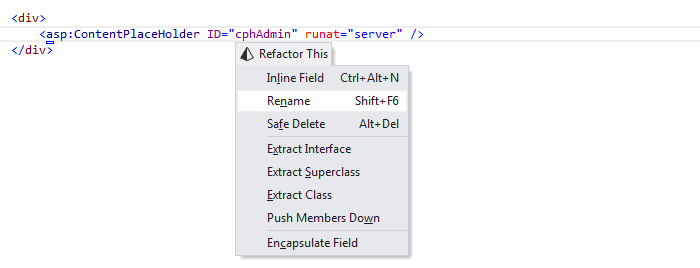
One of the nicest and at the same time the most annoying actions when doing it manually is the Rename refactoring. This refactoring provides an easy way to rename symbols and types and it doesn't matter where the refactoring is invoked and what language is used. So you can change the name of a JavaScript function, rename a C# method, a class or even a namespace and be sure that all usages will be updated correspondingly. You can also change the value of a control identifier in markup, so that all references will be updated everywhere, and so on.
Safe delete resource
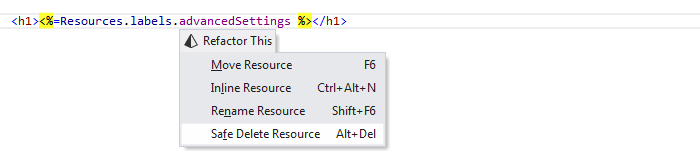
As soon as you've noticed that some resource is useless, you can invoke the Safe Delete Resource refactoring and remove it immediately.
For more information, refer to Localization refactorings.