Navigate recent locations and changes
ReSharper keeps track of your actions and navigation history, and offers some commands that let you navigate to places where you have edited or just studied the code.
The lists of viewed/edited files are stored separately for each solution you open, and it is saved when you close the solution. This means that you can invoke this command as soon as you open a solution to get the list of the files you worked with in previous working sessions.
Navigate to recently viewed files
Control+E (ReSharper_GotoRecentFiles)
This command helps you quickly find a file that you have opened recently in the current solution.
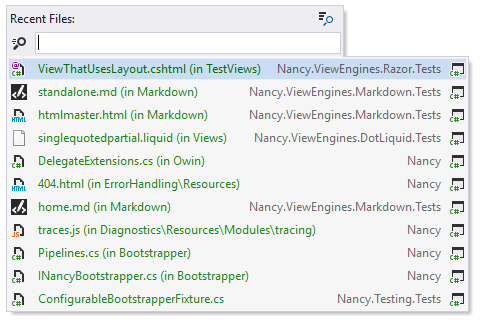
If the file you are after is not in the list, you can start typing its name to find it — the initial list will narrow down to display only the matching files and at the same time, other matching files from your solution will appear in the list.
Navigate to recently edited files
Alt+Shift+Control+Back (ReSharper_GotoRecentEdits)
This command is similar to Go to Recent Files, but it allows you to navigate to symbols or files that you have recently modified in the current solution.
Recent edits in the same method appear as a single entry, displaying the most recent edit. Recent edits in different methods are always shown as separate entries.
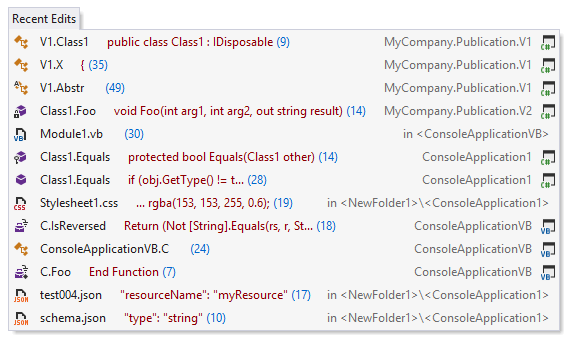
Jump back to previous edit
Shift+Control+Back (ReSharper_GotoLastEditLocation)
This command brings your caret to the place in your solution where you have made some changes. You can invoke this command several times to go further back in your editing history.
Move through navigation history
ReSharper_NavigateBackward/ReSharper_NavigateForward
Using these commands, you can quickly navigate through destinations of ReSharper navigation results. Whenever you use Navigate and search commands (except Navigate Backward and Navigate Forward of course), the navigation history is recorded and you can go backward and forward within it.
In the default keyboard shortcut schemes, there are no shortcuts for these commands. However, you can assign custom shortcuts if needed. The aliases for these commands are ReSharper_NavigateBackward and ReSharper_NavigateForward.
By default, the Back and Forward mouse buttons work according to Visual Studio navigation history. If you want them to only take into account ReSharper navigation actions, select Use ReSharper navigation history for mouse back/forward navigation on the page of ReSharper options Alt+R, O.