Convert Method to Property refactoring
This refactoring helps you convert methods with return values and without parameters to properties with the corresponding get accessor, and methods with void return type and exactly one parameter to properties with the corresponding set accessor.
Consider the following example:
If there is an existing property with a single accessor and the converted method has compatible parameter type or return type, the refactoring can add the second accessor to the existing property:
Convert a method into a property
Place the caret at the declaration or a usage of a method in the editor, or select it in the File Structure window window.
Do one of the following:
Press Control+Shift+R and then choose Convert Method to Property.
Right-click and choose Refactor | Convert Method to Property from the context menu.
Choose from the main menu.
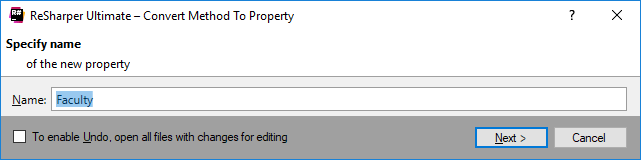
The Convert Method to Property dialog will open.
Type the name for the property name leave the default suggestion. You can type the name of an existing property with a single accessor if the converted method will fit as the second accessor.
To apply the refactoring, click Next.
If no conflicts are found, ReSharper performs the refactoring immediately. Otherwise, it prompts you to resolve conflicts.
This feature is supported in the following languages and technologies:
|
|
|
|
|
|
|
|
|
|---|---|---|---|---|---|---|---|---|
|
| | | | | | | |


The instructions and examples given here address the use of the feature in C#. For more information about other languages, refer to corresponding topics in the Languages and frameworks section.