Introduce Parameter refactoring
This refactoring allows you to move an expression from a method implementation to its callers by adding a new parameter. All occurrences of the expression are replaced with the new parameter; all calls to the method in the solution are updated with the new argument.
In the example below, we use this refactoring to replace two occurrences of the same string with a parameter. The string itself is moved to the caller argument:
If the expression that you want to pass as a parameter references variables declared in the method body, ReSharper allows you to 'enlambda' these variables by introducing a generic delegate parameter and using it to pass a lambda expression from the caller. In the example below, we invoke the refactoring for the "The current time is: " + currentTme expression:
Introduce a parameter for the selected expression
In the editor, select an expression within a method or constructor.
Do one of the following:
Press Control+Alt+P.
Press Control+Shift+R and then choose Introduce Parameter.
Right-click and choose Refactor | Introduce Parameter from the context menu.
Choose from the main menu.
If more than one occurrence of the selected expression is found, ReSharper lets you choose whether to apply the refactoring to all occurrences or only to the current one.
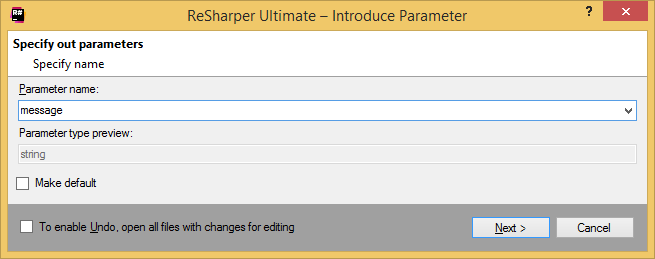
In the Introduce Parameter dialog that appears, enter the name for a new parameter.
If the selected expression is a constant or is of a value type, then you can use the expression as a default value for an introduced parameter. To do so, select the Make default checkbox.
If the selected expression depends on other variables, these variables appear in the Select variables to enlambda section. Select the variables that you want to use in the generic delegate (which will be added as the parameter in this case).
To apply the refactoring, click Next.
If no conflicts are found, ReSharper performs the refactoring immediately. Otherwise, it prompts you to resolve conflicts.
This feature is supported in the following languages and technologies:
|
|
|
|
|
|
|
|
|
|---|---|---|---|---|---|---|---|---|
|
| | | | | | | |


The instructions and examples given here address the use of the feature in C#. For more information about other languages, refer to corresponding topics in the Languages and frameworks section.