Make Method/Property Static refactoring
This refactoring allows you to convert an instance method or a property to a static one. All calls, implementations and overrides are automatically corrected.
If the converted instance method uses instance members, ReSharper helps you add the necessary parameter representing this to apply these usages to. If the converted instance property uses instance members, the refactoring is not available.
In the example below, we use this refactoring to convert an instance method Merge of the Info class into a static method. After refactoring, usages of instance properties Id and Name are applied to the new parameter i1:
Make a method or property static
Place the caret at the declaration or a usage of an instance method or property in the editor, or select it in the File Structure window window.
Do one of the following:
Press Control+Shift+R and then choose Make Static.
Right-click and choose Refactor | Make Static from the context menu.
Choose from the main menu.
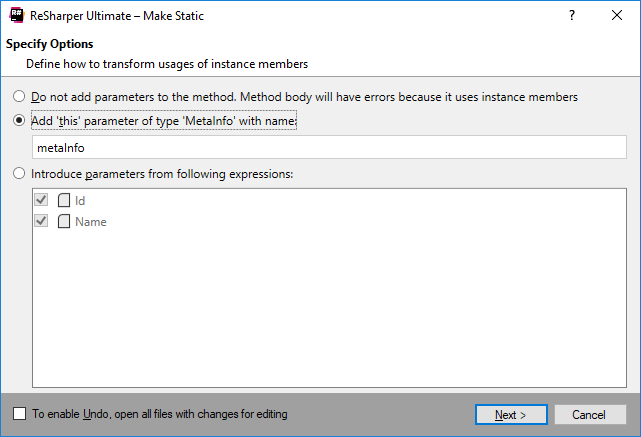
The Make Static dialog will open.
If the method uses instance members, it is recommended to select the option Add 'this' as parameter of [type name]. In this case, ReSharper adds the necessary parameter to apply these usages to. If necessary, you can either go without adding the parameter or apply the parameter to some of the instance member usages. In these cases, after refactoring you might have to correct the invalid usages of instance in static context manually.
To apply the refactoring, click Next.
If no conflicts are found, ReSharper performs the refactoring immediately. Otherwise, it prompts you to resolve conflicts.
This feature is supported in the following languages and technologies:
|
|
|
|
|
|
|
|
|
|---|---|---|---|---|---|---|---|---|
|
| | |
| | | | |


The instructions and examples given here address the use of the feature in C#. For more information about other languages, refer to corresponding topics in the Languages and frameworks section.