Namespace Imports
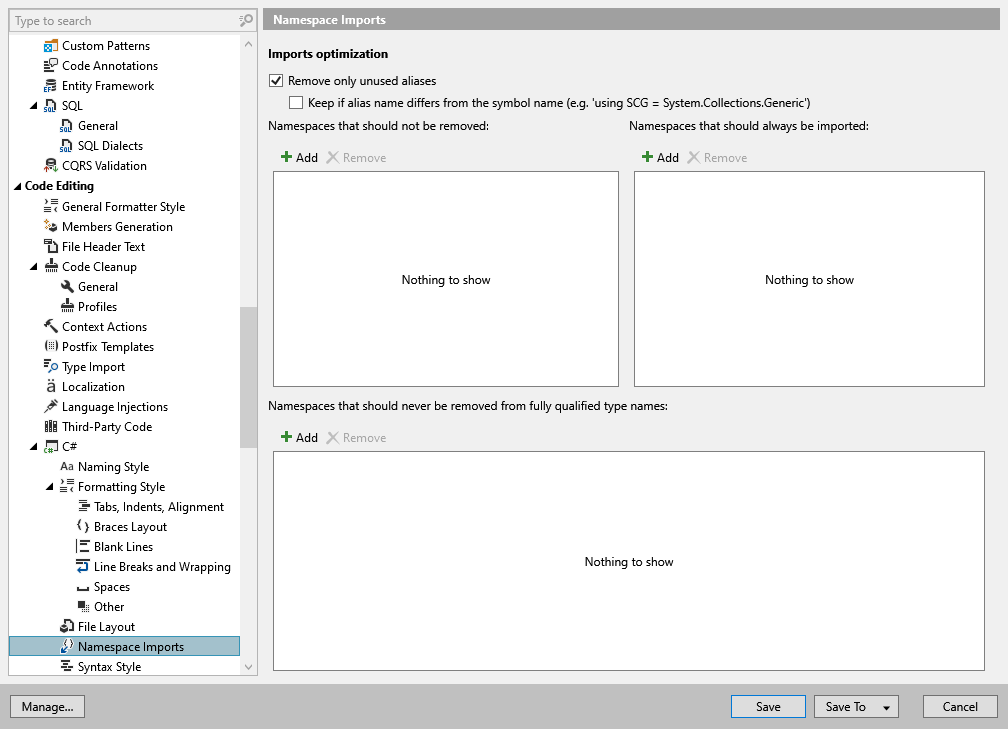
This page contains options that affect the way ReSharper optimizes namespace import directives in existing codebase.
ReSharper also allows you to adjust a number of settings that affect the namespace import style. You can view and change these settings on the page of ReSharper options Alt+R, O.
Remove only unused aliases | |
Keep if the alias name differs from the symbol name | If the Remove only unused aliases checkbox is selected, you can opt to keep non-trivial alias using directives, even though they are redundant. Otherwise, ReSharper removes all redundant using directives. |
Namespaces that should not be removed | ReSharper will not report usings of these namespaces as redundant, and will not remove them while running code cleanup. |
Namespaces that should be always imported | ReSharper will always add usings for these namespaces while running code cleanup. |
Namespaces that should never be removed from fully qualified type names | ReSharper will not report these namespaces in fully qualified type references as redundant, and will not remove them while running code cleanup. |