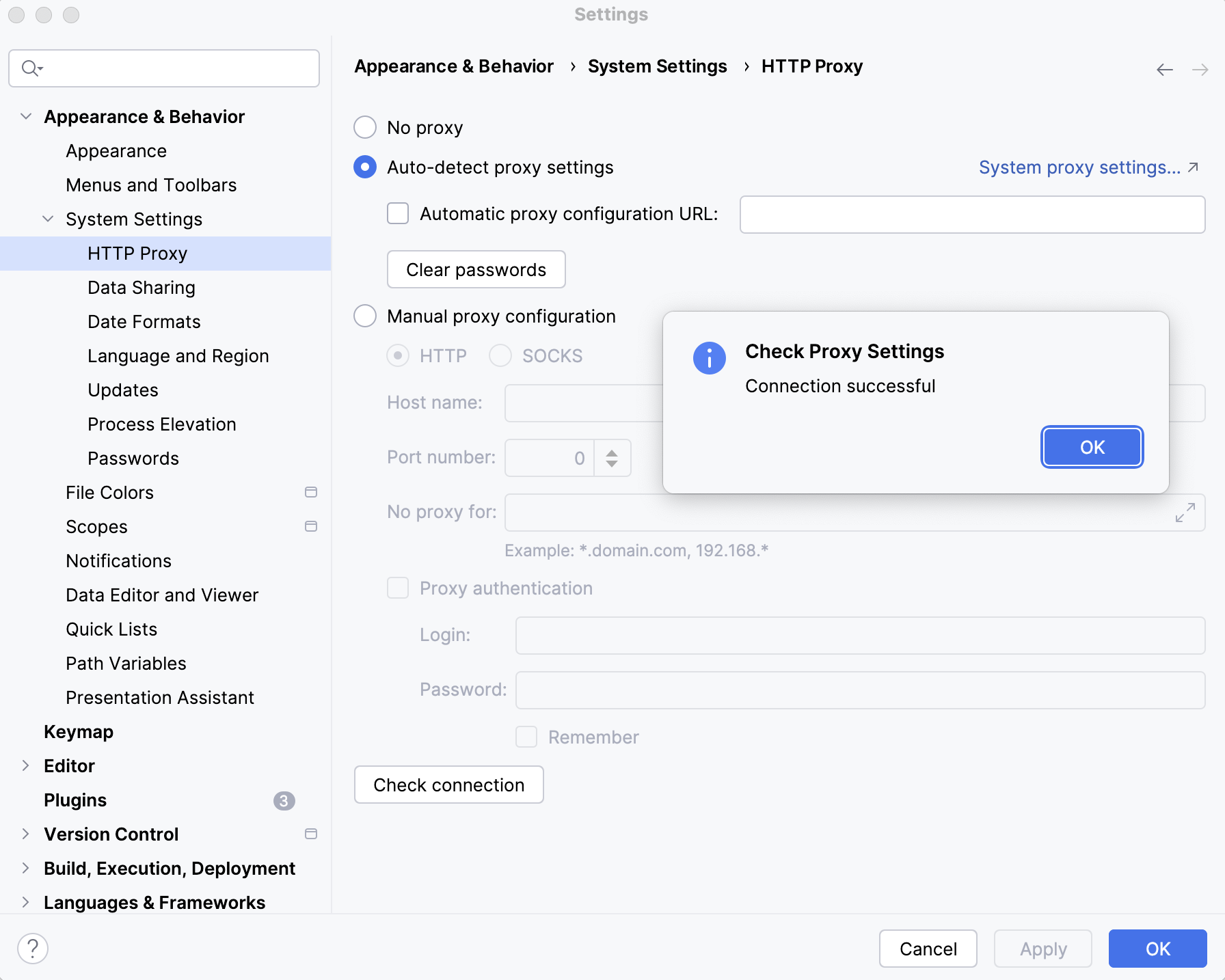
By default, RubyMine uses your system proxy settings. Use this page to customize settings of an HTTP or SOCKS proxy server for RubyMine.
These settings affect the connections that RubyMine establishes to download plugins, check license validity, synchronize IDE settings between instances, and perform other tasks for the IDE itself.
Item
Description
No proxy
Connect directly without a proxy.
Auto-detect proxy settings
Use the system proxy settings (default behavior) or an automatically detected proxy auto-config (PAC) file.
On Window and macOS, you can click System proxy settings to open the network proxy settings of your operating system.
Automatic proxy configuration URL: Manually specify the location of the PAC file.
Clear Passwords: Clear the passwords for the specified proxy.
Host name: Specify the proxy hostname or IP address.
Port number: Specify the proxy port number.
No proxy for: Specify one or several host names or IP addresses for which no proxy should be specified. You can use an asterisk to denote a wildcard for any number of characters, and a comma to separate addresses.
Proxy authentication: Select this checkbox if your proxy requires authentication.
Login: Specify the user for connecting to the proxy.
Password: Specify the password associated with the user (login).
Remember: Select this checkbox if you want RubyMine to remember the password between your sessions in the IDE. Otherwise, you will be asked to provide the password every time you launch RubyMine when it first tries to connect to the proxy.
Check Connection
Click to check the proxy settings and, in the window that opens, enter a URL to check connection to it through the specified proxy server.