Inline
Currently, CLion provides the Inline Function refactoring, which is opposite to the Extract method refactoring.
The Inline refactoring lets you reverse the extract refactoring for variables and methods.
The animation below demonstrates how to inline a variable to a string:
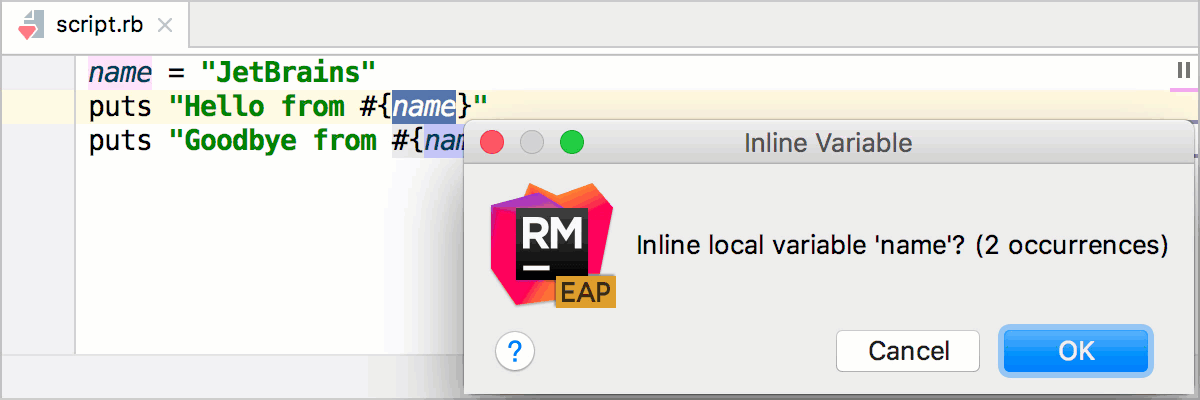
To inline a variable/method:
Place a caret at the variable/method name.
Press Ctrl+Alt+N or go to in the main menu.
In the Inline dialog that corresponds to the selected variable or method, specify the inlining options. Preview and apply changes.
Inline Variable
The Inline Variable refactoring replaces redundant variable usage with its initializer. This refactoring is opposite to Extract Variable.
Before | After |
|---|---|
name = "JetBrains"
puts "Hello from #{name}"
|
puts "Hello from JetBrains"
|
Inline Method
Inline Method results in placing method's body into the body of its caller(s).
Before | After |
|---|---|
def test
c=add(a,b)
d=add(a,c)
end
def add(a, b)
a+b
end
|
def test
c = a + b
d = a + c
end
|