Rails navigation
RubyMine helps you navigate between the Rails components, such as controllers, views, models, tests, and so on. For example, from a model, you can navigate to a controller, a table schema in schema.rb or structure.sql, a test, or a corresponding factory. Navigation capabilities are available in the editor, tool windows, and model dependency diagrams.
Navigate to a related Rails entity
To navigate between Rails components:
In the main menu, go to Ctrl+Alt+Home.
Select the desired target from the popup menu, or press a corresponding key, specified on the left.
Below are few examples:
Controller action -> View
Controller action -> Route in routes.rb
Model -> Factory
Model -> Table schema in schema.rb or structure.sql
Navigate to a related Rails entity using gutter icons
You can navigate between Rails components using gutter icons.
If you want to jump to a view file associated with an action, open the corresponding controller, locate the desired action, and click the
 gutter icon next to the action definition.
To navigate back from a view to the corresponding action, open the view file in the editor, and click the
 gutter icon.
You can quickly navigate from a model to a
create_tablecall in schema.rb, and the other way round. Open a desired model in the editor, and use the gutter icon for navigation.
To navigate back from a
create_tablecall to the model that uses the table, open schema.rb and click the gutter icon.
Navigate to a declaration in routes.rb using inlay hints
You can use the URL path inlay hints to navigate from a controller action to the respective declaration in the routes.rb file.
Click an inlay hint above the required controller action to show the list of available actions for the URL.
Select Go to declaration or usages from the list.
Navigate to partial declarations
The  gutter icon in the editor marks a partial declaration. Pointing to this icon shows information about the other parts of the same declaration. To navigate to a partial declaration, click the gutter icon and select the desired part of the declaration from the popup.
Navigate with model dependency diagram
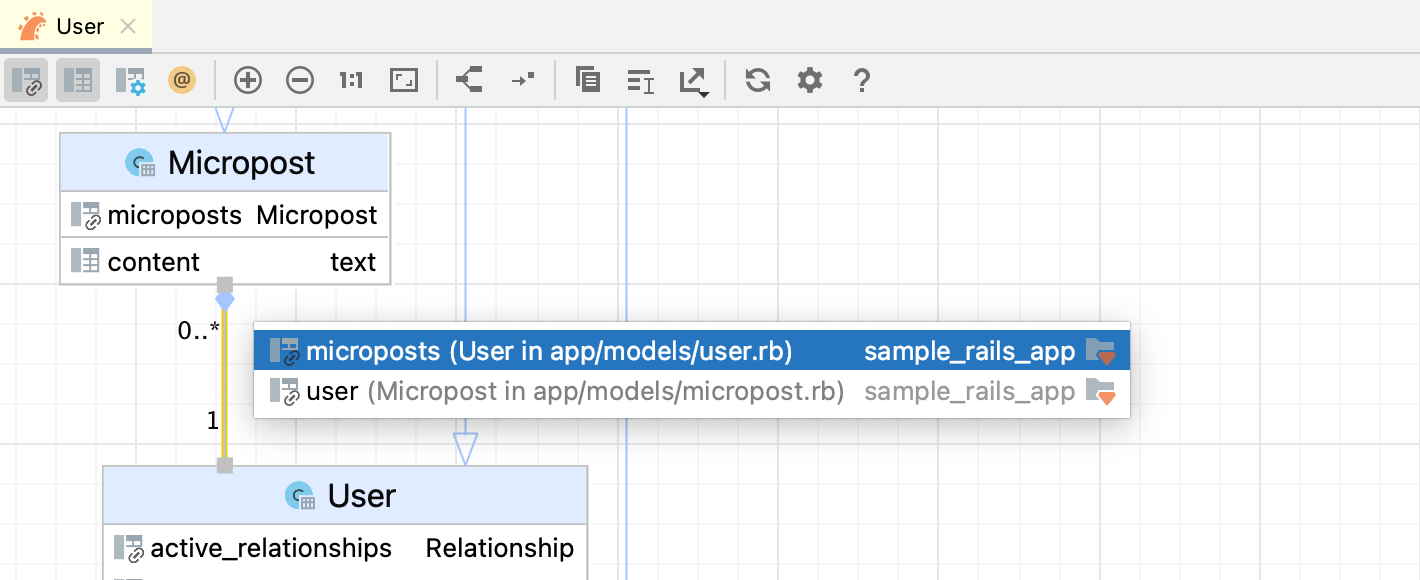
RubyMine allows you to jump from nodes/associations in a model dependency diagram to corresponding classes in code.
To do this, right-click the required node/association in the diagram and select F4. If you have selected a one-to-many or many-to-many association, you can choose the desired association part.