Injected SQL statements
Enable the Database Tools and SQL plugin
This functionality relies on the Database Tools and SQL plugin, which is bundled and enabled in RubyMine by default. If the relevant features are not available, make sure that you did not disable the plugin.
Press Ctrl+Alt+S to open settings and then select .
Open the Installed tab, find the Database Tools and SQL plugin, and select the checkbox next to the plugin name.
Temporarily inject a language
Place the caret inside a string literal, tag, or attribute, in which you want to inject a language and press Alt+Enter (or use the intention action icon
 ).
).Select Inject language or reference and choose the language you want to inject.

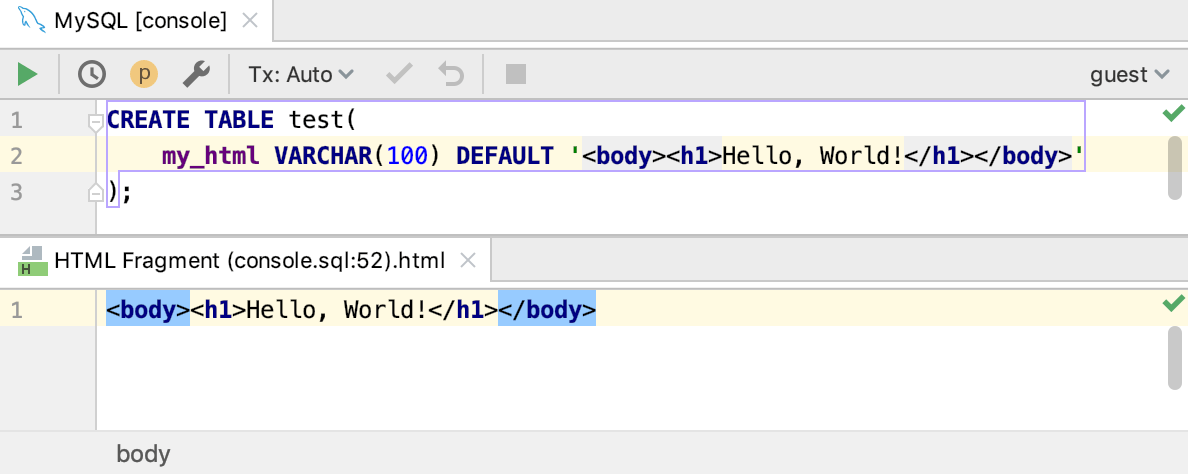
Open a code fragment in the dedicated editor section
Place the caret within the injected code piece and press Alt+Enter (or use the intention action icon
).Select Edit <language ID> Fragment.
RubyMine will open a dedicated editor section for editing the code with the injected language. This editor provides full coding assistance, including code completion, inspections, intentions and code style actions.
Cancel injections
Place the caret at the code fragment and press Alt+Enter (or use the intention action icon
).Select Uninject language or reference.
Configure injection rules
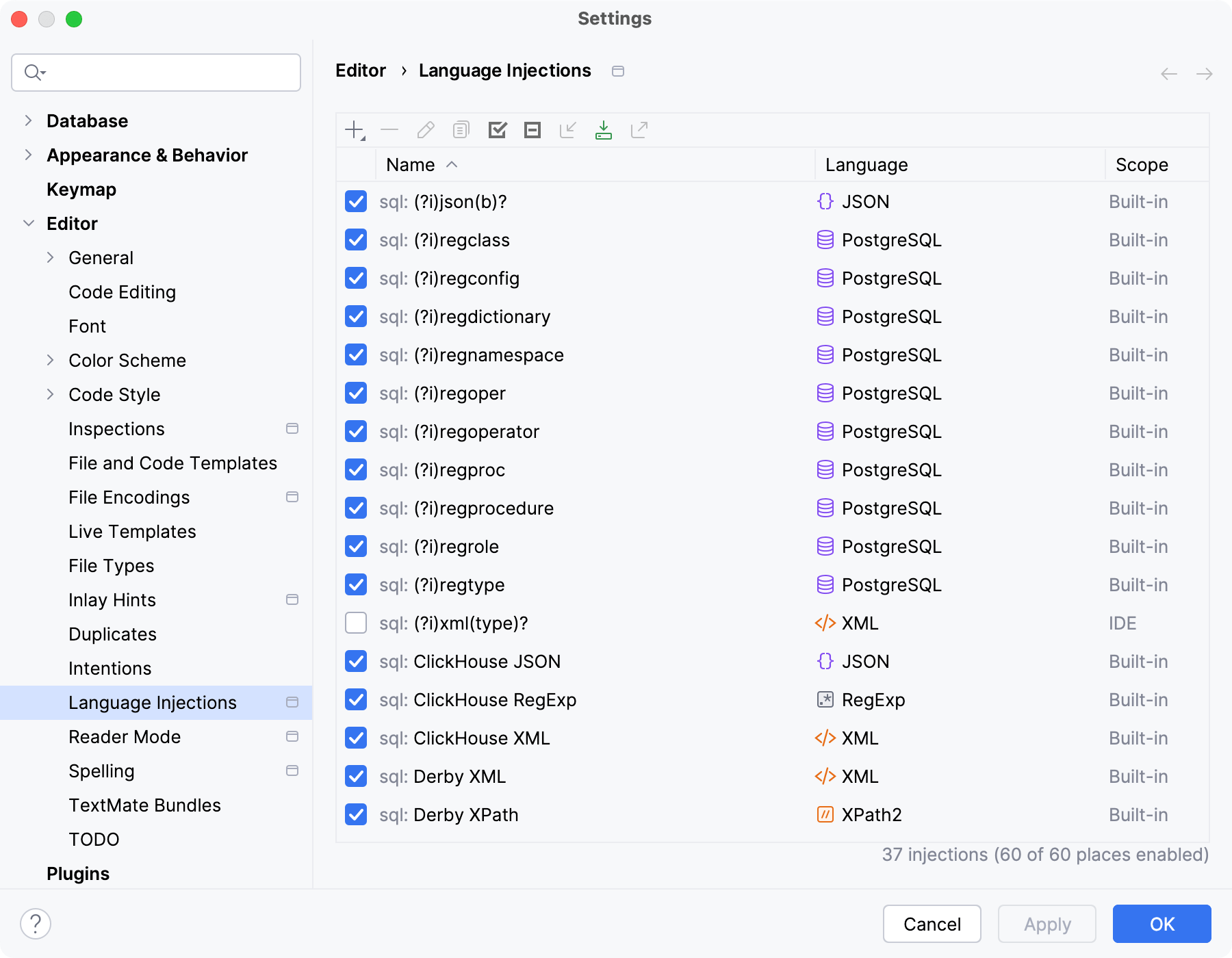
You can configure language injection rules on the Editor | Language Injections settings page Ctrl+Alt+S.
All pre-defined injection rules are configured for the Built-in scope. In other words, they are global (and therefore available in all RubyMine projects). Custom rules can be configured for the IDE or for one project only. To change the scope of custom injections, use the Move to Project/IDE Scope icon  .
.
To configure custom injection rules, click the Add icon  to add a new rule, or copy a predefined rule and change its settings.