Configuring code style
If certain coding guidelines exist in a company, one has to follow these guidelines when creating source code. WebStorm helps you maintain the required code style.
The IDE comes with two pre-defined schemes: the Project scheme and the Default scheme.
In the Project scheme, the settings that you configure apply only to your current project.
These settings are stored in the codeStyles folder under .idea and are shared through VCS together with the project.
The IDE creates the folder after you modify code style settings for your project.
In the Default scheme (IDE-level scheme), the settings that you configure apply to all existing projects that have the Default code style scheme selected.
These settings are stored in the codestyles folder under the WebStorm configuration directory and are not shared through VCS.
If you want to use the project code style scheme as your default scheme, you can copy it to the IDE level. The other way around is also possible: you can overwrite your current project settings with the settings from an IDE-level scheme and share them with other members of your team.
Configure schemes
In WebStorm, code style settings are language-specific, so you need to configure them for every language that you use in your project separately. You can also copy the settings from one language and apply them to another language.
Configure code style for a language
Press Ctrl+Alt+S to open the IDE settings and then select .
To configure a scheme for new projects, go to .
Select the language for which you want to configure the code style.
Select the code style Scheme that you want to configure: the Project scheme or one of the IDE-level schemes.
Browse through the tabs and configure code style preferences.
Use the right section of the dialog to preview the changes. When you change a setting, one or several blinking areas appear in the preview area emphasizing the changes.
Apply code style from another language
For most of the supported languages, you can copy code style settings from other languages or frameworks.
Press Ctrl+Alt+S to open the IDE settings and then select .
To configure a scheme for new projects, go to in the main menu.
Select the language for which you want to configure the code style.
Select the code style Scheme that you want to modify: the Project scheme or one of the IDE-level schemes.
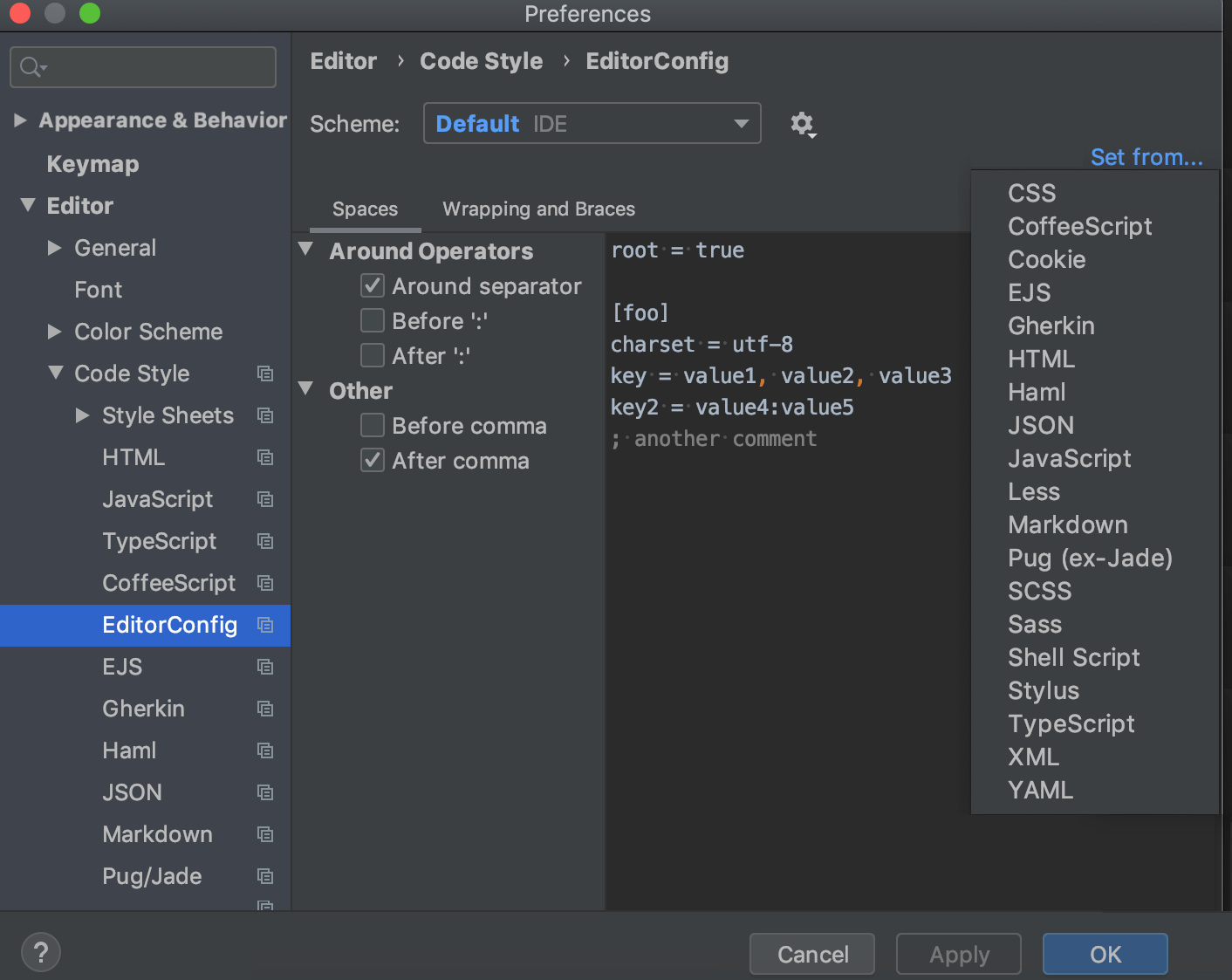
Click Set from in the upper-right corner.
The link is shown only if it is possible to apply code style settings from another language.
From the list that appears, select the language to copy the code style from.
Manage code style on a directory level with EditorConfig
WebStorm allows you to manage all code style settings for each individual set of files with EditorConfig support (enabled by default in the Settings dialog (Ctrl+Alt+S) ). All you need to do is place an .editorconfig file in the root directory containing the files whose code style you want to define. You can have as many .editorconfig files within a project as needed, so you can specify different styles for different modules.
All options from the .editorconfig file are applied to the directory where it resides as well as all of its sub-directories on top of the current project code style. If anything is not defined in .editorconfig, it's taken from the project settings.
All options in the .editorconfig file are divided into the following categories:
Standard options such as
indent_size,indent_style, and so on. These options do not have any domain-specific prefixes.Generic IntelliJ options that have the
ij_prefix and are applicable to all languages:ij_visual_guidesij_formatter_off_tagij_formatter_on_tagij_formatter_tags_enabledij_wrap_on_typingij_continuation_indent_sizeij_smart_tabs
Common IntelliJ options supported by many (but not all) languages. They start with the
ij_anyprefix, for example,ij_any_brace_style.IntelliJ language-specific options starting with the
ij_<lang>_prefix where<lang>is the language domain ID (normally a low-case language name), for example,ij_java_blank_lines_after_imports.
Add an .editorconfig file
In the Project view, right-click a source directory containing the files whose code style you want to define and choose from the context menu.
Select the properties that you want to define so that WebStorm creates stubs for them, or leave all checkboxes empty to add the required properties manually.
To preview how changes to your code style settings will impact the actual source files, click
 in the gutter of the .editorconfig file and select a source file affected by it. The preview will open on the right.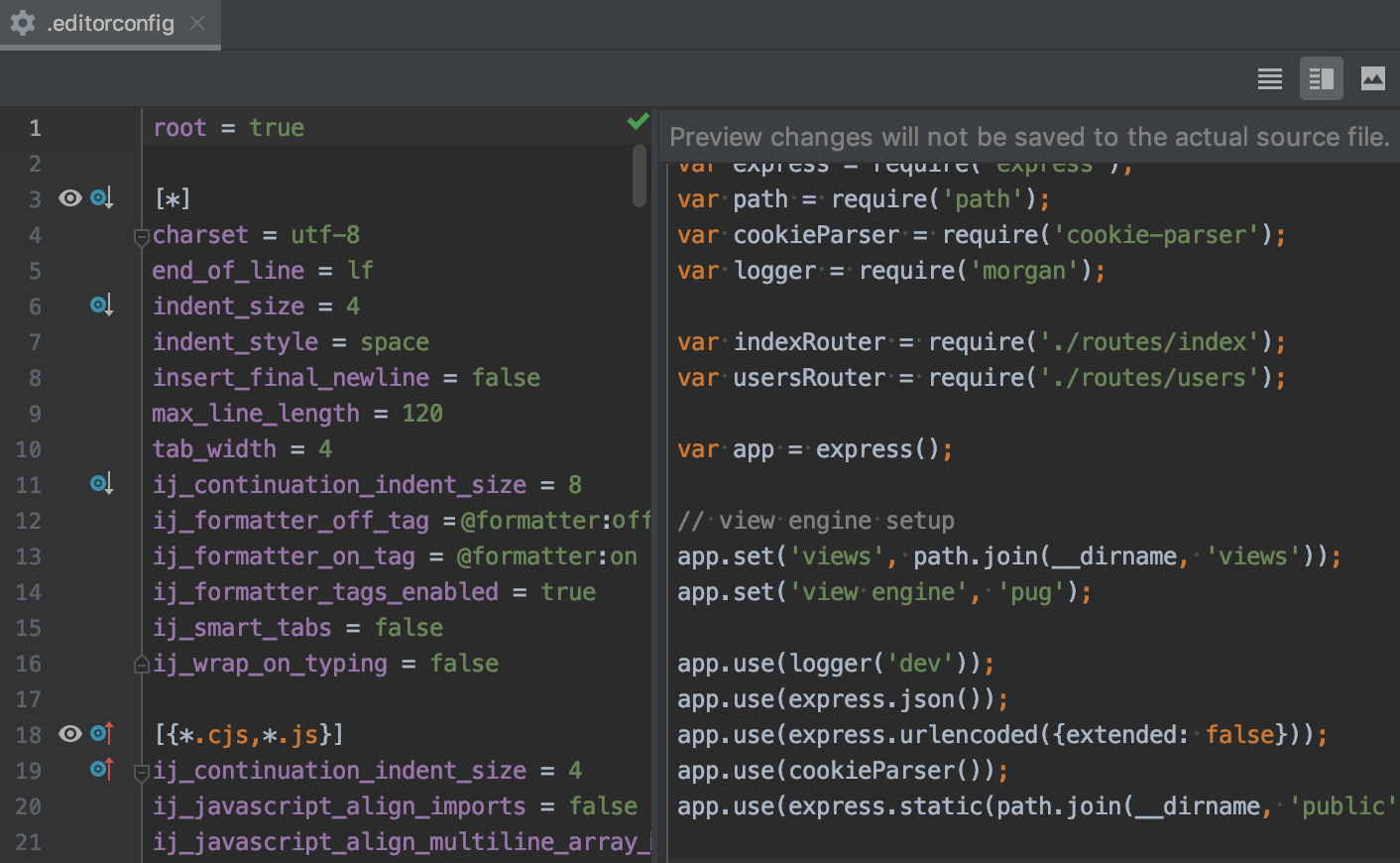
You can make changes in the preview pane to try and test how your configuration changes are reflected without worrying about making unwanted changes to the source code: all these changes are discarded when you close the .editorconfig file.