Generate code
WebStorm provides multiple ways to generate common code constructs and recurring elements, which helps you increase productivity. These can be either file templates used when creating a new file, custom or predefined live templates that are applied differently based on the context, various wrappers, or automatic pairing of characters.
Additionally, WebStorm provides code completion and Emmet support.
Creating code constructs using live templates
WebStorm provides a number of predefined live templates for many common code constructs. You can also define custom templates to cover use cases specific to your workflow.
You can create code constructs by inserting and expanding live templates as well as wrap fragments of code using surround templates. For example, you can enclose a fragment of code in a tag, refer to Wrapping a code fragment in a tag.
Insert a live template
Place the caret at the place where you want the template to expand.
Type the template abbreviation and press the invocation key (Tab by default).
Alternatively, to use code completion, press Ctrl+J or select from the context menu and select the required template from the suggestion list. To view Quick Documentation for the selected suggestion, press Ctrl+Q.
If the selected template requires user input, the first input field is marked with a red frame. Type your value in this frame and press Enter or Tab to complete input and pass to the next input field. After completing the last input field, the caret moves to the end of the construct, and the editor returns to the regular mode of operation.
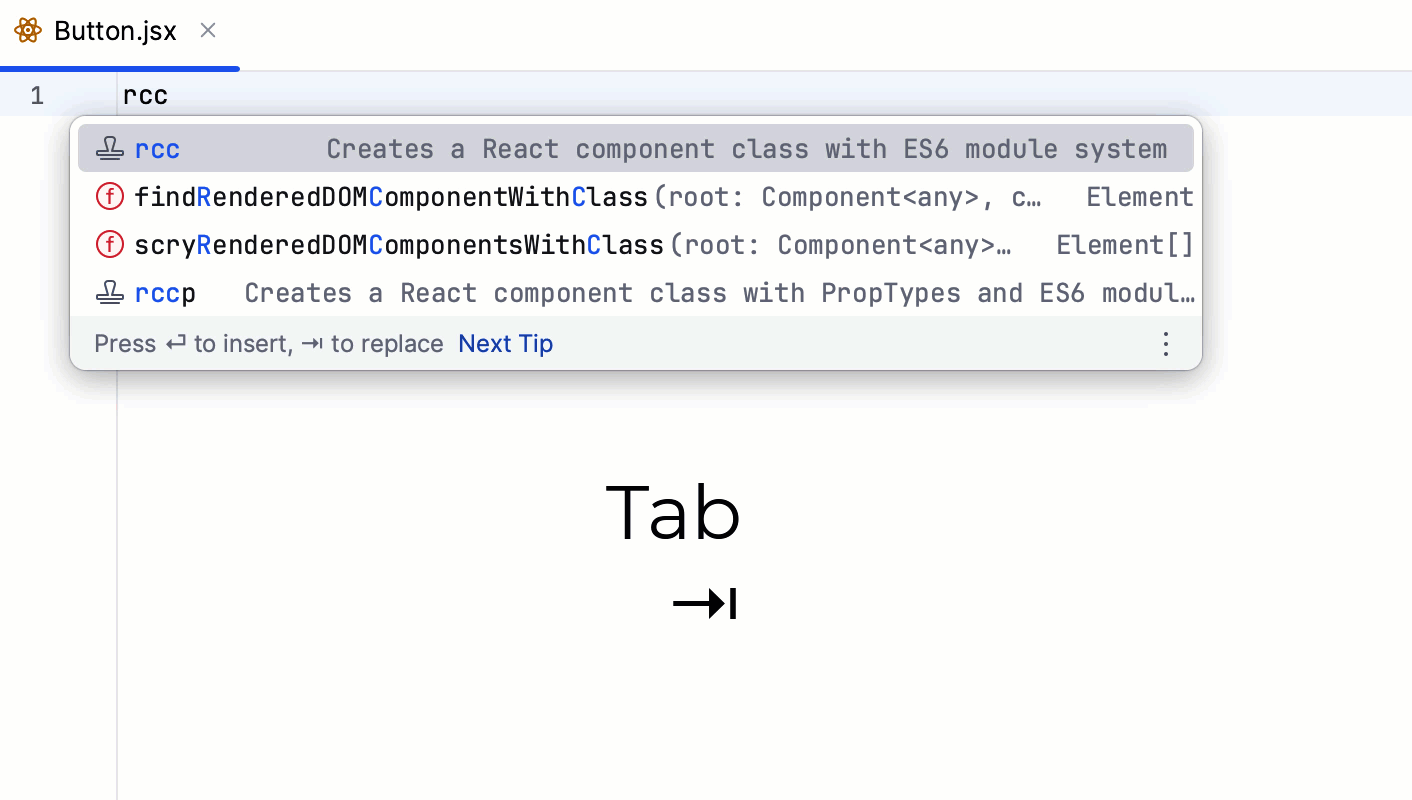
See Live templates: parametrized templates for details.
Surround a code fragment with a live template
In the editor, select the piece of code to wrap and press Ctrl+Alt+T.
In the suggestion list, select the desired template. For some templates a preview is shown in a popup as you hover over the suggested templates.
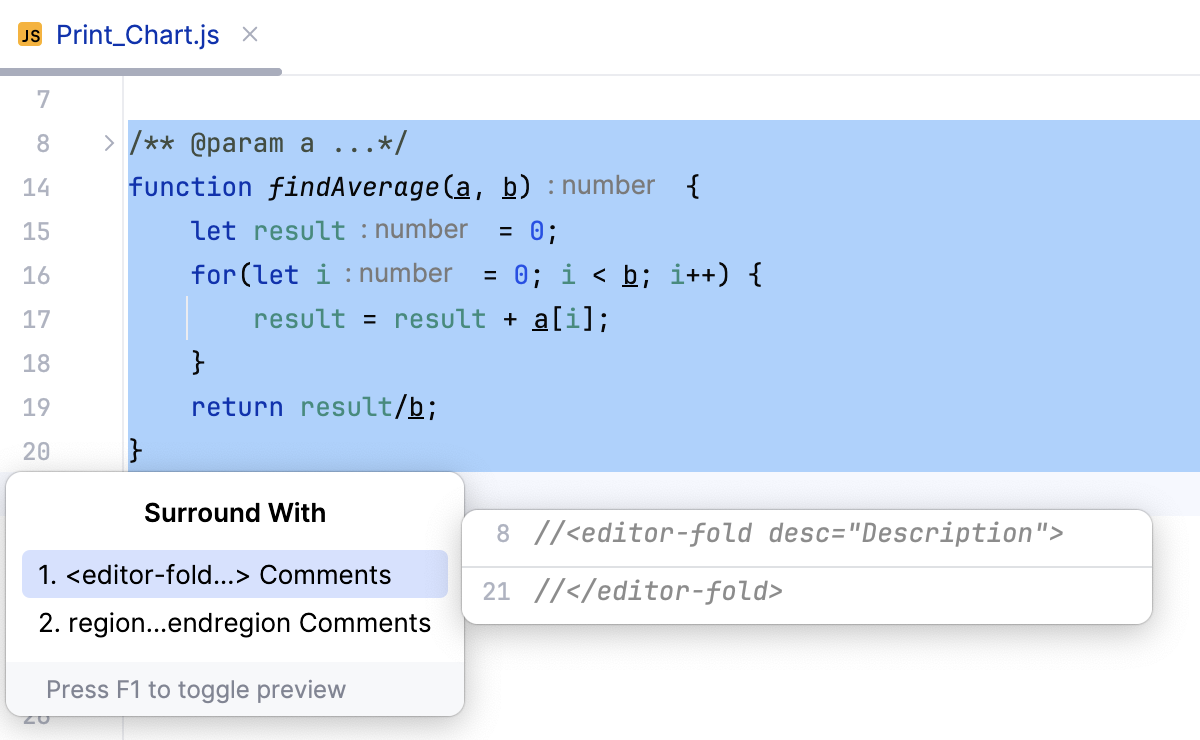
View the list of available live templates
Press Ctrl+Alt+S to open settings and then select .
The Live Templates page that opens, shows all the configured live templates grouped by languages. For more information, refer to Create live templates.
Unwrapping and removing statements
WebStorm lets you quickly unwrap or extract expressions from enclosing statements. This action is available for JavaScript if ...else, for, while, and do...while control structures as well as for XML and HTML tags.
Place the caret at the expression you want to extract or unwrap.
Choose from the main menu or press Ctrl+Shift+Delete. WebStorm shows a popup with all the actions that are available in the current context. Statements to be extracted are displayed on the blue background, statements to be removed are displayed on the grey background.
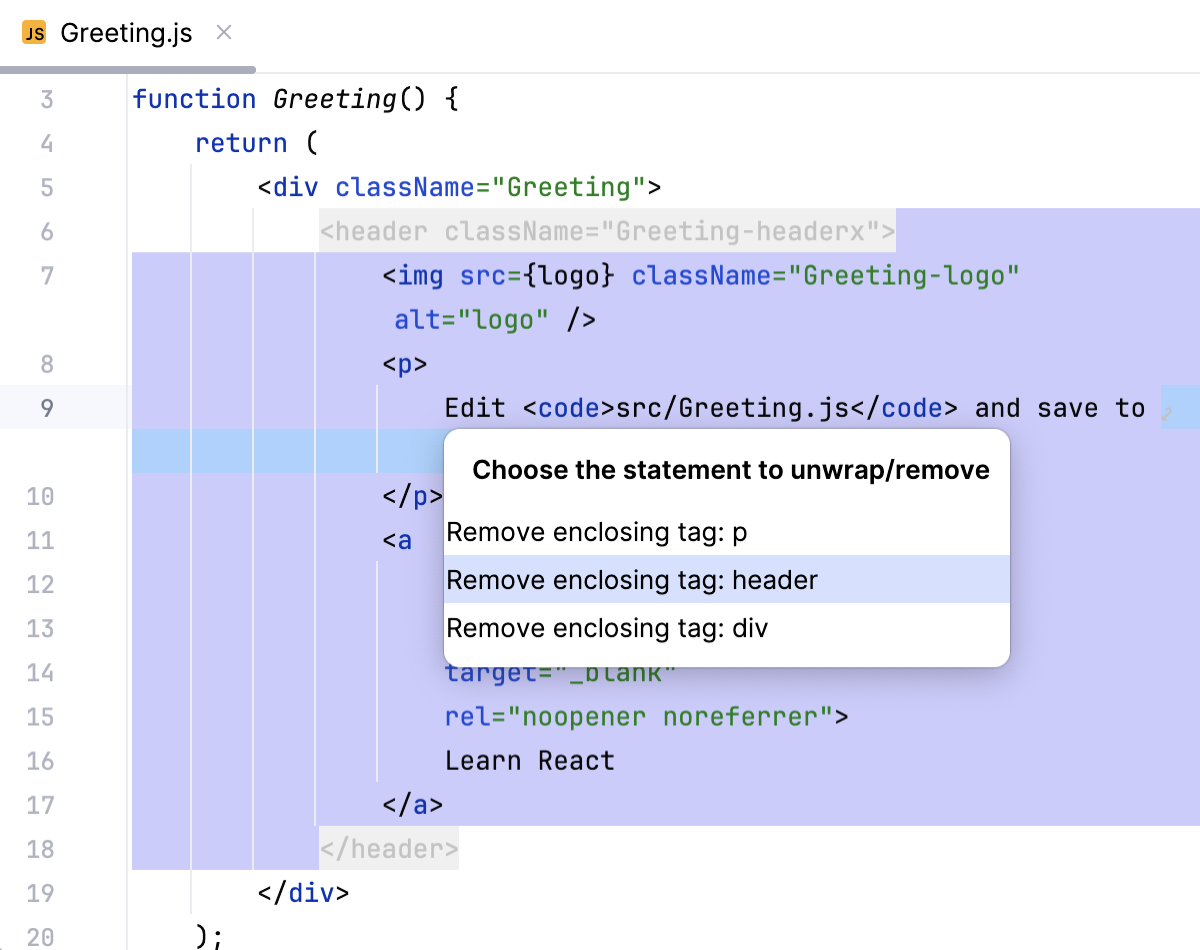
Click the desired action or select it using the up and down arrow keys and press Enter.
Completing paired characters
WebStorm can automatically add closing braces and other paired elements.
In the Settings dialog (Ctrl+Alt+S) , click General under Editor, and then click Smart Keys. The Smart Keys page opens.
To add closing braces automatically on pressing Enter, select the Insert pair } checkbox in the Enter area.
Configure automatic insertion of closing tags by selecting the relevant checkboxes in the XML/HTML area.
The indentation level is defined in Code Style.
Generating constructors
WebStorm can generate a constructor that initializes specific fields using the values of the corresponding arguments.
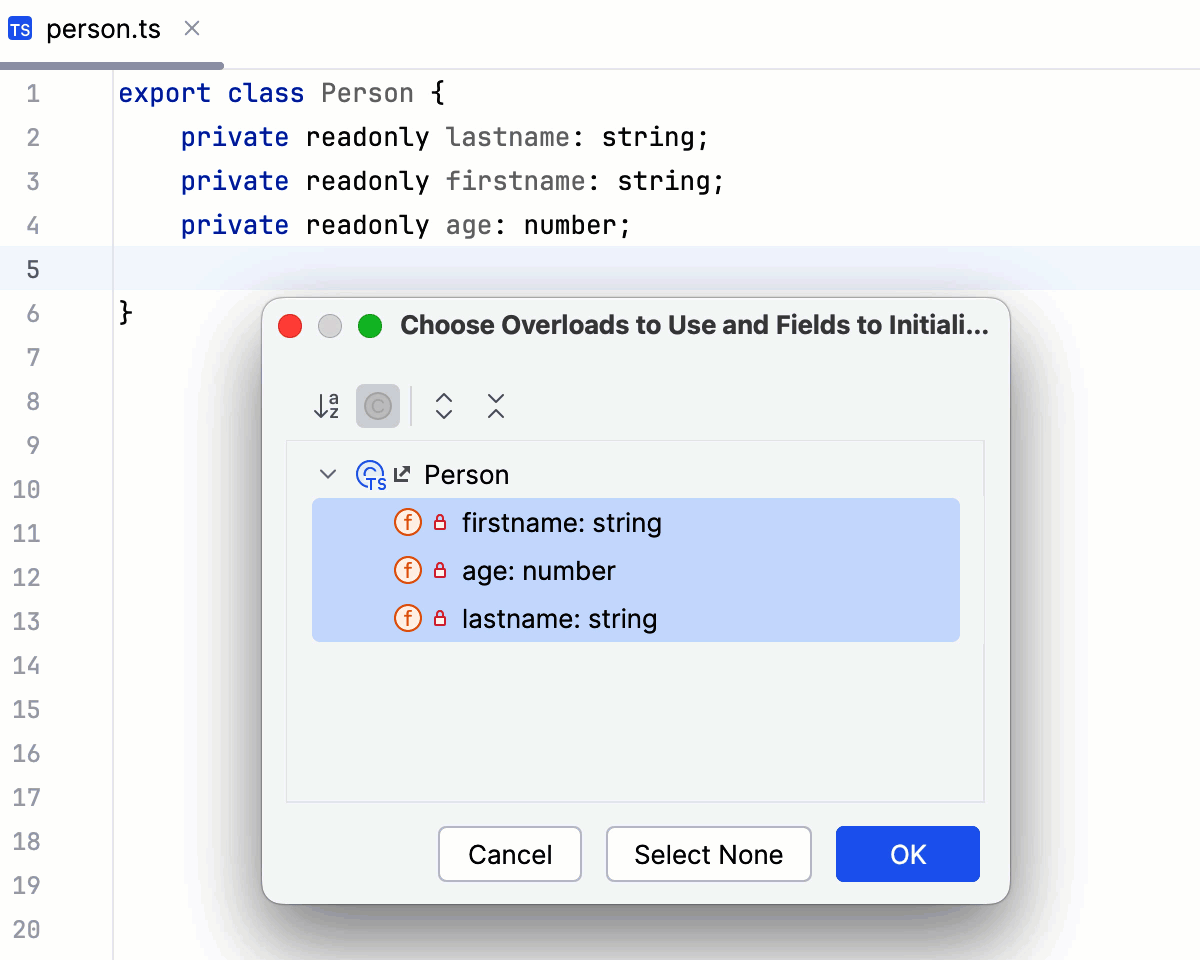
Select Generate from the context menu of a class or press Alt+Insert.
In the Generate popup, click Constructor.
If the class contains fields, select the fields to be initialized by the constructor and click OK.
Generating getters and setters
WebStorm can generate accessor and mutator methods (getters and setters) for the fields in your classes. WebStorm generates the names of getters and setters according to your code generation naming preferences. For more information, refer to JavaScript Code Style: Code Generation and TypeScript Code Style: Code Generation.
Select from the context menu of a class or press Alt+Insert.
In the Generate popup, click one of the following:
Getter to generate accessor methods for getting the current values of class fields.
Setter to generate mutator methods for setting the values of class fields.
Getter and Setter to generate both accessor and mutator methods.
In the dialog that opens, select the fields to generate getters or setters for and click OK.
Implementing methods of an interface or and abstract class
If a class is declared as implementing an interface or an abstract class, it has to implement the methods of the parent class or the base interface. WebStorm creates stubs for implemented methods.
Select Generate from the context menu of a class Alt+Insert and select Implement members from the popup or just press Ctrl+I.
In the dialog that opens, select the methods to implement and click OK.
Overriding methods of a superclass
You can override any method of a parent class by generating necessary code from a predefined template. WebStorm creates a stub that contains a call to the method of the superclass and you only have to provide some meaningful source code in the method's body.
Select from the context menu of a class Alt+Insert and select from the popup or just press Ctrl+O.
In the dialog that opens, select the methods to override. The list of methods does not include the methods that are already overridden, or cannot be accessed from the current subclass.
Click OK and provide the source code for the method body. Use the
 icon that marks the overriding method in the left gutter to view the name of the base class, and to open the overridden method declaration.
You can also use code completion and select the parent method from the list of completion suggestions. WebStorm automatically adds parameters, generates a super() call, and shows the type information, if possible. Learn more from Code completion.
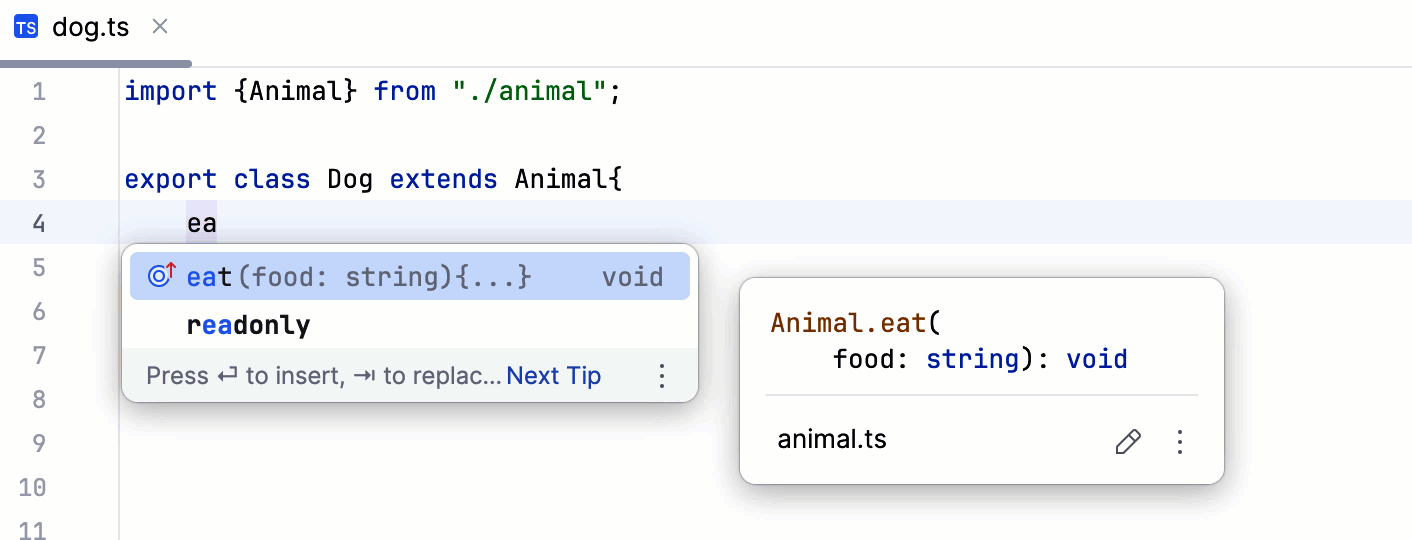
Turn off generation of method bodies for overrides
In the Settings dialog (Ctrl+Alt+S) , go to .
On the JavaScript page that opens, clear the Expand method bodies in completion for overrides checkbox.