Auto import
WebStorm automatically adds import statements for modules, classes, components, and any other symbols that can be exported, as well as for XML namespaces. Learn more from Auto-import in JavaScript, Auto-import in TypeScript and Importing an XML namespace.
Missing import statements can be added on the fly, as you complete a symbol, or later, using a quick fix or an intention action, or via an auto-import tooltip.
Missing import statements can be added on the fly, as you complete a symbol, or later, using a quick fix or an intention action, or via an auto-import tooltip.
For ES6 symbols or CommonJS modules, WebStorm either decides on the style of the import statement itself or displays a popup where you can choose the style you need. Learn more from Auto-import in JavaScript.
Add import statements on code completion
WebStorm adds import statements when you complete exported JavaScript or TypeScript symbols.
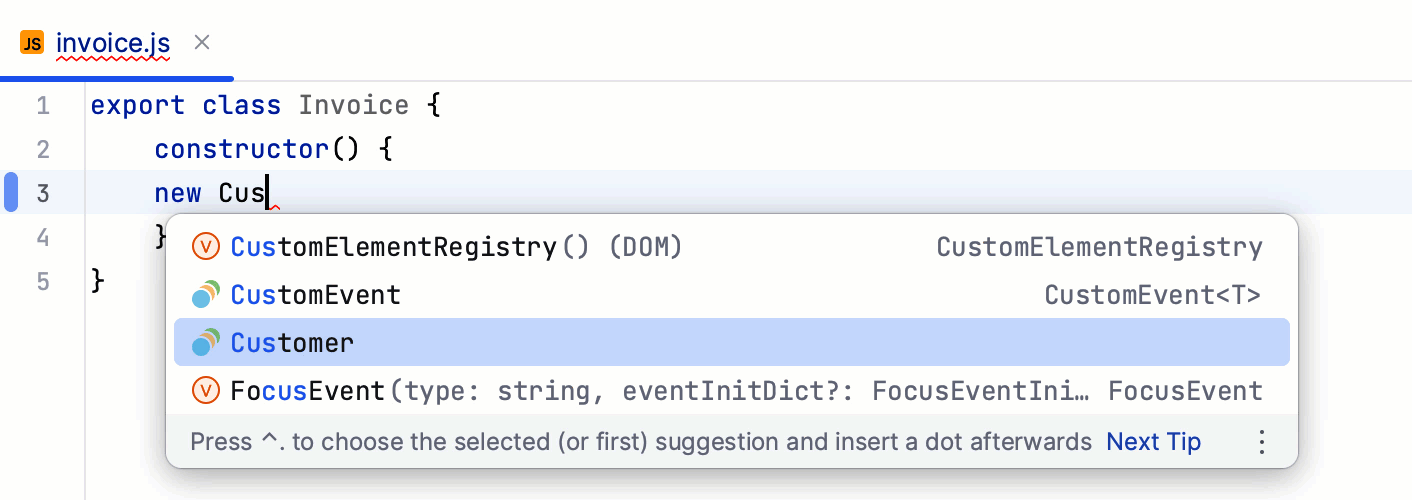
Configure auto-import on completion
You can disable auto-import on completion and use quick-fixes instead:
In the Settings dialog (Ctrl+Alt+S) , go to .
On the Auto Import page that opens, use the checkboxes in the TypeScript/JavaScript area to enable or disable import generation on code completion.
Use a quick-fix
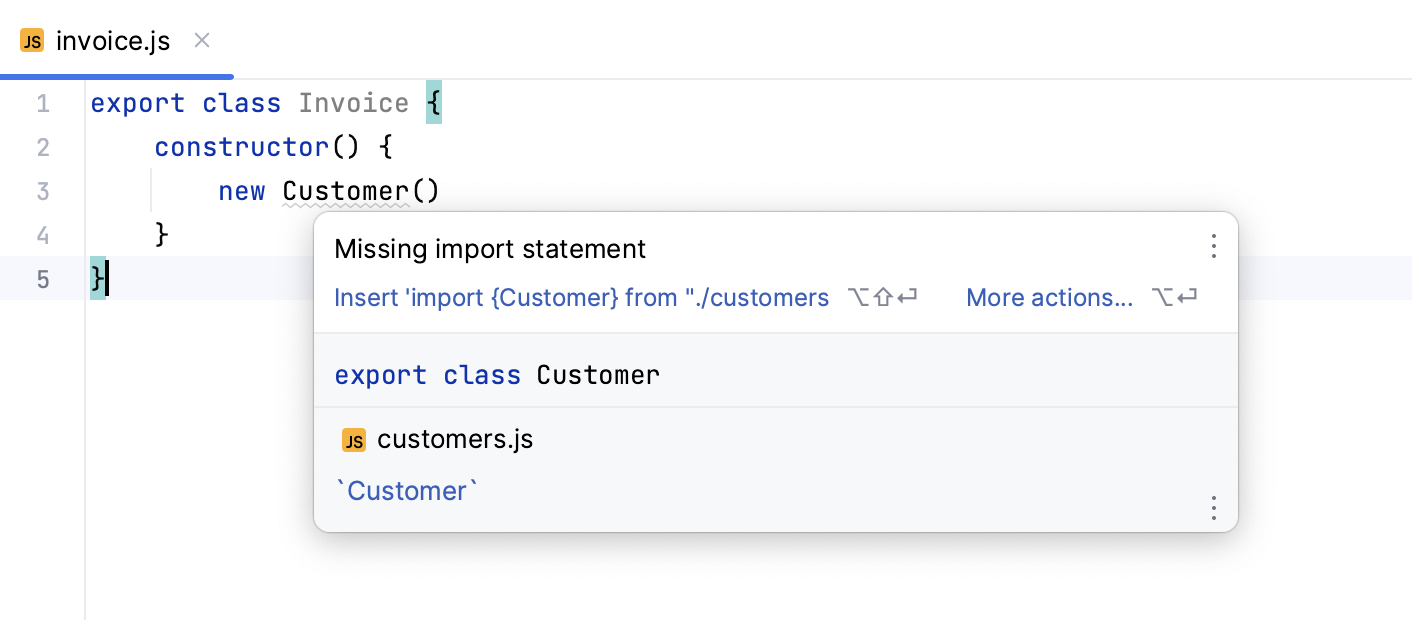
WebStorm has a quick-fix for adding import statements when they are missing or when auto-import is disabled.
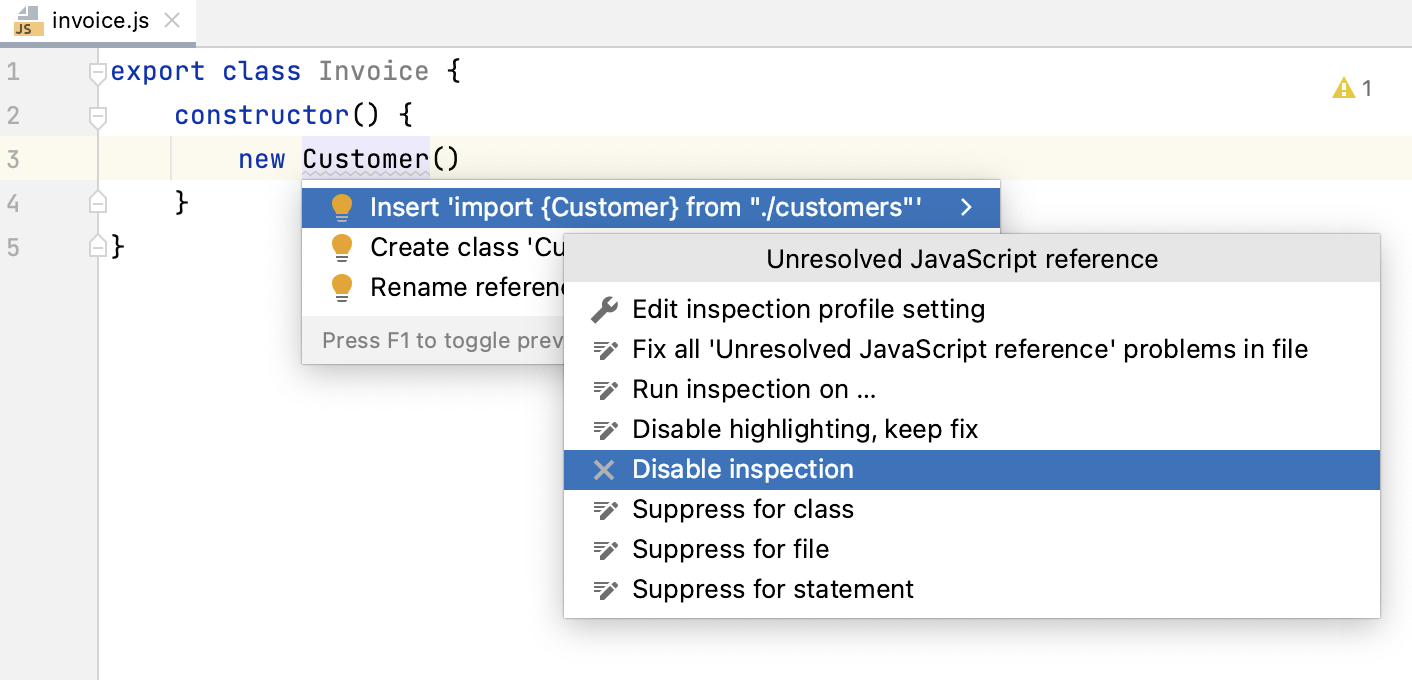
WebStorm marks the symbol as unresolved and shows a popup with the suggested quick-fix:
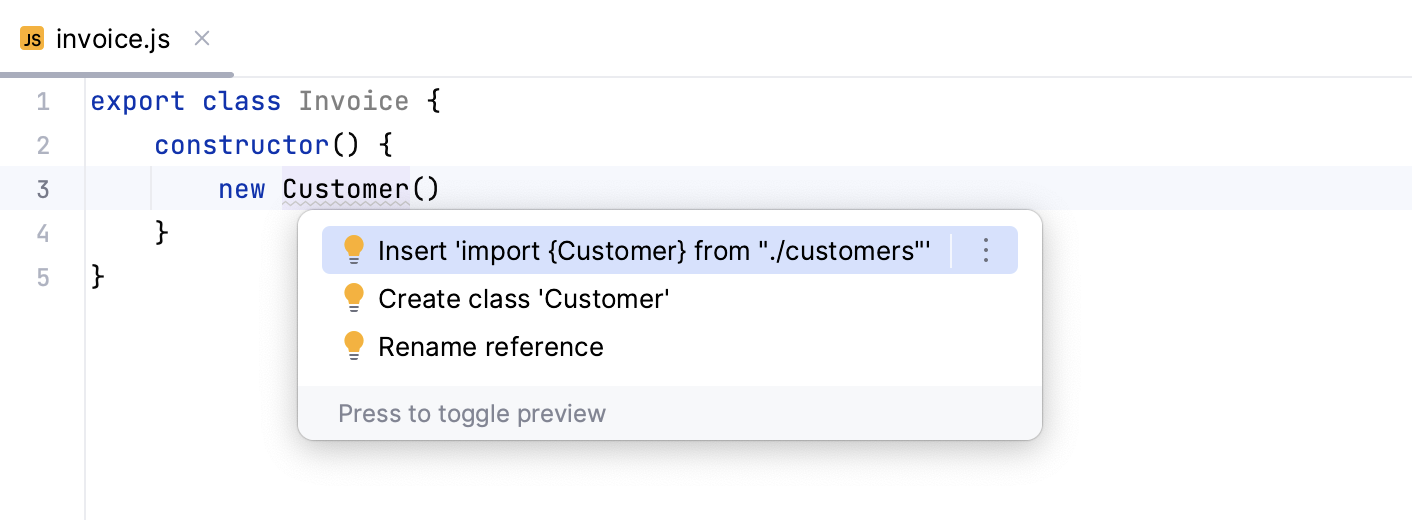
Alternatively, press Alt+Enter:
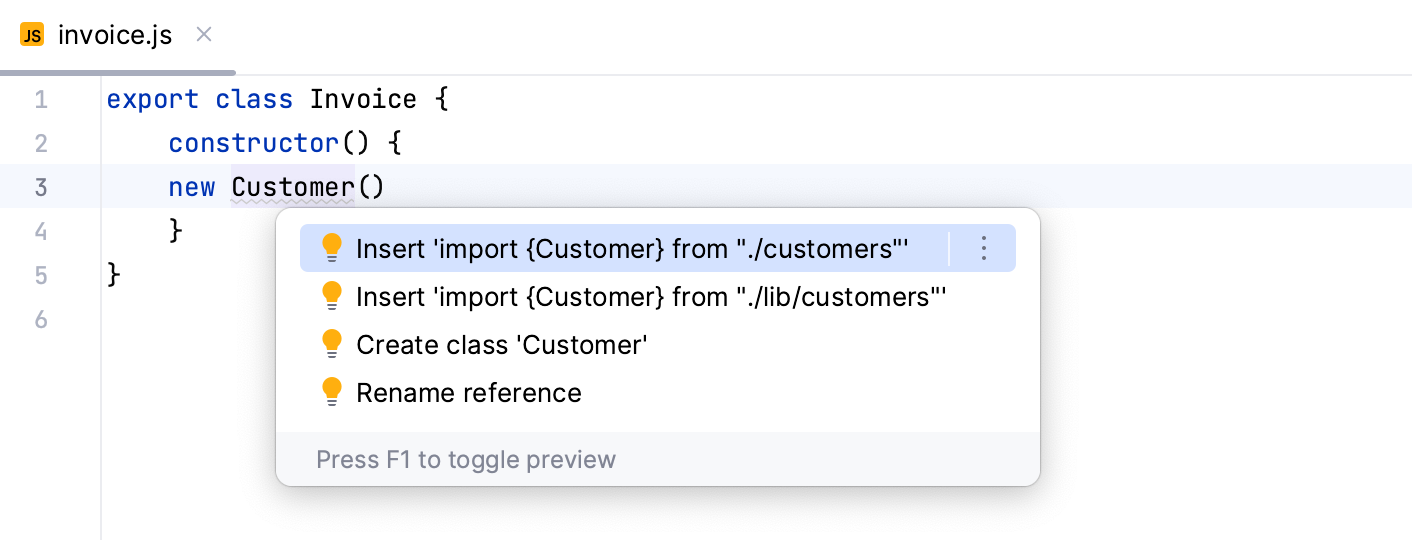
If there's more than one possible source of import, WebStorm shows a list of suggestions:
If you don't want to see Missing import statement warnings, disable the inspection in the current file or in the entire project. For more information, refer to Disabling and enabling inspections.
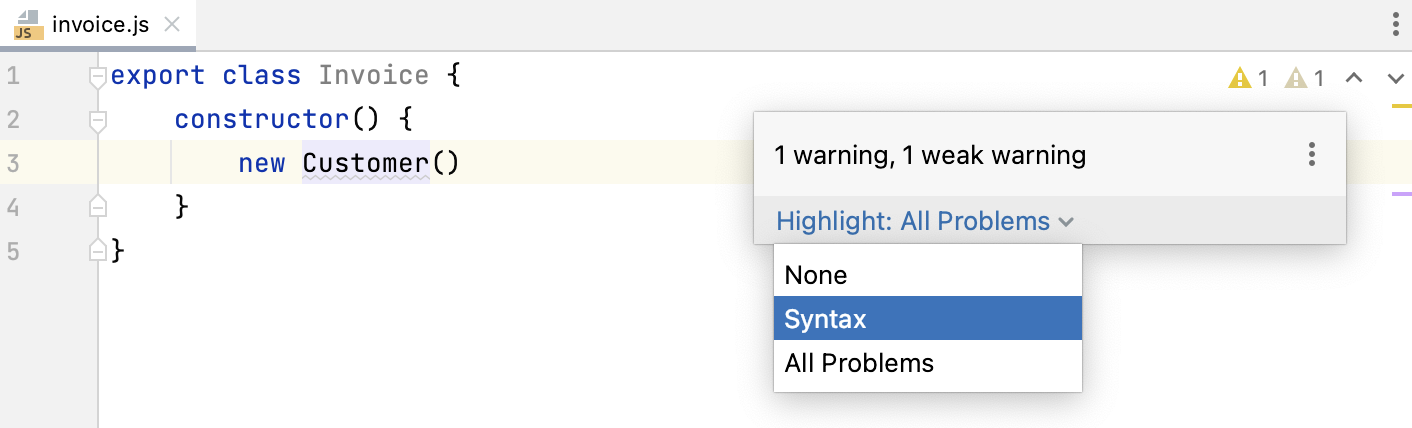
Alternatively, change highlighting level for the file: hover over the widget in the top-right corner of the editor and select None or Syntax from the Highlight list.
Add import statements using the auto-import tooltip
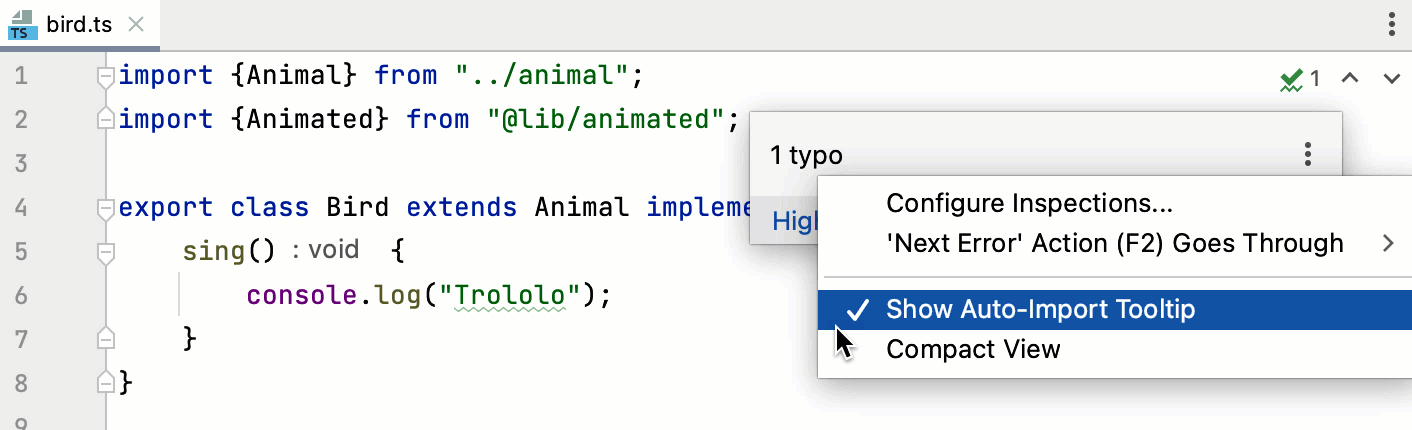
An auto-import tooltip appears when you hover over a symbol for which no import statement is found. To accept the suggestion, press Alt+Enter.


To disable the tooltip, hover over the inspection widget in the top-right corner of the editor, click  , and clear the Show Auto-Import Tooltip option.
Optimize imports
WebStorm helps you remove unused imports and organize import statements in the current file, in all files in a directory, or in the entire project at once.
Optimize all imports
Select a file or a directory in the Project tool window ().
Do any of the following:
Go to (or press Ctrl+Alt+O).
From the context menu, select Optimize Imports.
(If you've selected a directory) Choose whether you want to optimize imports in all files in the directory, or only in locally modified files (if your project is under version control), and click Run.
Optimize imports in a single file
Place the caret at an import statement and press Alt+Enter or use the
 icon. Then select Remove unused 'import'.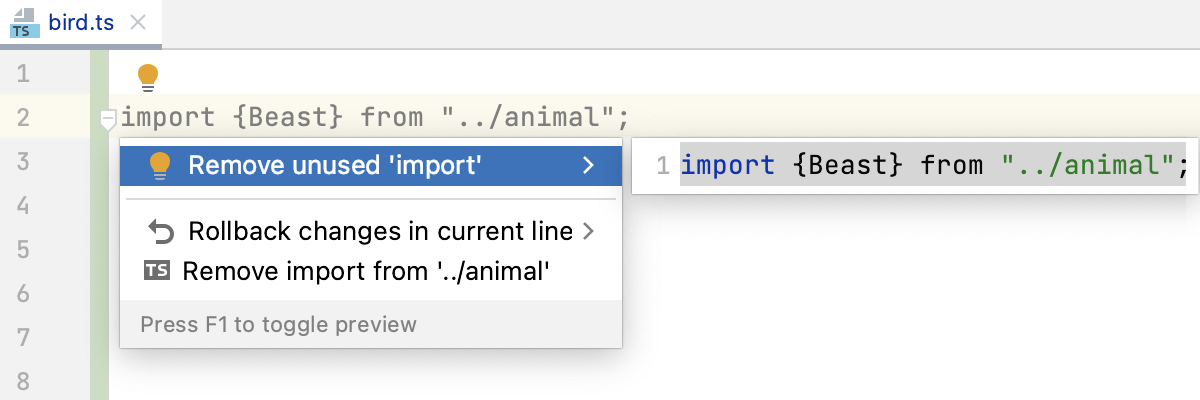
Open the file in the editor or select it in the Project tool window and press Ctrl+Alt+O.
Optimize imports when reformatting a file
You can tell WebStorm to optimize imports in a file every time it is reformatted.
Open the file in the editor, press Ctrl+Alt+Shift+L, and make sure the Optimize imports checkbox is selected in the Reformat File dialog that opens.
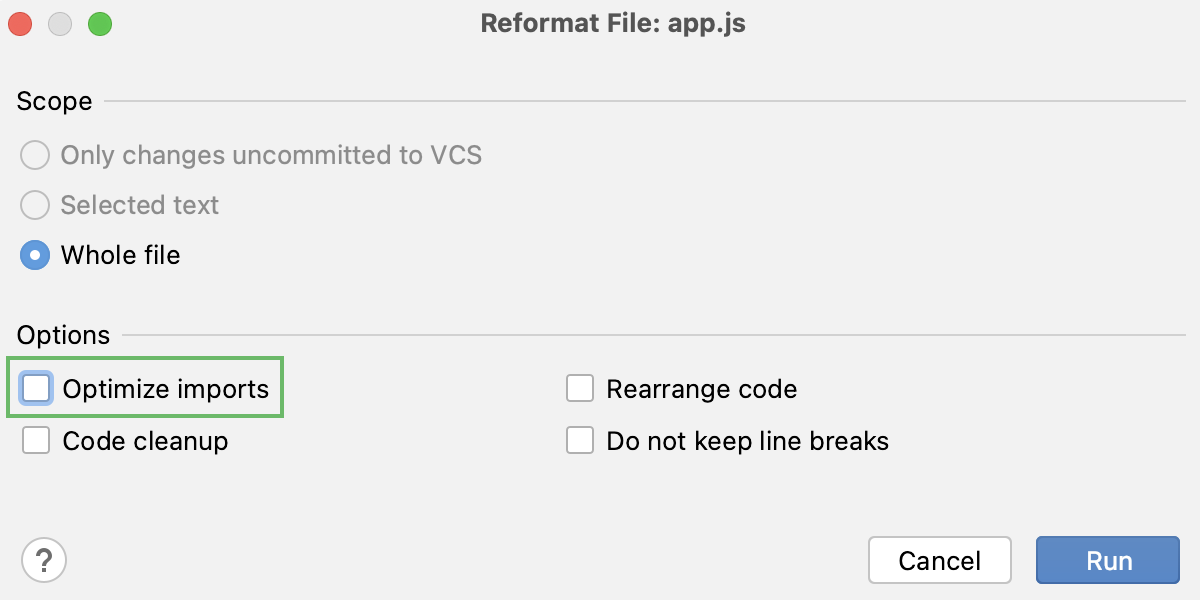
After that every time you press Ctrl+Alt+L in this project, WebStorm will optimize its imports automatically.
Optimize imports before committing changes to your VCS
If your project is under version control, you can instruct WebStorm to optimize imports in modified files before committing them to VCS.
In the Commit tool window Alt+0, click
 and select the >Optimize imports checkbox in the Commit checks area.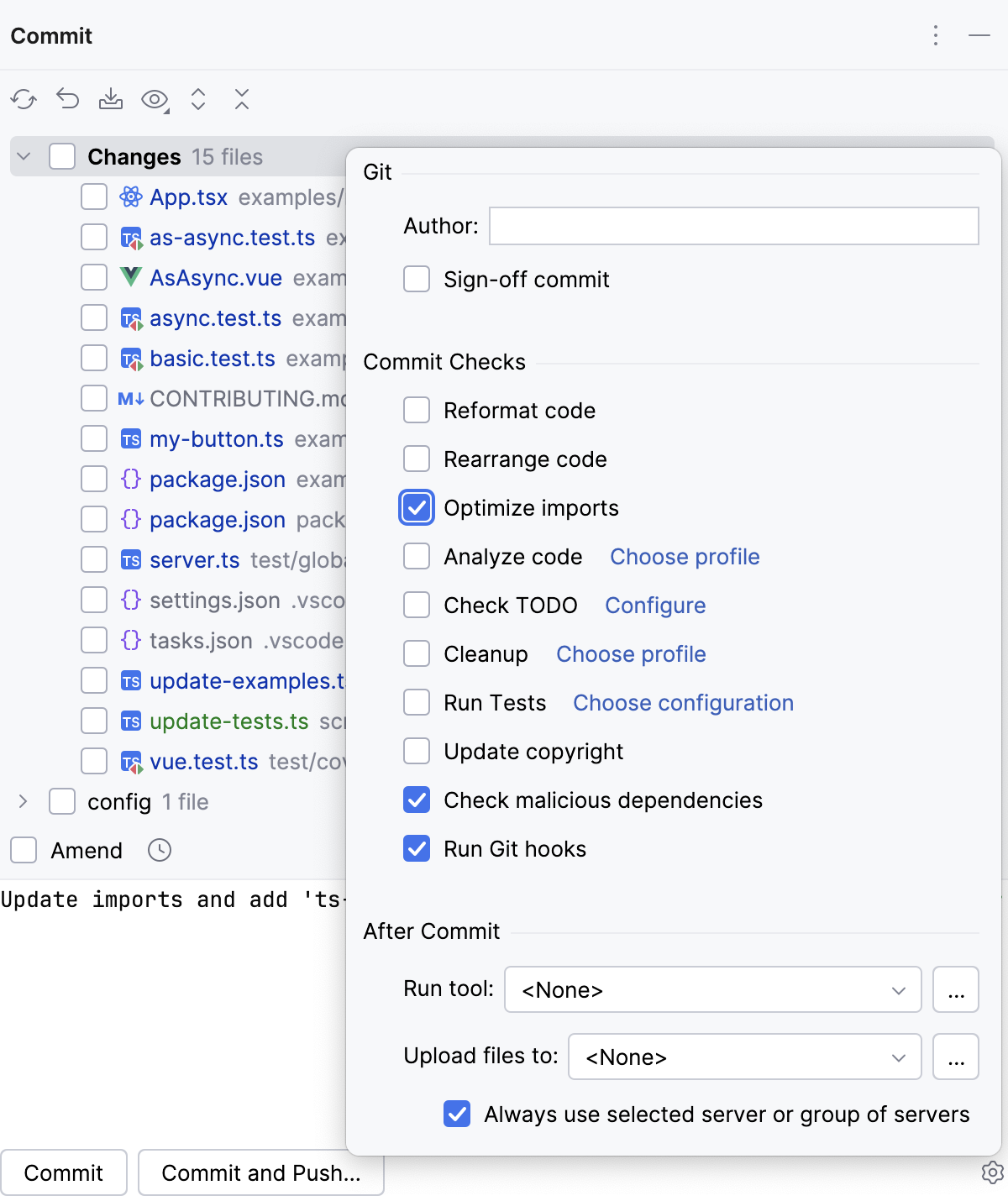
If in the modal mode, press Ctrl+K to open the Commit Changes, and then select the Optimize imports checkbox.
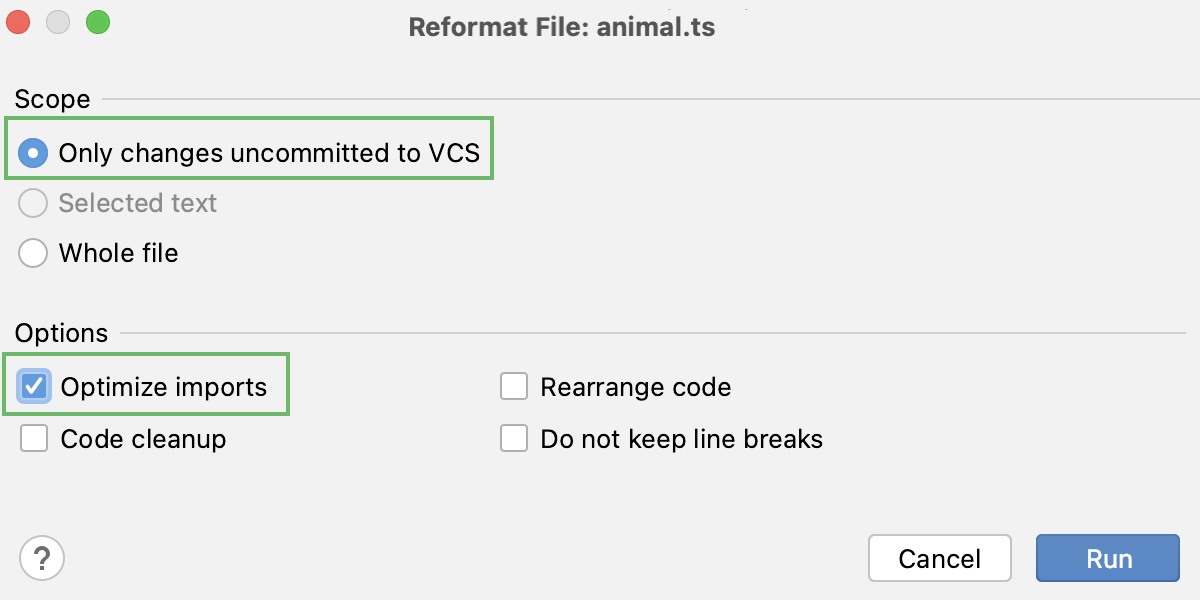
You can also optimize imports only in the updated code. In the Project tool window, select a folder, and press Ctrl+Alt+O. In the Optimize imports dialog, select the Process only VCS changed files and click Run.
Automatically optimize imports on save
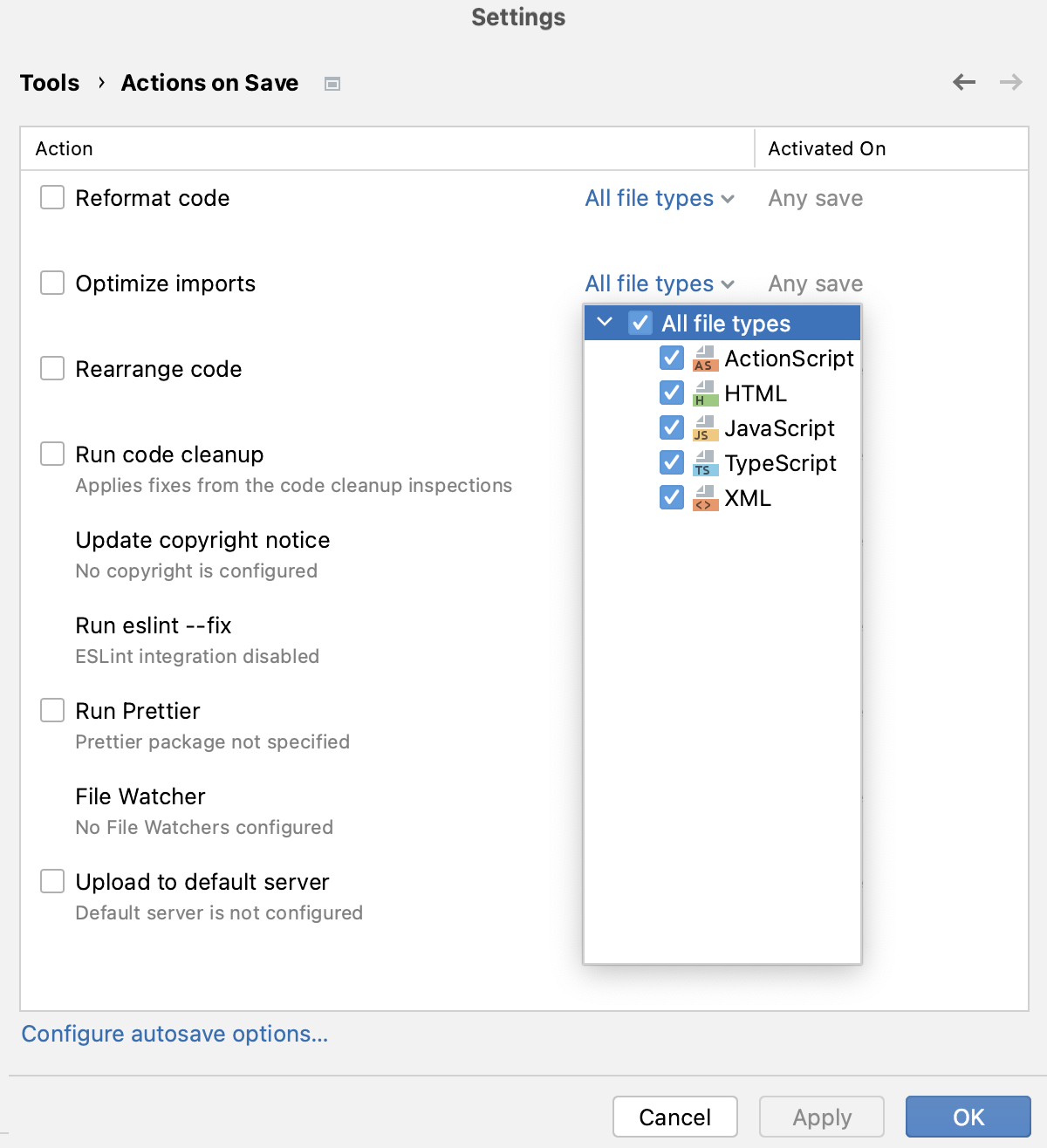
You can configure the IDE to optimize imports in modified files automatically when your changes are saved.
Press Ctrl+Alt+S to open settings and then select .
Enable the Optimize imports option and apply the changes.
Additionally, from the All file types list, select the types of files in which you want to use automatic import optimization.
Configure the style of import statements
To configure the style for JavaScript or TypeScript imports, open the Settings dialog (Ctrl+Alt+S) , go to or to , and use the controls on the Imports tab to customize the appearance of import statements. For more information, refer to JavaScript code style: Imports and TypeScript code style: Imports.
To configure automatic insertion of terminating semicolons, single and double quotes, and trailing commas, open the Settings dialog (Ctrl+Alt+S) , go to or to , and use the controls on the Punctuation tab. For more information, refer to JavaScript code style: Punctuation and TypeScript code style: Punctuation.
In the CSS, SCSS, and Less context, WebStorm by default uses double quotes for generated string literals in
importstatements and URLs. To use single quotes, Open the Settings dialog (Ctrl+Alt+S) , go to , open the Other tab, and select Single from the Quote marks list.To apply the chosen style to the entire file after reformatting, select the Enforce on format checkbox below the list.