Interactive debugger console
The interactive Console pane shows you stack traces and everything that was logged in your code (for example, using console.*).
The Console pane is also a read-eval-print loop (REPL) so you can run JavaScript code snippets in it and interact with the page that you are currently debugging.
Run JavaScript in the Console
Start typing a statement at
>in the input field. As you type, WebStorm suggests variants for completion.Select the relevant statement and press Enter. WebStorm shows its value in the console.
WebStorm shows previews for objects, so you do not need to expand them. If you still expand an object, you get an overview of just its own properties, the
__proto__contents are hidden by default.
Navigate to source code
At each line with output of
console.*, WebStorm shows the name of the file and the line where it was called. Click this link to jump to the call in the source code.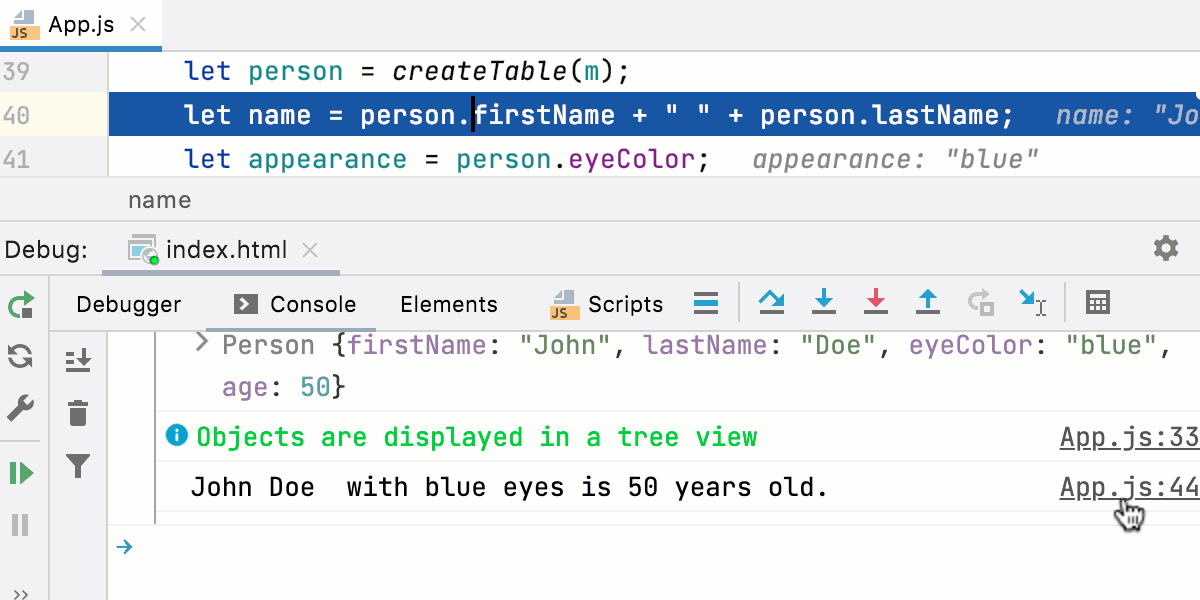
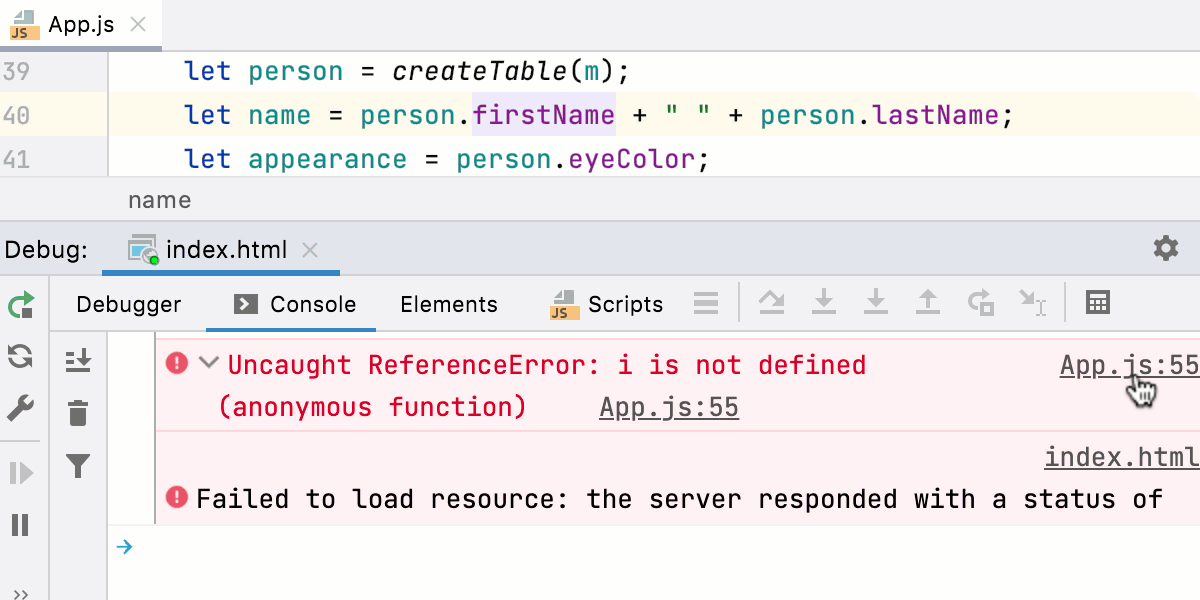
The Console also shows stack traces. Click the link next to a reported problem to jump to the line of code where this problem occurred.
Filter out messages
The Console tab shows objects in a tree view, with stack traces collapsed by default. Warnings console.warn(), errors console.error(), and info console.info() messages have different icons and background colors to make them easier to notice.
To hide log messages of specific types, click
 and select the severities to filter out.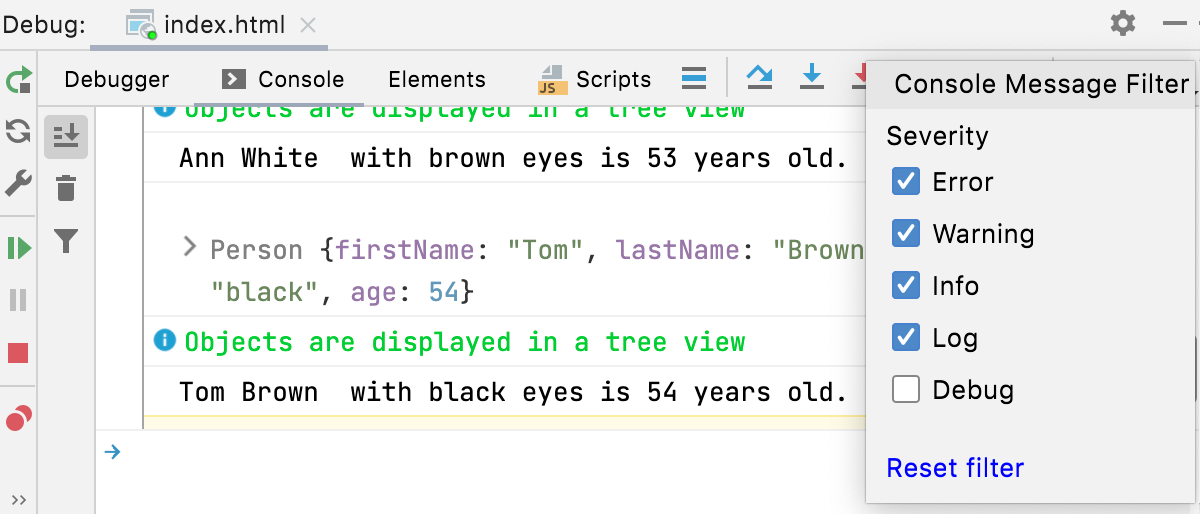
Group messages
The log messages grouped using
console.group()andconsole.groupEnd()are displayed as a tree. To show the output collapsed by default, useconsole.groupCollapsed().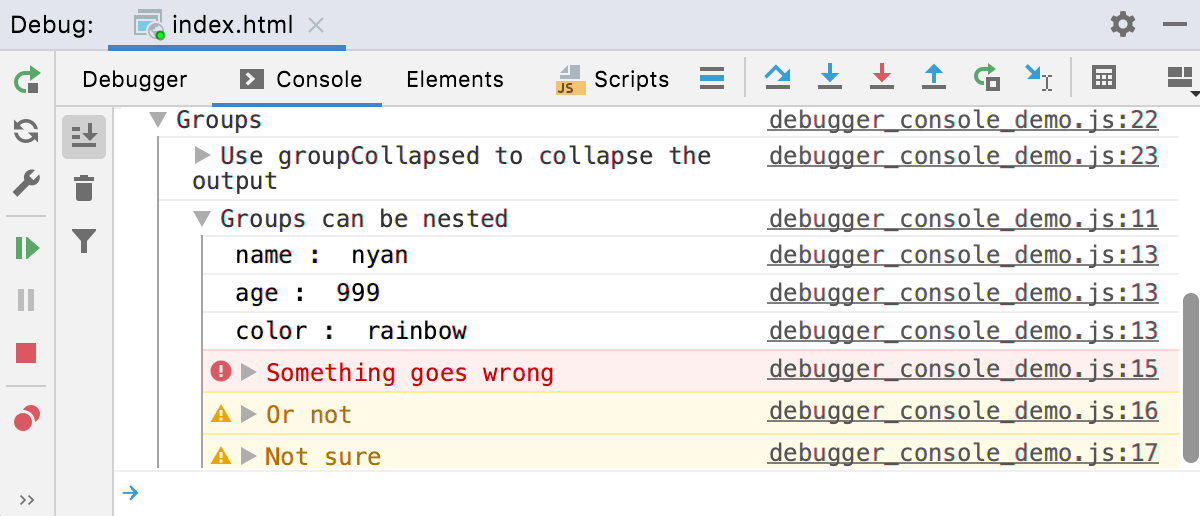
Apply CSS styles
Use CSS and the
%cmarker to apply styles to log messages.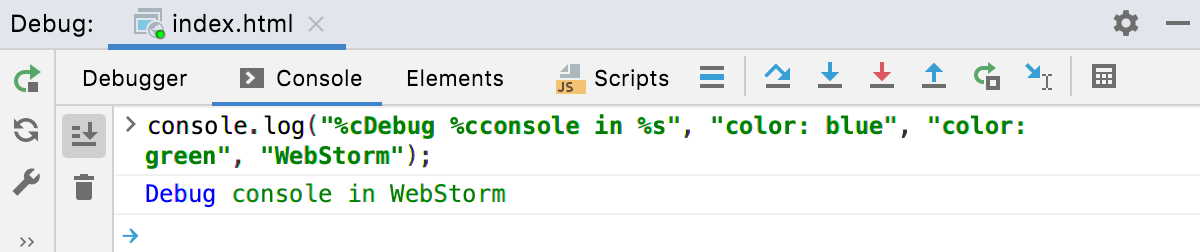
For more information, refer to Styling console output with CSS.