Source code hierarchy
With WebStorm, you can examine the hierarchy of classes, methods, and calls and explore the structure of source files.
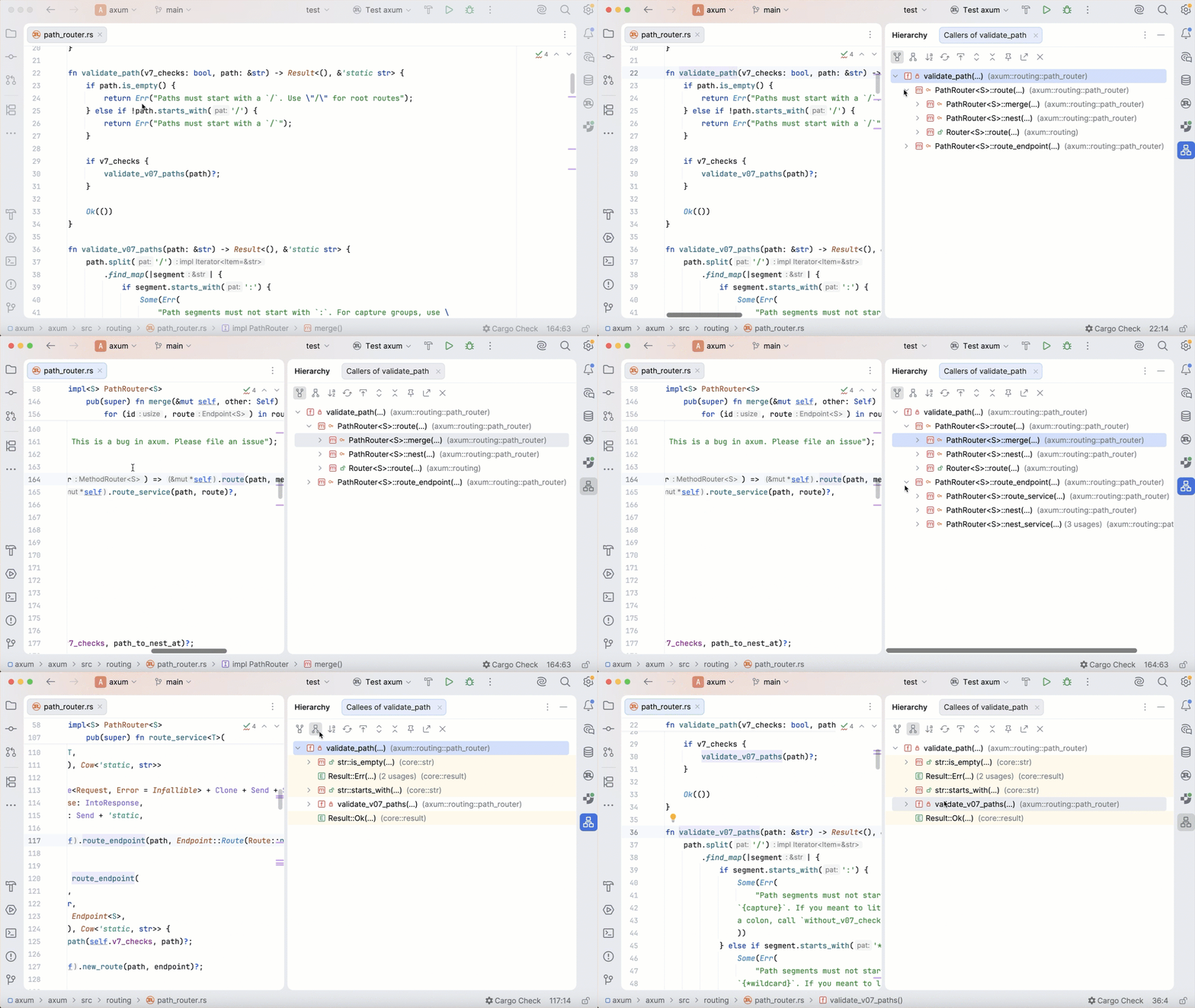
Analyzing code hierarchies
Type hierarchies show parent and child classes of a class.
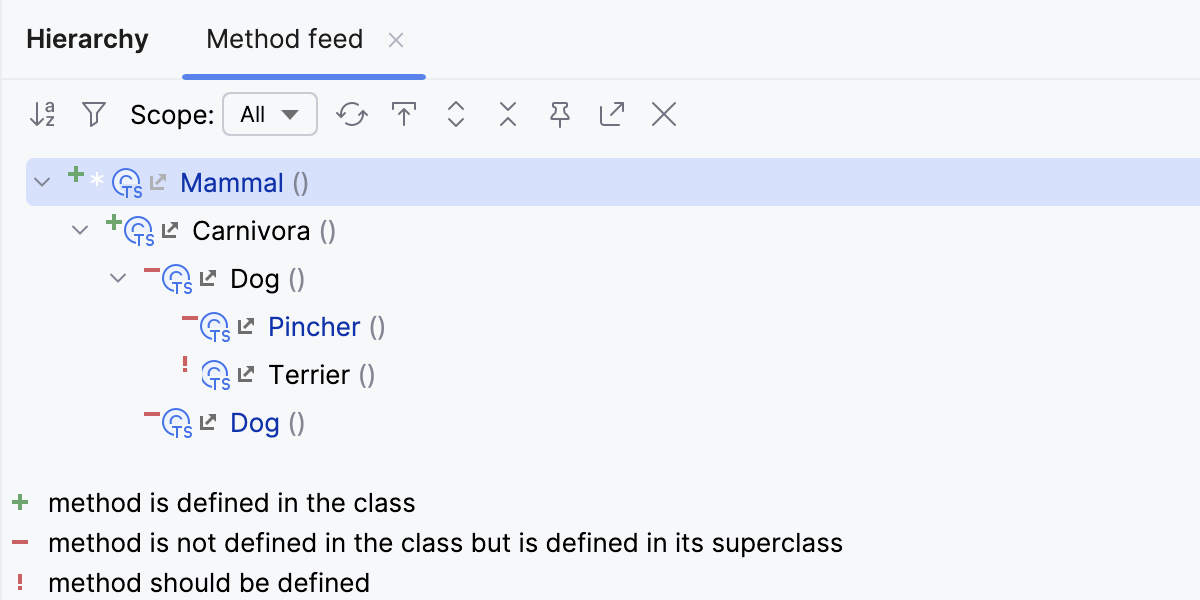
Method hierarchies show classes where a method:
Is defined.
Is not defined.
Should be defined if the class is not abstract.
Call hierarchies show callers (supertypes) or callees (subtypes) of a method.
When built, a hierarchy can be immediately viewed and examined in the Hierarchy tool window. The caller and the callee hierarchies are displayed in two separate tabs: click  to view callers and
  to view callees.
Build a type hierarchy
In the editor, place the caret at the desired class or interface.
In the main menu, go to or just press Ctrl+H.
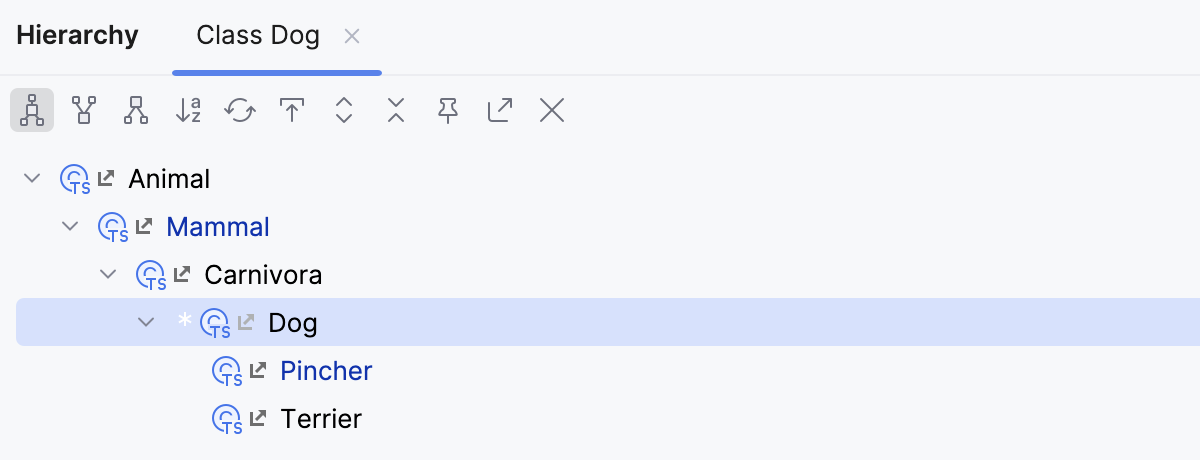
Different colors of elements stand for different scopes to which these files belong. For example, green by default is used for tests. For more information, refer to Associate scopes with colors.
Build a method hierarchy
Open the file in the editor and place the caret at the declaration of the desired method.
Go to or press Ctrl+Shift+H.
Build a call hierarchy
Call hierarchies show callers or callees of a method or function.
Open a file in the editor and place the caret at the declaration or usage of the desired method.
Alternatively, select the desired method in the Project tool window.
In the main menu, go to or press Ctrl+Alt+H.
Retain a hierarchy tab
In the Hierarchy tool window, click the Pin Tab button
 on the toolbar.
Viewing hierarchies
Open the Hierarchy tool window
Make sure, you have already built hierarchies to show, see Building hierarchies above.
Select from the main menu.
Navigate between the tabs of the Hierarchy tool window
Right-click the currently displayed tab and select or from the context menu.
Press Alt+Right or Alt+Left.
Switch between callers and callees
With WebStorm, you can build and explore ascending or descending hierarchies, that is, callee or caller methods, parent or children classes, and so on.
Click
or to show caller methods or callee methods respectively.
Hierarchy tool window buttons
Item | Description | Available In |
|---|---|---|
| Shows both the parent and child classes of the selected class, which is marked with an arrow in the tree of results. | Class hierarchies |
| Depending on the hierarchy type:
| Class hierarchies Call hierarchies |
| Depending on the hierarchy type:
| Class hierarchies Call hierarchies |
| Sorts all elements within a tree alphabetically. | All hierarchies |
Scope | Use this list to limit the scope of the current hierarchy:
In addition to the preconfigured scopes, you can define your own one. To define a scope, select Configure from the list and define the required scope in the Scopes dialog. | Call hierarchies |
In a method hierarchy, the tree views of the following classes are available:
| ||
| Shows all updated classes or class structures. | All hierarchies |
| Moves to a file and a section in a source code that corresponds to the selected node in the hierarchy tree. | All hierarchies |
| Expands all nodes. | All hierarchies |
| Locks the current tab from closing and reusing. Results of the next command are displayed in a new tab. | All hierarchies |
| Exports a hierarchy into a text file. You can specify a location for this file. | All hierarchies |
| Closes the tool window. | All hierarchies |


 : the method is defined.
 : the method is defined only in the superclass.
 : the method must be defined because the class is not abstract.


