Passwords
Configure the way WebStorm saves your passwords for version control repositories, databases, and other protected resources.
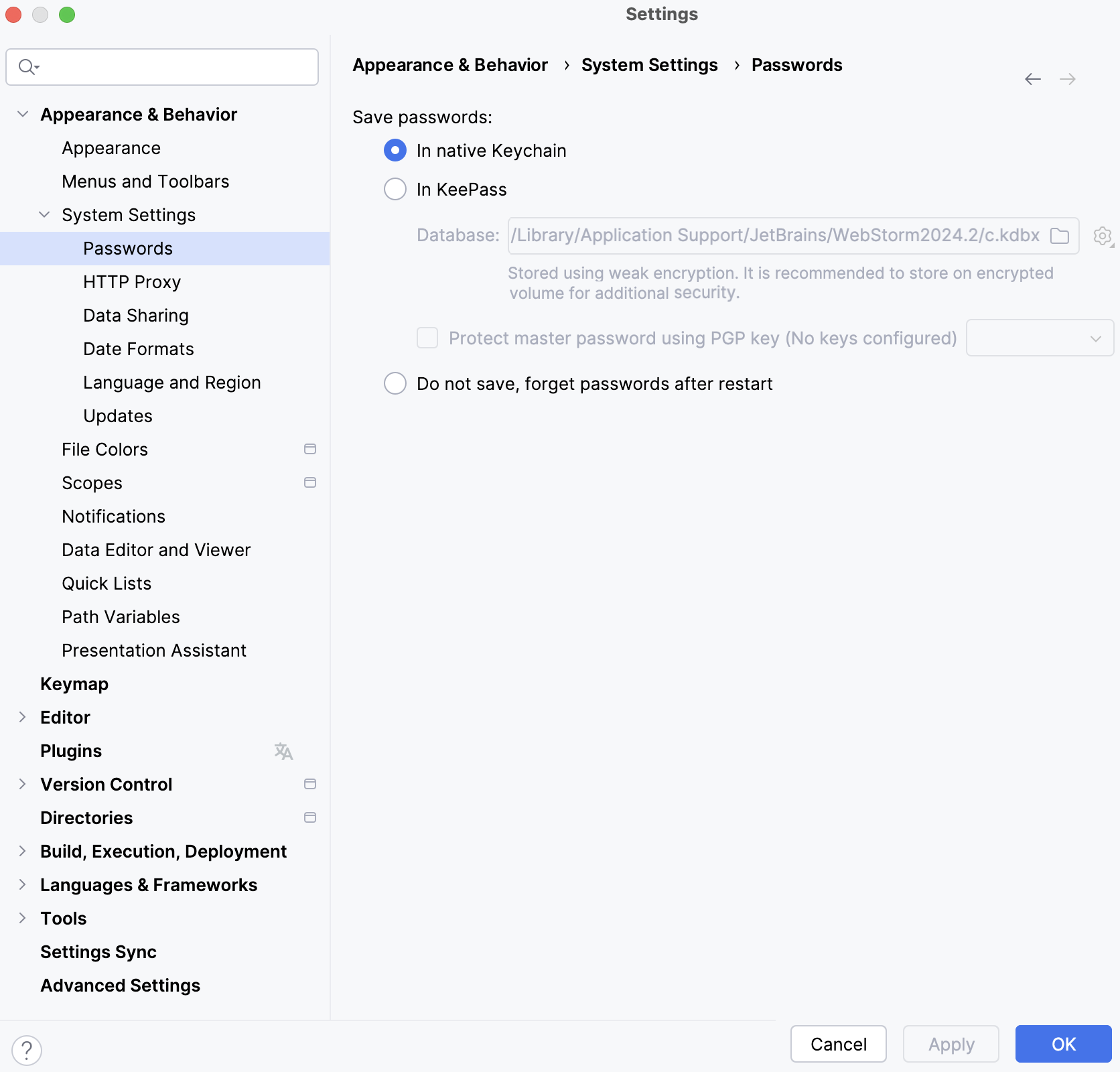
- In native Keychain
Use the native keychain app.
This option is not available for Windows. macOS uses Keychain Access. For Linux, it depends on the desktop environment and available apps: if you have both GNOME Keyring and KWallet, WebStorm will use GNOME Keyring for compatibility reasons because KWallet was not supported in previous versions.
- In KeePass
Use the KeePass password manager.
Database: Specifies the location of the password database file c.kdbx.
To change the location, click
 and select the new directory. To import another c.kdbx file, click
  and select Import. To remove the existing passwords in the c.kdbx file, select Clear.
Use the master password to access the password database c.kdbx. To set the master password for the database, click
and select Set Master Password. Once WebStorm remembers your passwords, it will not ask for the passwords again including the master password unless you need to access the password database.Protect master password using PGP key: Encrypt the master password for the password database using PGP.
- Do not save, forget passwords after restart
Do not remember any passwords and always prompt for credentials to protected resources.