Code refactoring
Refactoring means updating the source code without changing the behaviour of the application. Refactoring helps you keep your code solid, dry, and easy to maintain. WebStorm offers a wide variety of code refactorings, which track down and correct the affected code references automatically.
Despite the differences in the goals and the workflow, all the WebStorm refactorings require some mandatory steps. Below is an overview of these main steps you will perform when refactoring your code.
Invoke refactoring
Select an item to refactor. You can select a file/folder in the Project tool window or expression/symbol in the editor.
Press Ctrl+Alt+Shift+T to open a list of refactorings that can be selected.
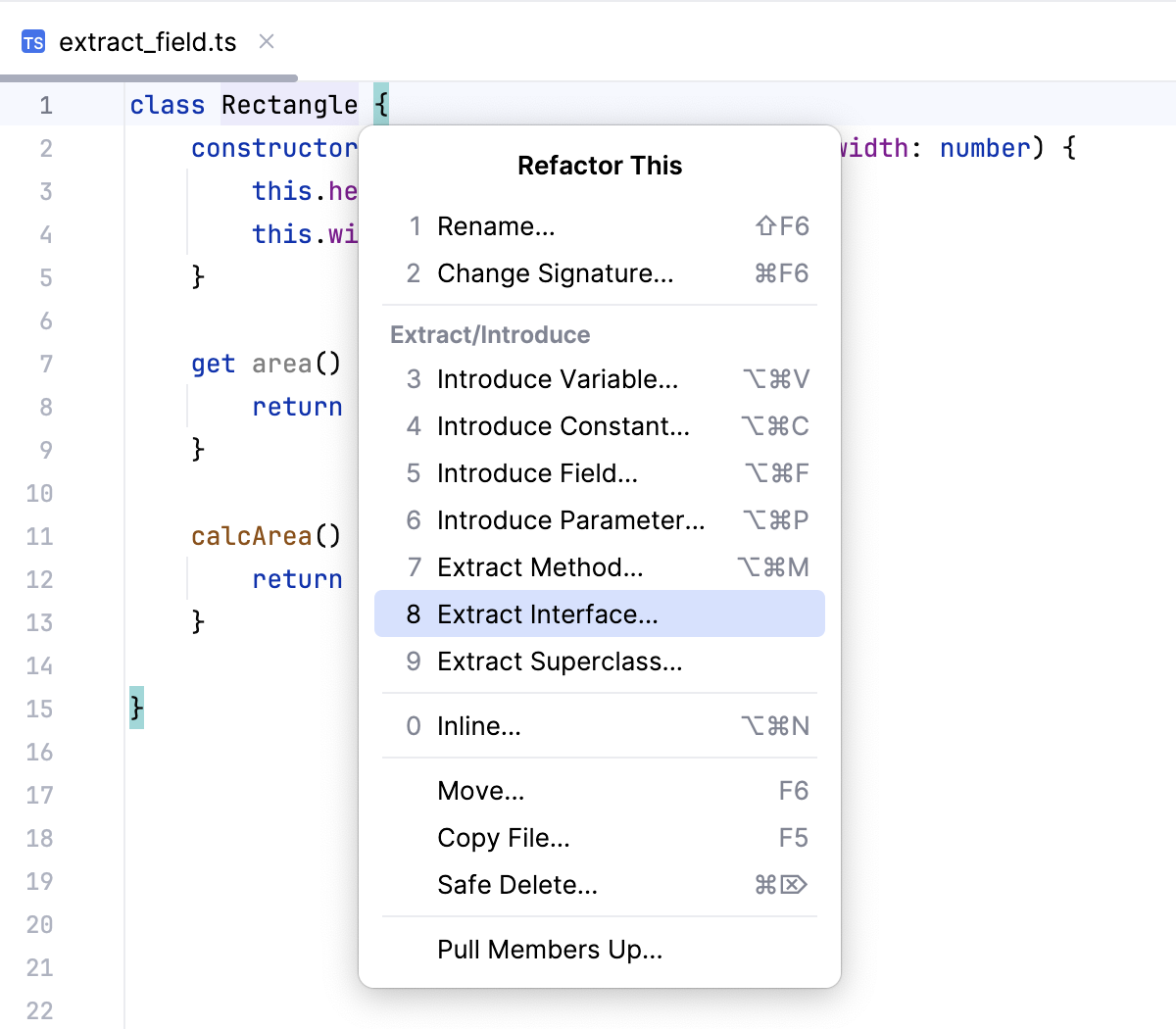
Alternatively, you can use a keyboard shortcut for a specific refactoring.
If you need to undo your refactoring, press Ctrl+Z.
Preview suggested refactoring changes
For some refactorings, WebStorm lets you preview the changes before applying them.
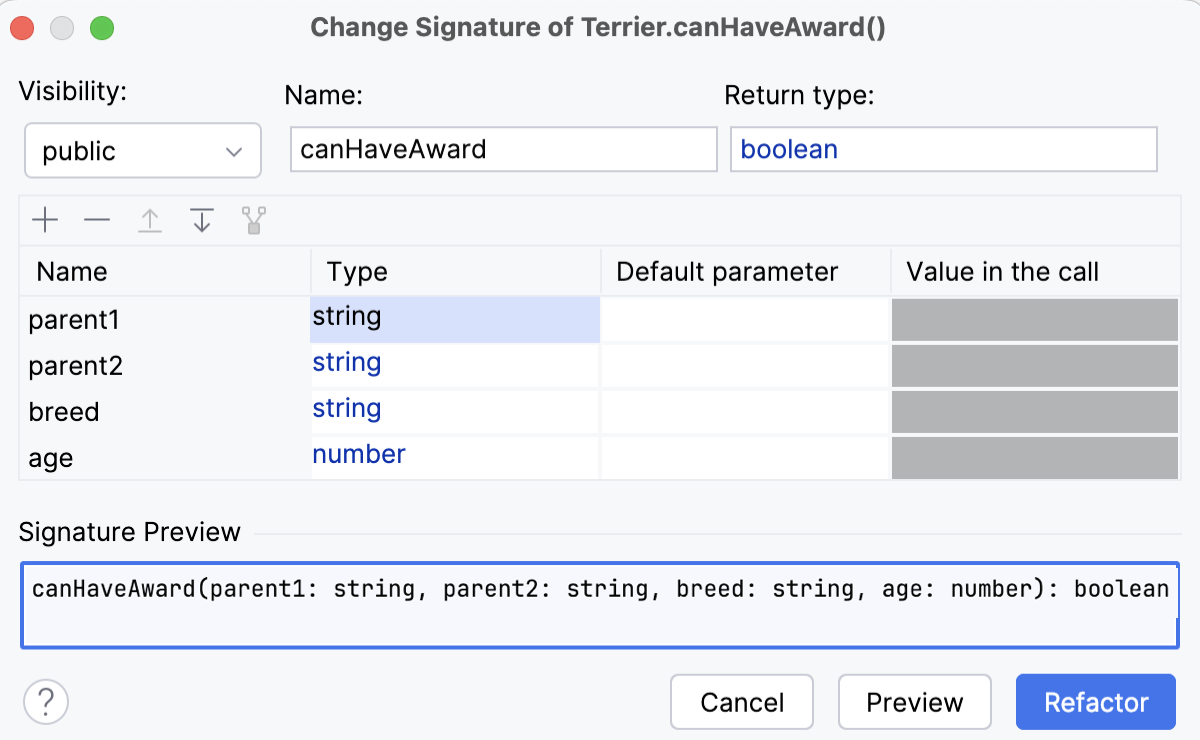
Click Preview in the Refactoring Preview dialog to see potential changes (the list of usages where the refactoring will be performed).
In the Find tool window that opens, check the changes that are going to be made. You can exclude Delete or remove Ctrl+X changes that you consider unnecessary.
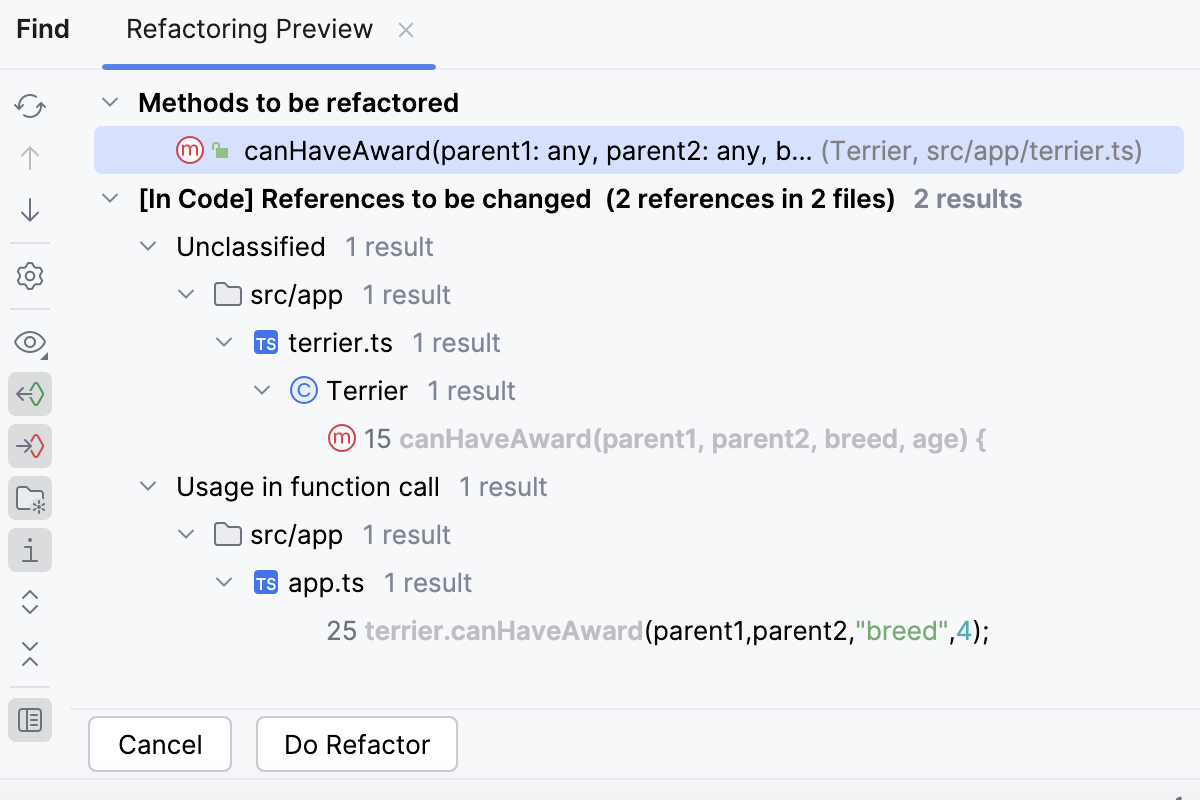
Click Do Refactor to proceed with the changes.
Resolve conflicts
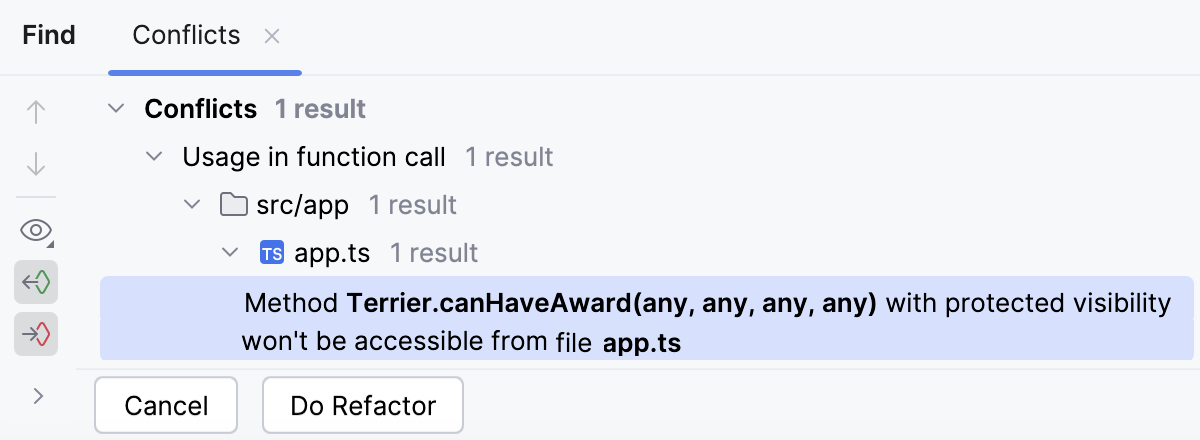
When WebStorm encounters problems with your refactoring, it opens a dialog with the list of conflicts and their brief descriptions.
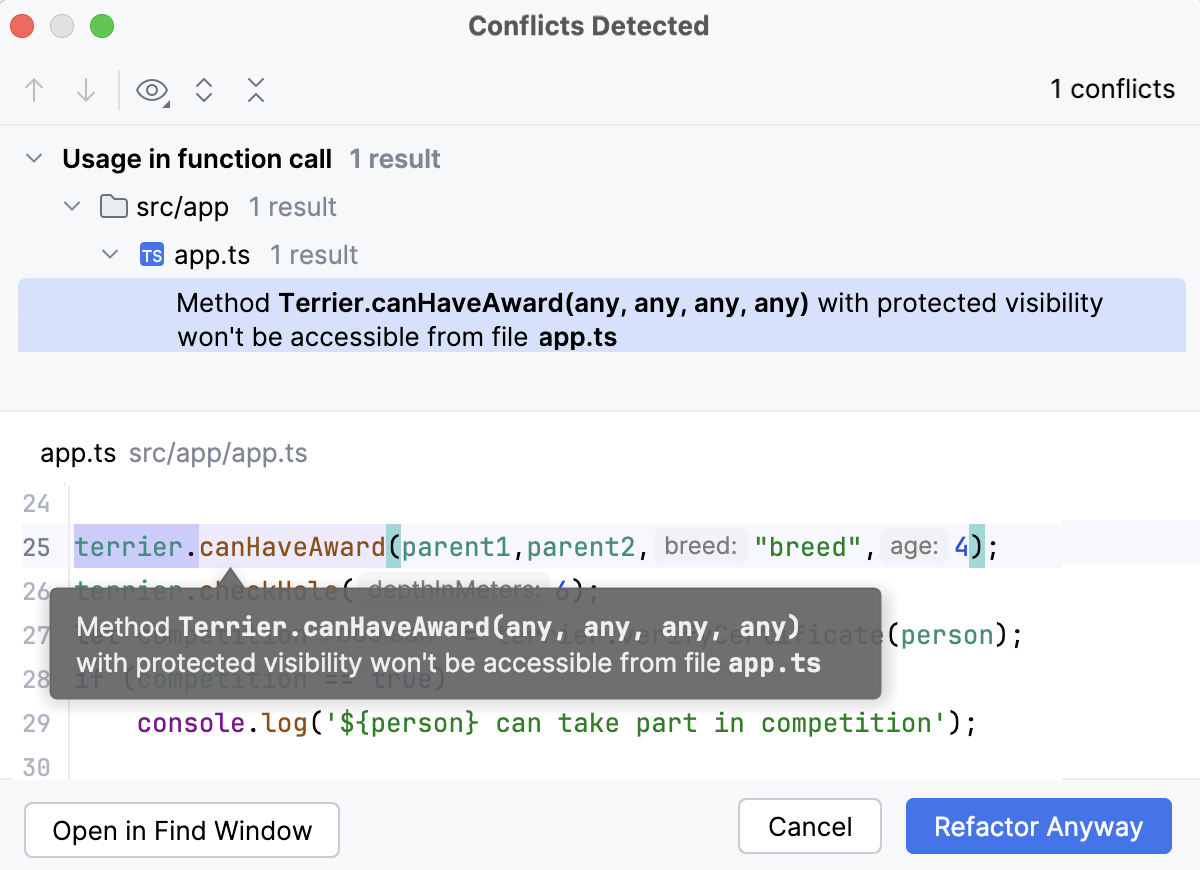
Click Refactor Anyway to ignore the problem and proceed.
Click Open in Find Window to open the conflict entries in the Find tool window and deal with them further.
In the Find tool window, you can apply the refactor by selecting Refactor or click Cancel and return to the editor.
Configure refactoring settings
In the Settings dialog (Ctrl+Alt+S) , select .
On the Code Editing page, in the Refactorings section, adjust the refactoring options and click OK.
Copy, rename, and move files and folders
With these refactorings you can make copies of files and folders with the same names or with new ones, store them in the same parent folders or in new ones, as well as move files and folders to other locations.
Refactorings for files and folders are available in all types of applications.
Copy a file or a folder
Select the file or folder to copy in the Project tool window and press F5 or select from the context menu or from the main menu.
Alternatively, select the file or the folder to copy in the Project tool window and drag it to the new folder with the Ctrl key pressed.
In the dialog that opens, specify the new name of the file or the folder and the new parent folder, if applicable.
To open a file, directory or package automatically after it is copied, select the Open copy in editor checkbox.
Rename a file or a folder
In the Project tool window, select the file or folder to rename and choose from the context menu or press Shift+F6.
In the dialog that opens, type the new name of the file or folder.
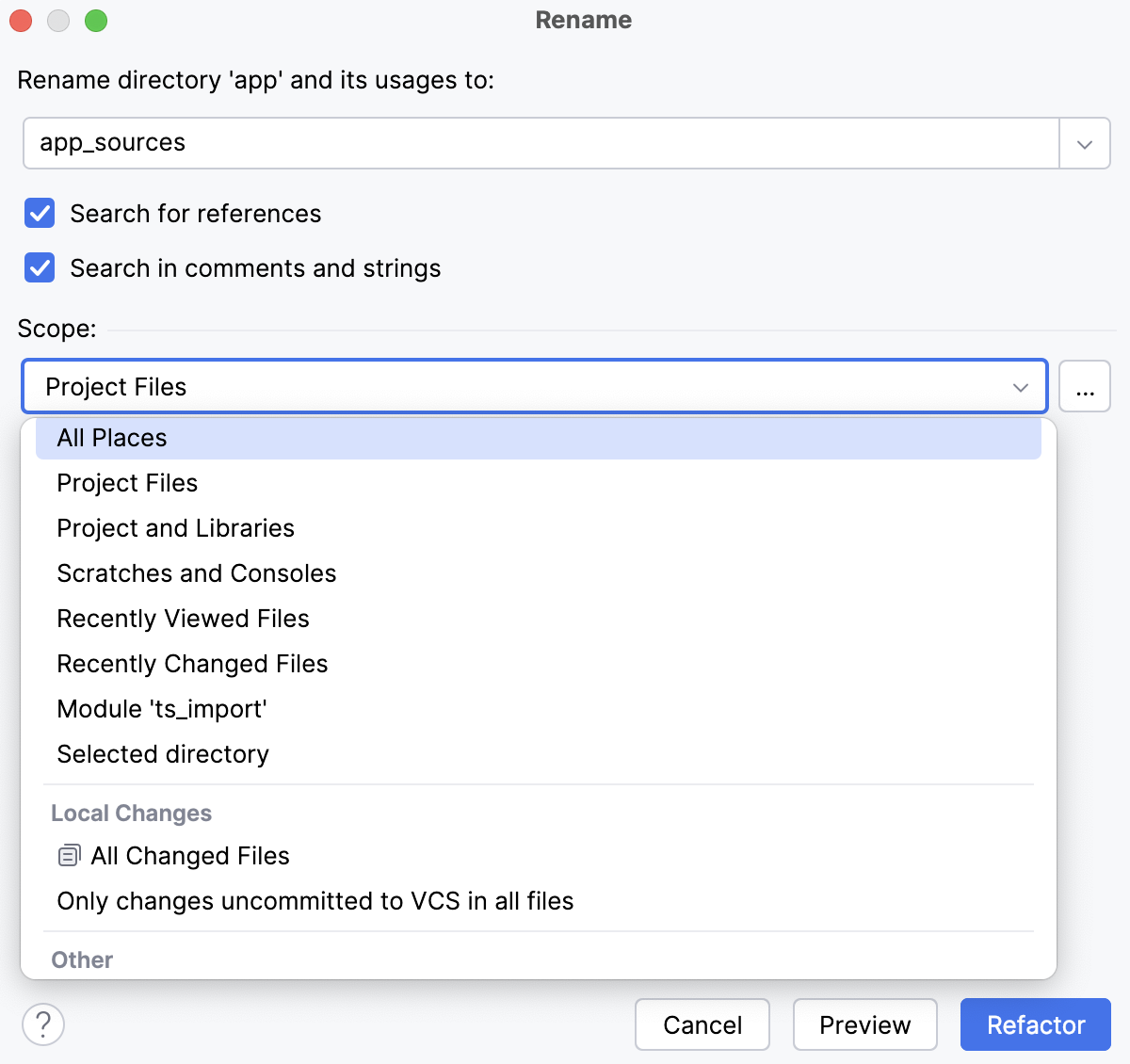
To update the references to the file or folder in comments, strings, and text (for files), select the corresponding checkboxes.
In addition to renaming the file itself, WebStorm can also search for usages of its name. If found, the changes that you make to the file name can also be applied to these usages.
The usages are grouped into categories that correspond to options you can enable or disable.
Note that regardless of the options selected, the search scope (places where you search for the name occurrences) is always limited to the current entity (for example, a file, or a class) and the entities that the current one depends on.
Click Refactor and examine the suggested changes in the dedicated tab of the Find tool window, as described in Previewing, adjusting, and applying the suggested changes above. Click Do Refactor when you are happy with the expected results.
Move a file or a folder
In the Project tool window, select the file or folder to move and choose from the context menu or press F6.
In the dialog that opens, specify the new parent folder. Choose an existing folder or type the name of a new one to be created.
Select the Search for references checkbox to update the references to the moved file or folder.
Delete files safely (Safe Delete)
Unlike simple deletion of a file (Delete or from the context menu), this refactoring makes sure that you do not delete files that are referenced in your source code. WebStorm looks for the usages of the file to be deleted and shows them in the Usages Detected dialog.
In the Project tool window, select the file to remove and choose from the context menu or press Alt+Delete.
In the Safe Delete dialog that opens, select the corresponding checkboxes to look for usages of the file in comments and strings and for occurrences of the file in text.
If any usages are detected, WebStorm lists them in the Usages Detected dialog.
To delete the file without viewing the found usages, click Delete Anyway.
To stop the refactoring, click Cancel.
To examine the potential conflicts, click View Usages. WebStorm opens a dedicated tab of the Find tool window where the usages are listed. Explore them, analyze the potential conflicts, and update your code as described in Previewing, adjusting, and applying the suggested changes above.
Refactorings supported in WebStorm
Copy | From the Project tool window:
| Any context | |
Move file Move folder | From the Project tool window:
| Any context | |
Move Symbol | From the editor:
|
| |
Pull Class Members Up | From the editor: |
| |
Rename file Rename folder | From the Project tool window:
|
| |
Rename symbol | From the editor:
|
| |
Safe Delete | From the Project tool window:
|
| |
Introduce Parameter | From the editor:
| JavaScript TypeScript | |
Introduce Field | From the editor:
| JavaScript TypeScript | |
Extract Method | From the editor: Ctrl+Alt+M | JavaScript TypeScript | |
Introduce Variable | From the editor: Ctrl+Alt+V | JavaScript TypeScript Style Sheets | Introduce Variable in JavaScript |
Introduce Constant | From the editor: Ctrl+Alt+C | JavaScript TypeScript | |
Extract Superclass | From the editor:
| JavaScript TypeScript | |
Extract React Component | From the editor:
| React | |
Convert to Class Component | From the editor:
| React | |
Convert to Functional Component | From the editor:
| React | |
Extract Vue Component | From the editor:
| JavaScript | |
Extract Type Alias | From the editor:
| TypeScript | |
Extract Include File | From the selected block of code in the editor: | HTML, CSS | |
Extract Ruleset | From the editor: press Alt+Enter and select Extract ruleset from the list. | Style Sheets | |
Inline | Ctrl+Alt+N | JavaScript TypeScript | |
Change Signature | Refactor | Change Signature Ctrl+F6 | JavaScript TypeScript | |
Convert default export to named export | From the editor: Alt+Enter - Convert default export to named | JavaScript TypeScript | JavaScript refactoring - Convert default export to named export TypeScript refactoring - Convert default export to named export |
Convert named export to default export | From the editor: Alt+Enter - Convert named export to default | JavaScript TypeScript | JavaScript refactoring - Convert named export to default export TypeScript refactoring - Convert named export to default export |