Scope language syntax reference
You can use the scopes language to specify project scopes: sets of files, directories, and subdirectories.
Sets of files
To add a single file, use a filename (for example,
MyDir/MyFile.txt)To add all the files in a directory without subdirectories, use an asterisk after a slash (for example:
file:src/main/myDir/*)To add all the files in a directory with subdirectories, use an asterisk after a double slash (for example,
file:src/main/myDir//*)
Logical operators
When you define scopes, you can use logical operators:
Also, you can use parentheses to join logical operators into groups. For example, the following scope includes either <a> and <c>, or <b> and <c>:
Create a new scope from existing scopes
You can make a new scope from several existing scopes. In this case, you can reference the existing scopes by using $ $MyScope.
For example, the $Scope1||$Scope2 pattern places in a scope all files from Scope1 and Scope2.
Defining scopes
Scopes are defined in the Scopes dialog in the following ways:
- Manually
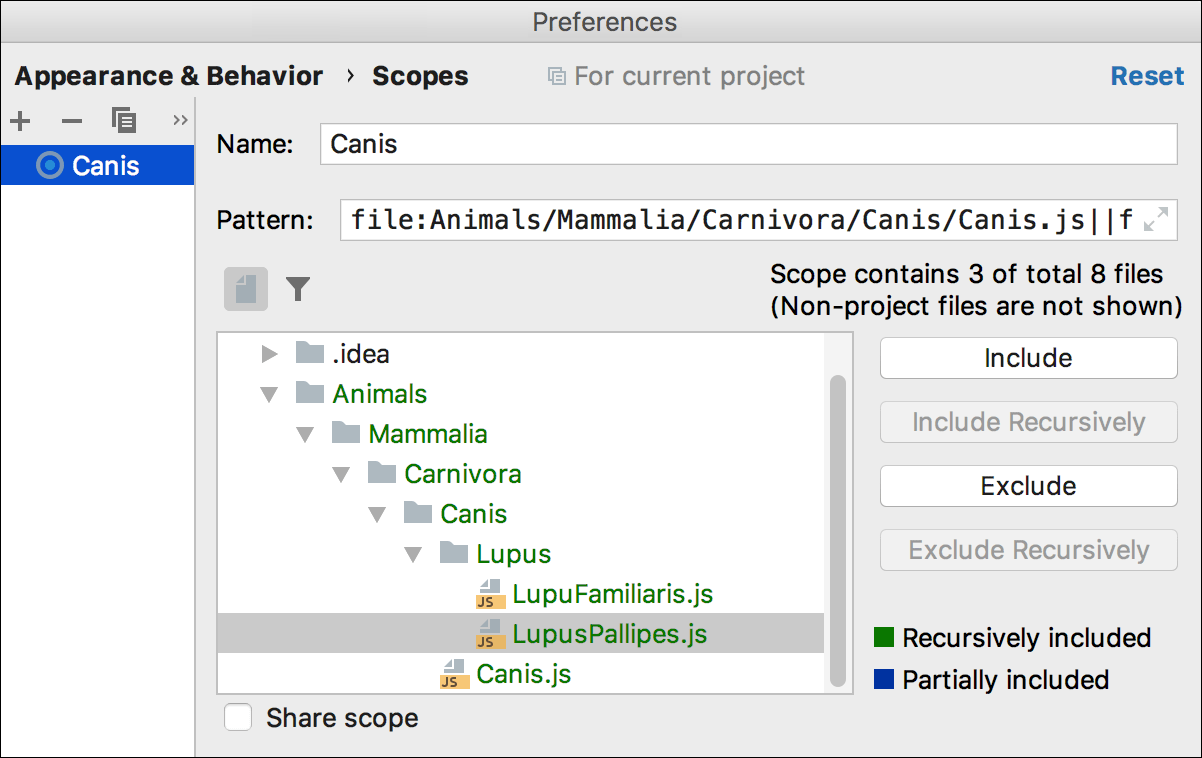
In the Pattern field, specify file masks. Alternatively, click the Expand button (
 ) and type the pattern in the editor.
- Using the Mouse Pointer
In the tree view, select files and directories. To include or exclude files and directories, use the following buttons: Include, Include Recursively, Exclude, and Exclude Recursively. For more information about the buttons, refer to Define a new scope.
When you click the buttons, WebStorm creates an expression and displays it in the Pattern field.
Examples
file:*.js||file:*.coffee- include all JavaScript and CoffeeScript files.file:*js&&!file:*.min.*- include all JavaScript files except those that were generated through minification, which is indicated by theminextension. Learn more from Minifying JavaScript.!file:*/.npm//*- exclude all .npm folders.