Speed Search in tool windows
Speed Search helps you quickly find an item in a tool window: a file or a folder in the Project tool window (Alt+1) , a member in the Structure tool window, a changelist in the Commit tool window (Alt+0) , an item in the TODO list, and so on.
Select a tool window, a tree, a list, or a popup.
Start typing the item name, for example, the name of a file, class, or field. As you type, a field appears over the tool window showing the entered characters, and the selection moves to the first item that matches the specified string. The matching part of the string is highlighted.
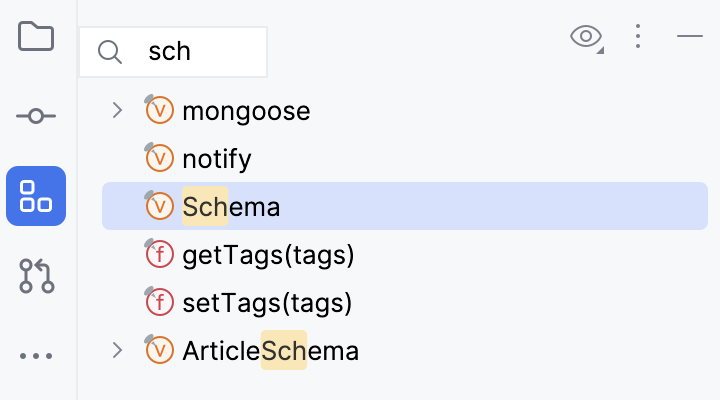
You can use the Speed Search feature as a shortcut. Press Ctrl+F.
For the Database tool window, a Speed Search filter is also available.
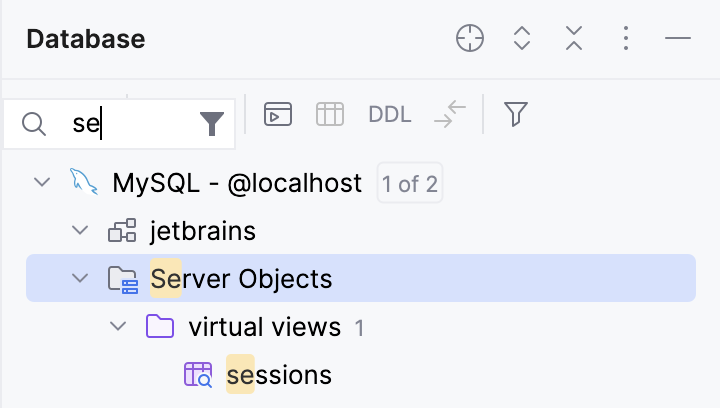
(Only in Database tool window) To toggle the Speed Search filter, click
 Speed Search Filter.
If several items match the pattern, use the Up and Down keys to move between them. Press Enter to open the selected item. Press Escape to hide the search field.