What's New in DataSpell 2026.1
AI agents, improved notebook workflows, and editor enhancements.
With the 2026.1 release, DataSpell continues to improve the way you explore data, work with notebooks, and integrate AI into your workflows. This update expands the AI ecosystem with agents support and adds new productivity enhancements throughout the IDE.
Read on to learn about all the new features.
AI
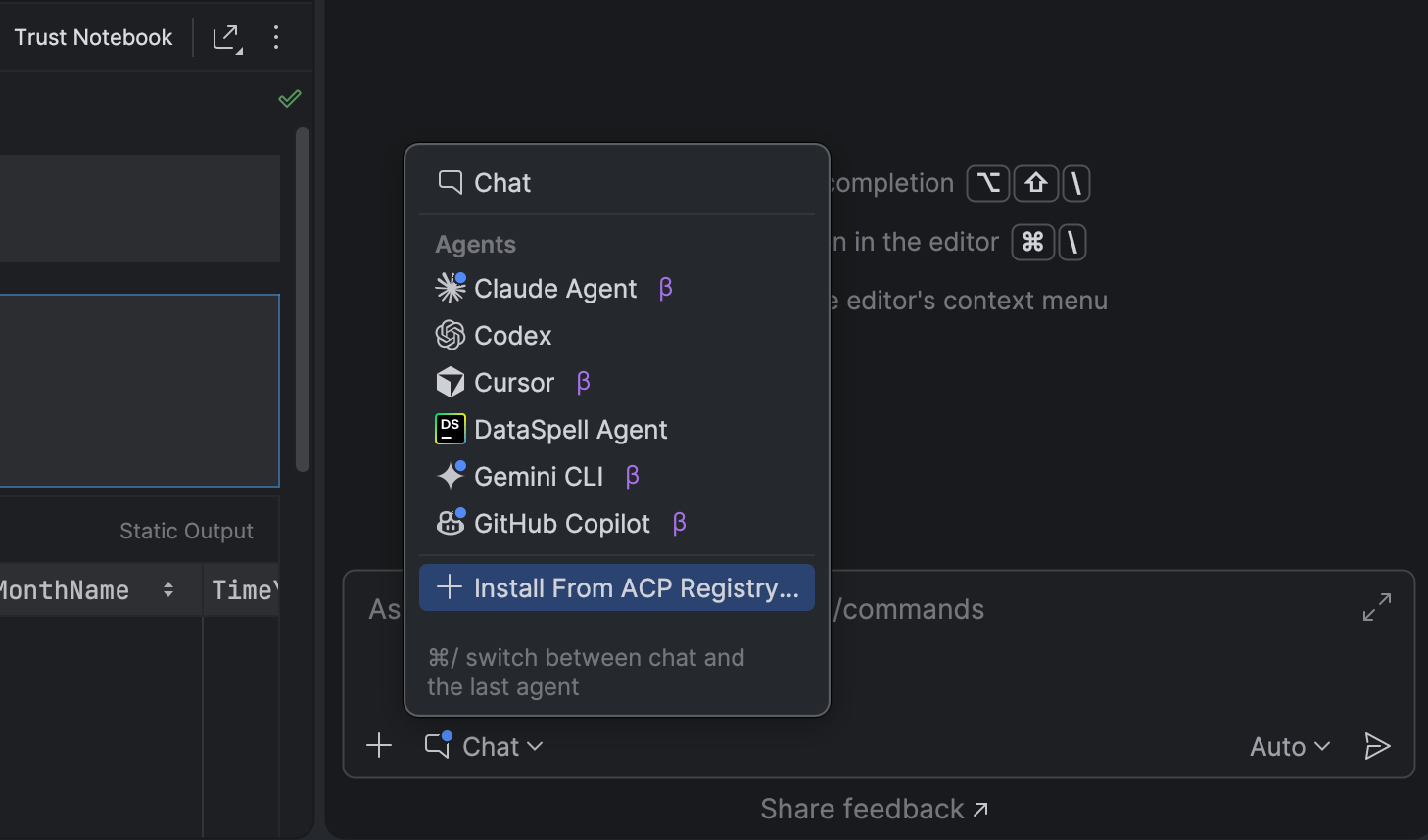
DataSpell now allows you to bring the AI tools of your choice directly into your workflow.
In addition to Claude Agent, and most recently Codex, DataSpell now lets you work with more AI agents directly in the AI chat. You can choose from agents such as GitHub Copilot, Cursor, and many others supported through the Agent Client Protocol (ACP).
Further streamlining your AI experience, the new ACP Registry lets you discover and install AI agents in one click directly from the IDE.
AI in Databases
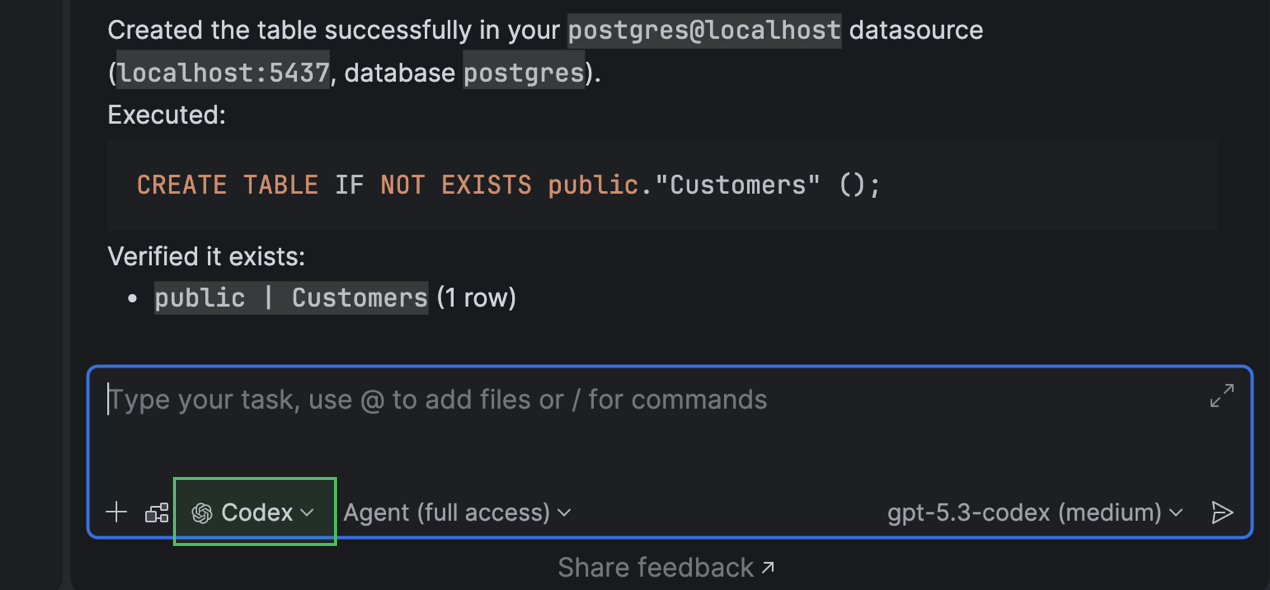
The AI chat integration with Codex and Claude Agent now offers full, native support for your connected databases. You can now query, analyze, and modify your database state using natural language right from the IDE.
The same functionality is available for external agents via an MCP server.
Ability to export notebooks to PDF
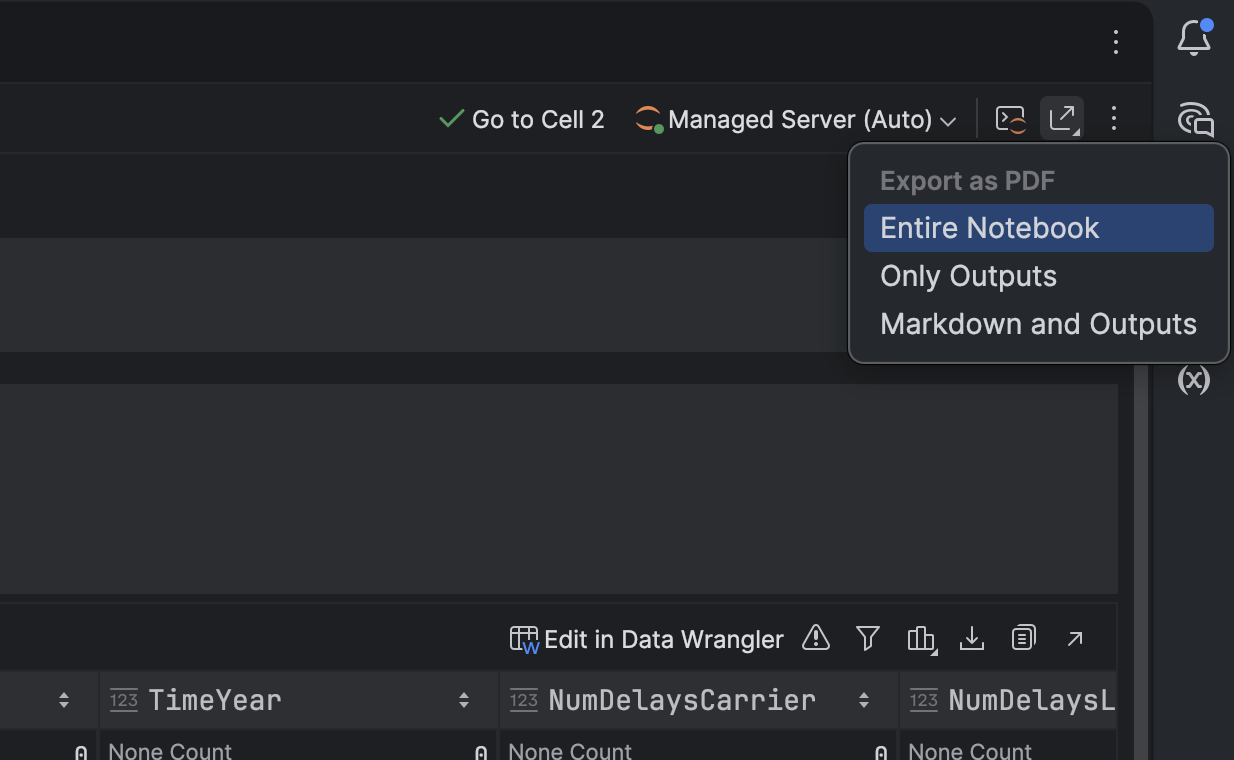
You can now export Jupyter notebooks to PDF directly from DataSpell.
This new native export implementation works without requiring you to use Python, nbconvert, or LaTeX. Instead, notebooks are converted directly inside the IDE, so exporting to PDF is faster, easier, and more reliable.
In-terminal completion
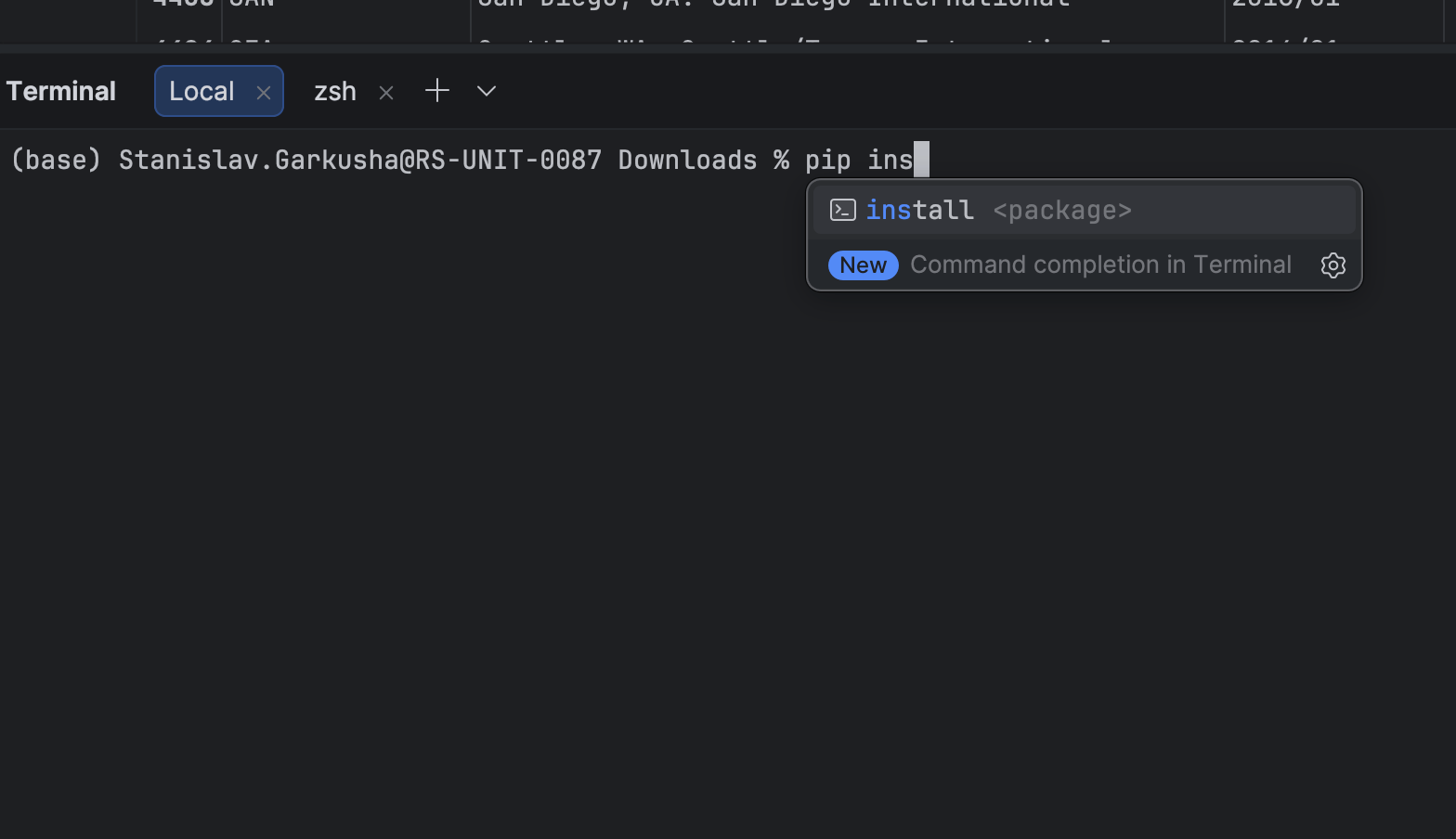
The integrated terminal now suggests commands and parameters as you type.
This helps you quickly discover available options when working with tools like Git, Docker, or custom CLI utilities.
Editor caret animation
The caret in the code editor features new movement animation options to improve the typing experience.
Two animation modes are available:
Snappy
The caret quickly jumps to its new position, then slows slightly as it settles. This mode provides smooth animation while keeping the editor responsive.
Gliding
The caret moves smoothly across the screen, making large jumps easier to follow visually.
To enable these modes, open Settings | Editor | General | Appearance, enable Use smooth caret movement, and select your preferred animation mode.
We hope you enjoy these updates!
We would appreciate any feedback or impressions you would like to share with us. If you come across a bug or have a feature suggestion, please share it on our issue tracker.
Want to stay up to date on the latest news and receive DataSpell and data analysis tips? Subscribe to our blog and follow us on X!