Code insight
The symbol-based code insight engine is now enabled by default. It changes how RubyMine understands Ruby code, especially classes, modules, and constants. In RubyMine 2026.2, symbol-based modeling has been expanded across additional code insight actions, providing more consistent navigation, documentation, and search while continuing to improve performance. Support for methods is planned for future releases.
User experience
Several code insight features have been refined to make working with Ruby symbols across namespaces easier and more predictable.
Completion for classes, modules, and constants
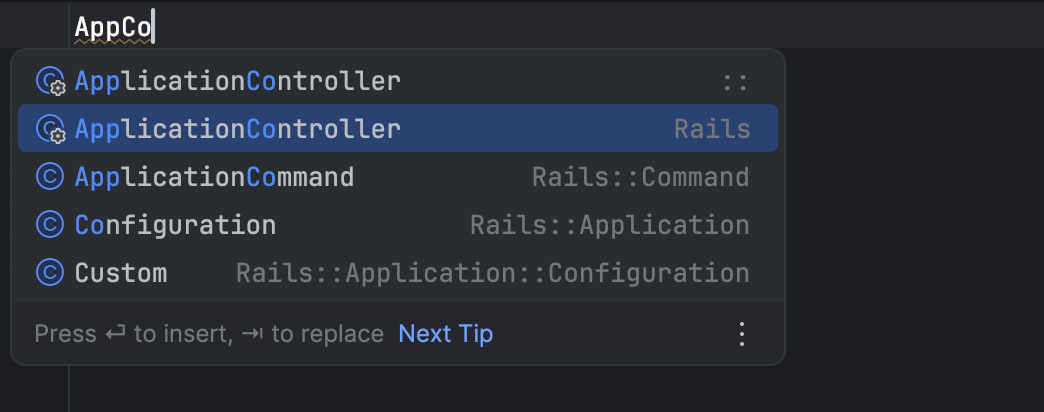
Code completion has been significantly improved, especially for qualified constants.
Feature | Improvement |
|---|---|
Fuzzy search across namespaces | Completion now supports fuzzy search across namespaces, allowing you to locate symbols even if you only type fragments of their qualified name. This behavior is similar to Search Everywhere, so you can find symbols without typing the full namespace. |
Namespace-aware completion | When a namespace prefix is already typed, completion shows only elements from that namespace. For example, RubyMine suggests only elements declared inside |
Automatic shortening of qualified names | When inserting a completion result, RubyMine determines whether the name can be shortened without breaking resolution. 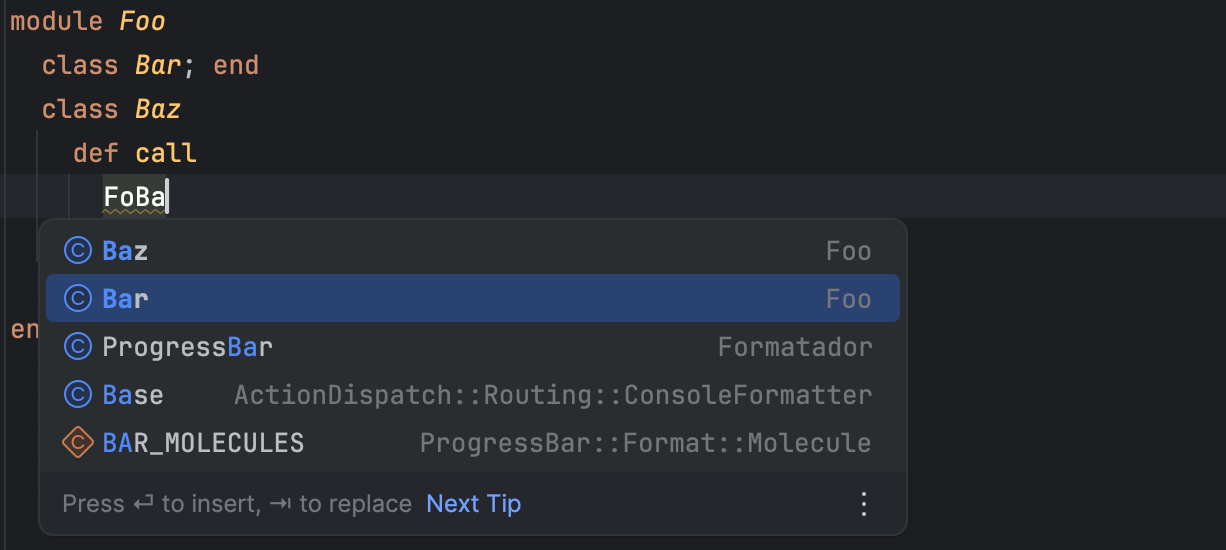 If |
Completion presentation | The completion popup now provides clearer information about suggested elements.
Examples of supported icons include:
|
Find Usages and Rename
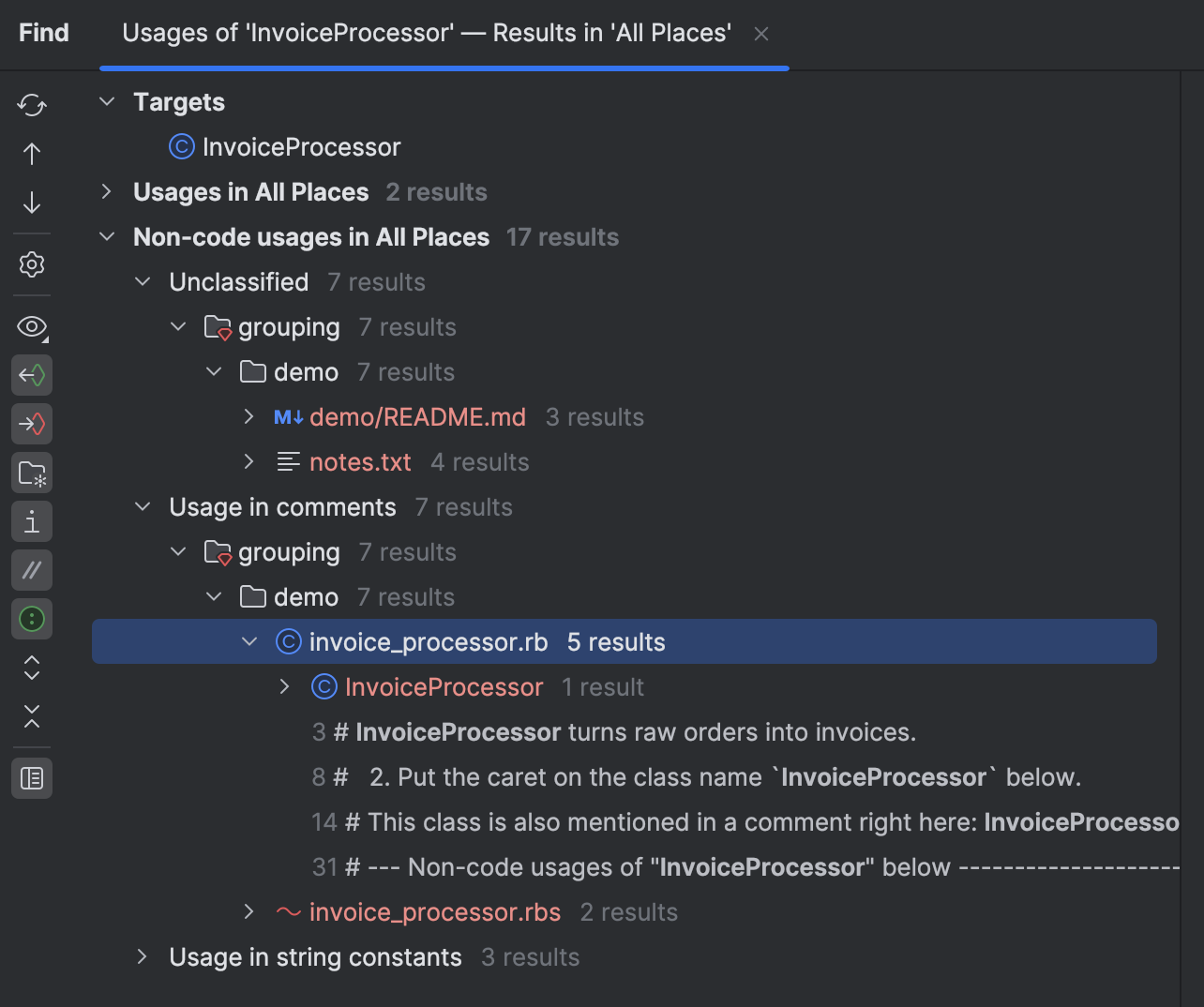
Results are organized into clearer categories, making large result sets easier to navigate. Non-code usages are grouped by usage type, including comments, string literals, symbol literals, and plain text files.
Rename refactoring
Feature | Improvement |
|---|---|
Inline renaming | You can now rename symbols directly in the editor without opening a modal dialog. |
Excluding usages | Before applying a rename refactoring, you can exclude specific usages from the results list to control which references are renamed. |
Quick Documentation and Cmd/Ctrl+Hover hints
Feature | Improvement |
|---|---|
Quick Documentation | Quick Documentation now presents symbol definitions more clearly. Type information is displayed where available, and related declarations are shown as navigable links to make exploring unfamiliar code easier. |
Cmd/Ctrl+Hover hints | Cmd/Ctrl+Hover hints now display additional type information for Ruby symbols, including constants and global variables. This helps you inspect symbol definitions without opening Quick Documentation. |
Structure view
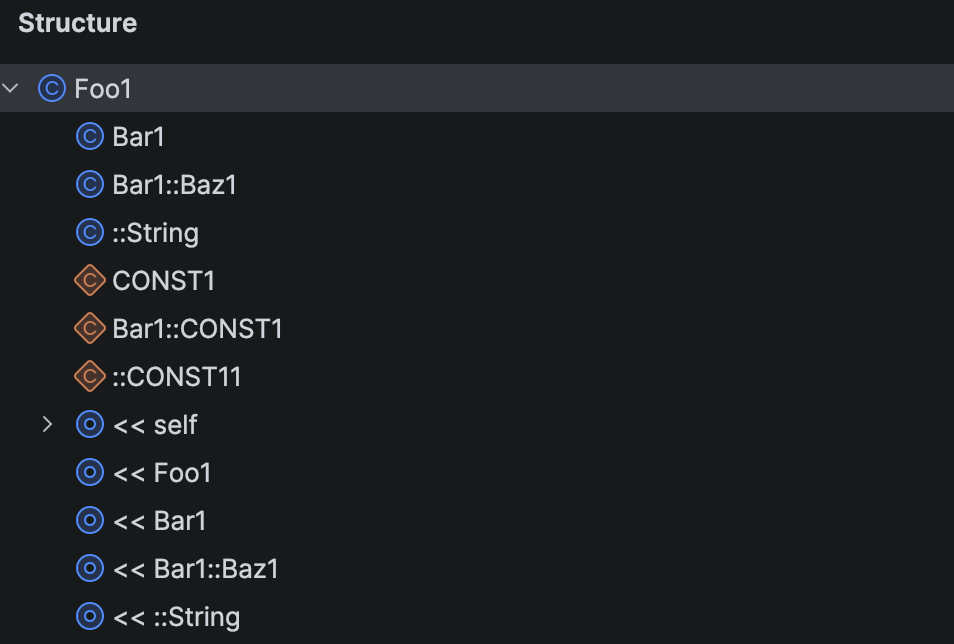
The Structure view has several presentation improvements:
Container nodes no longer show expand arrows when they have no children.
Nested declarations are displayed with their full names (for example,
Bar1::Baz1).Singleton classes defined as
class << selfare shown as<< self.Absolute references now display the
::prefix.Entries with the same simple name are no longer hidden.
Singleton classes now use the anonymous class icon.
Inherited members are displayed correctly and in natural order, including for singleton classes, with improved location formatting.
Navigation
Feature | Improvement |
|---|---|
Go to Declaration | Go to Declaration works more consistently for classes, modules, and constants. When a symbol cannot be resolved precisely, RubyMine can still locate relevant declarations through fallback symbol matching. |
Go to Type Declaration | Navigation now works in cases that previously failed, including class and module constants, RBS types, and complex types such as unions. When invoked on a class or module, navigation now prefers the singleton class if it exists; otherwise, it navigates to the regular class or module definition. |
Parameter definitions
Feature | Improvement |
|---|---|
Qualified names | Each component of a qualified name is treated as an individual reference. Code insight actions such as Go to Declaration, Find Usages, Rename, and Completion work independently on each component of names such as |
Completion and rename | Parameter definitions benefit from the same completion and rename capabilities as the rest of the symbol-based engine, including fuzzy matching, automatic shortening of qualified names, and in-place rename where supported. |
Dynamic Ruby constructs
The new engine also improves code insight for symbols that are not explicitly declared in Ruby source files.
This includes symbols introduced through framework conventions, type definitions, and dynamic Ruby constructs. These symbols are now recognized in code insight and work more consistently across the IDE.
Rails namespaces from project structure
Modules implied by the Rails project structure are now recognized as namespaces.
In this example, the Admin namespace is detected and treated as a regular module.
Rename refactoring is not available in this case because the module originates from the directory structure rather than an explicit Ruby declaration.
Symbols from RBS type signatures
Symbols defined in RBS type signature files are now incorporated into code insight.
Symbols such as Book and Readable are recognized from RBS and included in the model.
Class and module aliases
Aliases referring to dynamically created classes and modules are now tracked by the IDE.
Such aliases are recognized as class and module symbols and used in relevant contexts, including superclass declarations and include calls.
Performance
The new modeling engine makes code insight faster and more responsive, especially in large projects and complex codebases.
You may notice improvements in code completion, navigation, and Find Usages, where results are now calculated more efficiently.
In internal benchmarks, we observed the following improvements:
Qualified first-element constant completion: about 40% faster
Total constant completion time: about 50% faster
Type-matched completion (exceptions): about 95% faster
Find Usages:
about 60% faster in large projects and 15% faster in typical cases
uses less than half the memory in large projects compared to the previous implementation