Das ist neu in ReSharper 2026.1
Welcome to the ReSharper 2026.1 release overview. This version is designed to make everyday .NET development more comfortable and efficient, with:
- Enhanced performance monitoring – All runtime behavior insights can now be displayed in a single tool window.
- Expansion beyond Visual Studio – Use ReSharper in VS Code–compatible editors like Cursor and Google Antigravity.
- Improved C# support – Better handling of extension members, new inspections, and early support for upcoming features.
- More stable Out-of-Process mode – Over 70 fixes for improved reliability.
- Modernized editor UI – Updated completion, tooltips, and popups with better scaling.
Erweiterte Performance-Überwachung
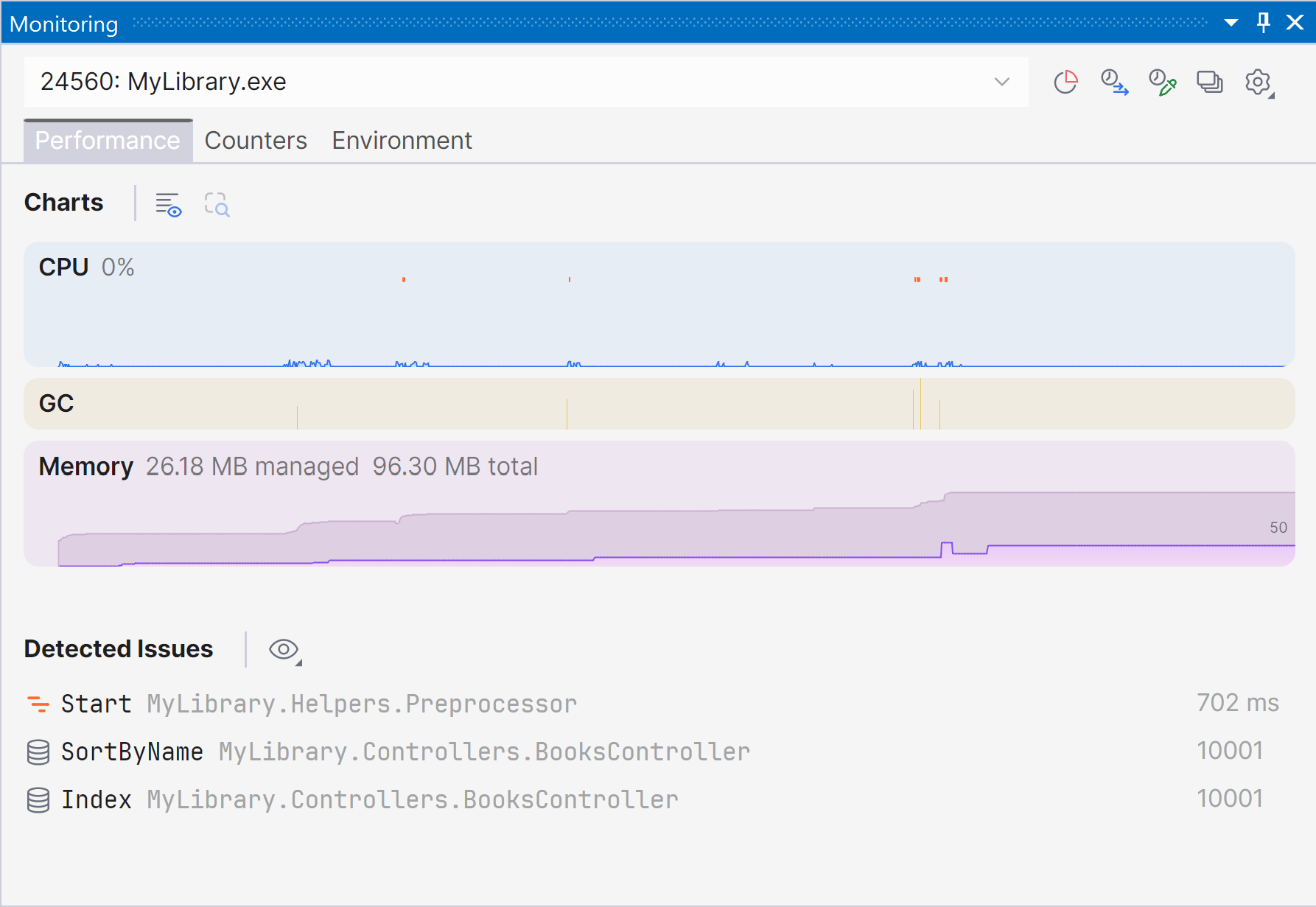
Marking a new step in the evolution of performance monitoring, ReSharper 2026.1 introduces the Monitoring tool window. Dieses neue, dedizierte Toolfenster bietet eine klarere, umfassendere Übersicht über die Laufzeitperformance und kann Probleme automatisch melden, damit Sie Optimierungsmöglichkeiten erkennen können.
The Monitoring tool window lets you observe key runtime metrics of your application as it runs or during debugging. It builds on the capabilities already previously available through our .NET profiling tools and Dynamic Program Analysis (DPA), but brings them together in a single view that makes it easier to evaluate runtime behavior at a glance.
Starting with ReSharper 2026.1, the Monitoring tool window is available when using ReSharper as part of the dotUltimate subscription.
The Dynamic Program Analysis (DPA) feature will be retired in the 2026.2 release, while its core capabilities will continue to be provided through the new monitoring experience.
Current limitations:
The Monitoring tool window is not currently supported in Out-of-Process mode. We are working to remove this limitation in ReSharper 2026.2.
For more details on how monitoring works and how to use it, see our documentation.
Erweiterung auf VS-Code-kompatible Editoren
ReSharper ist jetzt für Visual Studio Code und kompatible Editoren wie Cursor und Google Antigravity verfügbar – so können Sie die C#-Tools von JetBrains in Ihrem bevorzugten Editor nutzen.
Die Erweiterung bietet Echtzeit-Codeanalyse, Refactorings und Navigation für C#, XAML, Razor und Blazor. Sie enthält außerdem einen Solution Explorer zur Verwaltung von Projekten und Quellcodegeneratoren und bietet eine integrierte Unit-Test-Unterstützung für NUnit, xUnit.net und MSTest.
ReSharper für VS Code und kompatible Editoren ist im Rahmen der ReSharper-, dotUltimate- und All-Products-Pack-Abonnements verfügbar. Für die nichtkommerzielle Nutzung ist außerdem ein kostenloses Abonnement verfügbar.
Learn more in this dedicated blog post.
Sprachunterstützung
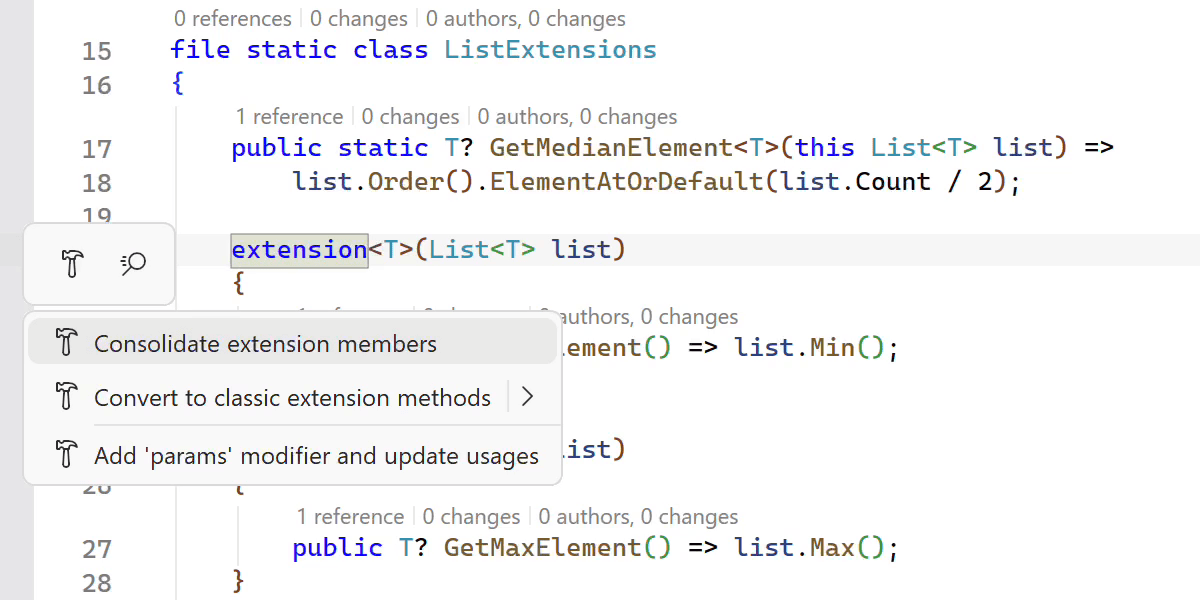
Verbesserte Unterstützung von C#-Erweiterungen
ReSharper 2026.1 expands its support for C# extension members, helping you work more efficiently with the evolving language features.
A new Consolidate extension members context action merges compatible extension declarations and classic extension methods into a single block. The Import extension member quick-fix has also been improved and now supports all kinds of extension members, automatically adding missing using directives when needed.
Wir haben außerdem die Navigation und das Refactoring von Erweiterungsmembern verbessert. ReSharper can now decompile extension blocks and navigate to generated sources, and the Extension Method to Plain Static refactoring now works with methods declared inside extension blocks.
Early support for upcoming C# language features
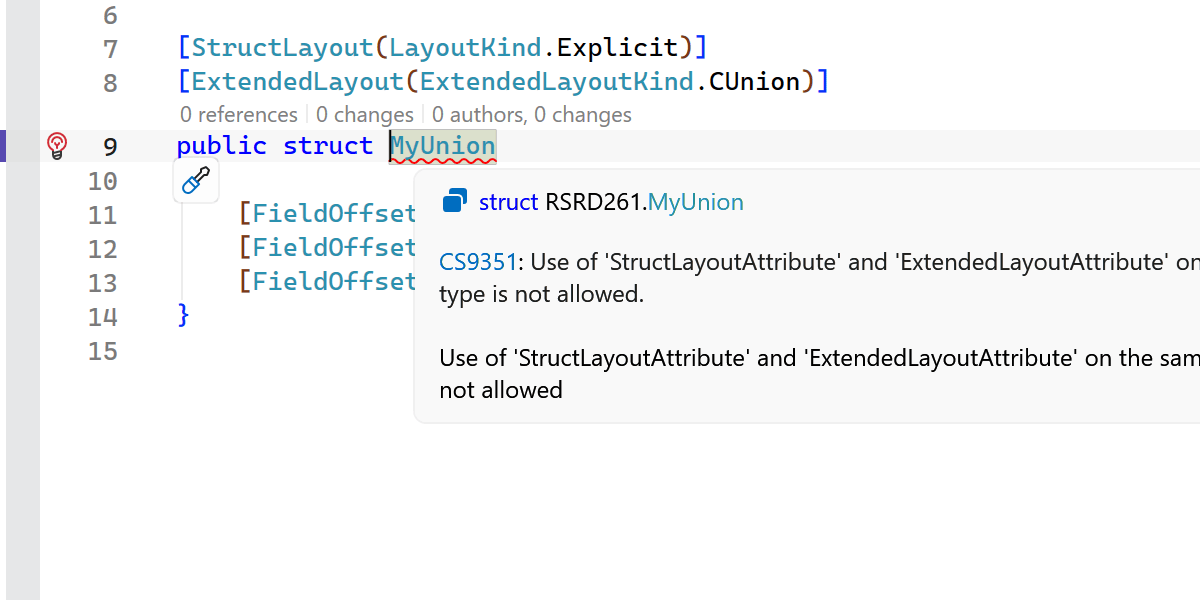
ReSharper 2026.1 introduces early support for upcoming C# language updates, helping you experiment with new syntax as the language evolves.
This release includes initial support for collection expression arguments and support for the [ExtendedLayout] attribute, ensuring ReSharper continues to work smoothly with the latest compiler innovations.
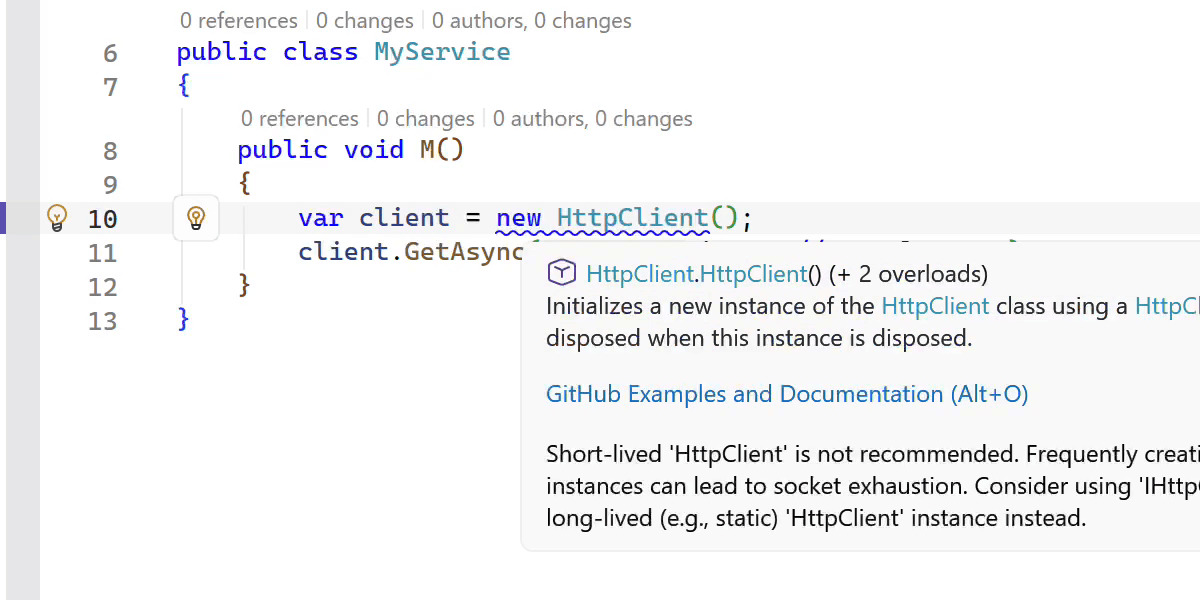
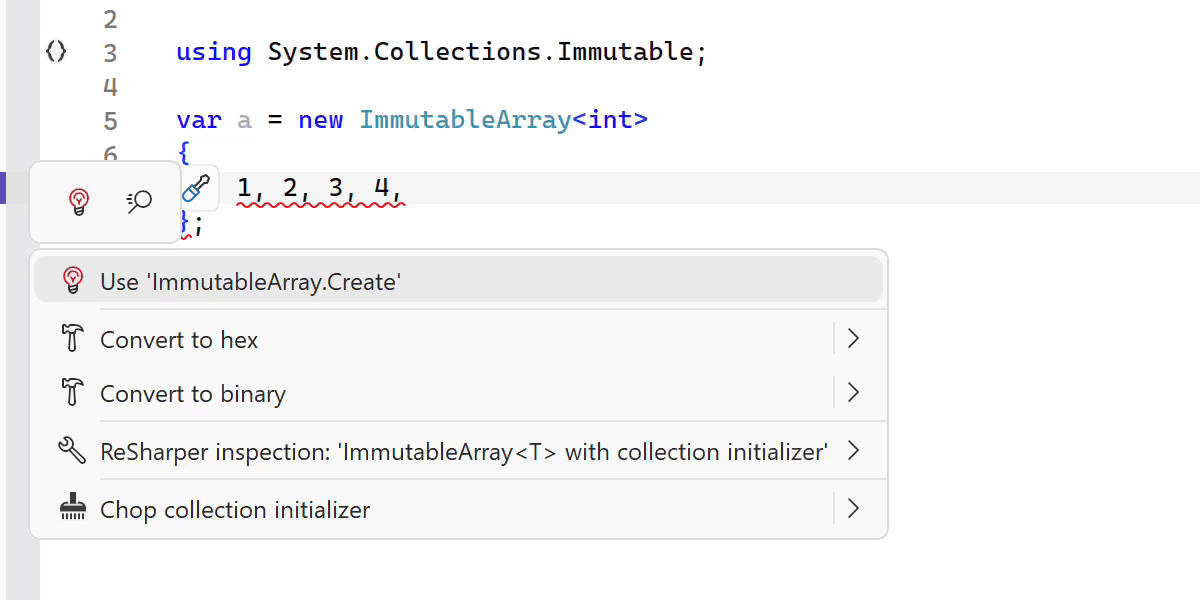
New inspections and code style options
This release adds several new inspections and style options to help you write safer and more consistent code.
ReSharper now detects short-lived HttpClient instances and suggests safer reuse patterns. It also warns you when ImmutableArray<T> is used with collection initializers, which can lead to a runtime NullReferenceException.
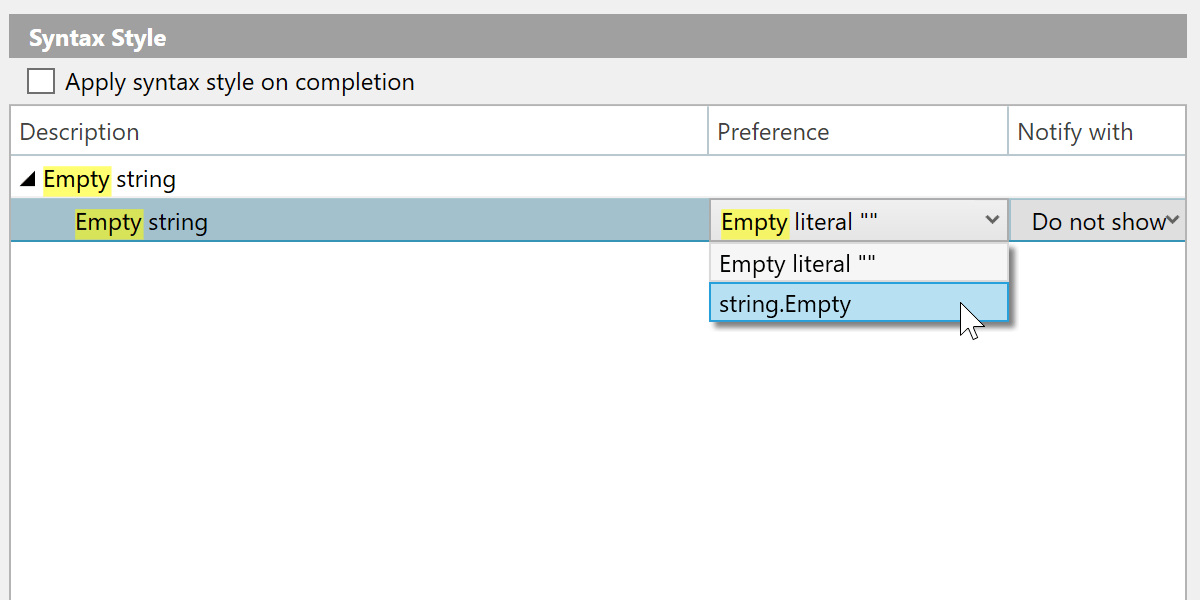
Weitere Verbesserungen:
- A new inspection for enforcing the order of accessor methods in properties and events.
- A syntax style option for empty strings, allowing you to choose between
string.Emptyand"". - Improved nullable reference type migration, with an option to insert
#nullable enableautomatically in new files. - Enhanced code completion that can generate method definitions based on
[LoggerMessage]attributes.
Schnellere Indizierung, Code-Completion und Analyse
This release brings several performance improvements across indexing, code completion, and code analysis.
Wir haben die Indizierung von annotierten Typmembern, die in Assemblies definiert sind, überarbeitet und dadurch ein deutlich höheres Tempo und mehr Speichereffizienz erzielt.
Die Import-Completion reagiert jetzt schneller, da einige aufwändige Berechnungen entfallen.
We also optimized several performance-critical code paths by reducing costly interface type checks, resulting in faster code analysis and lower overall overhead.
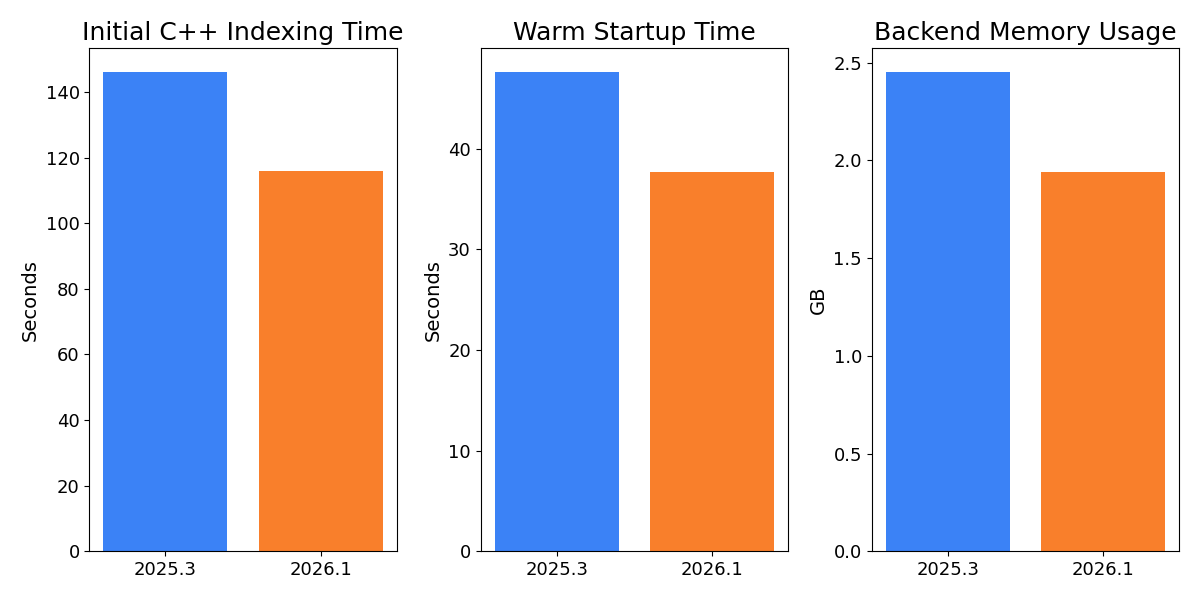
C++ improvements
ReSharper 2026.1 improvements to C++ support include:
- Performance: Faster startup times and lower memory usage in Unreal Engine projects.
- Language support: Support for the C23/C++26
#embeddirective, C++23 extended floating-point types, the C2Y_Countofoperator, and other features. - Coding assistance: Auto-import for C++20 modules and postfix completion for primitive types, literals, and user-defined literal suffixes.
- Code analysis: New inspections for out-of-order designated initializers and override visibility mismatches, update of bundled Clang-Tidy to LLVM 22.
- Unreal Engine: Richer Blueprint integration in Code Vision and Find Usages, compatibility fixes for the upcoming Unreal Engine 5.8.
Auf der Seite Das ist neu in ReSharper C++ 2026.1 können Sie mehr über die C++-Updates erfahren.
Improved stability in Out-of-Process mode
We continue to improve the stability of ReSharper’s Out-of-Process (OOP) mode, which improves responsiveness and resilience by separating ReSharper’s backend from Visual Studio.
In this release, we resolved over 70 issues and made improvements related to the Out-of-Process architecture. Die Korrekturen beheben Probleme in zahlreichen Bereichen, darunter Navigation (insbesondere Peek-Aktionen), Interaktionen mit der Bedienoberfläche, Unit-Test-Sitzungen und der Synchronisierung des Arbeitsmappenzustands.
The .NET runtime used by ReSharper in Out-of-Process (OOP) mode has also been updated to .NET 10.
Modernisierte Completion- und Popup-Oberfläche
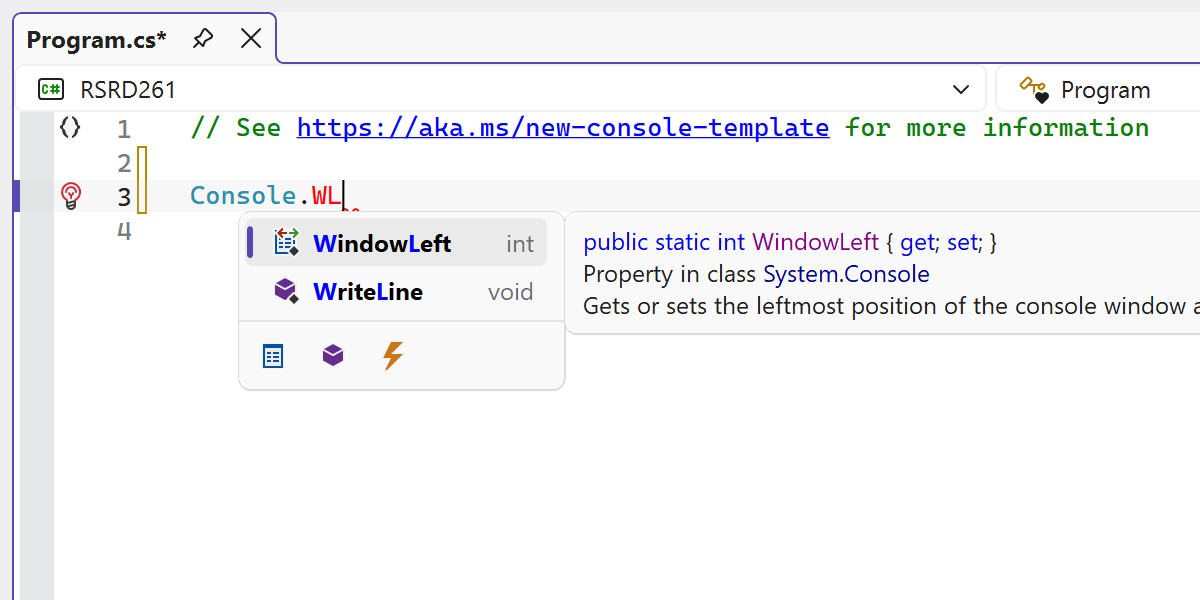
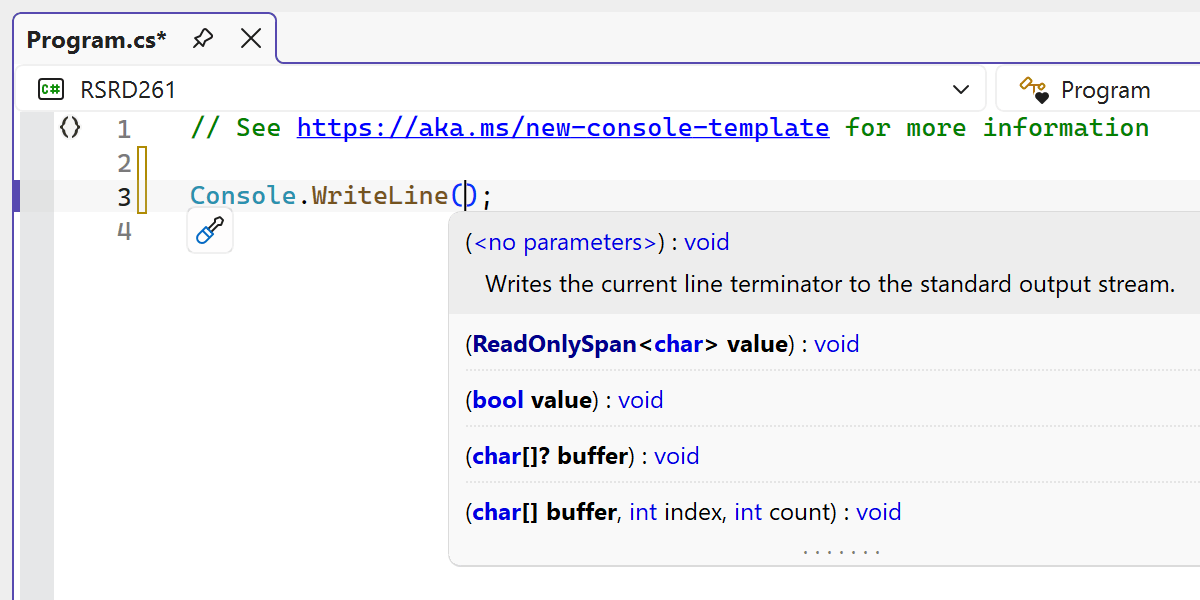
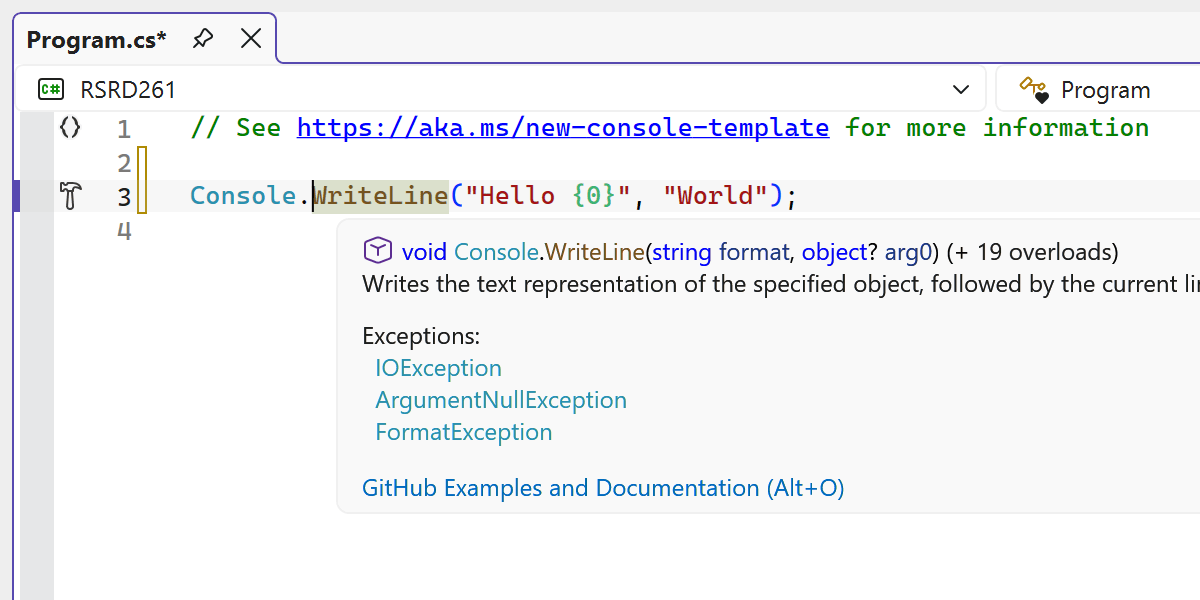
Mehrere Editor-Bedienelemente von ReSharper wurden überarbeitet, um besser mit der modernen Optik von Visual Studio zu harmonieren.
Die neu gestaltete Code-Completion-Oberfläche bietet jetzt eine übersichtlichere und konsistentere Darstellung im Editor.
Wir haben auch verschiedene andere Bedienelemente modernisiert, darunter Parameterinfo-Popups, Tooltips und weitere Editor-Popups. Dabei haben wir veraltete visuelle Darstellungen ersetzt und das Erscheinungsbild über verschiedene Designs und DPI-Einstellungen hinweg verbessert.
The updated UI now supports Visual Studio’s editor zoom feature, ensuring completion lists and parameter info scale correctly when zoom levels change.