What′s New in dotPeek
This page details the latest updates and changes in dotPeek.

Enhanced C# 13 support and readability upgrades 2025.1
The 2025.1 release brings several improvements to the decompiler, enhancing support for the latest C# features and improving code readability. Here’s what’s new:
-
Support for
requiredmembers. -
Added support for the new
System.Threading.Locktype introduced in C# 13. -
Support for
reffields andscopedparameter modifiers. -
Support for the
allows ref structgeneric anti-constraint. -
Pattern-based
usingforref structtypes. - Support for string interpolation.
- Certain integer constants in decompiled code now include commented hexadecimal representations for better readability.
- Support for file-scoped namespaces.

IL code for assembly manifest 2024.3
The IL Viewer tool window now provides IL code for assembly manifest, including:
- Assembly and module info such as name, custom attributes, etc.
- Referenced assemblies and modules.
- Forwarded types.
- A list of files and resources.
This IL code is shown when the caret in the text editor is on an assembly or module
attribute or somewhere inside an <AssemblyName>.cs file for
external assemblies.
Support for primary constructors 2024.3
When working with classes that declare a primary constructor, dotPeek will now display the constructor and its parameters correctly, giving you a complete view of how objects are instantiated directly from the decompiled code.
General enhancements 2024.2
- Lambda parameters: We’ve introduced support for decompiling lambdas with optional and parameter-array parameters, enhancing the readability and accuracy of decompiled code.
- Attributes on lambdas: The tool now offers improved handling of attributes on lambda expressions to ensure that all relevant metadata is accurately reflected in the decompiled output.
- Protected assemblies: We’ve introduced the ability to specify whether you’d like to decompile protected assemblies, allowing more comprehensive code exploration.
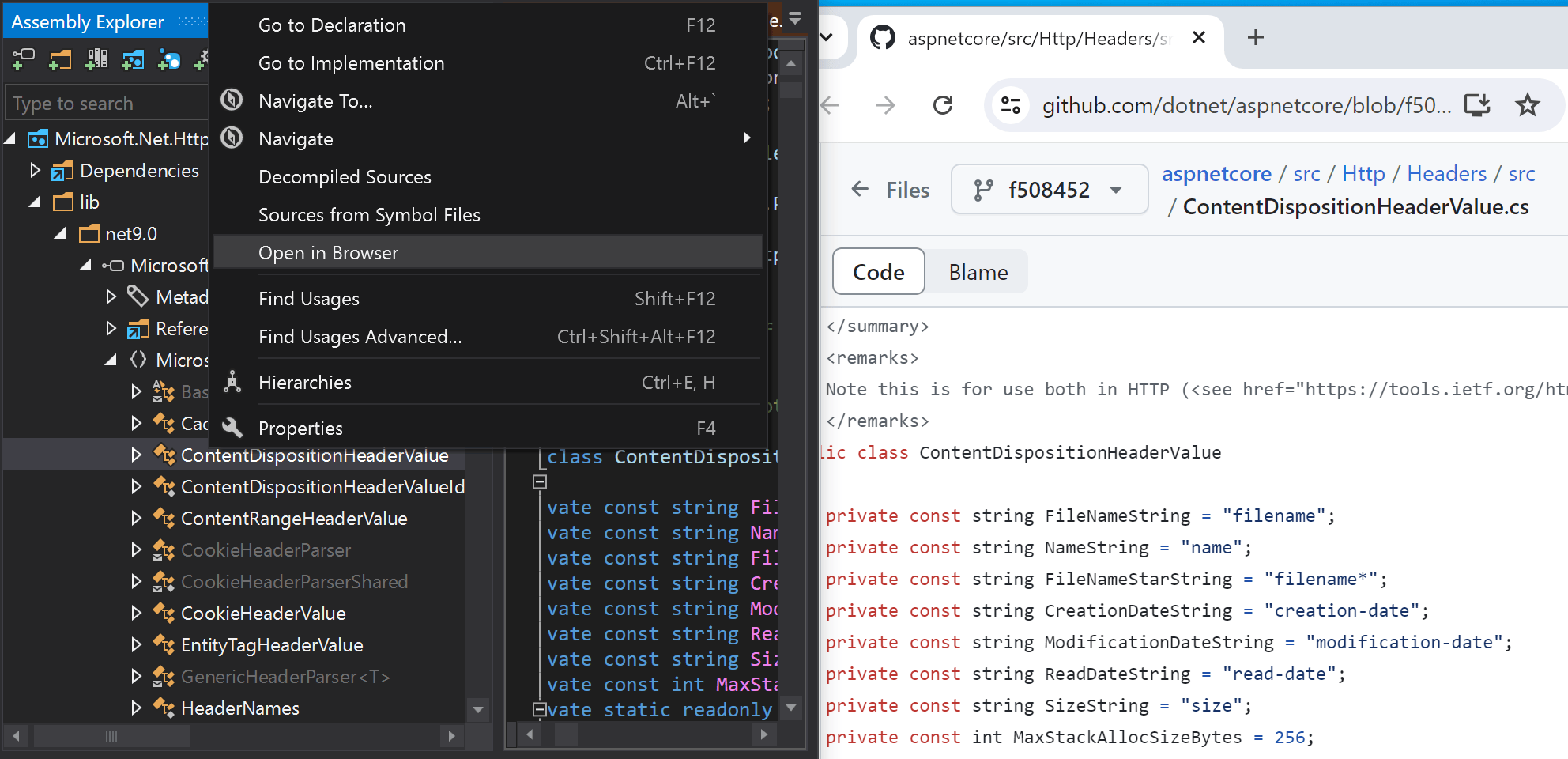
Handling of external sources 2024.2
- PDB with SrcSrv and SourceLink: The decompiler now supports navigating to sources from PDB files containing both SrcSrv and SourceLink.
- Preprocessor directives: The decompiler now correctly recognizes preprocessor
directives (like
NET6_0_OR_GREATER) from the target framework or Portable PDB of the associated assembly, ensuring accurate code representation. - Open in Browser action: You can now navigate to the source code in the repository for types or to a repository for NuGet packages or assemblies.
Build configuration detection 2024.2
The Assembly Explorer tool window now detects and presents the build configuration of assemblies, providing clearer insights into the assembly’s compilation context.
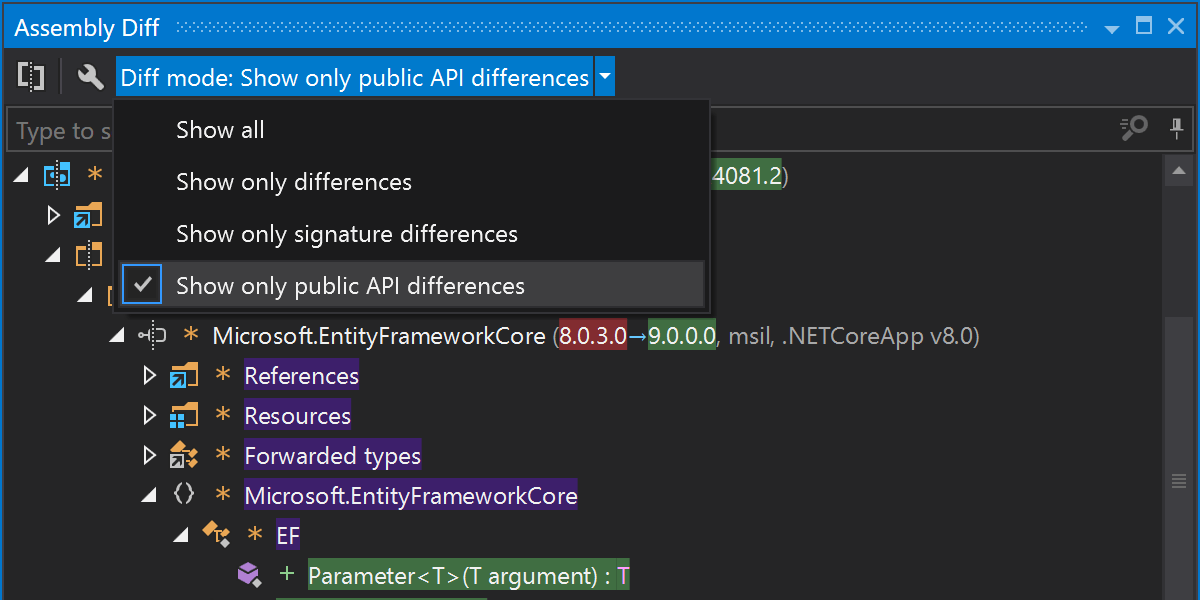
A new dedicated Assembly Diff tool window 2024.1
The 2024.1 update introduces the new Assembly Diff tool window to dotPeek. There are a couple of changes that come with it:
-
The ability to compare assemblies, NuGet packages, folders, and
.ziparchives has been moved from the Assembly Explorer to the Assembly Diff tool window. - The Diff mode selector and the Compare and Diff Options buttons have been relocated to the Actions bar of the Assembly Diff tool window.
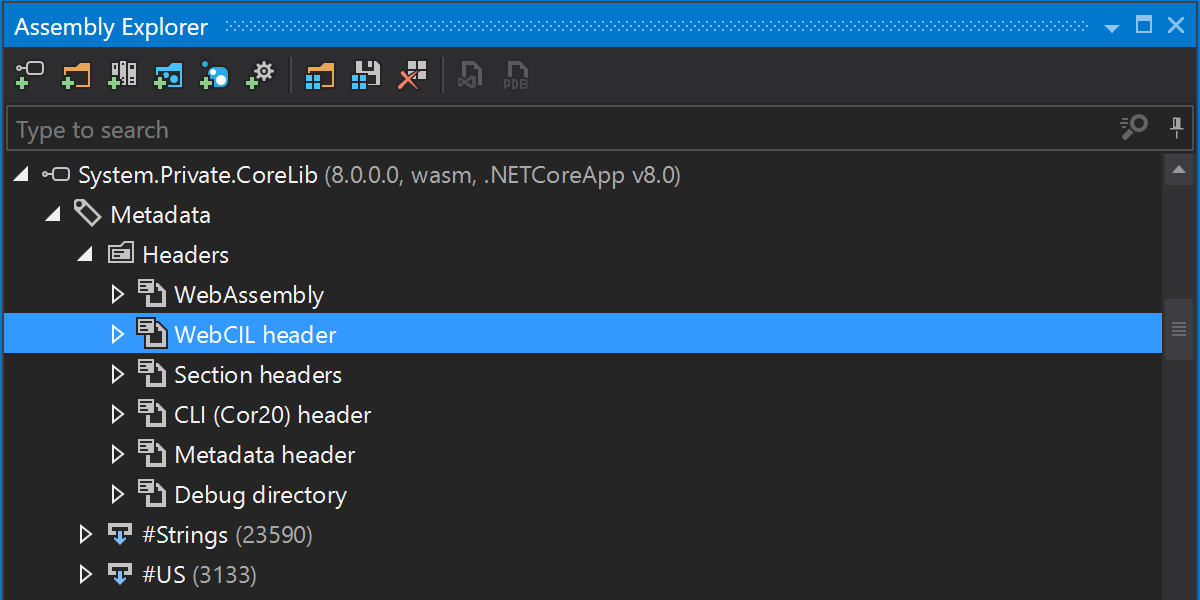
Support for the WebCIL packaging format 2024.1
dotPeek now supports the WebCIL packaging format for WebAssemblies. The support covers:
- Decompilation for WebCIL.
-
The ability to view
.wasmfiles in the Assembly Explorer. - Metadata subtrees for WASM nodes in the Assembly Explorer, including WASM and WebCIL headers.
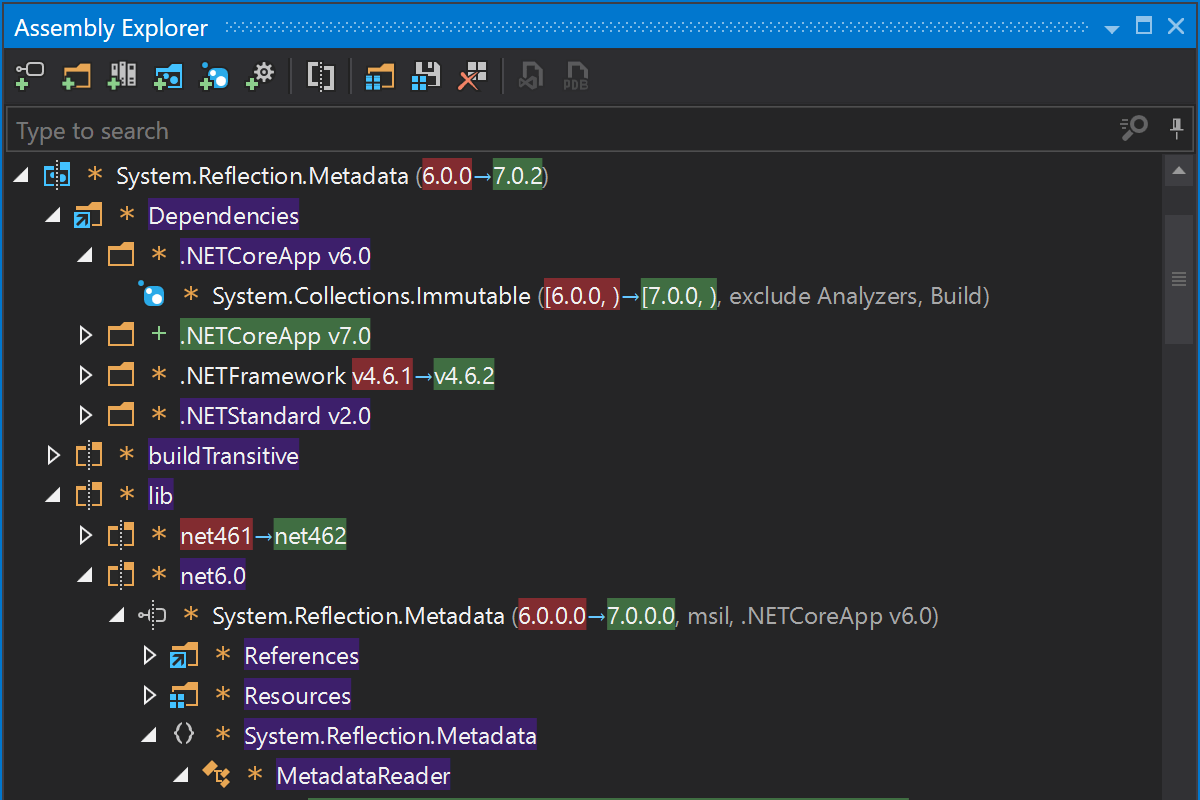
Assembly diff improvements 2023.3
dotPeek 2023.3 is able to compare NuGet packages, folders, and .zip files.
The ability to compare assemblies now has more comparison options. You can choose between several diff modes (Show all, Show only differences, Show only signature differences, Show only public API differences). Additionally, you can specify if you’d like the diff to ignore member/attribute order differences, as well as differences in nullable reference types’ annotations.
Assembly Explorer updates 2023.3
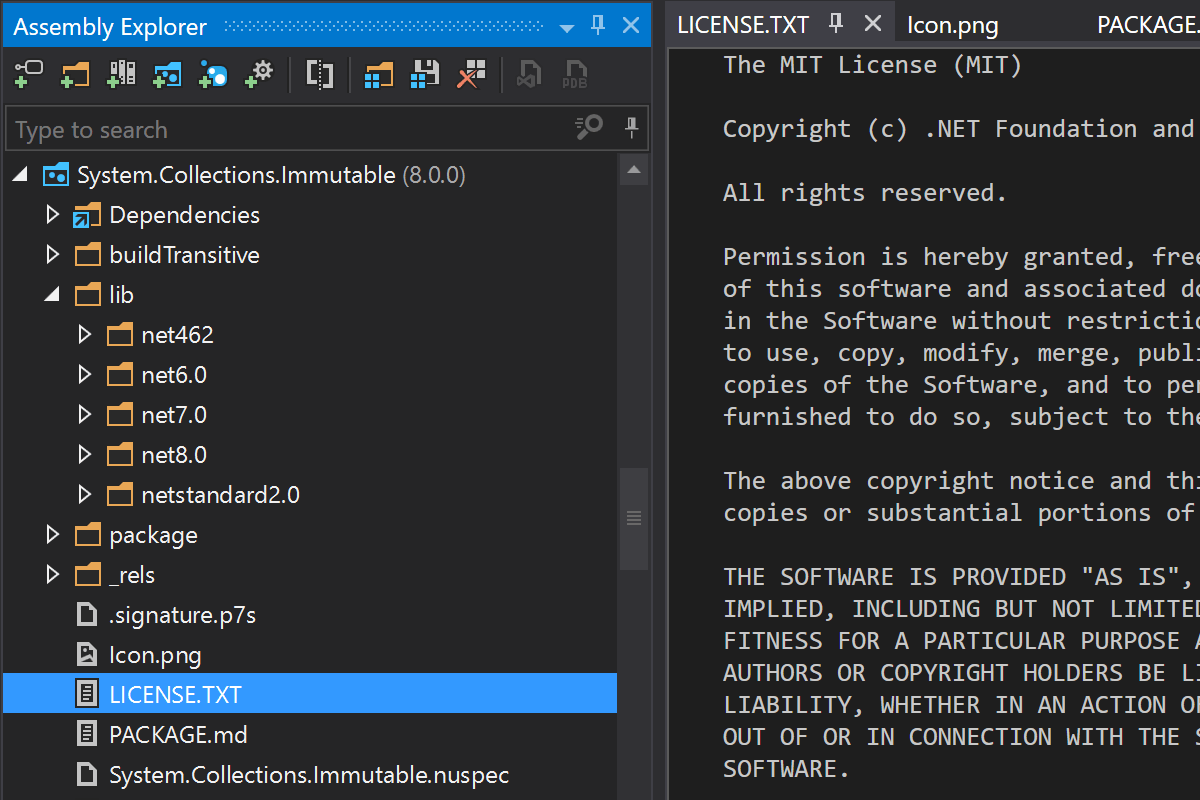
- When exploring NuGet packages in the Assembly Explorer, you’ll now be able to see all files and folders contained inside those NuGet packages.
- Win32 resource nodes, including their size and type (if these can be determined), can now be viewed in the node presentation tree and the Properties pane.
Other updates 2023.3
- The ability to decode Win32 string-table resources has now been introduced.
- dotPeek now displays the sizes of open files inside the Properties pane for an assembly/non-assembly, files inside bundles, archives, NuGet packages, compared assemblies, and Win32 resources.
- Assembly authenticode signature validation is now available.
-
Explicit
#nullable disabledirectives are shown in decompiled sources.
Assembly diff 2023.2
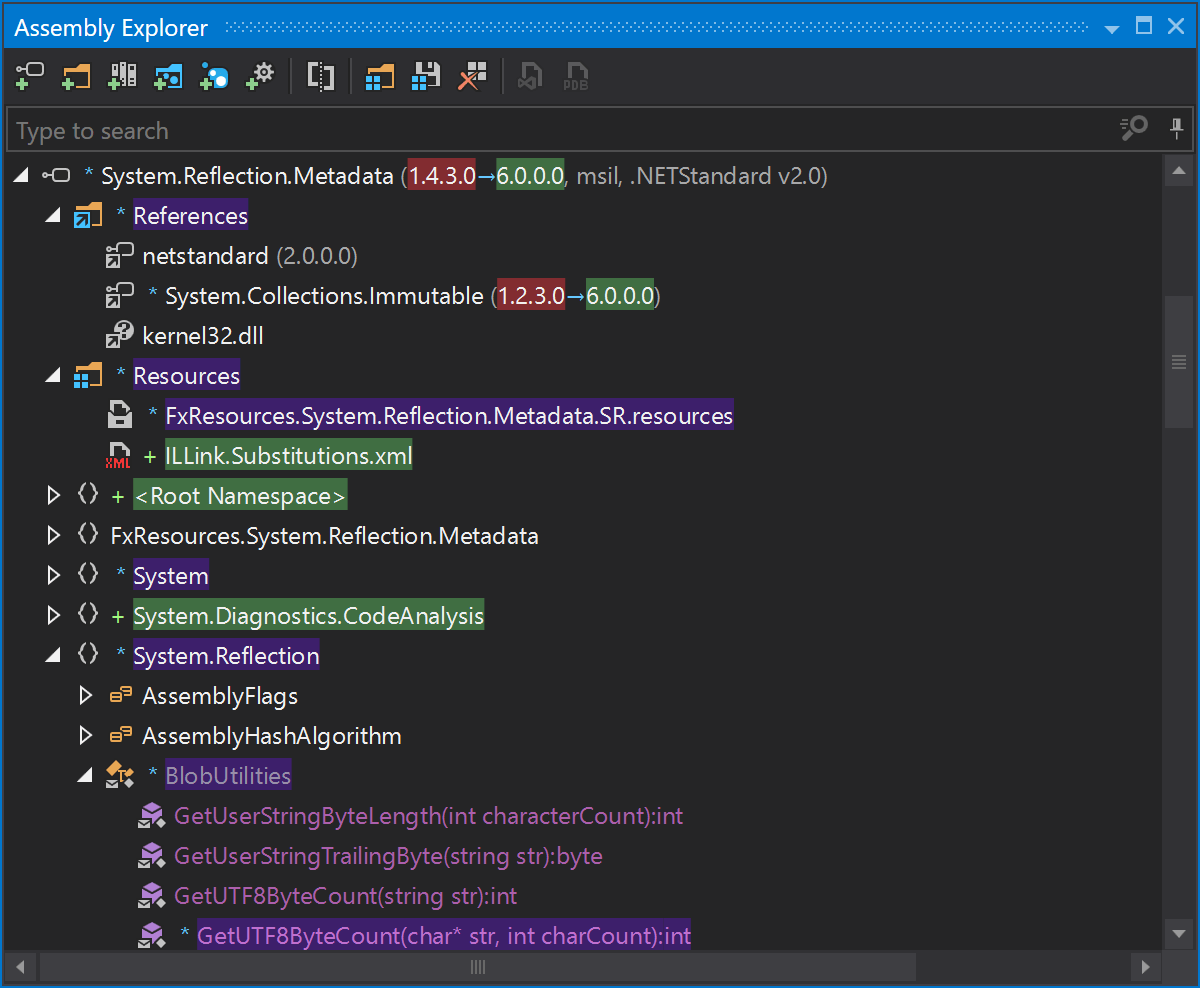
dotPeek 2023.2 provides a way to compare two assemblies in detail. This feature is especially useful when scrutinizing the differences between two versions of a specific assembly and searching for potential vulnerabilities that may have been introduced in a newer version.
Click here for more information.
IL Viewer tool window 2023.1
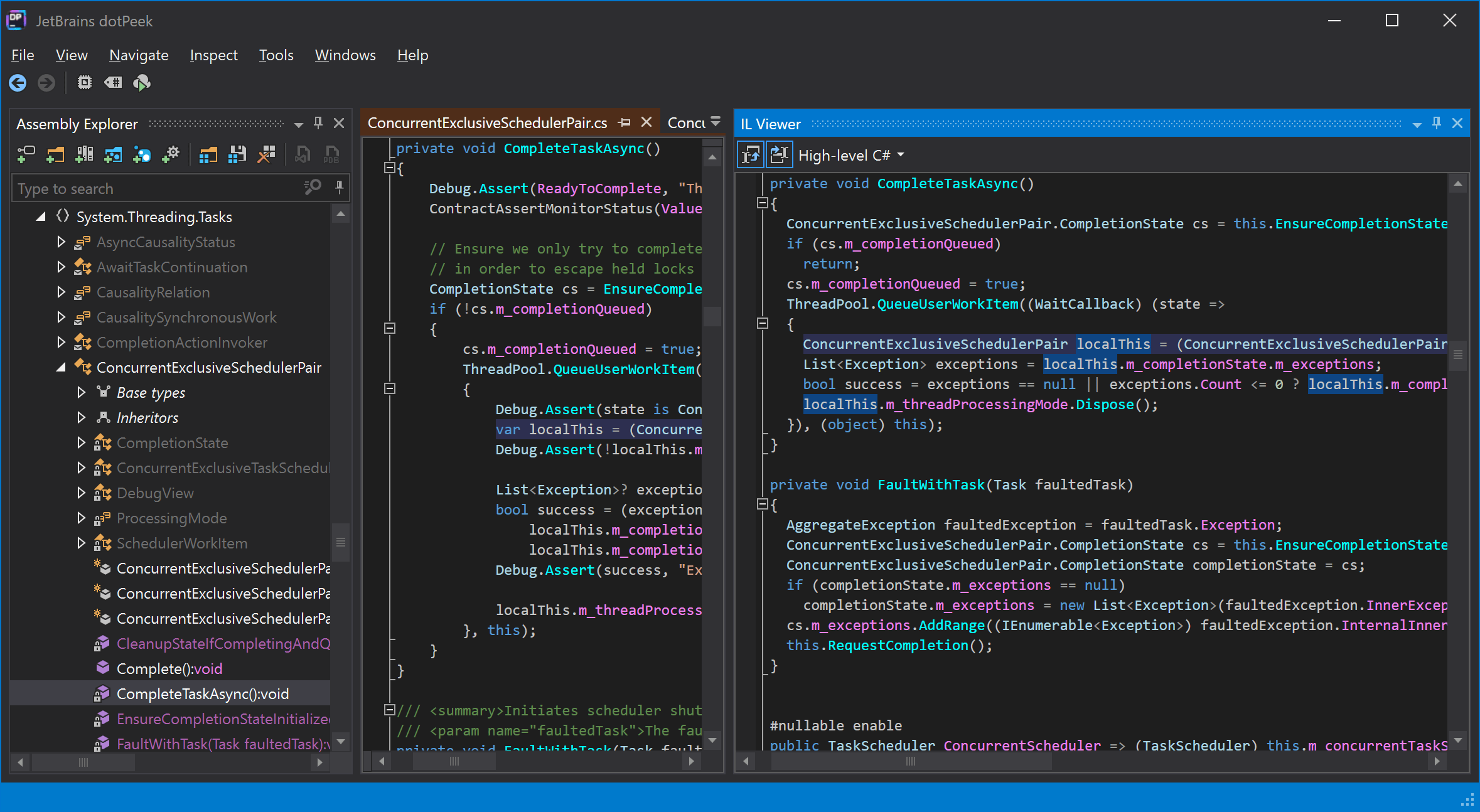
The 2023.1 version of dotPeek contains the following improvements for the IL Viewer tool window:
- Local variable names will now be used for both low-level and high-level C# code and variable tuple element names for high-level C# code as in the original source.
- Commented tuple element names will be rendered from the PDB/decompiler for local variable declarations in intermediate language (IL) code.
-
Synchronization has been improved for field and property initializers, statements inside
iterators,
asyncmethods, lambdas, local functions, and local functions and nested local function declarations for high-level C#.