Nouveautés de ReSharper 2026.1
Welcome to the ReSharper 2026.1 release overview. This version is designed to make everyday .NET development more comfortable and efficient, with:
- Enhanced performance monitoring – All runtime behavior insights can now be displayed in a single tool window.
- Expansion beyond Visual Studio – Use ReSharper in VS Code–compatible editors like Cursor and Google Antigravity.
- Improved C# support – Better handling of extension members, new inspections, and early support for upcoming features.
- More stable Out-of-Process mode – Over 70 fixes for improved reliability.
- Modernized editor UI – Updated completion, tooltips, and popups with better scaling.
Surveillance évoluée des performances
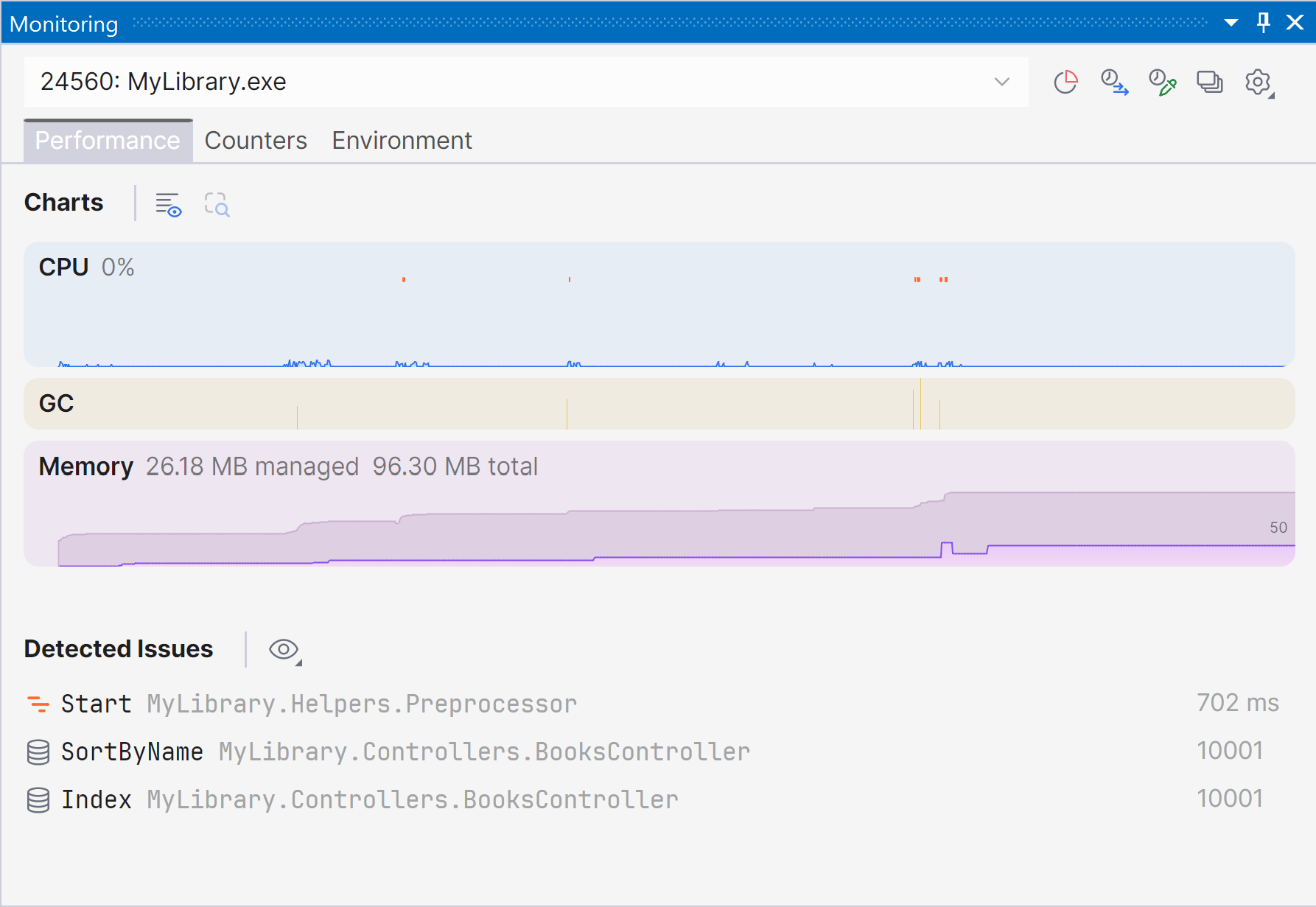
Marking a new step in the evolution of performance monitoring, ReSharper 2026.1 introduces the Monitoring tool window. Cette nouvelle fenêtre d'outils dédiée offre une vue plus claire et plus complète des performances à l'exécution et propose une détection automatisée des problèmes pour vous aider à identifier des opportunités d'optimisation.
The Monitoring tool window lets you observe key runtime metrics of your application as it runs or during debugging. It builds on the capabilities already previously available through our .NET profiling tools and Dynamic Program Analysis (DPA), but brings them together in a single view that makes it easier to evaluate runtime behavior at a glance.
Starting with ReSharper 2026.1, the Monitoring tool window is available when using ReSharper as part of the dotUltimate subscription.
The Dynamic Program Analysis (DPA) feature will be retired in the 2026.2 release, while its core capabilities will continue to be provided through the new monitoring experience.
Current limitations:
The Monitoring tool window is not currently supported in Out-of-Process mode. We are working to remove this limitation in ReSharper 2026.2.
For more details on how monitoring works and how to use it, see our documentation.
Extension aux éditeurs compatibles avec VS Code
ReSharper est désormais disponible pour Visual Studio Code et des éditeurs compatibles comme Cursor et Google Antigravity, vous permettant ainsi de bénéficier des outils C# de JetBrains dans l'éditeur de votre choix.
L'extension fournit des fonctionnalités d'analyse de code en temps réel, de refactorisations et de navigation pour C#, XAML, Razor et Blazor. Elle inclut également un Solution Explorer pour gérer les projets et les générateurs de sources, ainsi qu'une prise en charge intégrée des tests unitaires pour NUnit, xUnit.net et MSTest.
ReSharper pour VS Code et les éditeurs compatibles est disponible via les abonnements ReSharper, dotUltimate et All Products Pack. Un abonnement gratuit est également disponible pour une utilisation non commerciale.
Learn more in this dedicated blog post.
Assistance linguistique
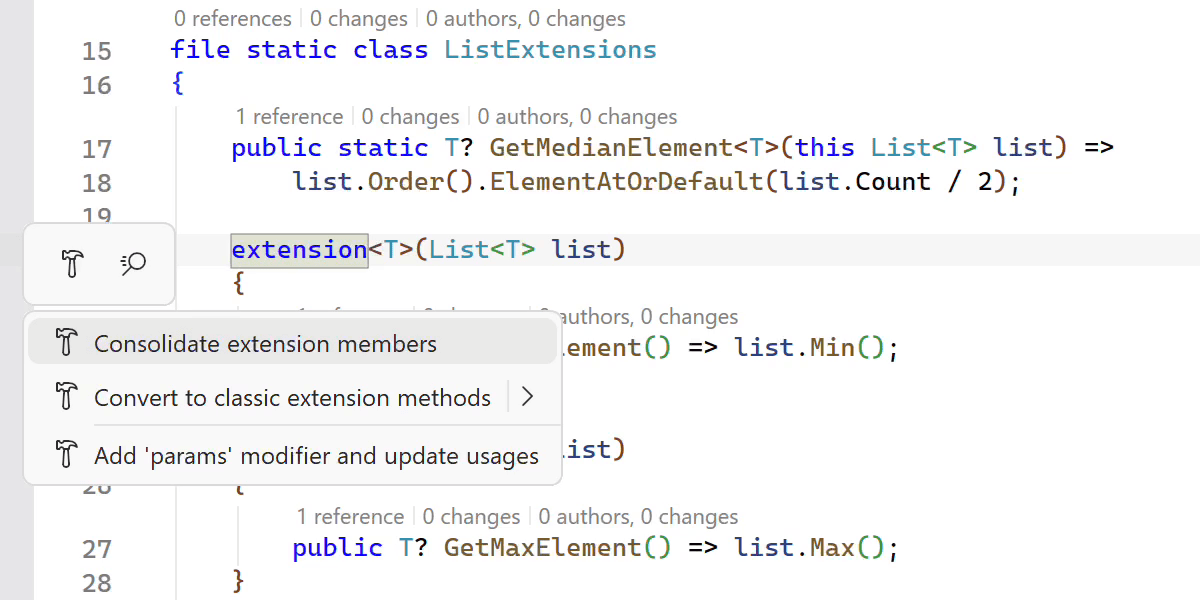
Amélioration de la prise en charge des extensions C#
ReSharper 2026.1 expands its support for C# extension members, helping you work more efficiently with the evolving language features.
A new Consolidate extension members context action merges compatible extension declarations and classic extension methods into a single block. The Import extension member quick-fix has also been improved and now supports all kinds of extension members, automatically adding missing using directives when needed.
Nous avons également amélioré la navigation et la refactorisation des membres d'extension. ReSharper can now decompile extension blocks and navigate to generated sources, and the Extension Method to Plain Static refactoring now works with methods declared inside extension blocks.
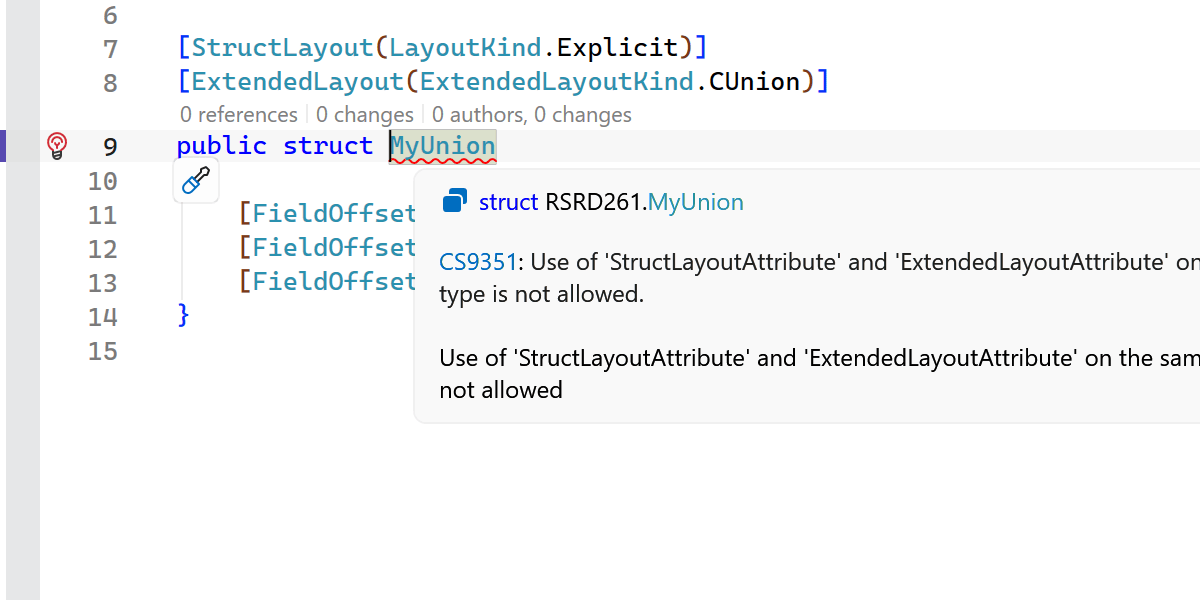
Early support for upcoming C# language features
ReSharper 2026.1 introduces early support for upcoming C# language updates, helping you experiment with new syntax as the language evolves.
This release includes initial support for collection expression arguments and support for the [ExtendedLayout] attribute, ensuring ReSharper continues to work smoothly with the latest compiler innovations.
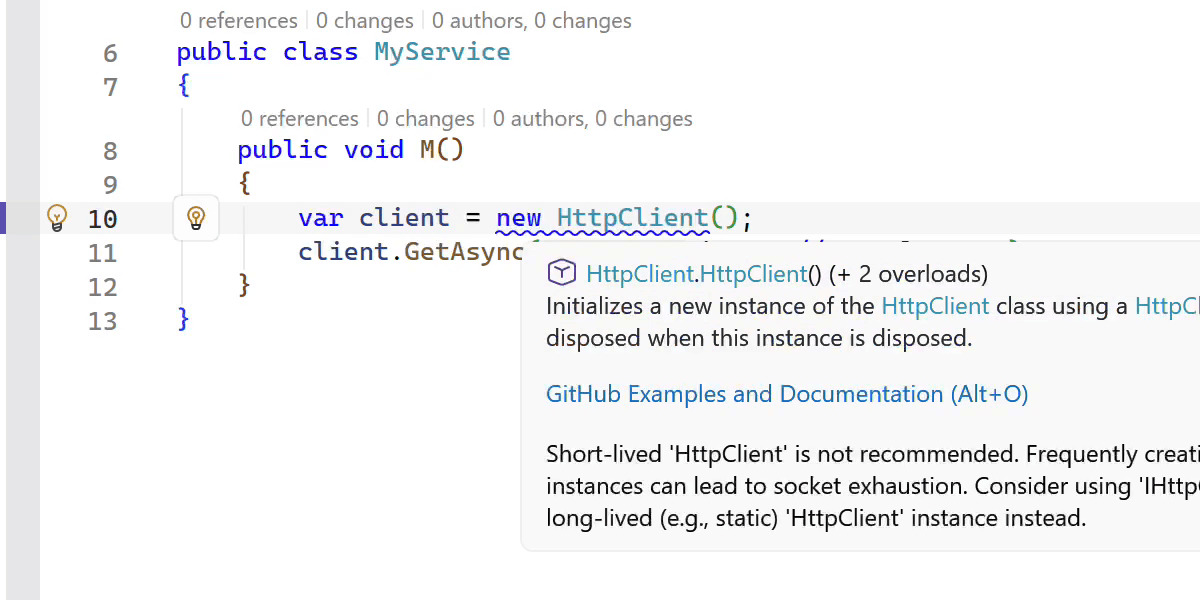
New inspections and code style options
This release adds several new inspections and style options to help you write safer and more consistent code.
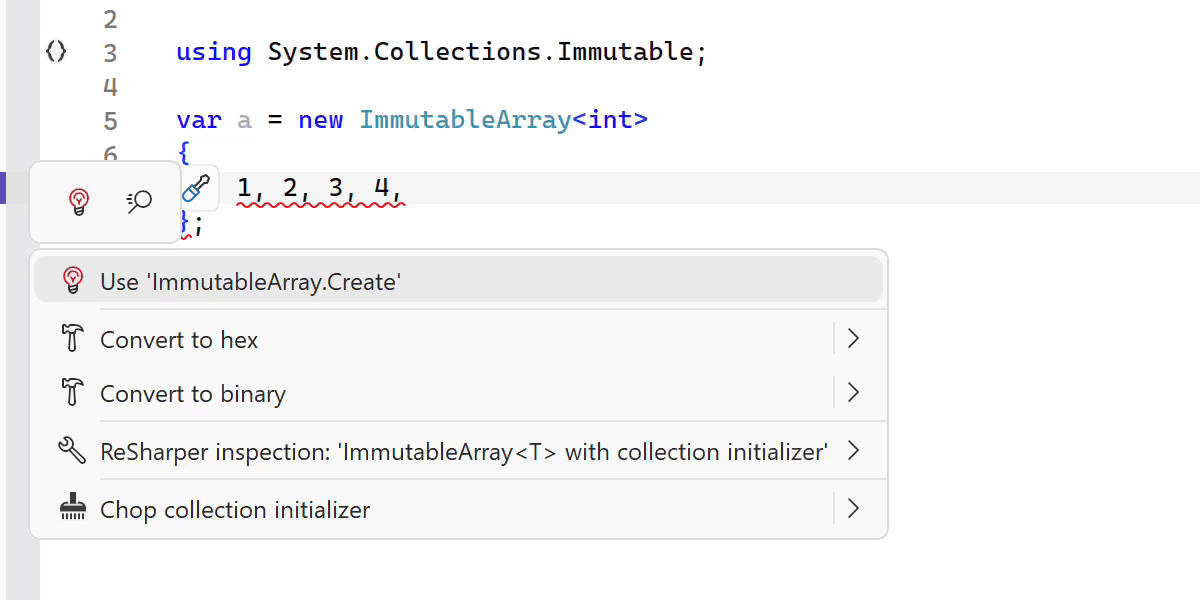
ReSharper now detects short-lived HttpClient instances and suggests safer reuse patterns. It also warns you when ImmutableArray<T> is used with collection initializers, which can lead to a runtime NullReferenceException.
Citons parmi les autres améliorations :
- A new inspection for enforcing the order of accessor methods in properties and events.
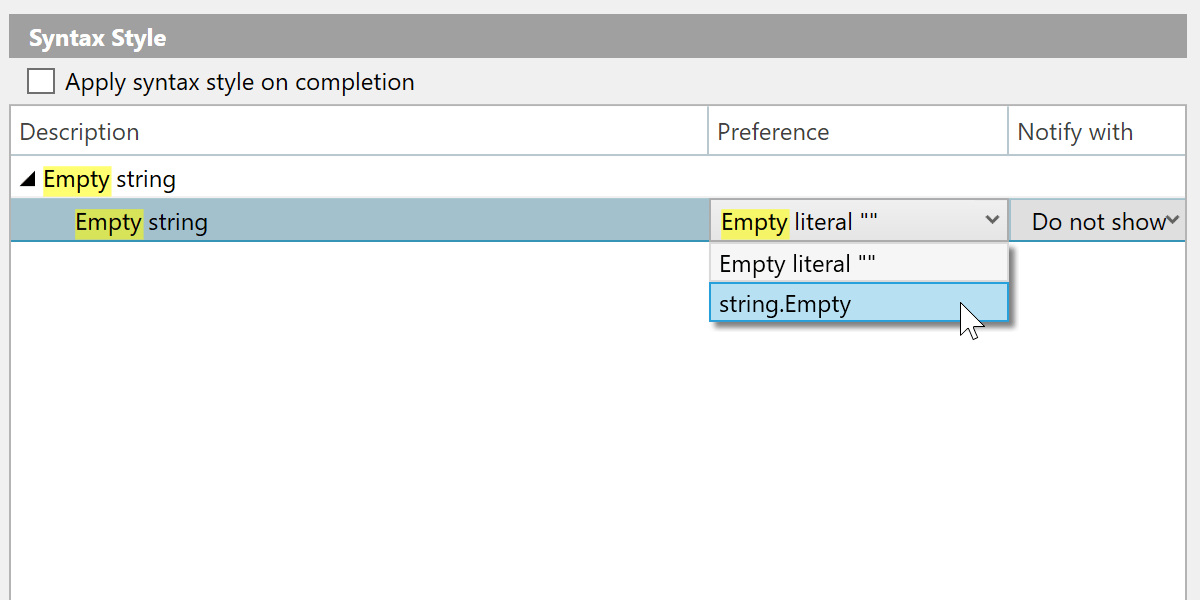
- A syntax style option for empty strings, allowing you to choose between
string.Emptyand"". - Improved nullable reference type migration, with an option to insert
#nullable enableautomatically in new files. - Enhanced code completion that can generate method definitions based on
[LoggerMessage]attributes.
Indexation, saisie semi-automatique et analyse plus rapides
This release brings several performance improvements across indexing, code completion, and code analysis.
Nous avons retravaillé l'indexation des membres de type annotés définis dans les assemblies, ce qui la rend nettement plus rapide et moins gourmande en mémoire.
La saisie semi-automatique à l'importation est désormais plus réactive grâce à l'élimination de certains calculs coûteux.
We also optimized several performance-critical code paths by reducing costly interface type checks, resulting in faster code analysis and lower overall overhead.
C++ improvements
ReSharper 2026.1 improvements to C++ support include:
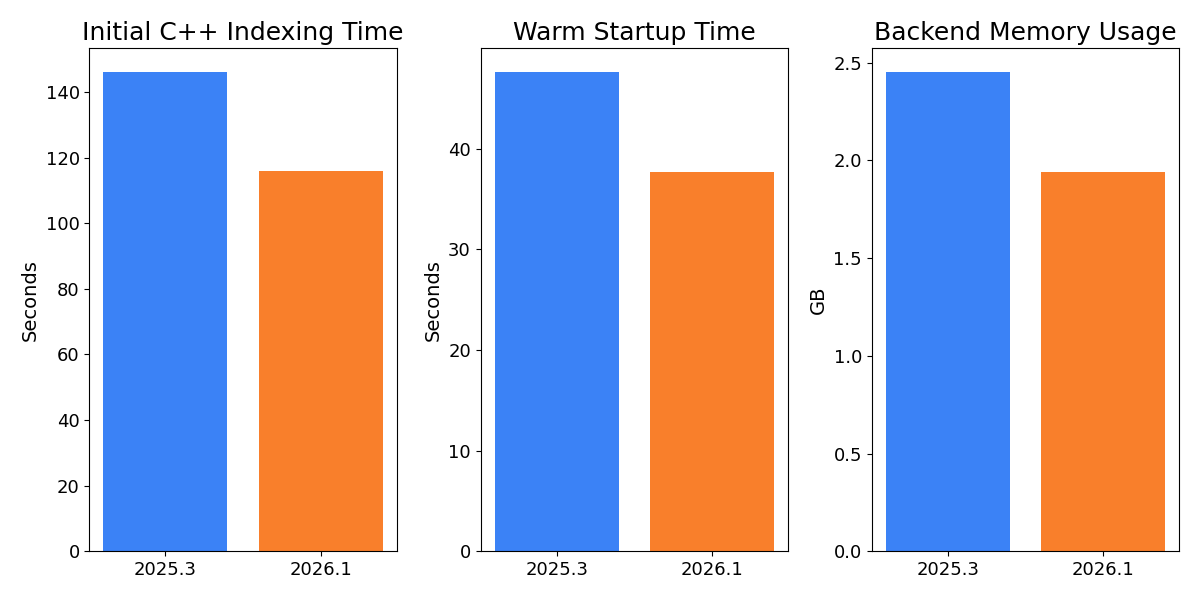
- Performance: Faster startup times and lower memory usage in Unreal Engine projects.
- Language support: Support for the C23/C++26
#embeddirective, C++23 extended floating-point types, the C2Y_Countofoperator, and other features. - Coding assistance: Auto-import for C++20 modules and postfix completion for primitive types, literals, and user-defined literal suffixes.
- Code analysis: New inspections for out-of-order designated initializers and override visibility mismatches, update of bundled Clang-Tidy to LLVM 22.
- Unreal Engine: Richer Blueprint integration in Code Vision and Find Usages, compatibility fixes for the upcoming Unreal Engine 5.8.
Apprenez-en plus sur les mises à jour de C++ sur la page Nouveautés de ReSharper C++ 2026.1.
Improved stability in Out-of-Process mode
We continue to improve the stability of ReSharper’s Out-of-Process (OOP) mode, which improves responsiveness and resilience by separating ReSharper’s backend from Visual Studio.
In this release, we resolved over 70 issues and made improvements related to the Out-of-Process architecture. Les correctifs traitent des problèmes dans de nombreux scénarios, y compris la navigation (notamment les actions Peek), les interactions avec l'interface utilisateur, les sessions de tests unitaires et la synchronisation de l'état de la solution.
The .NET runtime used by ReSharper in Out-of-Process (OOP) mode has also been updated to .NET 10.
Interface utilisateur modernisée pour la saisie semi-automatique et les fenêtres contextuelles
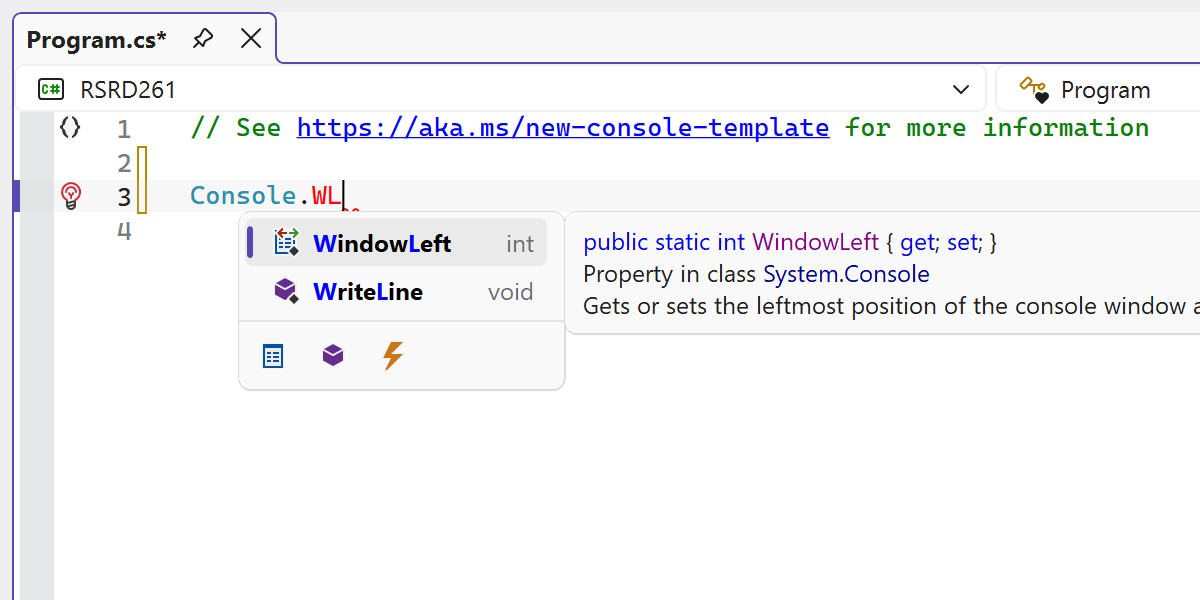
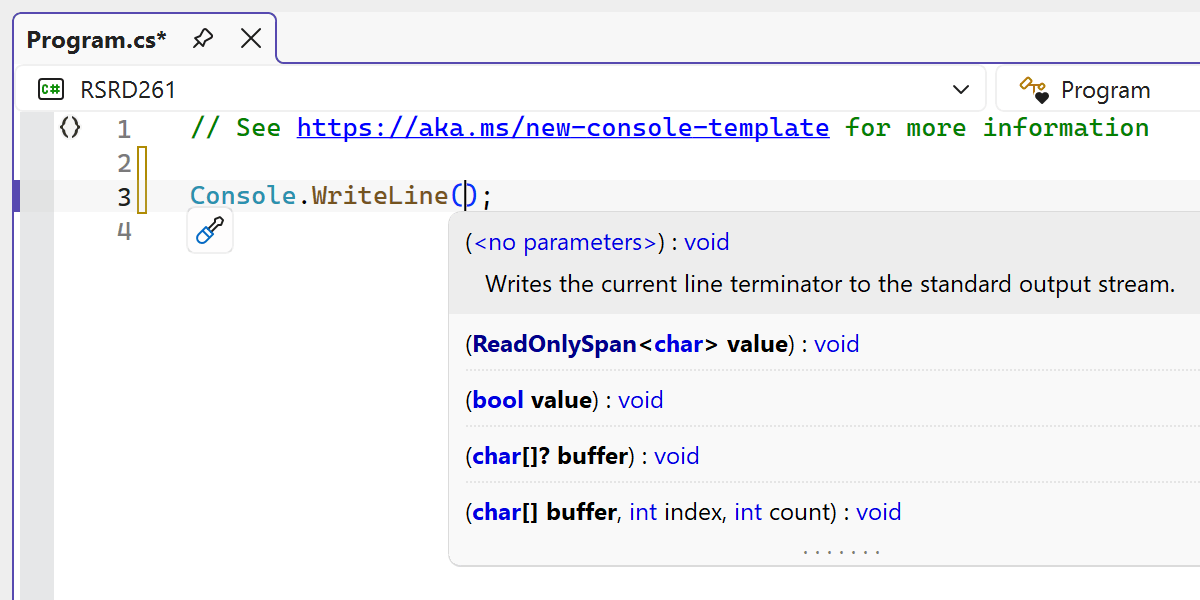
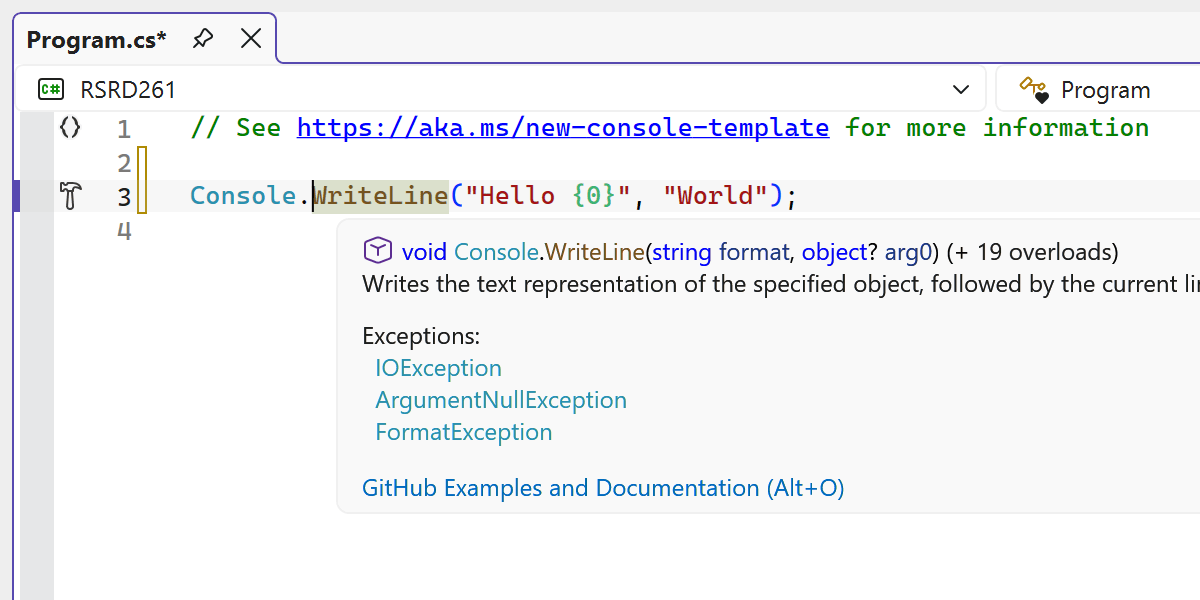
Plusieurs éléments de l'interface de l'éditeur de ReSharper ont été rafraîchis afin de mieux s'accorder avec le style moderne de l'expérience Visual Studio.
Grâce à une refonte, l'interface de la saisie semi-automatique du code offre désormais une apparence plus claire et cohérente dans l'éditeur.
Nous avons également modernisé de nombreux composants de l'interface utilisateur, y compris les fenêtres contextuelles d'informations sur les paramètres, les infobulles et les autres fenêtres contextuelles de l'éditeur, en remplaçant les visuels obsolètes et en améliorant leur apparence à travers les thèmes et les réglages DPI.
The updated UI now supports Visual Studio’s editor zoom feature, ensuring completion lists and parameter info scale correctly when zoom levels change.